Owner's Manual























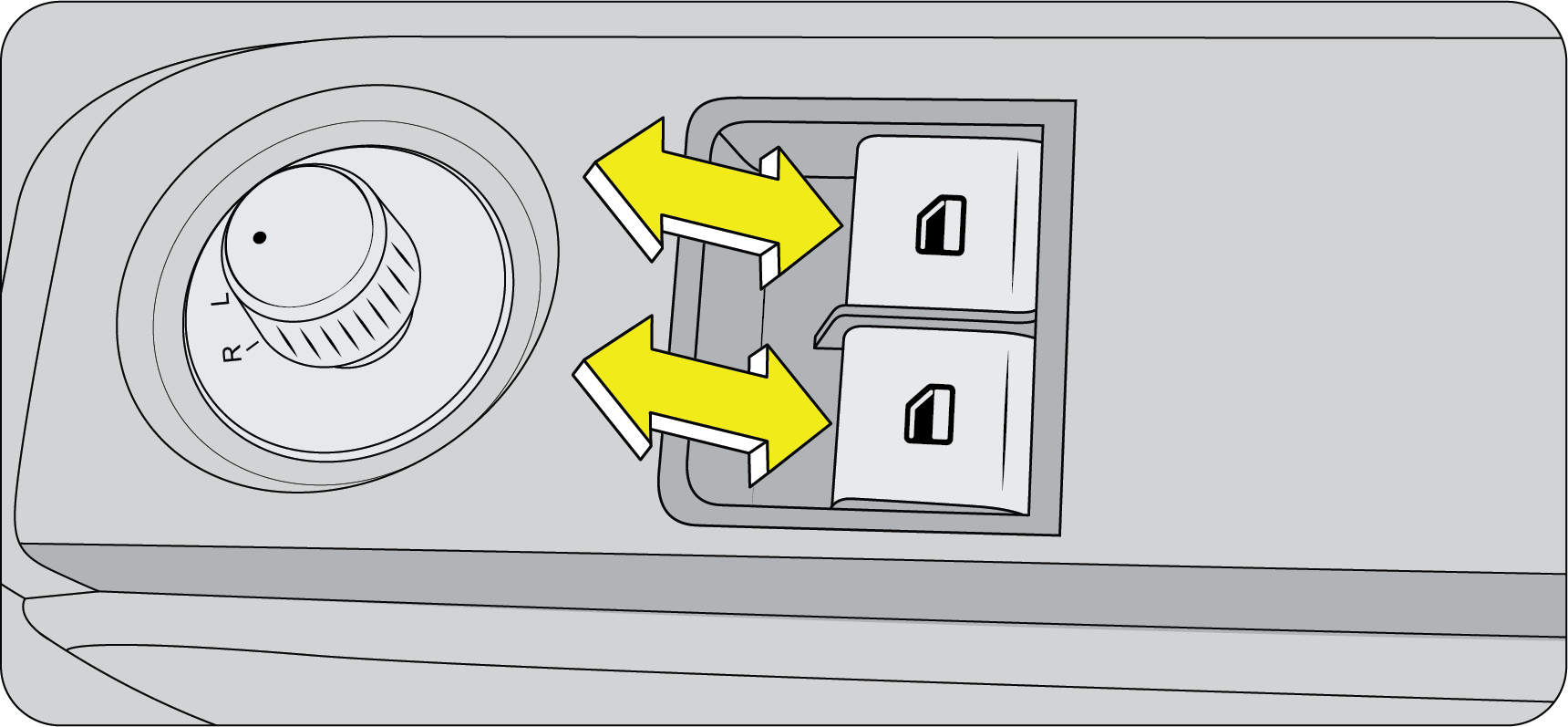
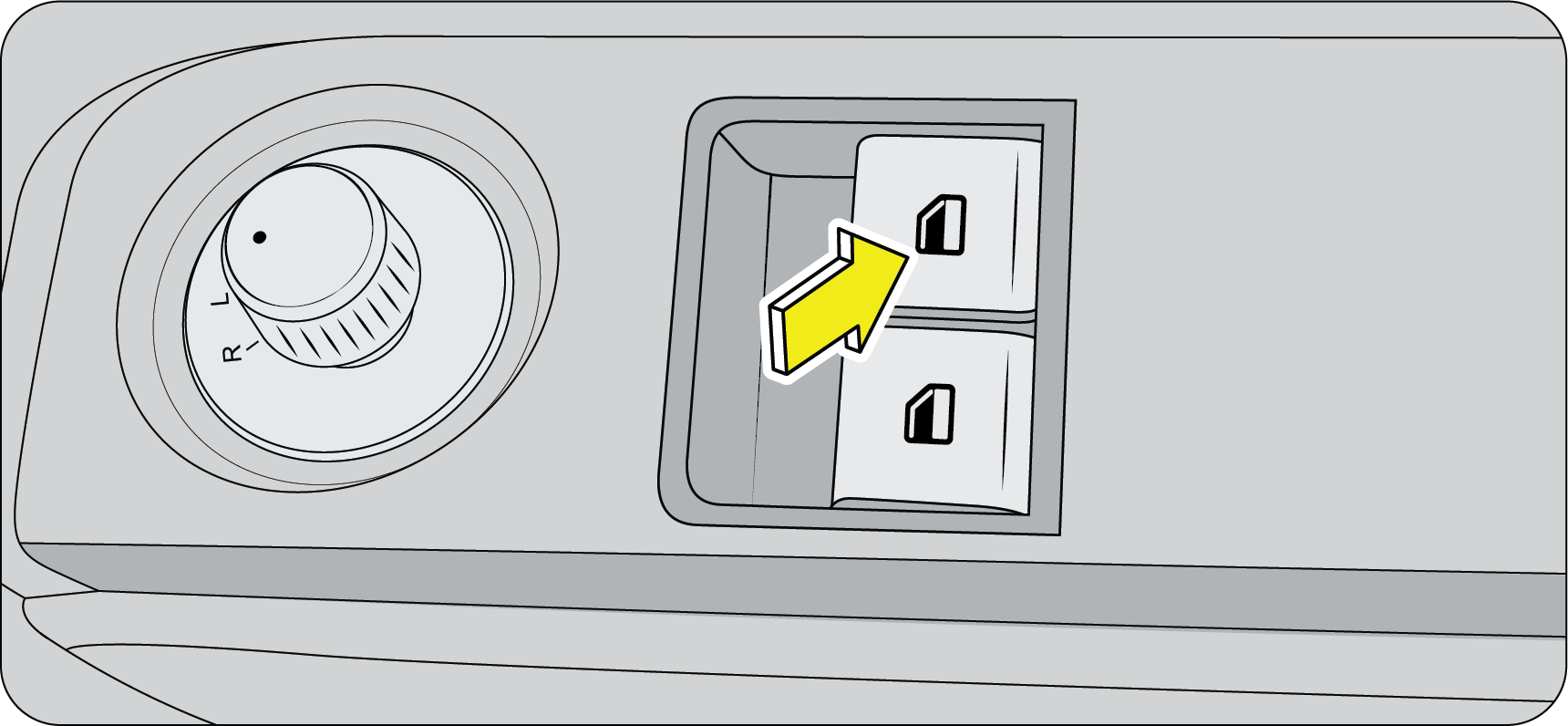




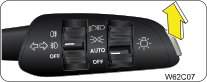


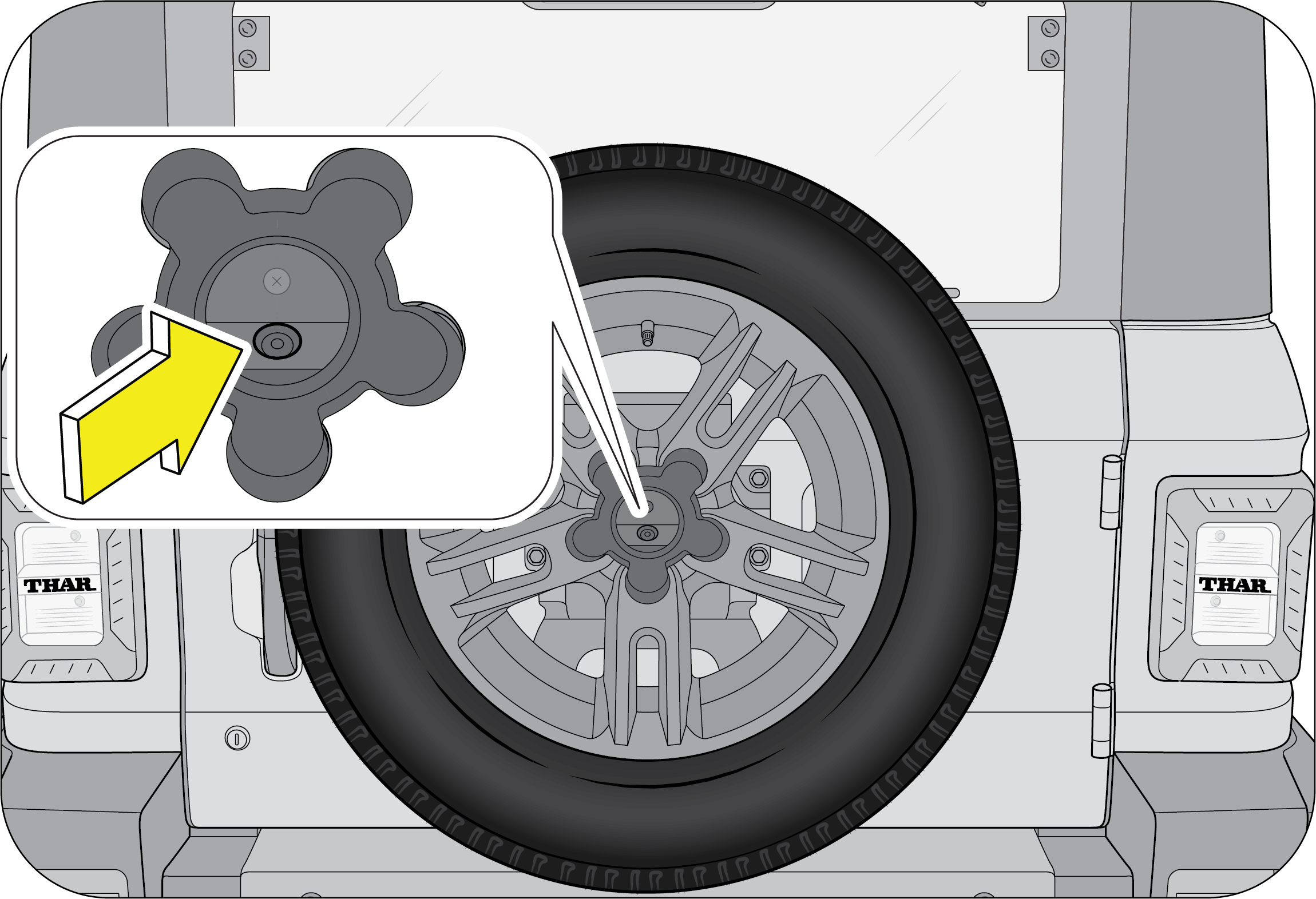
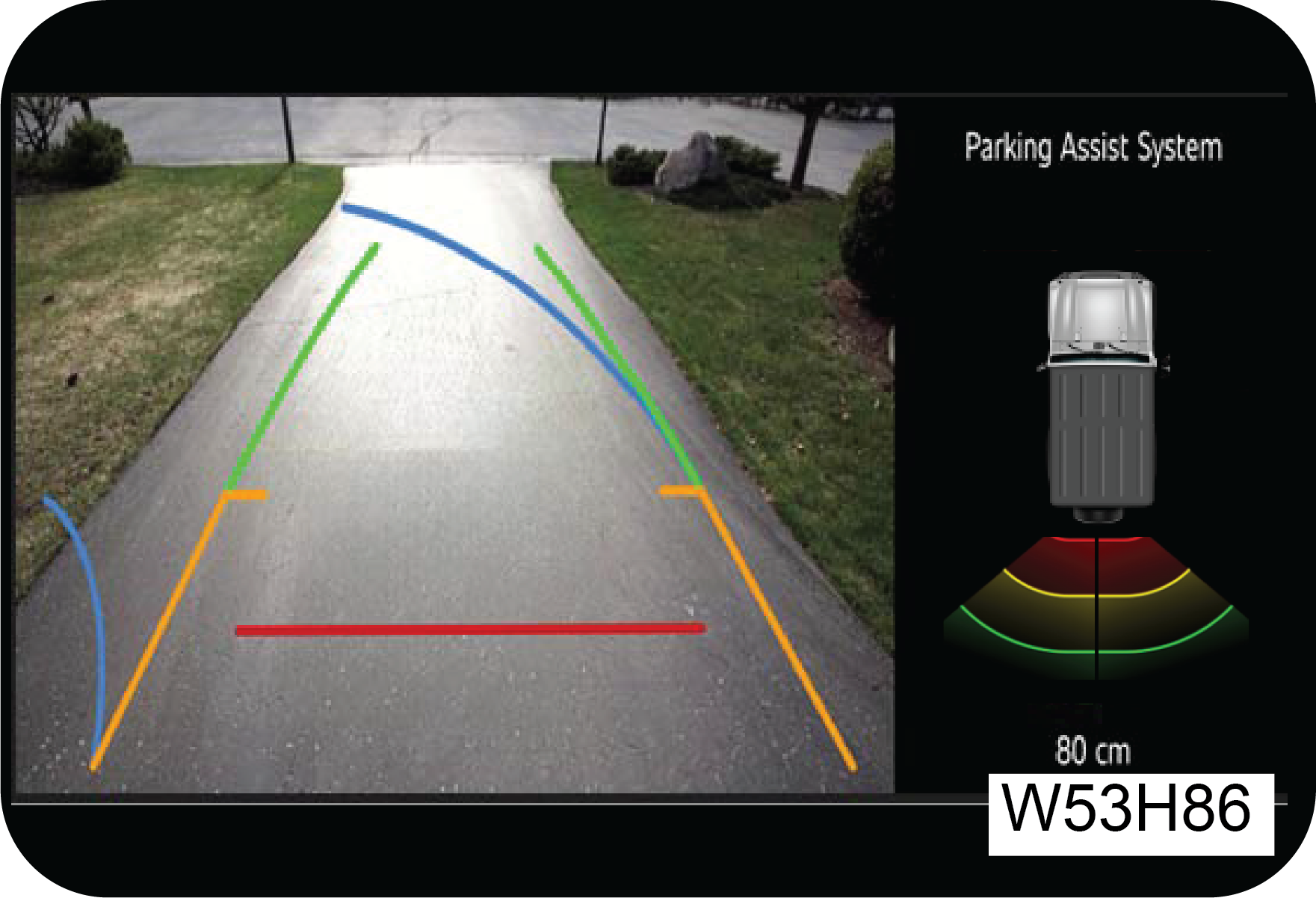
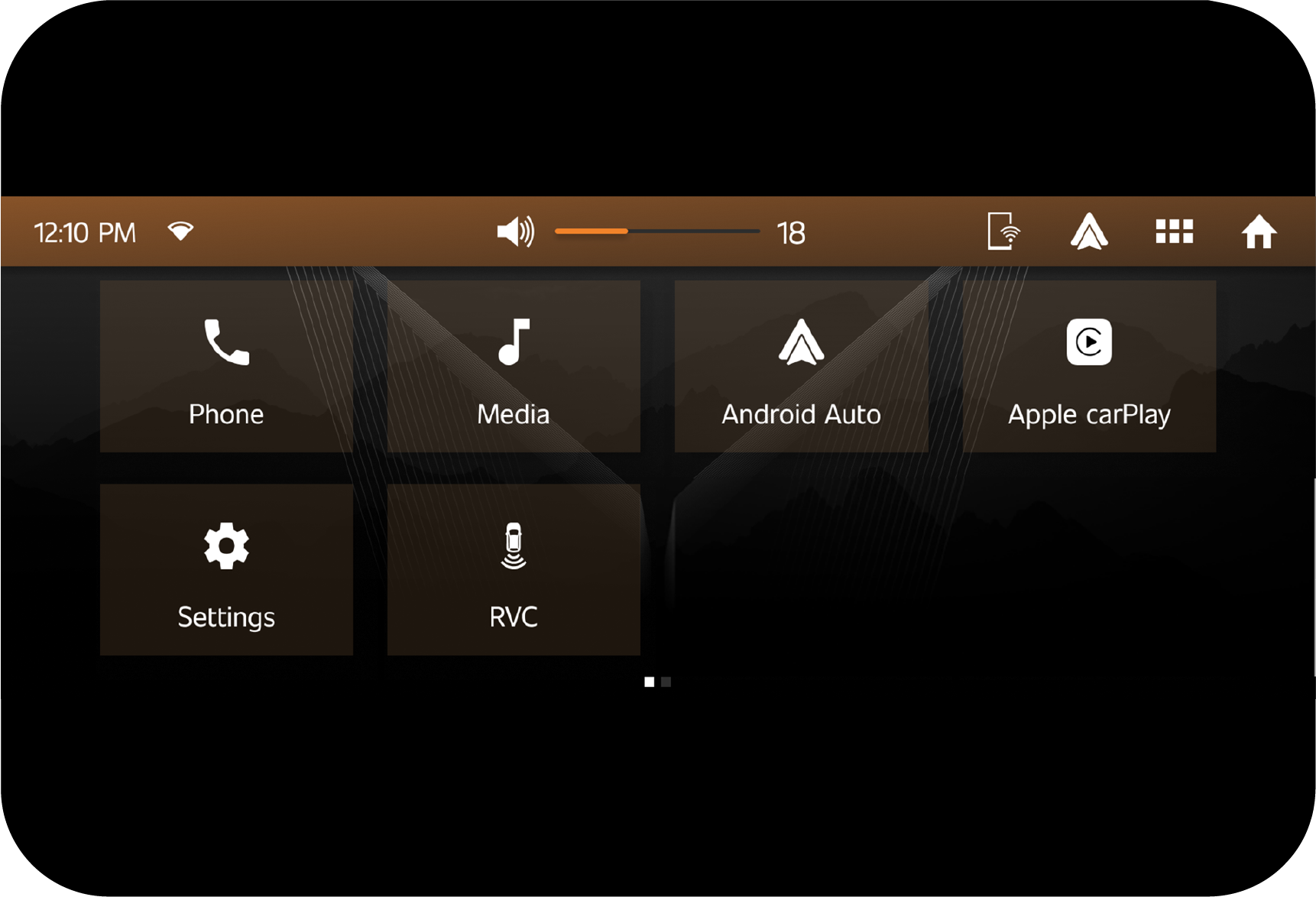


If the rear defogger switch is not switched OFF manually, it will turn OFF automatically after a pre-defined time, based on ambient temperature. If you want to switch the rear defogger ON again, press the rear defogger switch again.
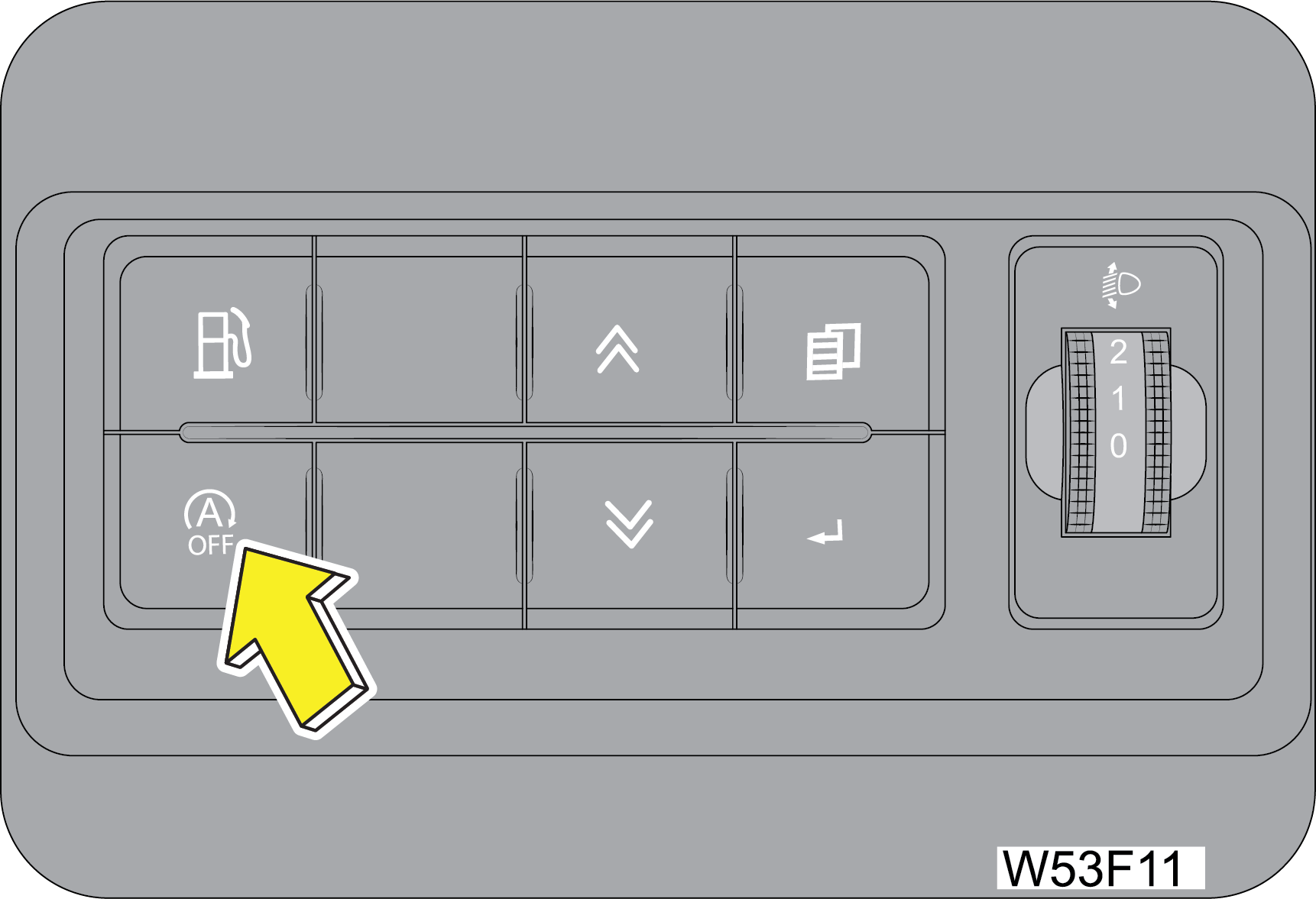
On second and subsequent activations of the rear defogger in the same ignition cycle, the rear defogger ON time will be half the duration of the first activation.

Transfer Case is a part time manual shift system. There is no synchronizer in transfer case and hence Shifting while the front or rear axles rotating at different speeds can cause damage to the transfer case. Vehicle is equipped with electric front axle disconnect (FAD). There may be a slight delay and ratcheting noise while FAD is engaging as the splines may not be aligned. This is normal.
Proper operation of four-wheel drive vehicles depends on tyres of equal size, type, and circumference on each wheel. Any difference will adversely affect shifting and cause damage to the transfer case.





Issue Date: September 2025
Release Date: November 2025
NOTE:
Carefully read, understand and follow the instructions provided in
this manual, and keep it in a safe place for future reference. If
you have any doubt whatsoever regarding the use or care of your
vehicle, please visit your Authorised Mahindra Dealer for assistance
or advice.
This Owner's Manual should be considered as an integral part of the
vehicle and should remain with the vehicle.
|
MAHINDRA & MAHINDRA LTD., GATEWAY BUILDING, APOLLO
BUNDER, MUMBAI - 400 039
|
www.mahindra.com
|
Thank you for choosing Mahindra vehicle.
We are privileged to welcome you to the Mahindra family.
Your vehicle represents Robust Quality, Ruggedness, Safety,
Precision Workmanship and Distinctive Styling , which are our
traditional values.
This documents contains important information on vehicle
operation, that will help you make full use of the technical
features available. To exercise better control on road, we suggest
you to please take time to read, understand and familiarise with
vehicle and its features. Following the instructions and
recommendations in this manual will help assure safe and enjoyable
operation of your vehicle.
When it comes to service, note that your Mahindra Authorised
Dealer knows your vehicle best, has company trained Technical
Experts, Mahindra Genuine Parts and very much cares about your
satisfaction.
We extend our best wishes for safe and pleasurable motoring
MAHINDRA & MAHINDRA LTD.
| Important Information – Quick Reference | |
|
We strongly urge that you read the
information provided in pages referred hereunder which will help in
road safety and prevent
inconvenience.
|
|
1
|
Warranty
Coverage.................................................................
|
Refer WSIG* (P.g. 14)
|
|
2
|
Roadside Assistance .................................................................
|
Refer WSIG* (P.g. 9)
|
|
3
|
Schedule Service
(Free/Paid)............................................................................................................................................
|
Refer WSIG* (P.g. 23)
|
|
4
|
Maintenance Schedule and Lubrication
Chart.............................................................................................................................................
|
Refer WSIG* (P.g. 24 & 28)
|
|
5
|
Location of Vehicle Identification Number (VIN)
.........................................................................................................................
|
Refer (P.g. 2-29)
|
|
6
|
Location of Fuse Box and Fuse Details
..............................................................................................................................................................
|
Refer (P.g. 2-3)
|
|
7
|
Changing a Flat Tyre
.......................................................................................................
|
Refer (P.g. 2-17)
|
|
8
|
Understanding the Warning Lamps
..............................................................................................................................
|
Refer (P.g. 4-30)
|
|
9
|
Understanding the Airbag Function
........................................................................................................................
|
Refer (P.g. 7-1)
|
|
10
|
Use of Seat Belts and Child Restraint
...............................................................................................................................
|
Refer (P.g. 6-5 & 6-12)
|
|
11
|
Co-driver Seat Lift and Slide
...............................................................................................................................................
|
Refer (P.g. 6-4)
|
|
12
|
If your Vehicle is Submerged
.........................................................................................................................................................
|
Refer (P.g. 13-26)
|
|
13
|
Driving through Water
.......................................................................................................................
|
Refer (P.g. 13-26)
|
|
14
|
Opening and Closing the Hood
.............................................................................................................................................
|
Refer (P.g. 16-5)
|
|
15
|
Location of Battery and its Maintenance
.............................................................................................................................................
|
Refer (P.g. 16-7 & 16-20)
|
|
*Warranty & Service Information Guide
|
||
|
Note:In view of
our policy of continuously improving our products, we reserve the right to alter
specifications, designs or features
without prior notice and without liability. We recommend you to refer the Variant Matrix
in the Brand official website or
contact the nearest Authorized Mahindra Service Center for the list of features applicable
to your vehicle.
The vehicle's software
and security measures are subject to ongoing development. Similar to computers and mobile
device operating
systems, the software and security features of the car might also receive irregular
updates.
|
||
1 INTRODUCTION AND SAFETY PRECAUTIONS
1.1 Servicing and Summary Data
We suggest that you record
the vehicle servicing data in the Warranty and Service Information Guide for future
references.
We recommend you always use Mahindra Genuine Parts when performing repairs on the vehicle.
For all issues concerning the vehicle and for any need of Genuine spare parts, contact the Authorized Mahindra Service Center.
We recommend you always use Mahindra Genuine Parts when performing repairs on the vehicle.
For all issues concerning the vehicle and for any need of Genuine spare parts, contact the Authorized Mahindra Service Center.
1.2 Safety Symbols
Carefully read, understand
and follow the safety symbols/ instructions given in this manual.
Legend of the Symbols: To emphasis the information and procedures regarding safety, use, maintenance, etc.
The following symbols are used throughout the manual:
Legend of the Symbols: To emphasis the information and procedures regarding safety, use, maintenance, etc.
The following symbols are used throughout the manual:

DANGER
indicates an imminently hazardous situation which, if not avoided, will result in death or serious
injury.
WARNING
indicates a potentially hazardous situation which, if not avoided, could result in death or serious
injury.
CAUTION
indicates a potentially hazardous situation which, if not avoided, may result in minor or moderate injury and/or
property damage.
NOTICE indicates
important information relevant to the vehicle and it’s optimum use, to which particular
attention must be
paid.
|
If you see this symbol, it
indicates “no”, “do not”, “do not do this”, or “never”.
|

|
1.3 General Safety Information and
Instructions
| 1. | First-aid kit is placed in the glove box of the vehicle. Ensure it is not taken out of the vehicle at any point of time. |
| 2. | Please note that throughout this manual, reference is made that “an accident” could occur. An accident could cause you or a bystander to sustain personal injury, or result in property damage. |
| 3. | Inspect the seat belt system periodically, checking for cuts, frays or wear in the seat belt webbing, or loose buckles, retractors, anchors or other loose parts. Damaged parts must be replaced immediately. |
| 4. | The lifespan of Mahindra products depends on many factors. Improper use, abuse or harsh use in general may compromise the integrity of the vehicle and significantly reduce its lifespan. The vehicle is also subject to wear over a period of time. Please have your vehicle regularly inspected by a Authorized Mahindra Service Center or a qualified Technician. If the inspection reveals any damage or excessive wear, immediately replace, or have the component serviced. |
| 5. | The vehicle identification plates are the only legal identification reference; hence it is necessary to keep them in good condition. Never modify data on the plates or remove them. It is illegal to remove or alter the numbers in the VIN plate. |
| 6. | Do not attempt sharp turns, abrupt maneuvers, or other unsafe driving actions that can cause loss of vehicle control. When the vehicle is fully loaded, drive at a slow speed, especially when turning. Note that the center of gravity of the vehicle changes when the vehicle is fully loaded, and also if luggage is mounted on the roof carrier. |
1.4 To the Users of the Mahindra
Vehicle
When first driving the vehicle after long periods of non-usage, you
may experience a temporary drive disturbance. This is
a characteristic of the tyres and should be no reason for concern. The condition should correct itself
within 5-15 km. of
driving. If the disturbance persists, have the vehicle checked by an Authorized Mahindra Service
Center.
Driving and
Drugs/Medication: Your driving ability can be seriously impaired through the use of
prescription or non-prescription drugs or medication (even
cough syrup). If you are taking any sort of drug or medication, be sure that it will not affect your
driving ability.
Mobile Phones Warning: Use
of electronic devices such as mobile phones, handheld devices, computers, portable radios or other by
the driver while
driving is dangerous. In exceptional condition, if use of a mobile phone is necessary despite this
warning, use a hands-free
system to ensure that the hands are free to drive the vehicle. Even hands-free do not ensure
distraction free drive. Please
comply with the legal regulations in your country, concerning the use of communication equipment in
vehicles.
Driving Long Distances
When driving long distances, follow these tips to have a safe
journey:
| • | Take breaks at regular intervals. |
| • | Lack of sleep or fatigue will impact your ability to drive safely. |
| • | Exercise your eyes by shifting the focus of your eyes to different parts of the road. |
| • | Use stimulating beverages such as coffee or tea. |
| • | Relax and stay calm. |
Running-in
Driving smoothly during first 1 000 km. will help to prevent abnormal
and premature system wear. Proper running-in will improve
the life of drivetrain and vehicle components.
A new engine may consume more oil during the first 1 000 km. of
running. This should be considered as a normal part of break-in
and not interpreted as any problem with the engine.
Mahindra Genuine Parts
Mahindra uses high quality parts for building the vehicles. In the
event that any parts need replacement, we recommend that
you use only Mahindra genuine parts.
Non-Mahindra parts may harm vehicle performance and will not be
covered by your Mahindra warranty.
The warranty does not cover problems caused by using non genuine
parts.
Mahindra Genuine
Accessories
A wide selection of quality accessories are available through your
Authorized Mahindra Service Center. These accessories have
been specifically engineered to allow you to personalize your vehicle to suit your requirements and
complement its style and
aerodynamic appearance.
Each accessory is made from high quality materials and meets
Mahindra's rigid engineering and safety specifications. Every
Mahindra accessory installed according to the Mahindra installation provisions comes with the
respective accessory warranty.
Consult your Authorized Mahindra Service Center for detailed
information about accessories available for your specific model
variant.
For maximum vehicle performance
and safety considerations, always keep the following information in mind:
| • | The company shall not be liable / responsible for any damages / injuries, including consequential damages / injuries, resulting due to fitment of unauthorized aftermarket accessories and / or tapping / cutting wires in the wiring harness When adding accessories, equipment, passengers and luggage to your vehicle, do not exceed the total weight capacity of the vehicle or of the front and rear axle. Consult Authorized Mahindra Service Center for specific weight information. |
| • | Bull bars and nudge guards are not recommended. |
| • | Accessories causing any change in vehicle specifications like wheel rims, bull bars, etc, may affect the performance of safety systems. |
| • | Mobile communication systems such as two-way radios, telephones and theft alarms that are equipped with radio transmitters and installed in your vehicle should comply with the local regulations and should be installed only by your Authorized Mahindra Service Center and can potentially affect the vehicle performance. |
Vehicle Safety
When leaving your vehicle unoccupied:
| • | Always remove the ignition key when you park the vehicle. |
| • | In case of PKE, please lock and take the key fob with you. |
| • | Close all the windows completely and lock all the doors. |
| • | Do not leave any valuables in your vehicle. If you must leave something in your vehicle, hide them and securely lock all the doors. |
When Sleeping in Your
Vehicle
| 1. | Do not sleep in a parked car with closed windows. In particular, if you stay or sleep in the car with the engine running and the air conditioner or heater turned on, you can suffocate to death. |
| 2. | Sleeping in a closed space with the engine running puts you at high risk of suffocation from the exhausts. |
| 3. | While sleeping, you may accidentally touch the gear shift lever or accelerator and thereby cause an accident. |
| 4. | While sleeping in the car with the engine running, you may accidentally step on the accelerator, thereby overheating the engine and exhaust pipe and causing a fire. |
Hazardous Materials: Do not
store any flammable items or disposable lighters in the console box or other spaces. In hot weather,
they can explode
and cause a fire.
Fire Extinguisher: For
safety, we strongly recommend that you have fire extinguisher in your vehicle. Keep it ready for use
at any time. Be familiar
with how to use it.
When Passing the Intersection or
Railway Crossing: When passing the intersection or railway crossing, stop the vehicle to
check the safety and drive through as fast as you
can while using low speed gear and without shifting the gear. If the engine is turned off in the
middle of the intersection
or railway crossing, get someone to help you and move the car to a safe place quickly.
Do not Switch off the Engine While
Driving: Do not switch off the engine while driving. Otherwise, it makes the steering wheel
heavier, influence the brake performance
and consequently dangerous.
System Safety Mode: The
protective measures including illumination of engine warning lamp and reduced engine power are taken
(engine turned off
in extreme case) when there is a critical fault in the system or a malfunction in the major electrical
or fuel system. This
indicates the system entering the safety mode to protect the vehicle’s drive system.
| • | If the safety mode is activated, pull over and stop the vehicle to a safe location immediately and contact your Authorized Mahindra Service Center. Then drive slowly or have the vehicle towed to a Authorized Mahindra Service Center according to the dealer’s instruction and have your vehicle checked by a Technician. |
| • | If you continue to drive in this state, normal driving is not maintained due to the fixed engine r/min and engine can stop. But even more importantly, continued driving with this state may damage the drive system. |
Do not Modify the Vehicle:
If unauthorized modifications are made on the vehicle, the company is not liable for repairing the
modified parts even during
the term of warranty. Other part problems caused by modification are also not covered.
| • | The vehicle you bought is equipped with a large number of precision parts that have passed through countless experiments and tests. |
| • | These parts are deeply and systematically interwoven. Therefore, if any part is modified or altered without authorization, may under perform or cause critical damage to the vehicle and human life. |
Protecting Our Environment:
As a responsible citizens, all of us have an important role to play in protecting our environment.
Judicious vehicle usage
and ensuring hazardous waste disposal (including cleaning and lubrication fluids) are important steps
towards this initiative.
Body Repairs: If your
vehicle is in a collision, contact Authorized Mahindra Service Center to ensure that it is repaired
with Mahindra
Genuine Parts. Mahindra has collision repair centers that meet strict requirements for training,
equipment, quality, and customer
satisfaction. Some repair shops and insurance companies might suggest using non-original equipment to
save money. However,
these parts do not meet Mahindra’s high standards for quality, fit and corrosion resistance. In
addition, non-genuine parts
or equipment might lead to damages or failures of the vehicle’s systems.
End of Line Disposal
Composition: Vehicle is
made from steel, Aluminum, Lead, Copper, Wood, other plastics and miscellaneous parts. These materials
are reusable
by recycling them through a proper procedure. Some are hazardous to environment and living beings to
be disposed as per local
pollution board regulations.
Disposal: As batteries are
made of lead, lithium and iron phosphate with solvents as electrolyte which are harmful. They can
impact
on environment and are to be disposed as per local pollution board regulations. Certain components of
this vehicle such as
seat belt pre-tensioner, airbag and battery may contain hazardous material. Special handling may be
required for service or
vehicle end-of-life disposal.
Similarly, ABS and other plastic panels, materials used are to be
disposed to accredited agencies for recycling.
Most of other materials are reusable, hence components are to be
segregated as per their composition as hazardous and non-hazardous,
disposed to accredited recycling agencies. Hence, it is advised to contact Authorized Mahindra Service
Center for further
information.
1.5 Audio/Infotainment Manual
Please refer the user e-manual in infotainment for details regarding:
| • | Audio/Infotainment functions |
| • | Bluetooth functions |
| • | Hands free usage |
DISCLAIMER:
All the information displays in
Adventure Statistics are to induce the Adventure Spirit of user in good faith and for general
information purpose only.
Mahindra does not make any
warranties about the completeness, reliability and accuracy of this information. Any action you
take upon the information, is strictly at your own risk.
Mahindra will not be liable for
any losses and/or damages in connection with the use of this feature.
2 GENERAL
2.1 Dimensions
|
Front View

|
Rear View
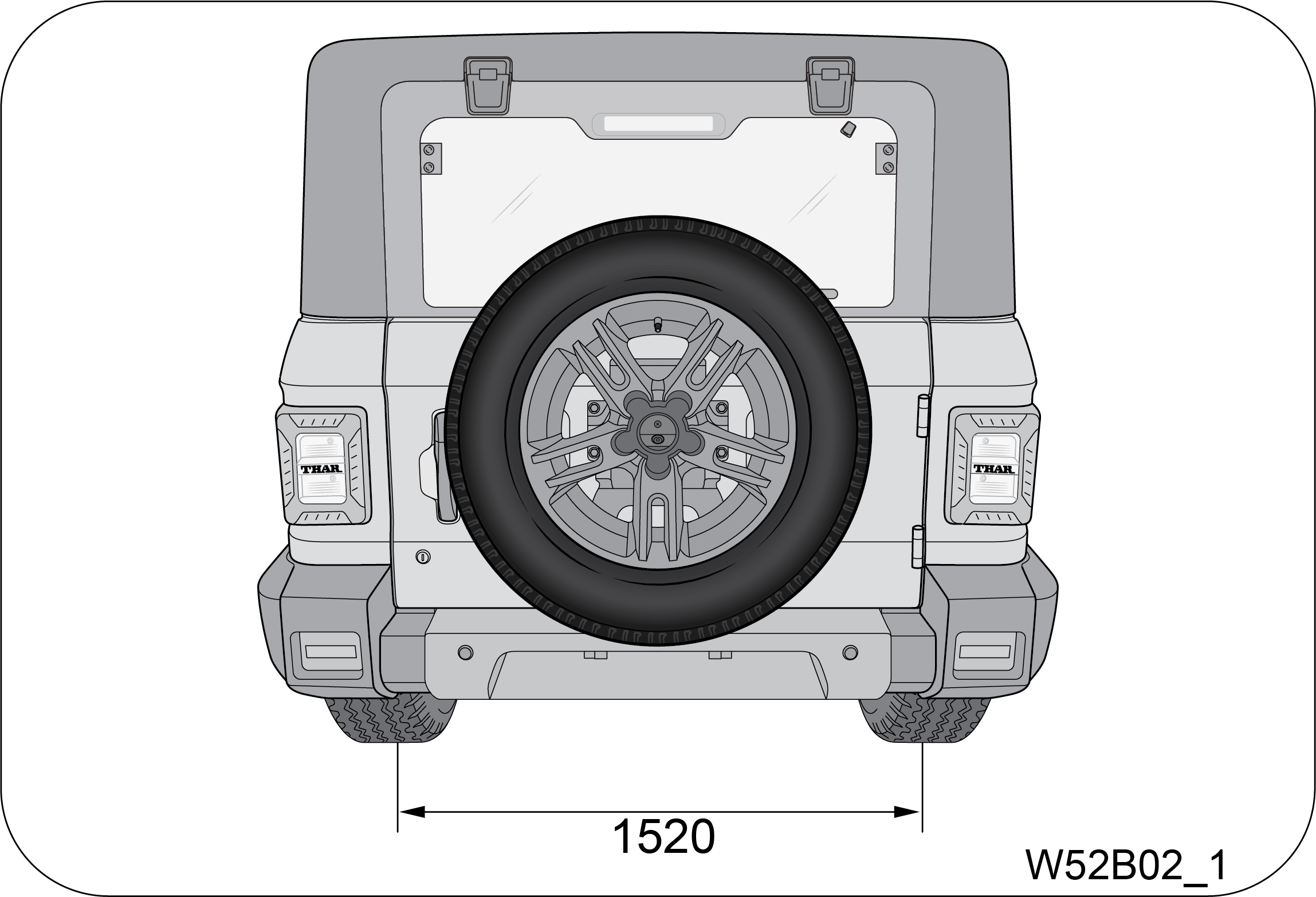
|
|
Side View

|
|
Dimensions
|
|||||||
|---|---|---|---|---|---|---|---|
|
Wheel Base
|
2450 mm
|
||||||
|
Overall Length
|
3985 mm
|
||||||
|
Overall width
|
1820 mm / 1855 mm
|
||||||
|
Overall Height
|
1837 mm to 1920 mm
|
||||||
|
Front and Rear Track
|
1520 mm
|
||||||
|
The specifications are for reference only. Subject to
change without prior notice
|
|||||||
2.2 Bulb Specification
|
Lamp
Bulb
|
Wattage
|
|---|---|
|
Head Lamp
|
12V H4 55/60W
|
|
Park Lamp
|
12V W5W
|
|
Front Turn Lamp
|
12V PY21W
|
|
Front Fog Lamp
|
12V H16-19W
|
|
Side Turn Signal Lamp
|
12V W5W
|
|
DRL/ Position Lamp
|
LED: DRL 4.86W, For Position 0.54W
|
|
Tail / Stop Lamp
|
LED: Stop 6.8W, Rear Position 0.9W
|
|
Rear Turn Lamp
|
12V WY16W
|
|
Front Position Lamp
|
12V W5W
|
|
Reverse Lamp
|
12V W16W
|
|
Registration Plate Lamp
|
LED: 0.3W
|
2.3 Fuses and Relays
A fuse is the most common electric protection device. The fuse is
placed in an electrical circuit, so that when current flow
exceeds the rating of the circuit/fuse, it blows off. The element in the fuse melts, opening the
circuit and preventing other
components of the circuit from being damaged by the over current. The size of the metal fuse element
determines the rating.
Once a fuse blows off, it must be replaced with a new one of the same rating.
Switch the ignition and all electrical equipment OFF before touching
or attempting to change a fuse.
Replacement fuse must be with
the same rating as the one you have removed.
You can identify a blown fuse
by a break in the filament. All fuses except high current fuses are press fit.
Never touch fuses with bare
hands. Always use the fuse puller to remove and refit the fuses.
Be careful while removing the
relay, to avoid damage to relay terminal — do not shake or apply excessive force.
There are 3 fuse boxes in the vehicle:
| 1. | Instrument Panel Fuse Box |
| 2. | Engine Compartment Fuse Box |
| 3. | Battery Mounted Fuse Box |
2.3.1 Instrument Panel Fuse Box
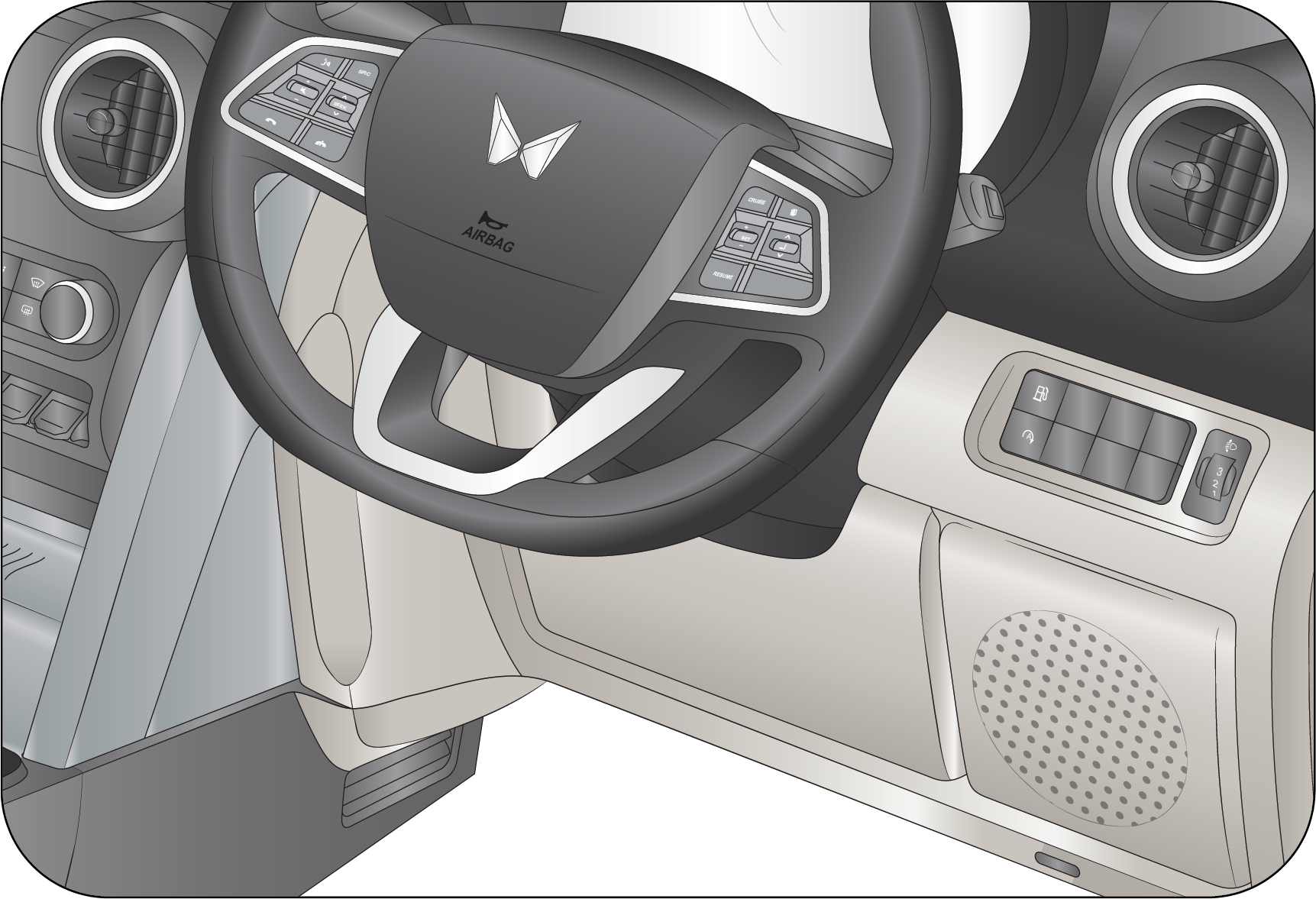
| • | Pull the Fuse box cover below the switch bank, outward to access the instrument panel fuse box. |
Spare fuses are available in
this fuse box location.
 |
 |
|
Fuse
No
|
Fuse
Rating
|
Circuit
|
|---|---|---|
|
F34
|
10A*
|
USB FAST CHARGER
|
|
F35
|
5A
|
ROOF LAMP
|
|
F36
|
30A*
|
ANTIPINCH MOTOR
|
|
F37
|
10A
|
PARK
|
|
F38
|
5A
|
CRANK
|
|
F39
|
15A
|
INFO B+/AUDIO B+
|
|
F40
|
5A
|
DIAGNOSTIC
|
|
F41
|
25A
|
MBFM BATT-2
|
|
F42
|
5A*
|
WIRELESS CHARGER B+
|
|
F43
|
5A
|
ABS IGN
|
|
F44
|
5A
|
AIR BAG IGN
|
|
F45
|
5A
|
INFO IGN*
|
|
F46
|
5A
|
ORVM/RD/COMBI SW LIGHT
|
|
F47
|
5A
|
IC/HVAC B+
|
|
F48
|
5A
|
IMMO B+
|
|
F49
|
25A
|
MBFM BATT-1
|
|
F50
|
10A
|
4WD ACTUATOR
|
|
F51
|
15A
|
AT ECU B+*
|
|
F52
|
10A
|
IC/HVAC/MBFM/CENTER FASCIA
|
|
F53
|
10A
|
INFO ACC/RR USB
|
|
F54
|
10A
|
REV LAMP, TGS & E-MLD
|
|
F55
|
25A
|
MBFM BATT-4
|
|
F56
|
25A
|
MBFM BATT-5
|
|
F57
|
25A
|
MBFM BATT-3
|
|
F58
|
5A*
|
WIRELESS CHARGER IGN
|
|
F59
|
5A
|
AT ECU IGN*
|
|
F60
|
5A
|
EMS ECU IGN
|
|
F61
|
25A
|
POWER WINDOW
|
|
F62
|
5A
|
IMMO IGN
|
|
F63
|
15A
|
POWER SOCKET
|
|
F64
|
5A
|
MBFM ACC
|
|
F65
|
–
|
–
|
|
* - If equippd
|
||
|
Relay
No
|
Circuit
|
|---|---|
|
R1
|
ACCESSORY START RELAY 40A
|
2.3.2 Engine Compartment Fuse Box
The engine compartment fuse box is located adjacent to the
vehicle’s battery.
Follow the below steps to remove the fuse cover:
| • | To open the fuse box cover, press the lock and push the cover back and lift it. |
 |
 |
|
Fuse puller
is available in the fuse box cover.
|
 |
For Diesel Engine (2.2
Liters)
 |
|
Fuse
No
|
Fuse
Rating
|
Circuit
|
|---|---|---|
|
F1
|
50A
|
BATT-1
|
|
F2
|
50A
|
GLOW PLUG
|
|
F3
|
40A
|
BATT-2
|
|
F4
|
40A
|
STARTER
|
|
F5
|
40A
|
ABS MOTOR
|
|
F6
|
30A
|
EMS ECU
|
|
F7
|
40A
|
BLOWER MOTOR
|
|
F8
|
–
|
–
|
|
F9
|
50A
|
BATT-3
|
|
F10
|
–
|
–
|
|
F11
|
–
|
–
|
|
F12
|
–
|
–
|
|
F13
|
–
|
–
|
|
F14
|
20A
|
HORN
|
|
F15
|
–
|
–
|
|
F16
|
25A
|
ABS SOLENOID
|
|
F17
|
10A
|
REAR FOG*
|
|
F18
|
–
|
–
|
|
F19
|
5A
|
DRL*
|
|
F20
|
–
|
–
|
|
F21
|
15A
|
AC COMP B+
|
|
F22
|
30A
|
BATT-4
|
|
F23
|
20A
|
FUEL PUMP
|
|
F24
|
–
|
–
|
|
F25
|
10A
|
PCJ&VOP
|
|
F26
|
10A
|
EMS B-1
|
|
F27
|
10A
|
BRAKE FUSE
|
|
F28
|
15A
|
AC COMP
|
|
F29
|
5A
|
EMS ECU B+
|
|
F30
|
5A
|
BACKFLOW PUMP
|
|
F31
|
15A
|
EMS B-2
|
|
F32
|
10A
|
HFM
|
|
F33
|
15A
|
F5
|
|
50A, 40A, 25A, 20A, 15A, 10A, 10A, 5A
|
SPARE
|
|
Relay
No
|
Circuit
|
|---|---|
|
R1
|
H/L HI
|
|
R2
|
H/L LOW
|
|
R3
|
FRONT FOG*
|
|
R4
|
REAR D’STER*
|
|
R5
|
AC COMP
|
|
R6
|
SCR RELAY
|
|
R7
|
REAR FOG*
|
|
–
|
–
|
|
R9
|
HORN
|
|
R10
|
FUEL PUMP
|
|
R11
|
BLOWER
|
|
R12
|
EMS ECU
|
|
R13
|
STARTER
|
|
R14
|
–
|
|
R15*
|
EMLD RELAY
|
|
R16
|
GLOW PLUG
|
For Diesel Engine (1.5
Litres)
|
Fuse
No
|
Fuse
Rating (A)
|
Circuit
|
|---|---|---|
|
F1
|
5
|
EMS ECU B+
|
|
F2
|
15
|
EMS BATT -2
|
|
F3
|
10
|
EMS BATT -1
|
|
F7
|
25
|
ABS Solenoid
|
|
F8
|
20
|
Horn
|
|
F10*
|
10
|
Rear Fog
|
|
F12
|
15
|
AC Compressor Relay Coil / SCR Relay Coil / AC
Pressure Switch Fuel Pump Relay Coil / Glow Plug Relay Coil / Nox sensor
|
|
F13
|
15
|
Water Pump / Water in fuel sensor / Bost Temp Sensor
Fuel Metering unit / EGR Cooler Bypass / SPCM
|
|
F14
|
40
|
Blower Motor
|
|
F18
|
40
|
ABS Motor
|
|
F20
|
30
|
EMS ECU
|
|
F25*
|
5
|
SCR
|
|
F30
|
15
|
AC Comp B+
|
|
F31
|
20
|
Fuel Pump
|
|
F33*
|
5
|
DRL
|
|
F37
|
40
|
Starter
|
|
F38
|
40
|
Glow Plug
|
|
F39
|
50
|
BATT - 1
|
|
F40
|
40
|
BATT - 3
|
|
F41
|
40
|
BATT - 2
|
|
F42
|
40
|
BATT - 4
|
|
F44
|
10
|
HFM Fuse
|
|
F45
|
10
|
Brake Fuse
|
|
F46
|
10
|
PCJ & VOP
|
|
F47
|
5
|
Backflow Pump
|
|
F50
|
50
|
SPCM
|
|
F51
|
150
|
Alternator
|
|
F4, F5, F6, F9, F11, F15, F16, F17, F19, F21, F22,
F23, F24, F26, F27, F28, F29, F32, F34, F35, F36, F43, F47, F49 and F50
|
NA
|
NA
|
|
Relay
No
|
Circuit
|
|---|---|
|
R3
|
Glow Plug
|
|
R9*
|
Rear Fog
|
|
R14
|
EMS ECU
|
|
R15
|
Starter
|
|
R16
|
Blower
|
|
R24
|
AC Compressor
|
|
R25
|
SCR Relay
|
|
R27
|
Horn Relay
|
|
R1, R2, R4, R5, R6, R7, R8, R11, R12, R17, R18, R19,
R20, R21, R22, R23 and R26
|
Spares
|
For Petrol Engine
 |
|
Fuse
No
|
Fuse
Rating
|
Circuit
|
|---|---|---|
|
F1
|
50A
|
BATT-1
|
|
F2
|
–
|
–
|
|
F3
|
50A
|
BATT-2
|
|
F4
|
40A
|
STARTER
|
|
F5
|
40A
|
ABS MOTOR
|
|
F6
|
40A
|
EMS ECU
|
|
F7
|
40A
|
BLOWER MOTOR
|
|
F8
|
–
|
–
|
|
F9
|
50A
|
BATT-3
|
|
F10
|
–
|
–
|
|
F11
|
–
|
–
|
|
F12
|
–
|
–
|
|
F13
|
–
|
–
|
|
F14
|
20A
|
HORN
|
|
F15
|
–
|
–
|
|
F16
|
25A
|
ABS SOLENOID
|
|
F17
|
10A
|
REAR FOG*
|
|
F18
|
15A
|
EMLD FUSE*
|
|
F19
|
5A
|
DRL*
|
|
F20
|
–
|
—
|
|
F21
|
15A
|
AC COMP B+
|
|
F22
|
30A
|
BATT 4
|
|
F23
|
20A
|
FUEL PUMP
|
|
F24
|
5A
|
BMS
|
|
F25
|
10A
|
VBR_G
|
|
F26
|
30A
|
VBR_A
|
|
F27
|
10A
|
VBR_B
|
|
F28
|
10A
|
VBR_C
|
|
F29
|
5A
|
EMS ECU B+
|
|
F30
|
–
|
–
|
|
31
|
15A
|
VBR_D
|
|
32
|
15A
|
VBR_E
|
|
33
|
15A
|
VBR_F
|
|
50A, 40A, 30A, 25A, 20A, 15A, 10A, 5A
|
SPARE
|
|
|
*- If Equipped
|
||
|
Relay
No
|
Circuit
|
|---|---|
|
R1
|
–
|
|
R2
|
–
|
|
R3
|
–
|
|
R4
|
–
|
|
R5
|
AC COMP
|
|
R6
|
AIR COOLER
|
|
R7
|
REAR FOG*
|
|
–
|
–
|
|
R9
|
HORN
|
|
R10
|
FUEL PUMP
|
|
R11
|
BLOWER
|
|
R12
|
EMS ECU
|
|
R13
|
STARTER
|
|
R14
|
–
|
|
R15*
|
EMLD RELAY
|
|
R16
|
–
|
2.3.3 Battery Mounted Fuse Box
|
The battery mounted fuse box is connected to the
positive terminal of the battery.
|
 |
Functionality of battery mounted fuse box is to provide short
circuit protection to alternator and power supply to main engine
compartment fuse box.
Battery mounted fuse box consist of following fuses:
| • | Main charging fuse – 150A (Pink colour) |
| • | Bus bar fuse - 80A (White colour) |
2.4 Flat Tyre
Reduce your speed gradually, keeping a straight line. Move cautiously
off the road to a safe place well away from traffic.
Park on a level spot with firm ground. Stop the engine and switch ON your hazard warning flashers.
Firmly apply the parking brake. Have everyone come out of the vehicle
on the side away from traffic.
After stopping, use the hazard warning triangle to alert the oncoming
traffic of the stopped vehicle
Never stop your vehicle in a
traffic lane to change a tyre. Keep driving until you reach a safe location.
The jack provided along with the
vehicle is to be used only for changing a spare tyre. It is never to be used to perform any
other maintenance or repair on the vehicle.
Never place any part of your
body under any portion of the vehicle when it is supported only by the jack. You could be
crushed
by the vehicle if it falls off a jack. Keep bystander’s away from the vehicle.
Find level, solid ground that is clear of oncoming traffic. If you
cannot find a safe place to stop, it is better to drive
on a flat tyre and damage the rim than it is to risk being hit by oncoming traffic.
After changing a flat tyre, never store the tyre or other equipment in
the passenger compartment of the vehicle. This loose
equipment could strike an occupant in the event of a sudden stop or collision. Store all of these
items in the proper place.
The following sections outline the
procedure for changing a flat tyre:
2.4.1 Jack and Toolkit Location
|
The jack assembly is located behind the rear seat on
the floor.
|
 |
|
Lift the floor mat provided in the luggage
compartment.
|
 |
To open the tool kit lid assembly (B), rotate the lid screw (A)
anti-clockwise direction to remove the tool kit lid assembly.
Remove the jack assembly.
Refix the jack assembly and close the tool kit lid assembly and
rotate the lid screw in clockwise direction to close.
|
Tool kit is located below the rear seat.
|
 |
The tool kit consists of,
|
Screw Driver
|
DEO Spanner 10 mm x 12 mm
|
|
Wheel Spanner
|
Wrench tool for Water drain in fuel
|
|
Jack Operating Lever
|
2.4.2 Spare Wheel Removal
The spare wheel is mounted on the rear end of the vehicle. It is
held in place by a securing nuts.
| • | Remove the screw mounted on beauty cover using
star screwdriver.
 
|
| • | Unfasten the securing nut in anti-clockwise
direction.
 |
| • | Slowly support and lower the spare wheel. |
2.4.3 Wheel Nut Loosening
Always loosen the wheel nut before raising the vehicle.
|
Turn the wheel nut anti—clockwise to loosen as per
the crisscross sequence shown.
|
 |
To get maximum leverage, fit the spanner to the nut so that the
handle is on the left side. Grab the spanner near the end
of the handle and push down on the handle.
Be careful that the spanner does not slip off the nut. Do not
remove the nut, but loosen them by one or two turns.
Do not apply force with your
legs (or stand) on the wheel spanner while loosening/tightening the wheel nuts.
2.5 Jack Points
|
Front jack up
point: On the chassis long member behind the front wheels.
|

|
|
Rear jack up
point: On either side of the rear axle.
|

|
2.5.1 Jacking
Position the jack at the correct jacking point. Make sure the jack
is positioned on a level and solid ground. Ensure that
no one is in the vehicle.
Block the wheel diagonally opposing the flat tyre to keep the
vehicle from rolling when it is jacked up. While blocking the
wheel, place a wheel block in front of one of the front wheels or behind one of the rear wheels.
|
A: Flat
Tyre
B: Chock
Blocks
|
 |
To raise the vehicle, insert the jack handle end along with the
extension into the jack and turn it clockwise with the jack
handle. As the jack touches the vehicle and begins to lift, check that it is properly positioned.
Raise it high enough so
that the spare tyre can be installed. Remember that you will need more ground clearance when
putting the inflated spare tyre
than when removing the flat tyre.
Make sure to locate the jack
properly in the jacking point. Raising the vehicle with an improperly positioned jack will
damage
the underbody of the vehicle and may allow the vehicle to fall off the jack and cause
personal injury.
| • | Use the jack only for lifting the vehicle during wheel changing. |
| • | Do not raise the jack with any person inside the vehicle. |
| • | When raising the vehicle, do not place any objects on top of or underneath the jack. |
| • | Raise the vehicle only high enough to remove and change the wheel. |
| • | Follow jacking instructions. |
| • | Do not start or run the engine while your vehicle is supported by the jack. |
Never get under the vehicle
when the vehicle is supported by the jack alone.
Remove the wheel nuts. Remove the flat tyre straight off and then
place it aside. Roll the spare wheel into position and align
the holes of the disc/drum with the nuts. Lift the wheel and hand tighten the top wheel nut. Wiggle
the wheel and press it
back over the other nuts.
|
Re-install the wheel nut with the tapered end inward
and tighten by hand. Press the wheel inward and tighten the wheel nuts
further.
|
 |
Before lowering the wheel hand tighten the nuts in diagonal
sequence so that wheel is flush against the hub/drum.
Never use oil or grease on
the bolts or nuts. Doing so may lead to over tightening of the nuts, wheel bolts spanner
slip,
damage the nuts and also may cause personal injuries. Also, nuts may loosen and the wheels
may fall off, which could cause
a serious accident. If there is oil or grease on any bolt or nut, clean before installing
wheel nuts.
Lower the vehicle completely and tighten the diagonally opposite
wheel nuts using the wheel nuts spanner. Turn the jack handle
extension anti-clockwise using the jack handle to lower the vehicle, making sure the handle remains
firmly fitted onto the
jack handle extension. Make sure the wheel spanner is securely engaged over the nut.
|
Tighten each nut a little at a time in the
diagonally opposite order as shown. Repeat the process until all the nuts are
tight.
|
 |
Do not use any other tools or any additional leverage other than
your hands, such as a hammer, pipe or your foot.
Firmly tighten the wheel
nuts as per the sequence shown in the illustration, two to three times.
Improperly or loosely
tightened wheel nuts are dangerous. The wheel can wobble or come off. This can result in loss
of vehicle
control and cause a serious accident. Always make sure all the wheel nuts are
properly/securely tightened to the specified
torque.
When lowering the vehicle,
make sure all portions of your body are clear off the vehicle as it is lowered to the ground.
Have
the wheel nuts tightened with the torque spanner to 120 Nm, as soon as possible after
changing wheels.
If you have rotated,
repaired, changed your tyres or changed the wheel rims, re-torque the wheel nuts after
driving about
1 000 km (Torque 120 Nm).
Put the wheel cap (If Equipped) into position aligning the nozzle
on the wheel to the nozzle clearance on the wheel cover.
Tap it firmly on the sides with your hand to snap it into place.
Check the air pressure of the replaced tyre. If the pressure is
lower than recommended, drive slowly to the nearest service
station and inflate to the correct pressure. If it is too high, adjust it until it is correct.
Always reinstall the valve
cap after checking or adjusting tyre pressure. If the cap is not replaced, dirt and moisture could
get into the valve core
and cause air leakage. If you lose a valve cap, buy another and install it as soon as possible.
Wheel balancing to be done
after tyre puncture rework.
2.5.2 Restore the Tools, Jack and
Flat Tyre Securely
Restore the tools and jack back to their respective locations.
Mount the flat tyre to the back door bracket at the rear of
the vehicle. Firmly tighten the securing nuts. Double check to ensure the tyre is snug against the
back door of the vehicle.
It is recommended to fix the
flat tyre at the nearest tyre shop and swap the spare wheel back. The wheel balance and
alignment
differ from wheel to wheel which may lead to difference in steering and braking.
2.6 Technical Specifications
|
Diesel
2.2L
|
Diesel
1.5L
|
Petrol
|
|
|---|---|---|---|
|
Engine
|
|||
|
Model
|
2.2 L mHawk Diesel Gen-II
|
1.5 L 4D15 Diesel
|
2.0 L TGDi Petrol (G20)
|
|
Displacement/Cubic Capacity
|
2184 cm3
|
1497 cm3
|
1997 cm3
|
|
Type
|
Compression Ignition, 4 Stroke, DI
Turbocharged Intercooler
|
Spark Ignition, 4 Stroke, GDI Turbocharged
Intercooler
|
|
|
Bore x Stroke
|
84 x 98.5
|
76 x 82.5
|
83 x 92.25
|
|
No of Cylinders
|
4
|
||
|
Max. Engine Output
|
97 KW @ 3750 r/min (For AT and MT)
|
87.2 KW @ 3550 r/min (For MT)
|
112 KW @ 5000 r/min
|
|
Max. Torque (Nm @ r/min)
|
300 Nm @ 1600 - 2800 r/min (For AT and MT)
|
300 Nm @ 1750 - 2500 r/min (For MT)
|
300 Nm @ 1250 - 3000 r/min (For MT)
320 Nm @ 1500 - 3000 r/min (For AT) |
|
Clutch
|
|||
|
Type
|
Single Plate, Dry Diaphragm type (MT)
Wet, Multi Plate (AT) |
||
|
Transmission
|
|||
|
Type
|
6 Speed Manual Transmission
|
||
|
6 Speed Automatic Transmission
|
|||
|
No. of Gears
|
6 Forward, 1 Reverse
|
||
|
Axles
|
|||
|
Front Axle Ratio (for 4WD only)
|
4.3 : 1
|
— |
4.3 : 1
|
|
Rear Axle Ratio
|
4.3 : 1
|
4.88 : 1
|
4.3 : 1
|
|
Wheels and
Tyres
|
|||
|
Rim
|
R16: 6.5J X 16, R18: 7.5J X 18
|
||
|
Tyres
|
245/75 R16 and 255/65 R18
|
||
|
Steering
|
|||
|
Type/Description
|
Rack and Pinion Type, Power Assisted - Hydraulic
|
||
|
Suspension
|
|||
|
Front
|
Double wishbone type IFS
|
||
|
Rear
|
Multi-link coil spring suspension
|
||
|
Shock absorbers
|
Hydraulic Double Acting Telescopic (Front/Rear)
|
||
|
Brakes
|
|||
|
Service Brake
|
Hydraulic and Vacuum assisted servo
|
||
|
Front
|
Disc
|
||
|
Rear
|
Drum
|
||
|
Parking Brake
|
Mechanical (hand operated) acting on rear wheels
|
||
|
Fuel
|
|||
|
Fuel Capacity
|
57 +/- 2 Liters
|
45 Liters
|
57 +/- 2 Liters
|
|
Diesel Exhaust Fluid (DEF) Capacity
|
20 Liters
|
NA
|
|
|
Electrical
System
|
|||
|
System Voltage
|
12V
|
||
|
Battery Rating
|
72Ah
|
||


3 VEHICLE OVERVIEW
Front Overview
|
A
|
Driver Door Handle
|
G
|
Head Lamp High/Low Beam
|
|
B
|
Outside Rear View Mirror
|
H
|
Front Tow Hook
|
|
C
|
Front Windshield
|
I
|
Fog / Cornering Lamp (If Equipped)
|
|
D
|
Front Windshield Wiper
|
J
|
Turn Indicator
|
|
E
|
Bonnet Latch
|
K
|
Side Repeater
|
|
F
|
Bonnet
|
L
|
Footstep (If Equipped)
|
|
Rear Overview

|
|
A
|
Rear Flip Up Window
|
E
|
Turn Indicator Lamp
|
|
B
|
High Mounted Lamp
|
F
|
Rear Swing Gate
|
|
C
|
Spare Wheel
|
G
|
Rear Swing Gate Handle
|
|
D
|
Reverse Lamp
|
H
|
Rear Park Lamp/Brake Lamp
|
|
Instrument Panel
Overview

|
|
A
|
IP Branding Plate
|
|
B
|
Grab Handle
|
|
C
|
Passenger Airbag
|
|
D
|
HVAC Controls
|
|
E
|
Infotainment Screen*
|
|
F
|
Steering Controls Audio
|
|
G
|
Horn Pad/Driver Airbag
|
|
H
|
Steering Wheel
|
|
I
|
Instrument Cluster
|
|
J
|
Driver Side Switch Bank
|
|
K
|
USB Port
|
|
L
|
Can/Bottle Holder
|
|
M
|
Sliding Arm Rest (Driver)
|
|
N
|
Rear Ticket Holder
|
|
O
|
2nd
Row USB Port
|
|
P
|
Parking Brake*
|
|
Q
|
4WD Shift Lever*
|
|
R
|
Manual Transmission* / Automatic Transmission
Gear Lever*
|
|
S
|
Center Fascia Switch Bank
|
|
T
|
Glove Box
|
|
* – If Equipped
|
|
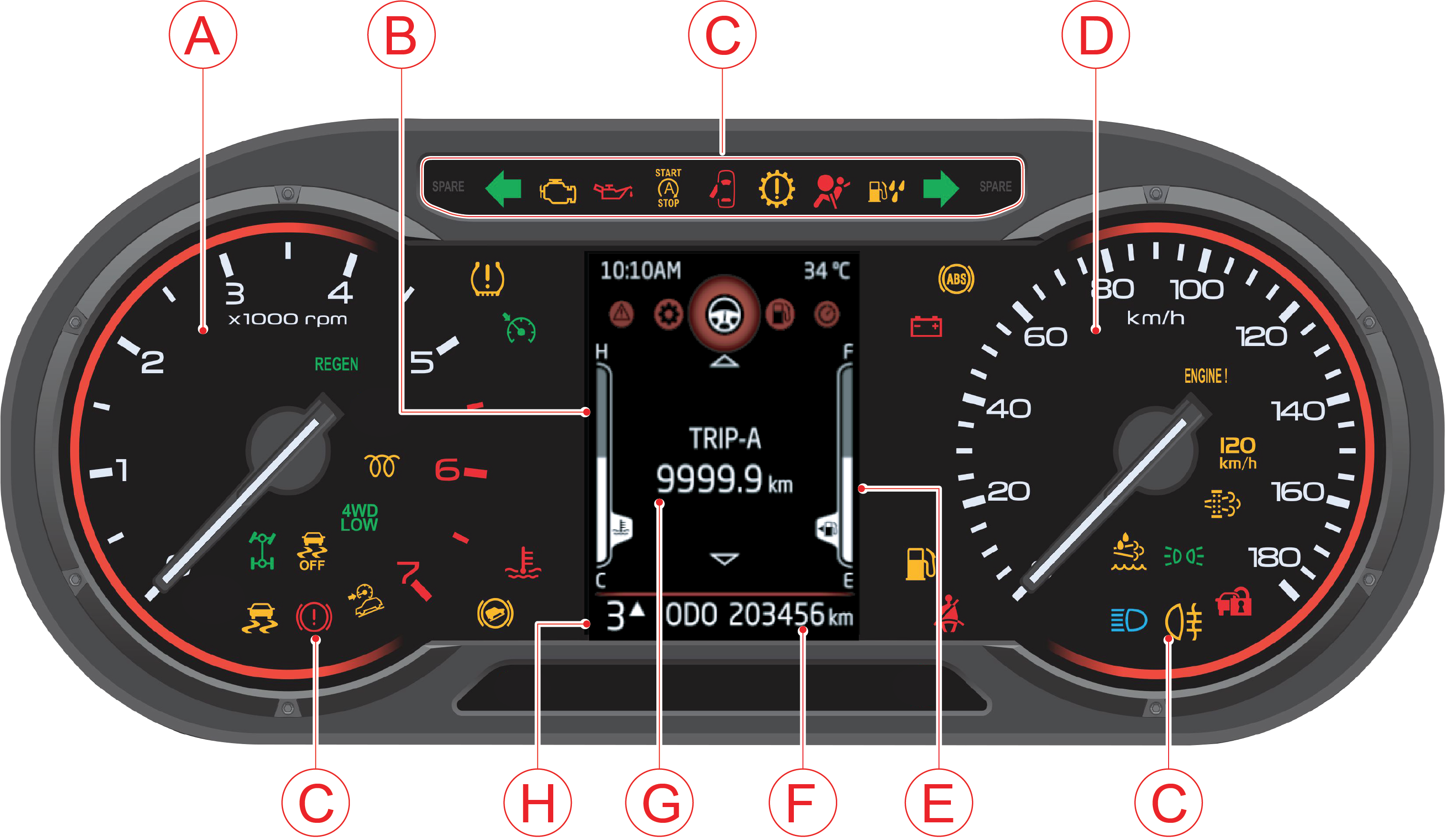
4 INSTRUMENT CLUSTER OVERVIEW
4.1 Instrument Cluster
Display Type:
3.5” color and monochrome display:
This cluster consists of speedometer, tachometer, fuel gauge,
temperature gauge and TFT display in center.
|
A
|
Tachometer/RPM Gauge
|
E
|
Fuel Gauge
|
|
B
|
Temperature Gauge
|
F
|
Odometer
|
|
C
|
Warning/Telltale Lamps
|
G
|
Trip A, B & DTE
|
|
D
|
Speedometer
|
H
|
Gear Display
|
Note: Images in the owner's
manual is representation for high end. Low end cluster will have similar images in gray scale.
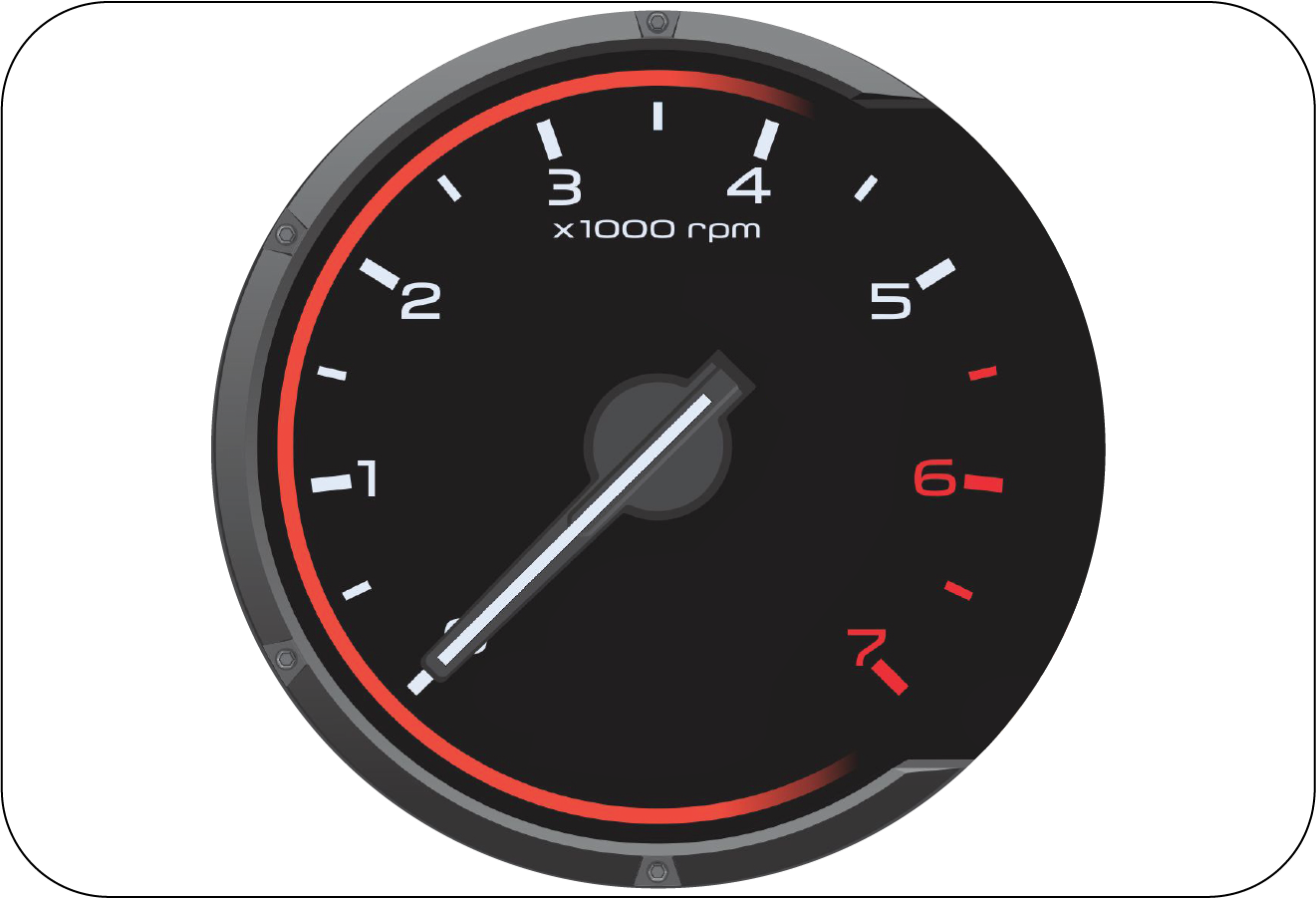
4.1.1 Tachometer
The tachometer indicates the real-time engine speed in thousands of
r/min (revolutions per minute). Each division is 500 r/min.
Operating the engine at very high r/min may lead to excessive engine wear and low fuel economy.
Maintain steady engine speed
below 2500 r/min and do not accelerate or decelerate abruptly.
|
Diesel
|
Petrol
|
 |
 |
Do not over-accelerate the engine during idling, this can cause
severe engine damage and would be treated as abuse of the
engine which is not covered by warranty.
4.1.2 Speedometer
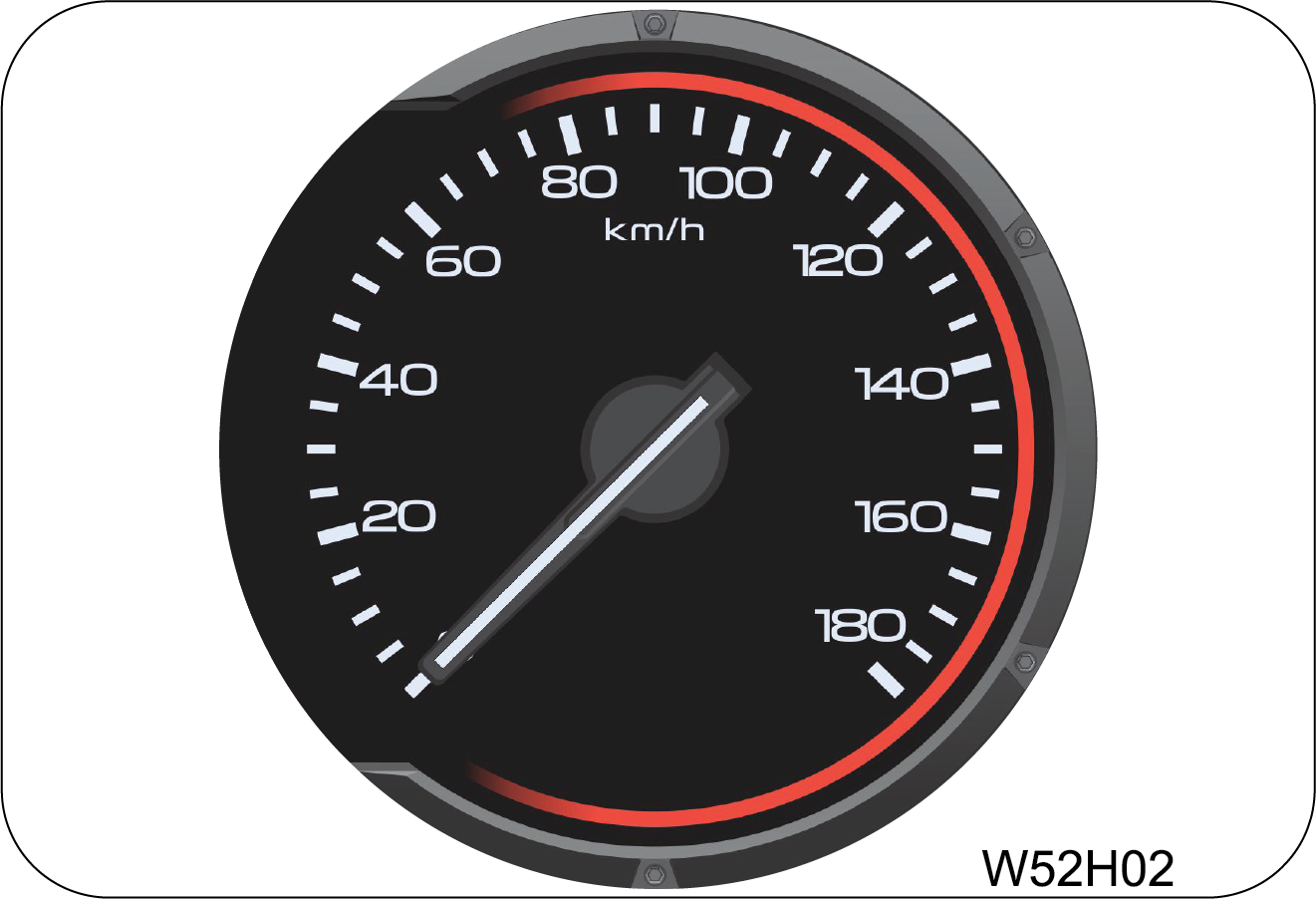 |
The speedometer indicates the real-time road surface
speed of the vehicle in km/h.
|
The vehicle speedometer is
affected by size of the tyres used. If the size of the tyres are changed from those fitted at
the
factory, the speedometer might not display the correct road surface speed and distance
travelled.
Over Speed Alert Buzzer
| • | Primary level: Buzzer will trigger single chime in every 110 seconds when the vehicle speed reaches 80 km/h. Once primary level chime is triggered, it will continue playing until speed is reduced to 76 km/h or goes beyond 120 km/h. |
| • | Secondary level: Buzzer will trigger periodic chime when the vehicle speed reaches 120 km/h and chime will continue playing until vehicle speed is reduced to 114 km/h. Below this speed primary level chime will be triggered and will continue till 76 km/h. |
4.1.3 Odometer
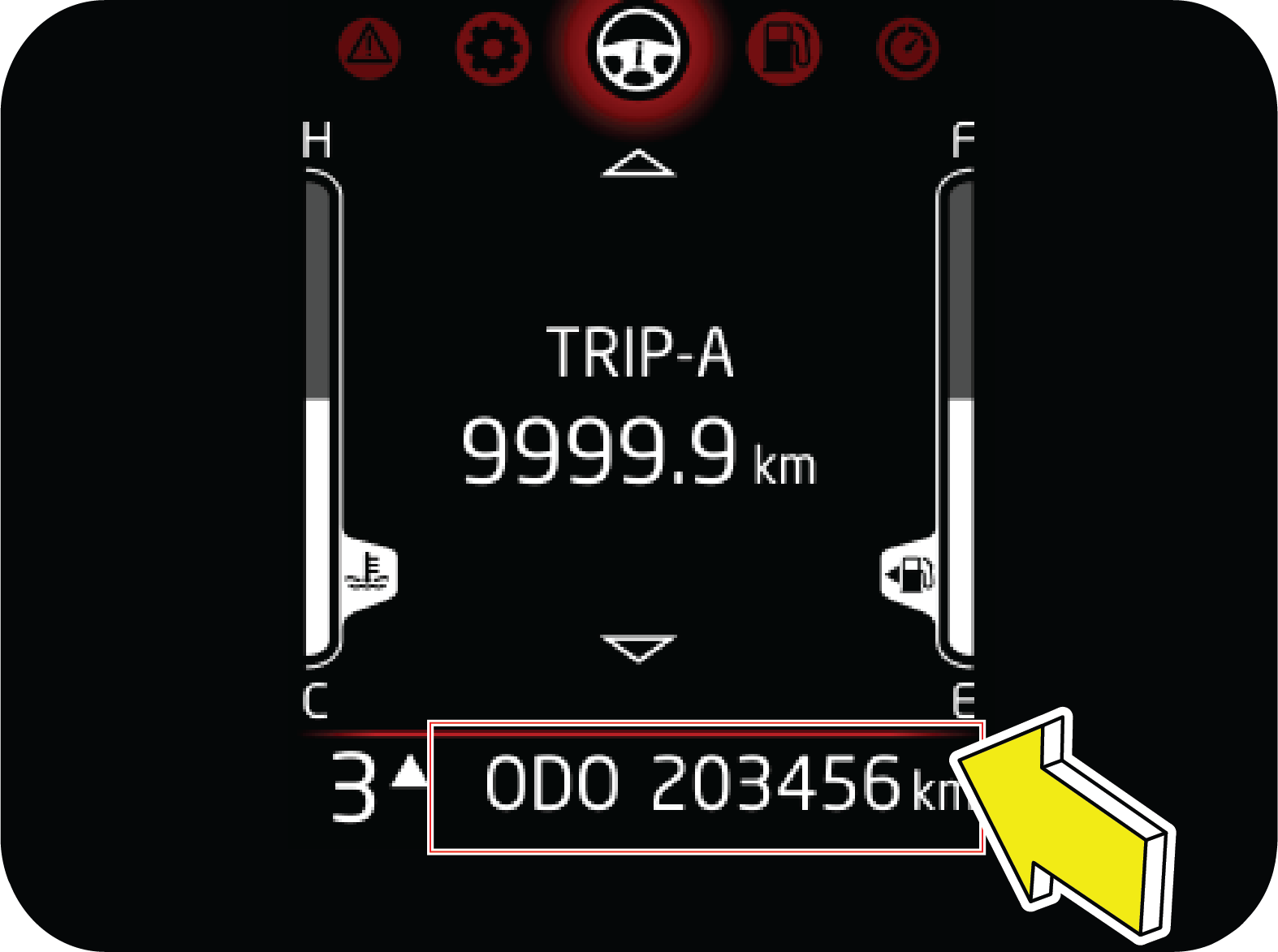 |
The odometer records and displays the total distance
traveled in km. Odometer cannot be reset.
|
4.1.4 Fuel Level Gauge
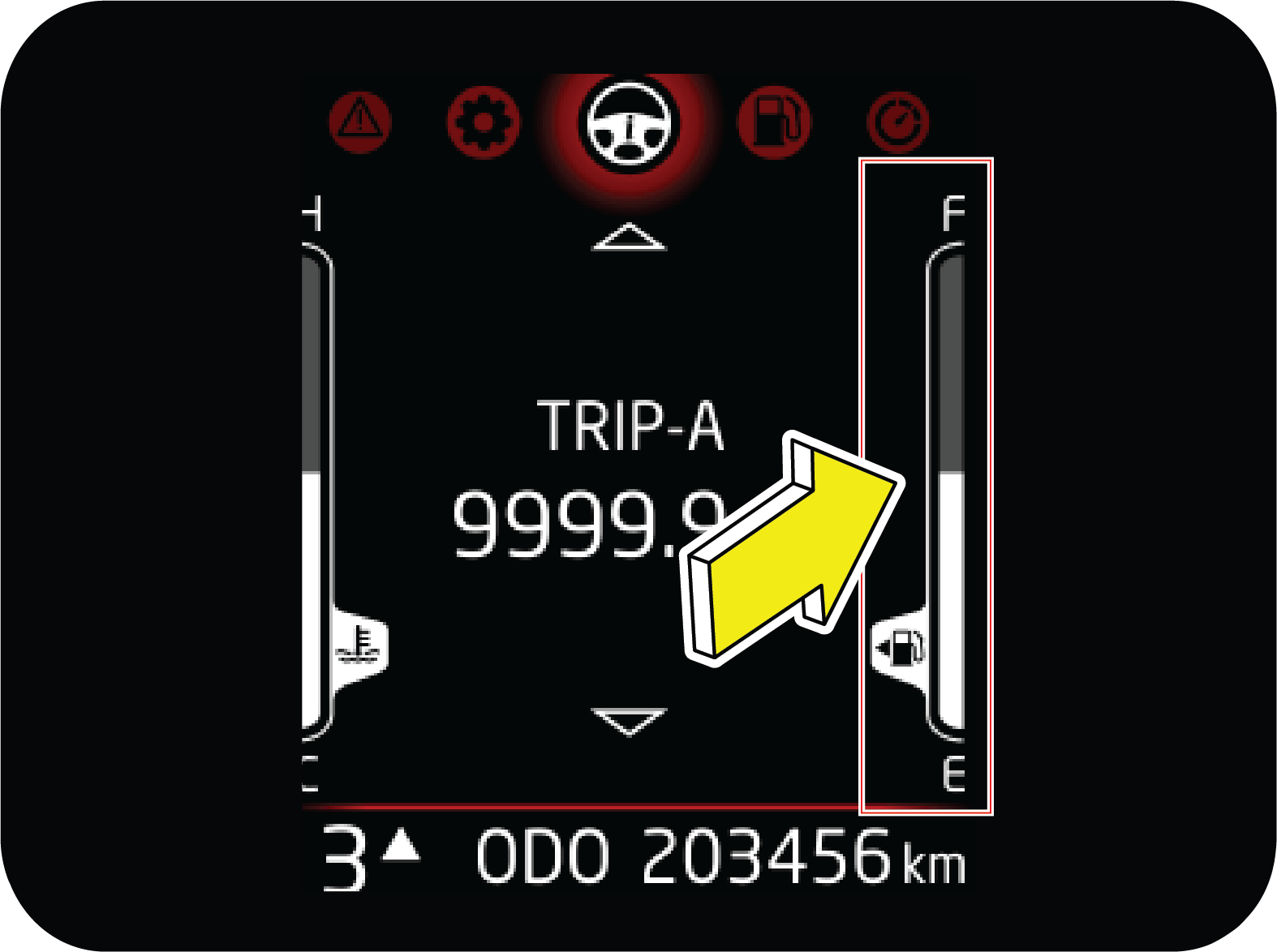 |
The fuel level gauge functions only when the
ignition is switched ON. It gives the status of the fuel level in the fuel tank.
F indicates the tank is full (57 +/— 2 Liter), E indicates the tank is empty.
|
When the fuel level reaches the reserve, the last bar will be
displayed and low fuel telltale will be ON (approx 12 liter).
when the fuel tank is completely empty, last bar goes off from display and low fuel telltale will
be blinking. The amount
of fuel required to fill the tank up may be less than the specified tank capacity, as a small
amount of reserve fuel always
remains in the tank.
On inclines or curves, due to the movement of fuel in the tank, the
fuel level may fluctuate or the last bar may flash earlier
than usual. Always check the fuel level when the vehicle is on level road. If the last bar is still
off and telltale is blinking
even after filling sufficient fuel, contact your Authorized Mahindra Service Center as soon as
possible.
When all the bars in the
display starts blinking/flashing, contact the nearest Authorized Mahindra Service Center at
the earliest.
It is highly recommended to
start the fueling at ignition OFF condition and turn on the ignition only when fueling is
finished
to get correct fuel level.
IGN ON fuel filling may lead
to inconsistency and can cause for DTE fluctuation.
4.1.5 Engine Coolant Temperature
Gauge
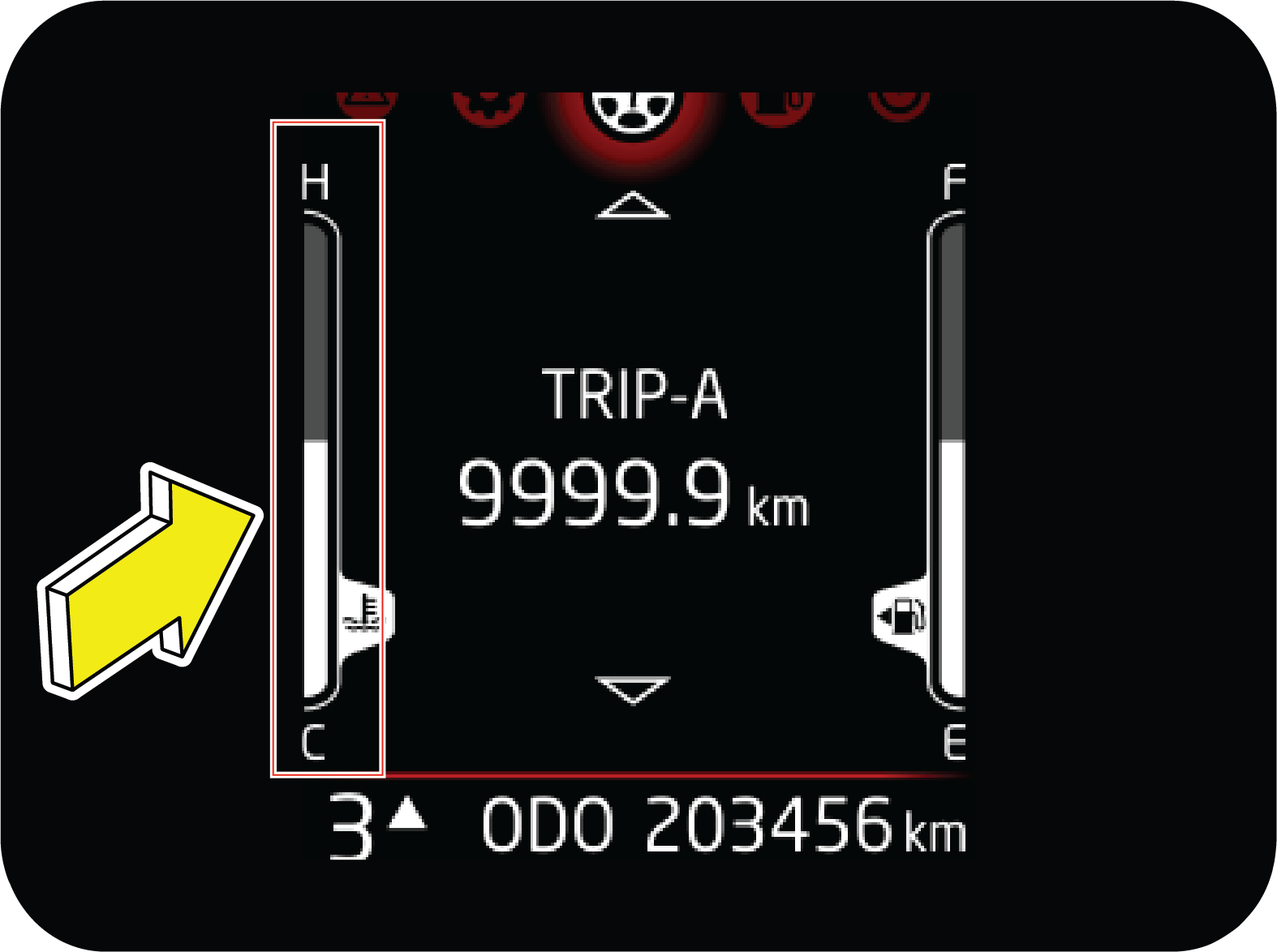 |
The engine coolant temperature gauge functions only
when the ignition is switched ON. It indicates the instantaneous engine
coolant temperature. The coolant temperature varies with changes in weather, load on
engine and driving pattern.
|
If gauge is showing 7 or more than 7 bars, it represents that
engine is overheating. This will also be notified through blinking
or continuously ON Engine high temperature lamp.
Never remove the Degassing
tank cap when the engine is hot. The engine coolant is under pressure and could splash on to
skin/eyes
causing severe burns. Wait for the engine to cool down before adding coolant to the
reservoir.
Do not continue driving the
vehicle with an overheated engine. This will lead to damage of engine components and engine
seizure.
4.1.6 Gear information
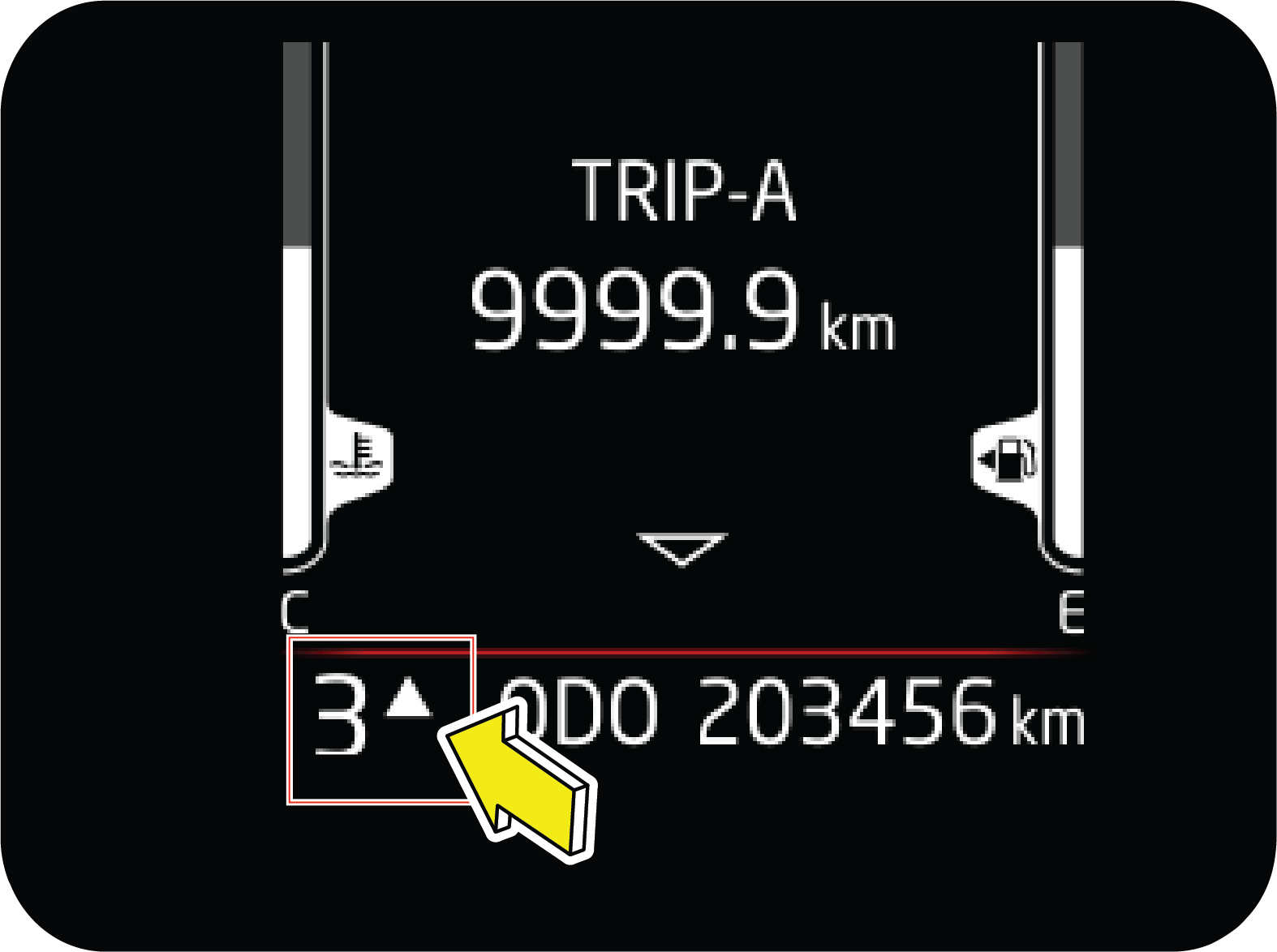 |
Gear information shows the actual gear in which user
has to drive the vehicle.
Based on the various parameters, it will also
suggest to change the gear for better fuel economy with up/down recommendation.
|
4.1.7 Instrument Cluster Control
Switches (If Equipped)
 |
Driver side switch bank, located right of driver on
the front panel.
|
|
1
|
UP Button: Used to scroll vertically
|
|
2
|
DOWN Button: Used to scroll vertically
|
|
3
|
MENU Button: Horizontal scrolling i.e,
change in menu
|
|
4
|
Enter/ OK Button: Select a option
|

4.1.9 Drive Information
Drive Information or Drive info is represented by Steering wheel
icon.
It can be accessed by pressing MENU button in driver side switch
bank.
4.1.9.1 Trip Meter
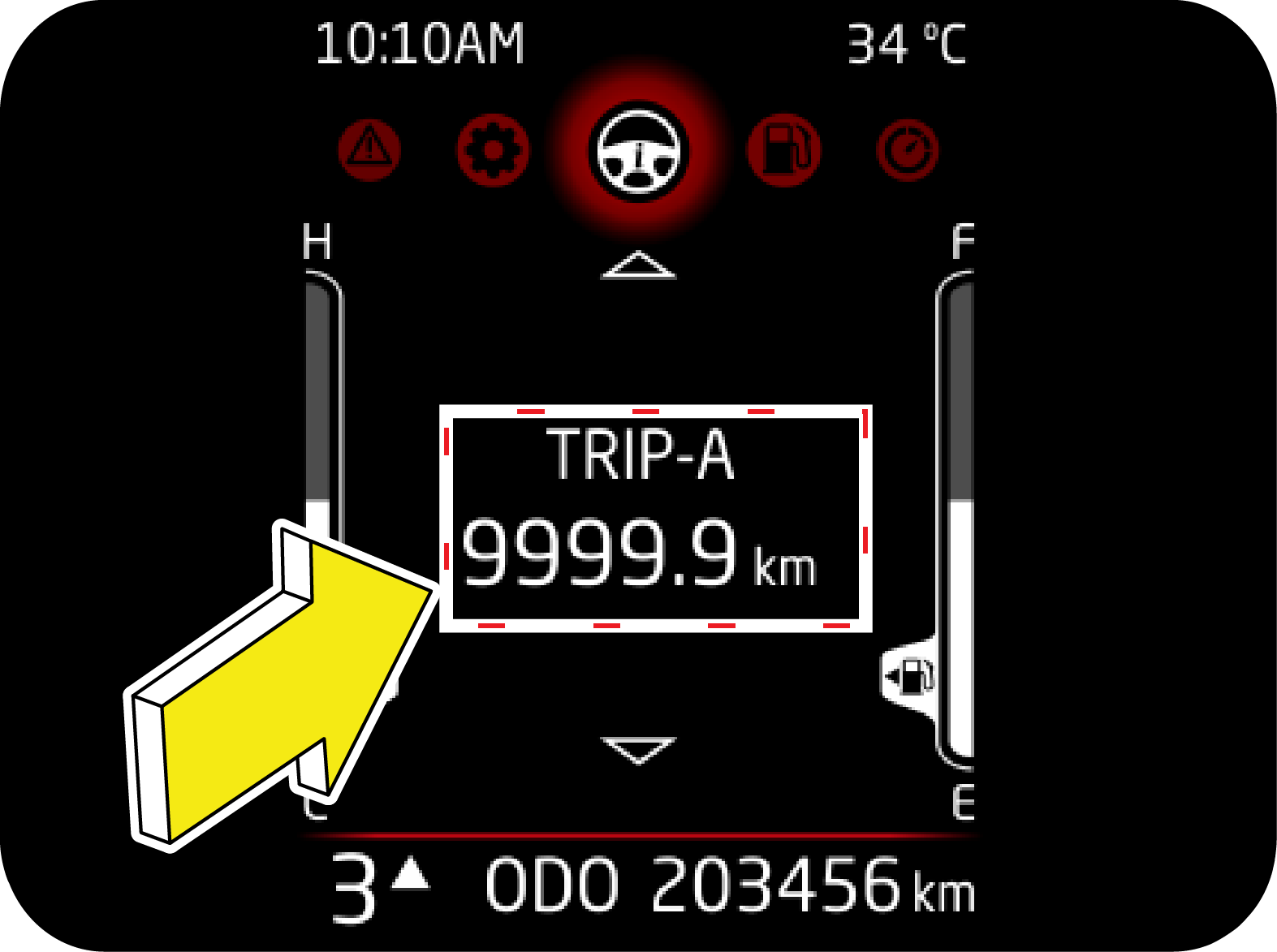 |
Two trip meters are available with max range of 9
999.9 km. These are available in drive info menu and can be accessed using
UP/DOWN switch.
Trip meter can be reset by long press of OK.
Resetting trip will reset average speed and drive time associated with the
particular
trip.
|
Trip meter has to be
reset whenever battery is disconnected due to various reasons.
Else Average Speed and Driving Time may not match with trip value.
4.1.9.2 Average Speed
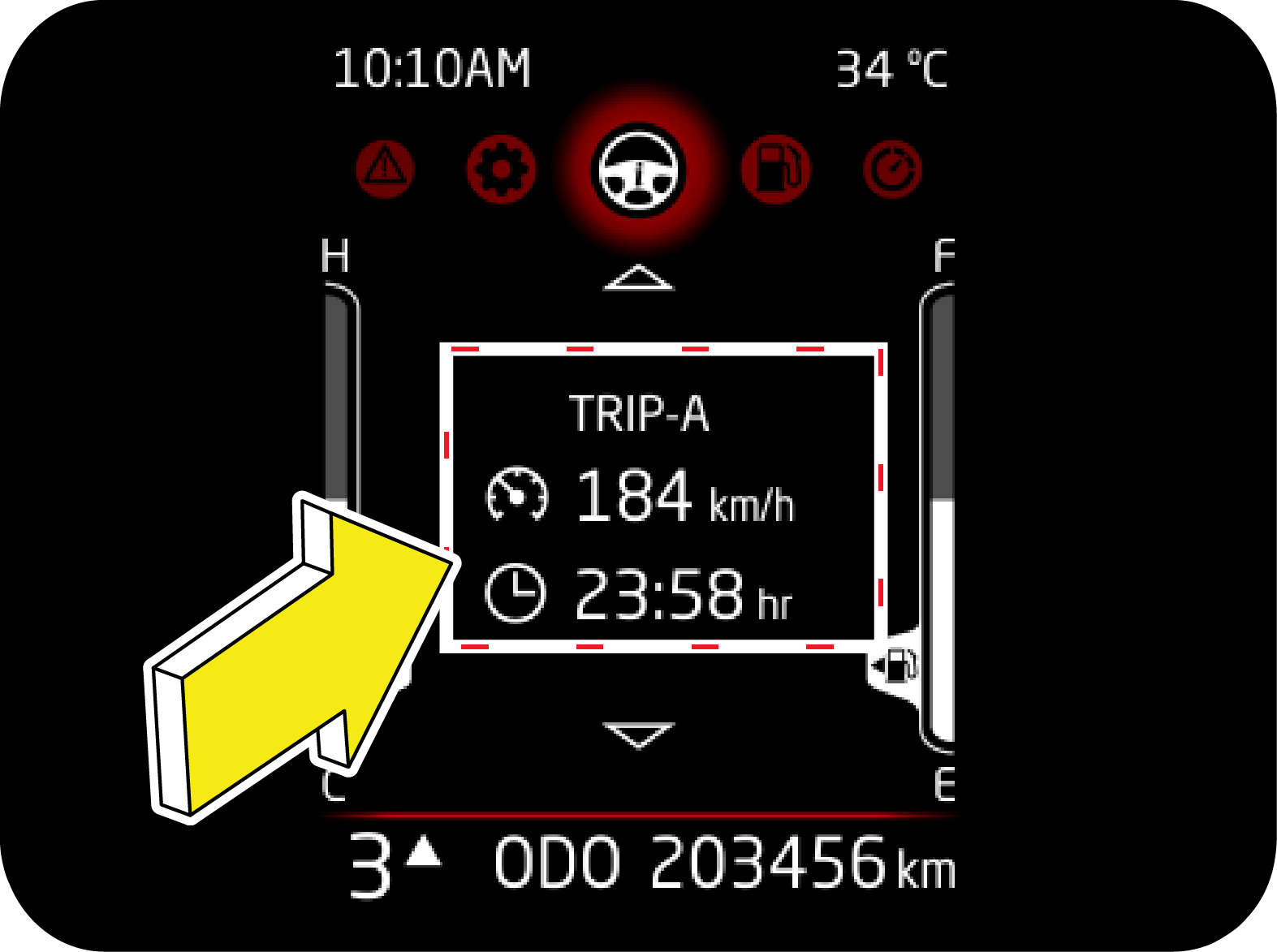 |
Average Speed is calculated based on the total
distance covered and time taken from the start of this trip cycle.
Under drive info menu, this page can be accessed
using UP/DOWN button. Data on this page can be reset at their respective
trip pages.
|
4.1.9.3 Driving Time
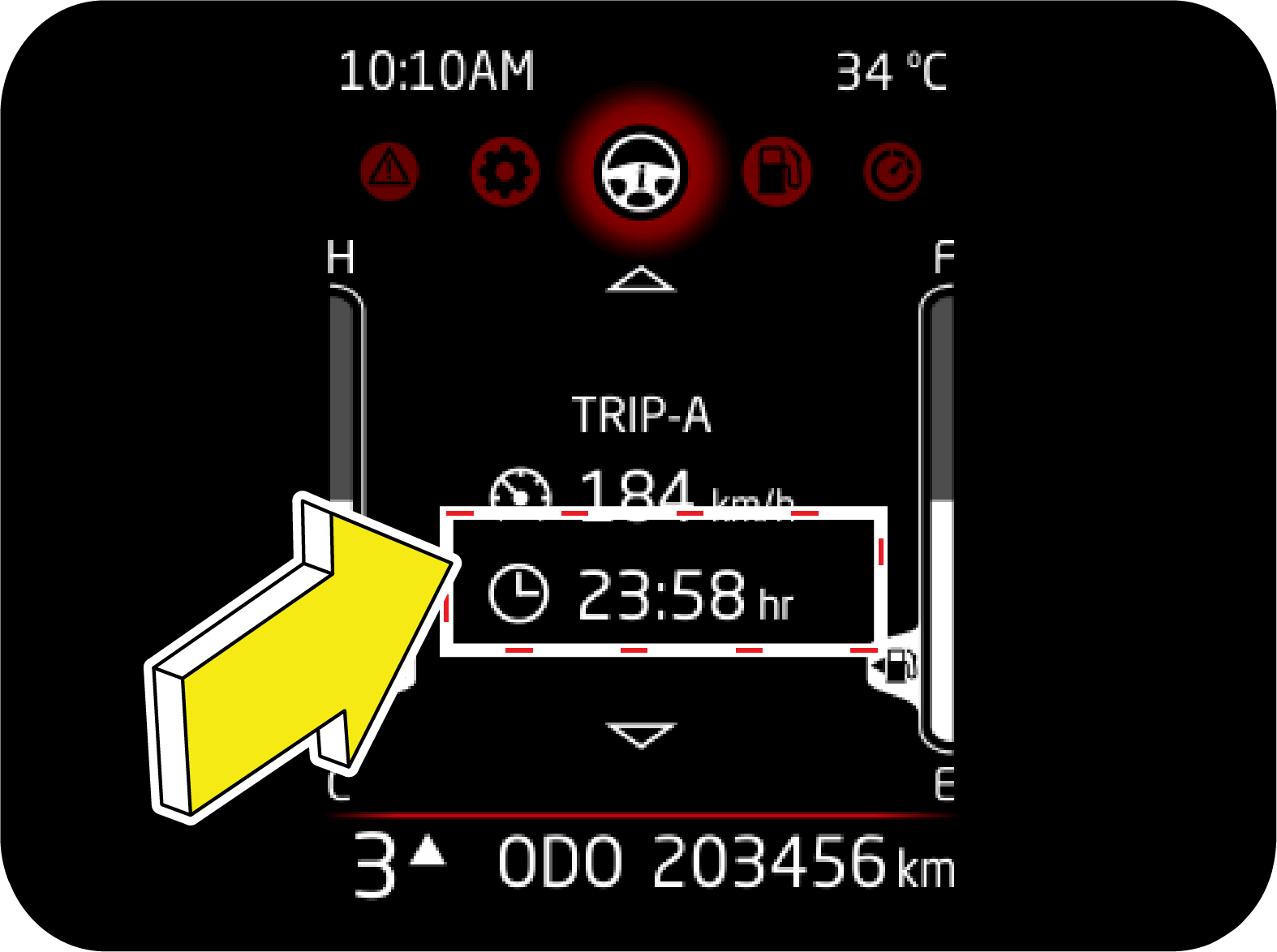 |
Drive Duration is the elapsed time from the start
of this trip cycle.
Under drive info menu, this page can be accessed
using UP/DOWN button. Data on this page can be reset at their respective
trip pages.
Drive Duration is the elapsed time from the start
of this trip cycle. This trip timer will reset to 00:00, once it has reached
the maximum value of 99:59.
|
4.1.9.4 Clock Screen
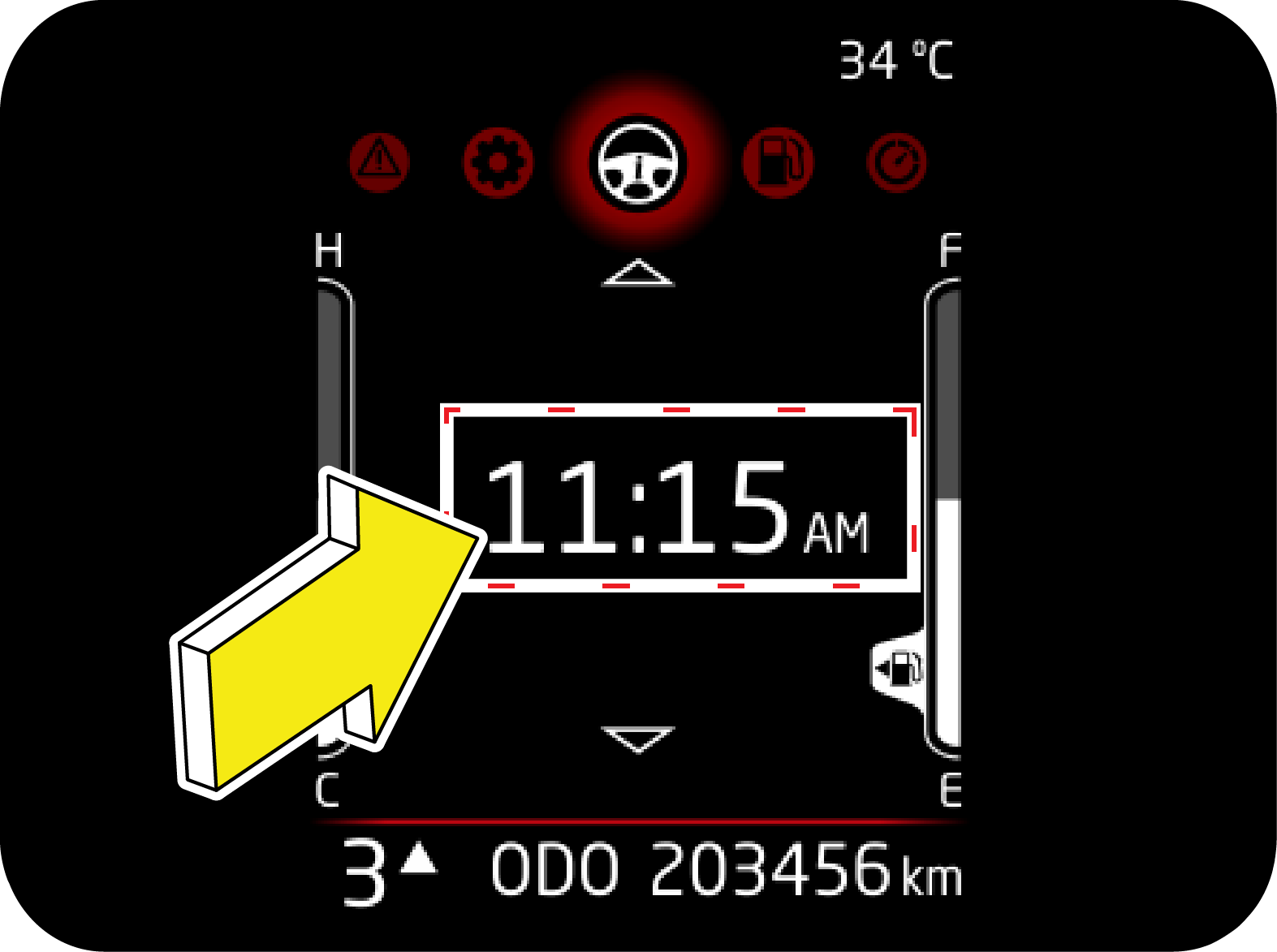 |
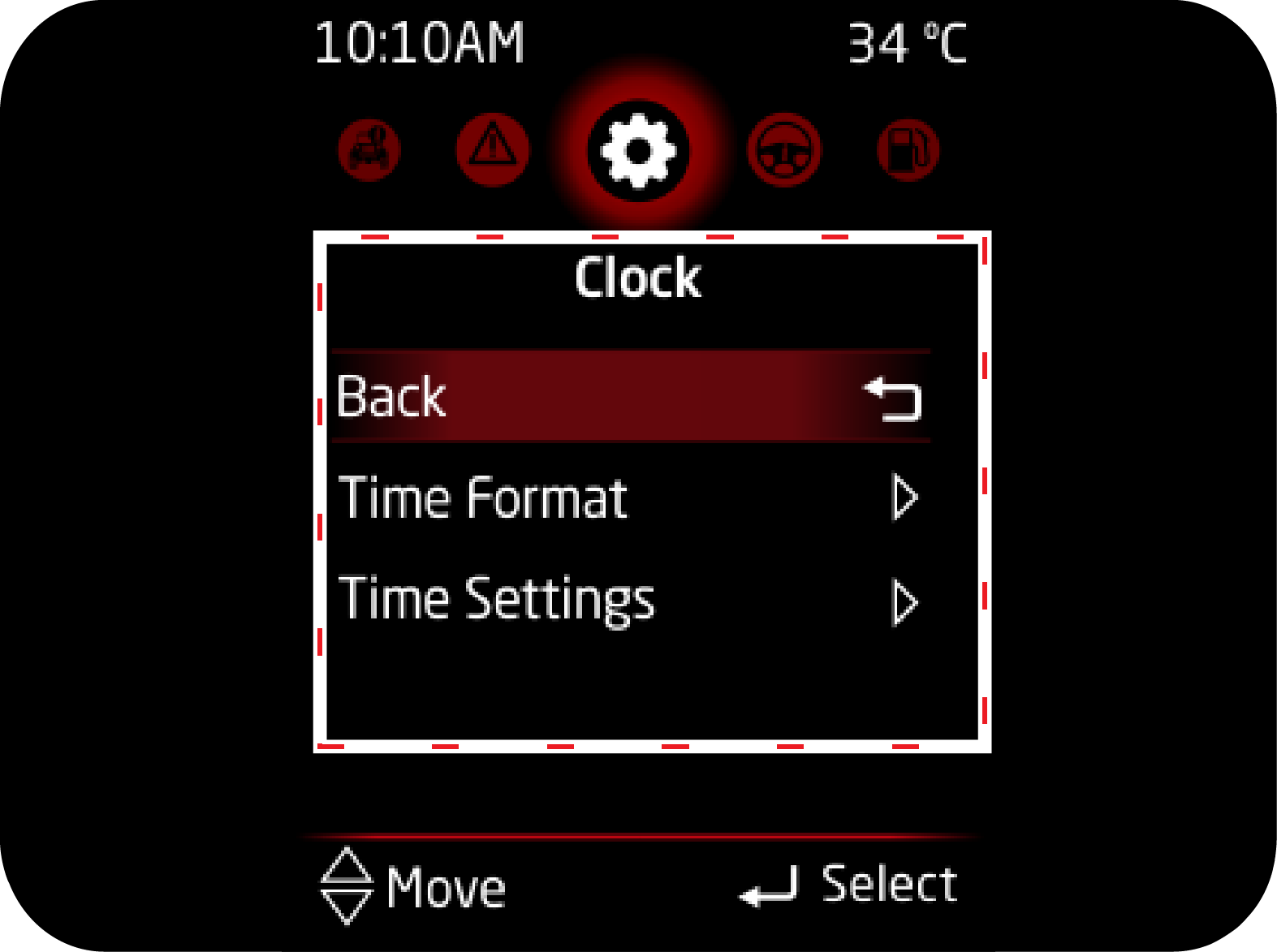
Steps to set
time
1. Browse to settings, using MENU button
2. Press OK to enter.
3. Select Clock and then clock setting to change
system time.
|
4. Press OK to change to particular digit. Highlight will change
to "Dash". In this state, you can use UP/DOWN button to change
time.
5. Press OK to confirm the current change and move to next
digit.
6. System time will change only when you confirm the edited
time.
For high end, clock is in
sync with infotainment. Any change in infotainment will reflect on cluster.
4.1.9.5 REGEN
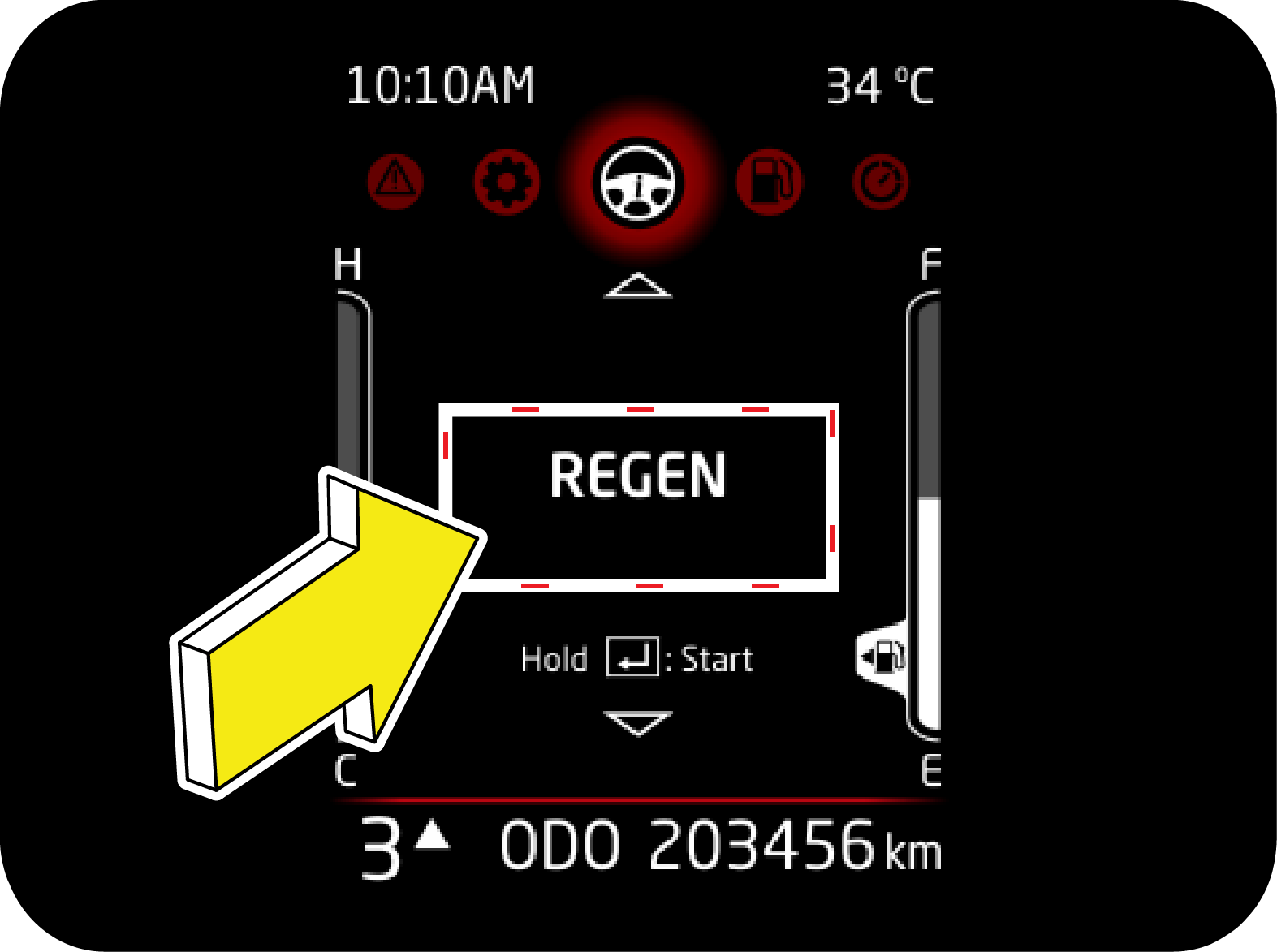 |
This page will appear only when vehicle is
capable of Park regeneration (DPF lamp ON or Blinking) along with REGEN telltale.
Long Press Ok button to start Park regeneration.
Refer fuel emission control section for
details on Park regeneration.
|
4.1.10 Drive Summary
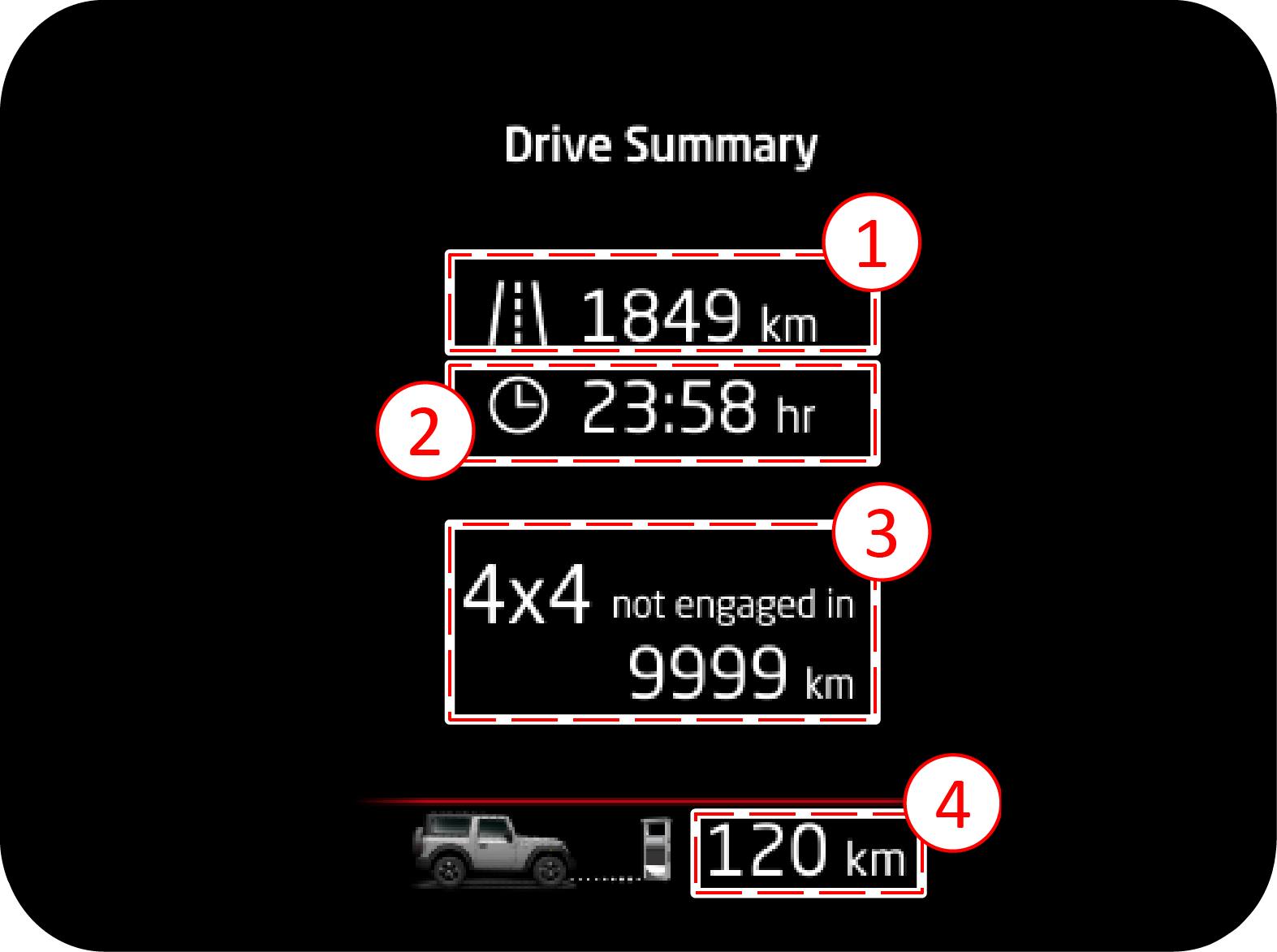 |
This screen will appear when Ignition is turned off.
Following information will be displayed:
1. Distance in IGN cycle - It displays the total
distance travelled in an Ignition cycle.
|
2. Drive time in IGN cycle - It displays the total time for which
engine was ON in the Ignition cycle.
3. 4x4 not engaged in distance - It represents the total distance
since any of the 4 wheel drive modes were not engaged.
- It will reset only if any of the 4 wheel drive modes are engaged.
- It will reset only if any of the 4 wheel drive modes are engaged.
4. DTE - It represents the current DTE value.
4.1.11 Fuel Computer
Fuel computer is represented by fuel tank icon. It can be accessed
using MENU button. It displays data related to fuel consumption
pattern of vehicle. It can be accessed by pressing MENU button in driver side switch bank.
4.1.11.1 Average Fuel
Efficiency (AFE)
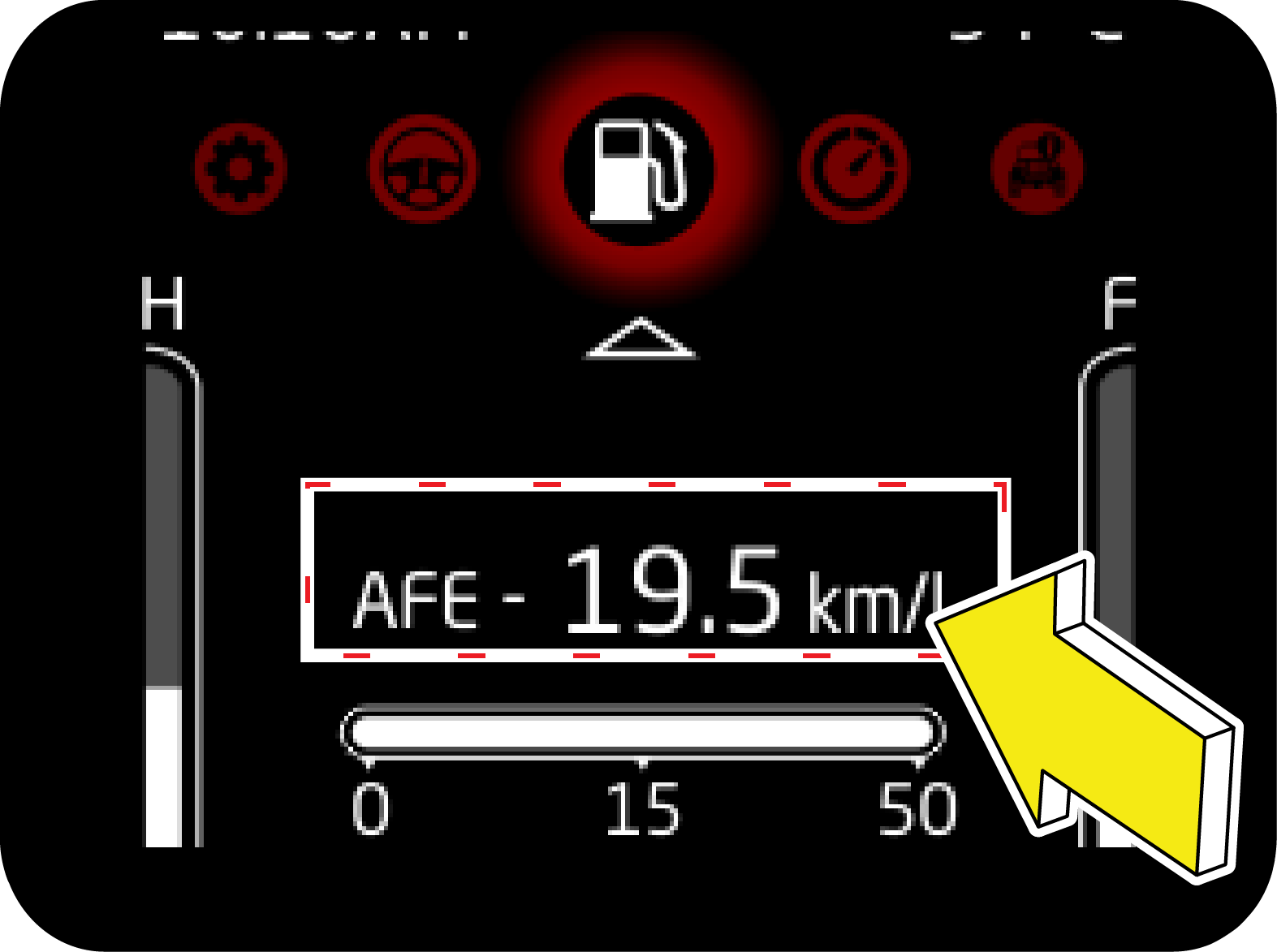 |
In Fuel Computer, AFE can be accessed using
UP/DOWN button.
AFE is calculated based on the Last AFE reset
cycle.
AFE can be reset by long press of OK button in
driver side switch bank.
|
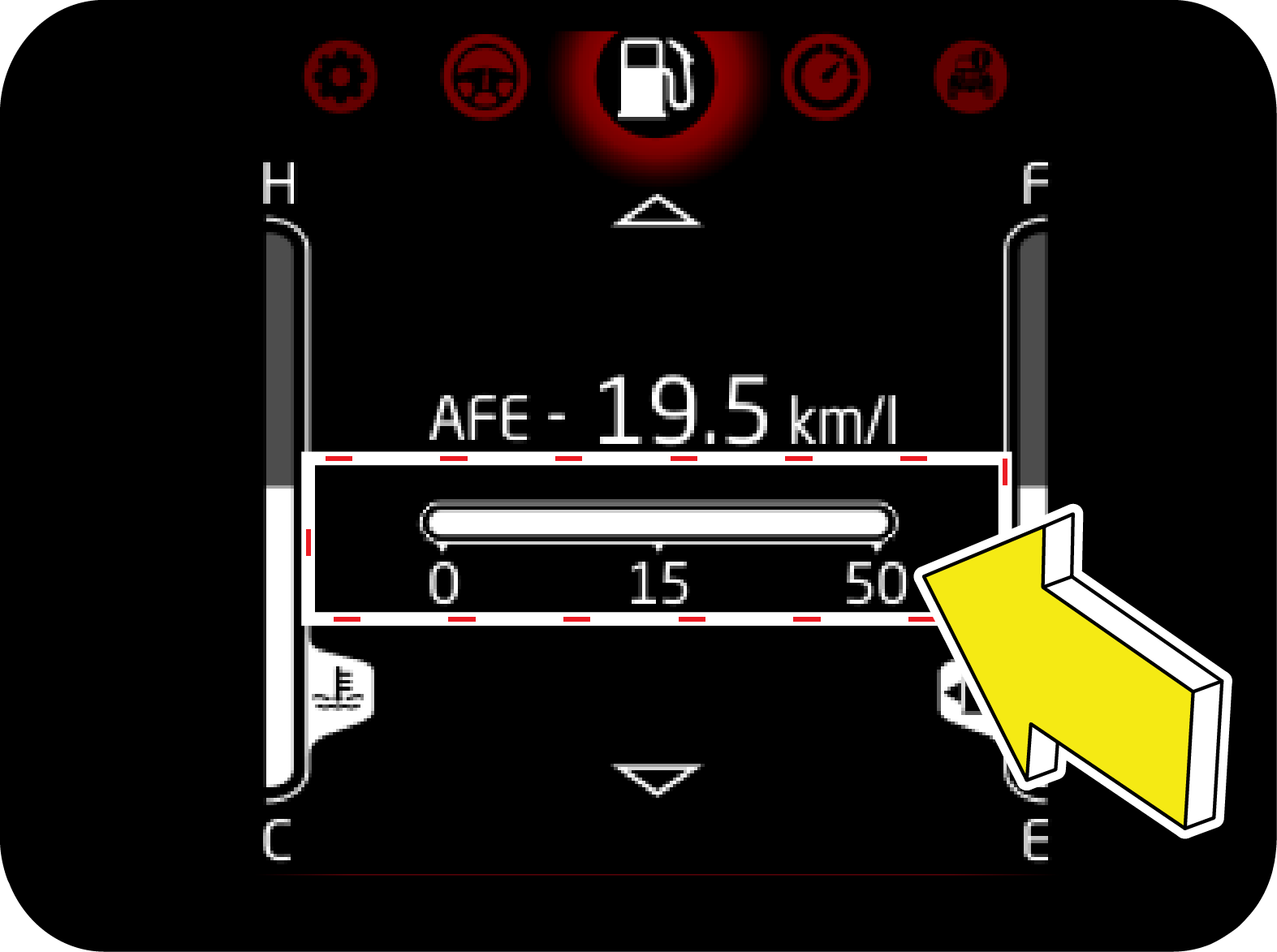

4.1.12 Digital Speedometer
 |
Digital speedometer displays the speed of the
vehicle numerically. It provides immersive experience by having option to switch
off the lights of Speedometer and Tachometer.
|
Turning the lights off
Once in Digital Speedometer screen, Long Press OK button to turn
the lights OFF. Long press the OK button to turn ON the lights
again.
4.1.13 Vehicle Information
4.1.13.1 Tire Direction
Monitoring System (If Equipped)
 |
 |
|
This feature is available as an Alert as well as
standalone page.
Alert:
Intuitively notifies the user before start of drive. Alert will trigger if
conditions are met. Refer alert section. Based
on direction alert may go out or can be continuously ON.
|
Standalone
page: User can navigate to this page to check current direction of tire
even while driving.
|
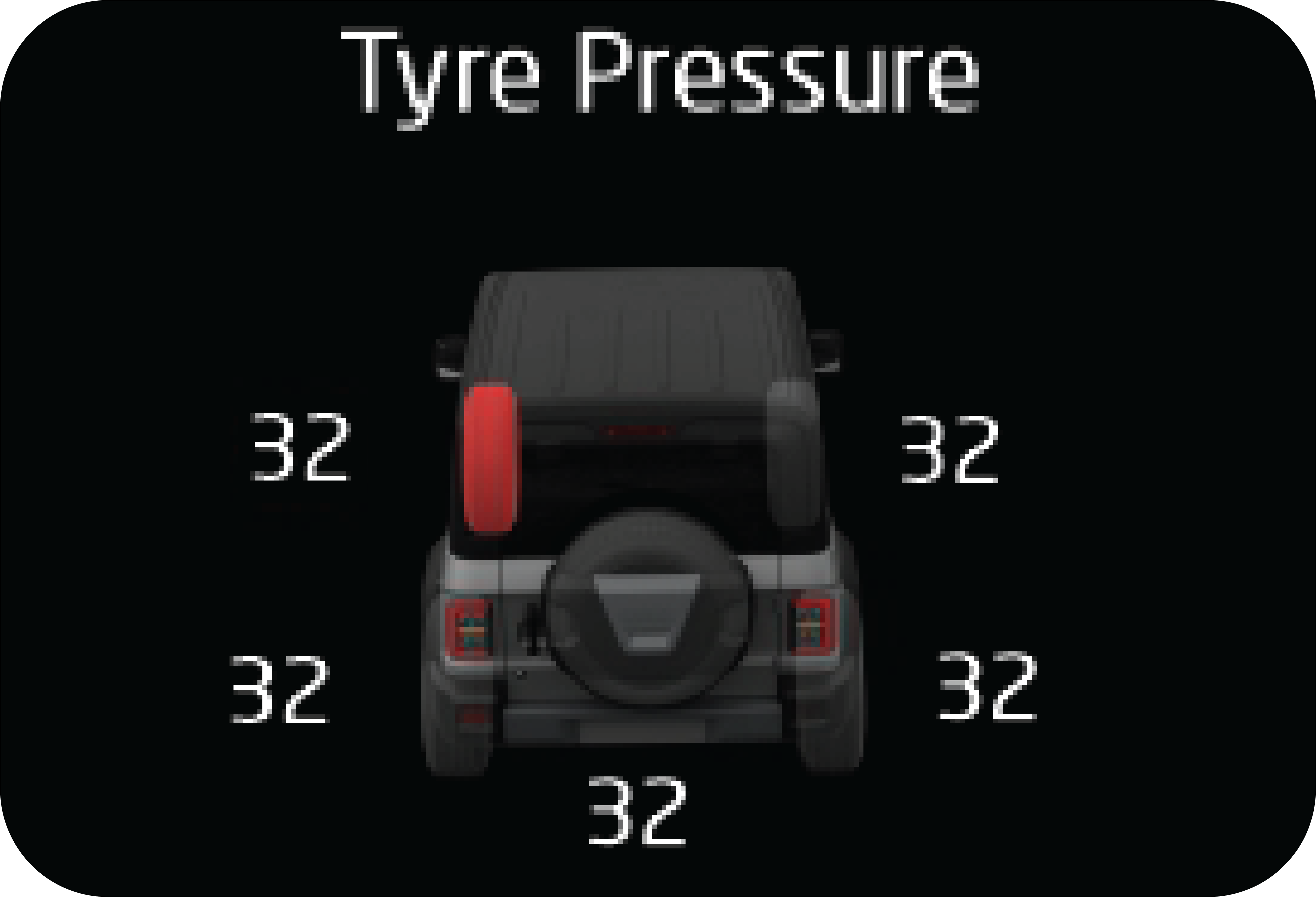
4.1.13.2 Tyre Pressure (If
Equipped)
Tyre Pressure is an electronic system designed to monitor the
air pressure inside pneumatic tyres.
This system will alert the driver if the tyre pressure falls
below the low pressure or raises above high pressure warning
limit for any reason. Including low temperature effects and natural pressure loss through the
tyre. The Tiretronics will continue
to alert the driver periodically and will not turn off untill the tyre pressure is inflated to
the recommended pressure.
Refer Tiretronics chapter for more details.
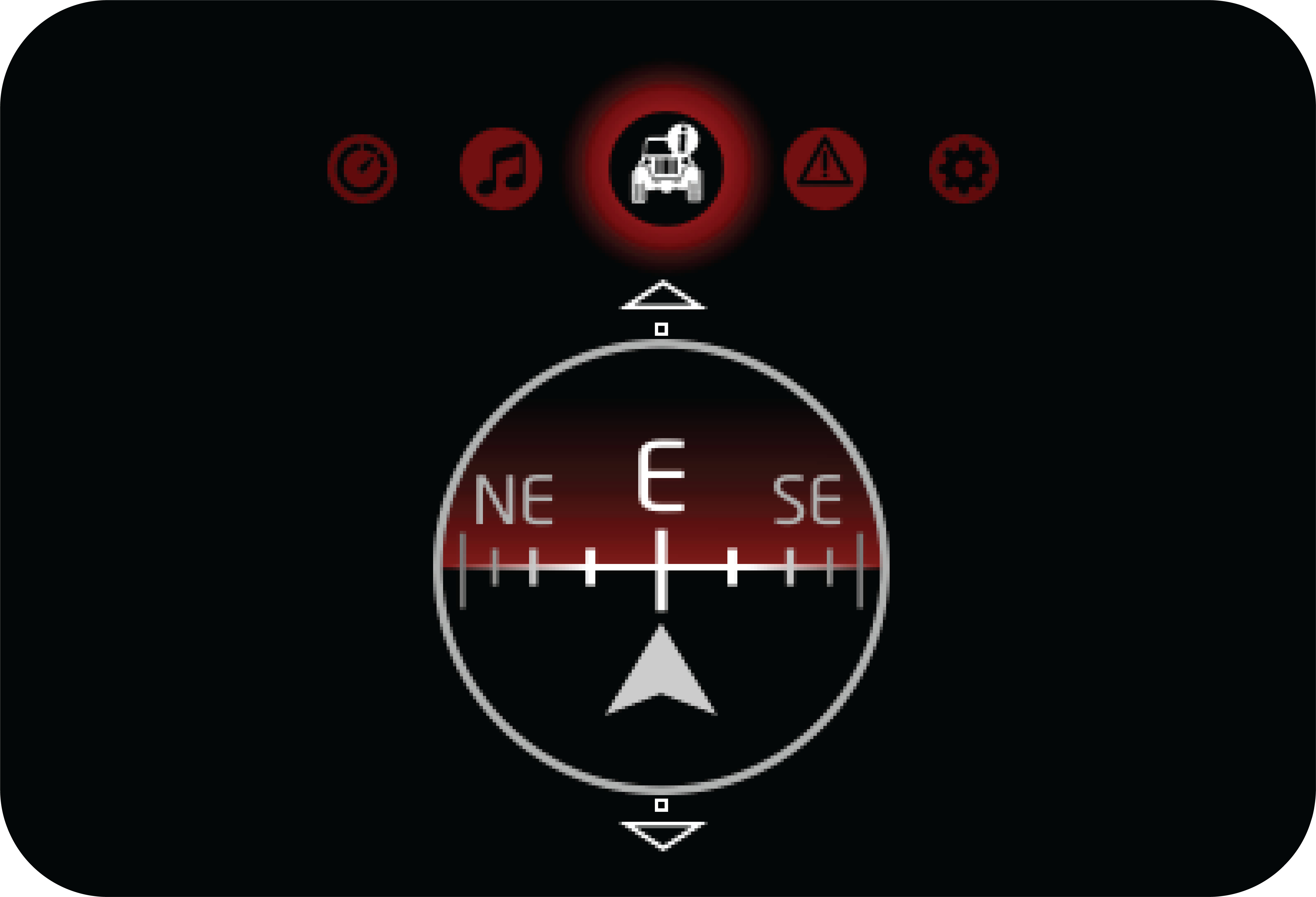
4.1.13.3 Compass and
Altimeter
Compass: This screen
indicates the direction in which the vehicle is traveling. It usually shows directions such as
North (N), South
(S), East (E), and West (W), along with intermediate directions (NE, NW, SE, SW). The compass
helps the driver maintain their
intended direction and aids in navigation.
Altimeter: This shows
the vehicle's height above sea level, The altimeter is particularly useful in off-road driving,
aviation, or any
situation where knowing the elevation is important.
4.1.13.4 4WD Distribution
(If Equipped)
|
TFT
|
||||||||||
 |
|
|||||||||
4.1.14 Warning History
 |
This feature allows you to check the live warnings
in the instrument cluster. It is represented by exclamation mark inside
a triangle.
Steps to
access:
1. Use Menu Switch to access the warning history.
2. Once you are on screen as in Figure 1, Press OK
to enter the warning history.
|
3. Use Up/Down to access all the available warning.
Warning X/Y: Y represents total live warnings at current time
 |
 |
 |
 |
Applicable alerts will be
stored in warning history until they are live.
4.1.15 Settings
Settings can be accessed by pressing MENU switch.
 |
 |
To enter inside settings, press OK. Following settings are
available:
1. Clock (if sync not available) 2. Temperature unit (if
applicable)
3. Passenger Airbag
|
1.
Clock (if sync not available)
|
|
|
Clock
|
Time
Format
|
 |
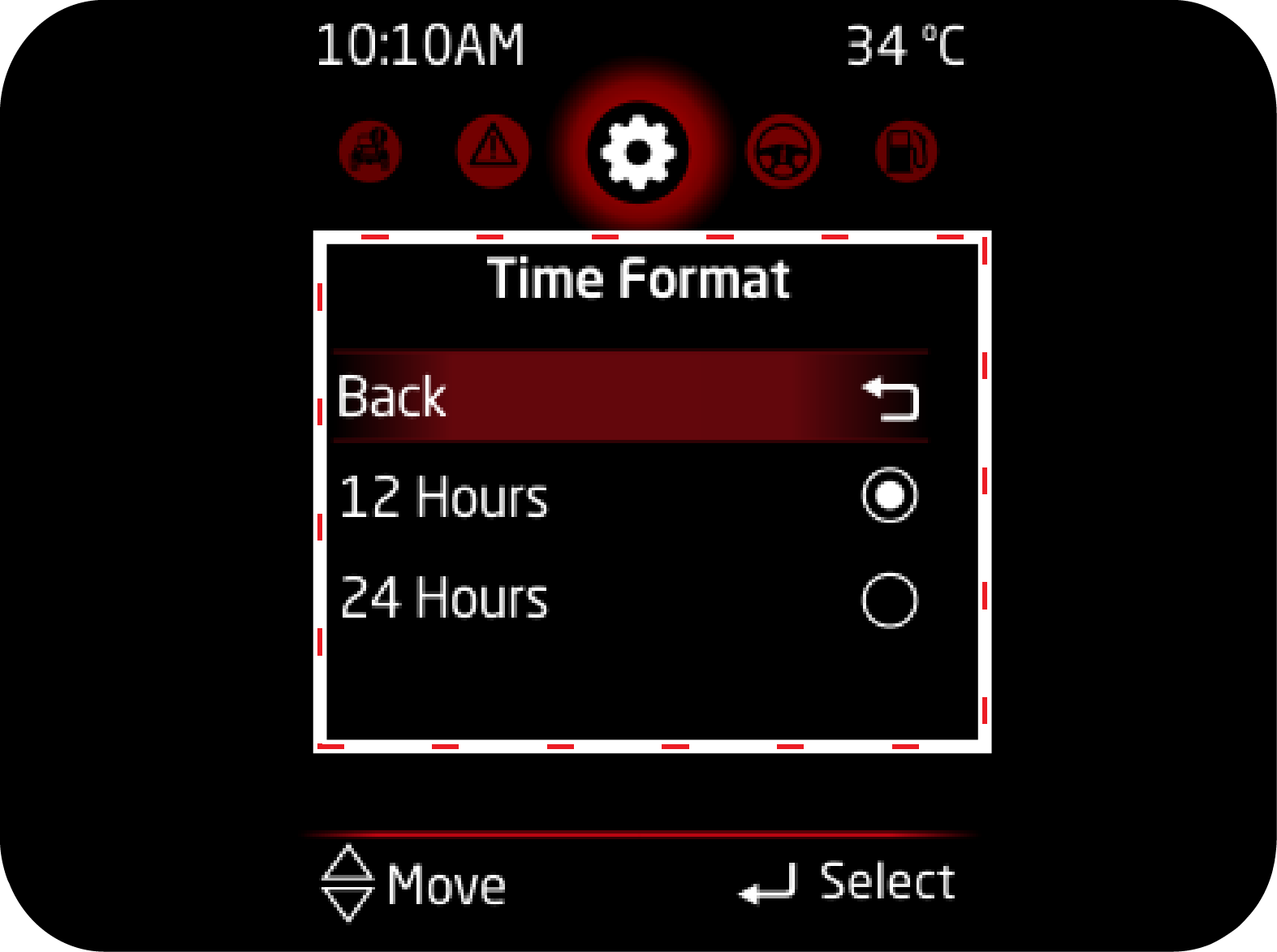 |
|
2.
Temperature unit (if applicable)
|
3.
Passenger Airbag
|
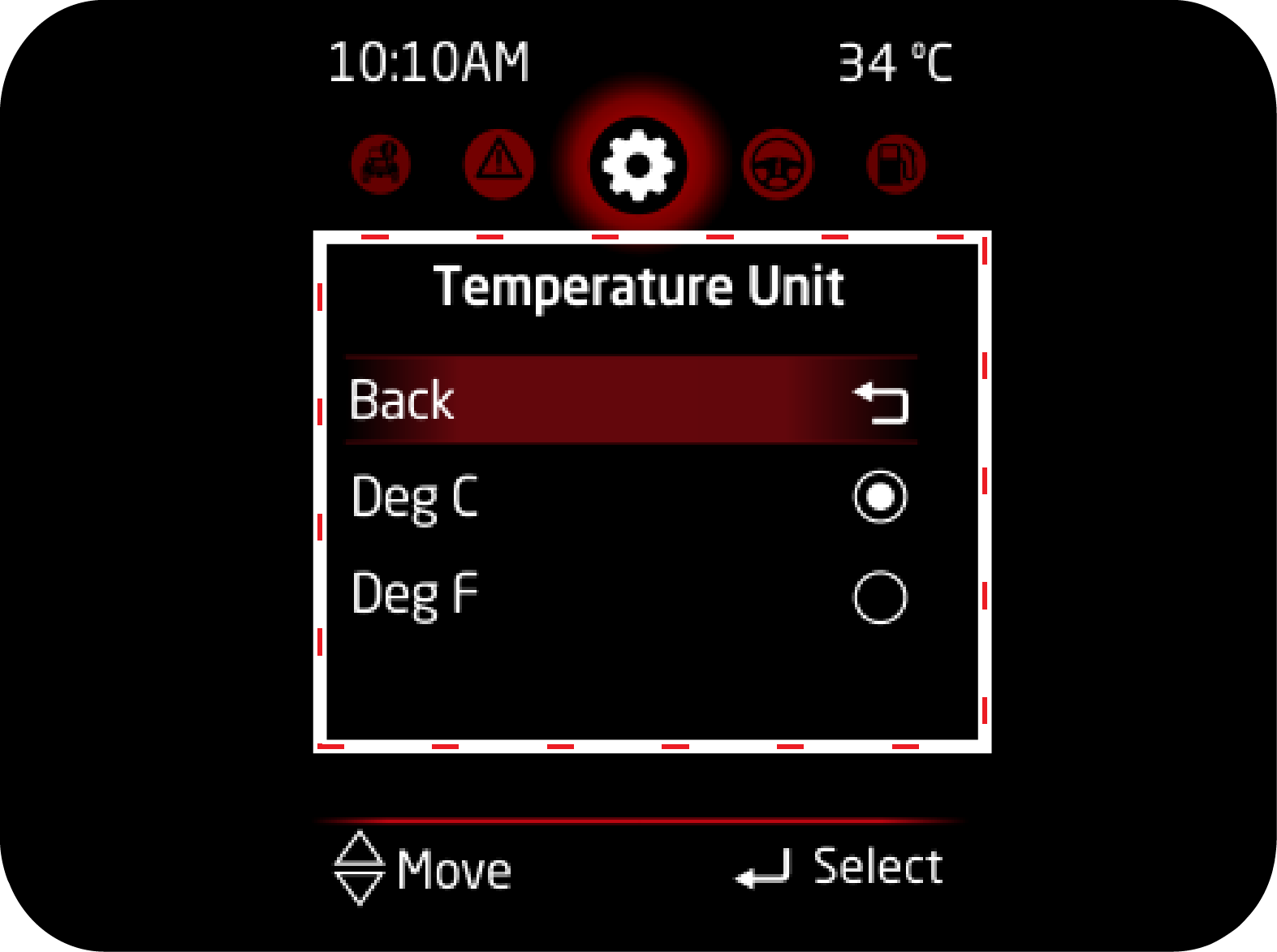 |
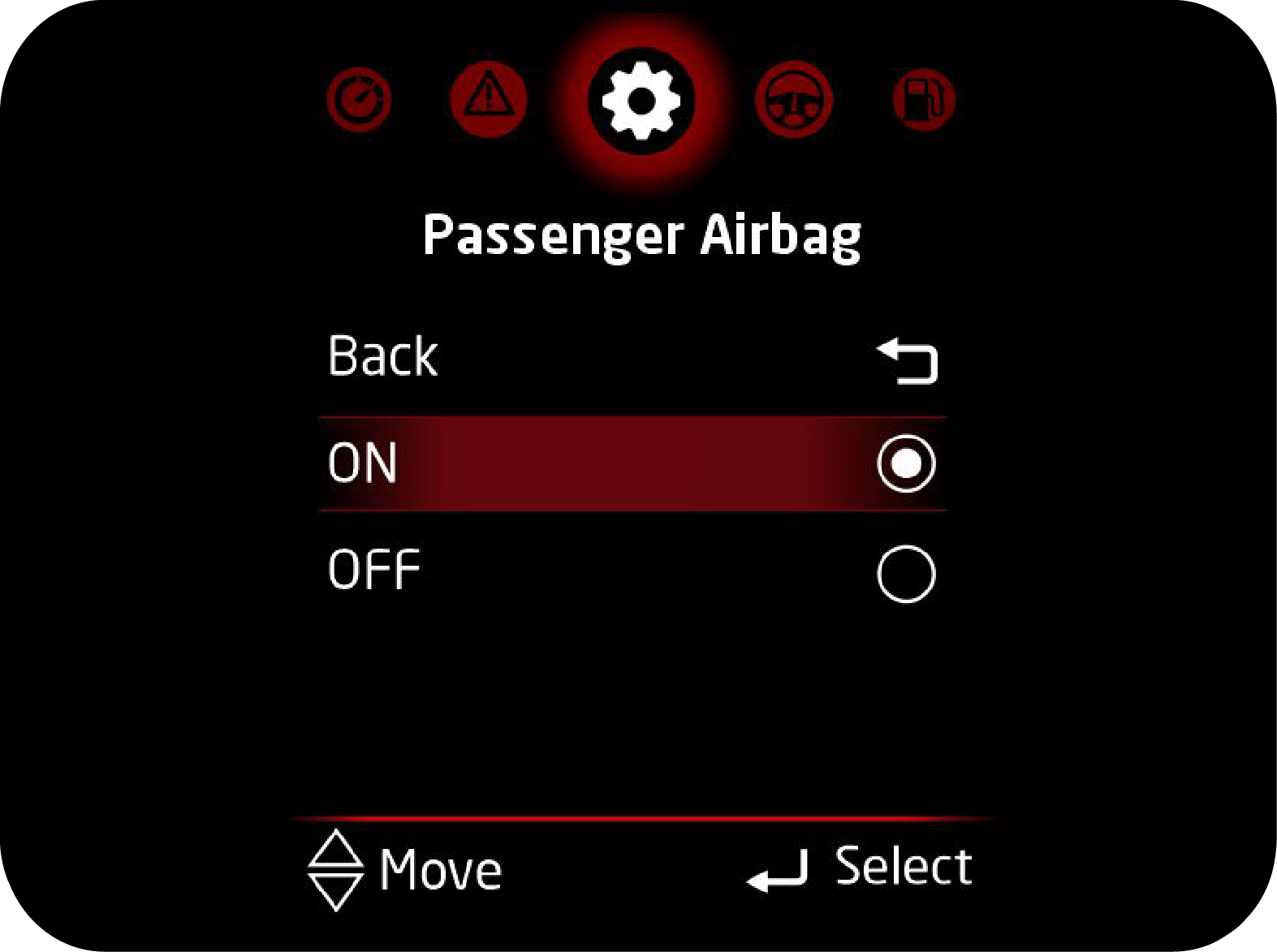 |
4.1.15.1 Passenger Air Bag
ON/OFF
The following instructions to be followed to select the
passenger airbag ON/OFF.
 |
1. Press the MENU button provided in the switch
panel and navigate to Settings Option.
|
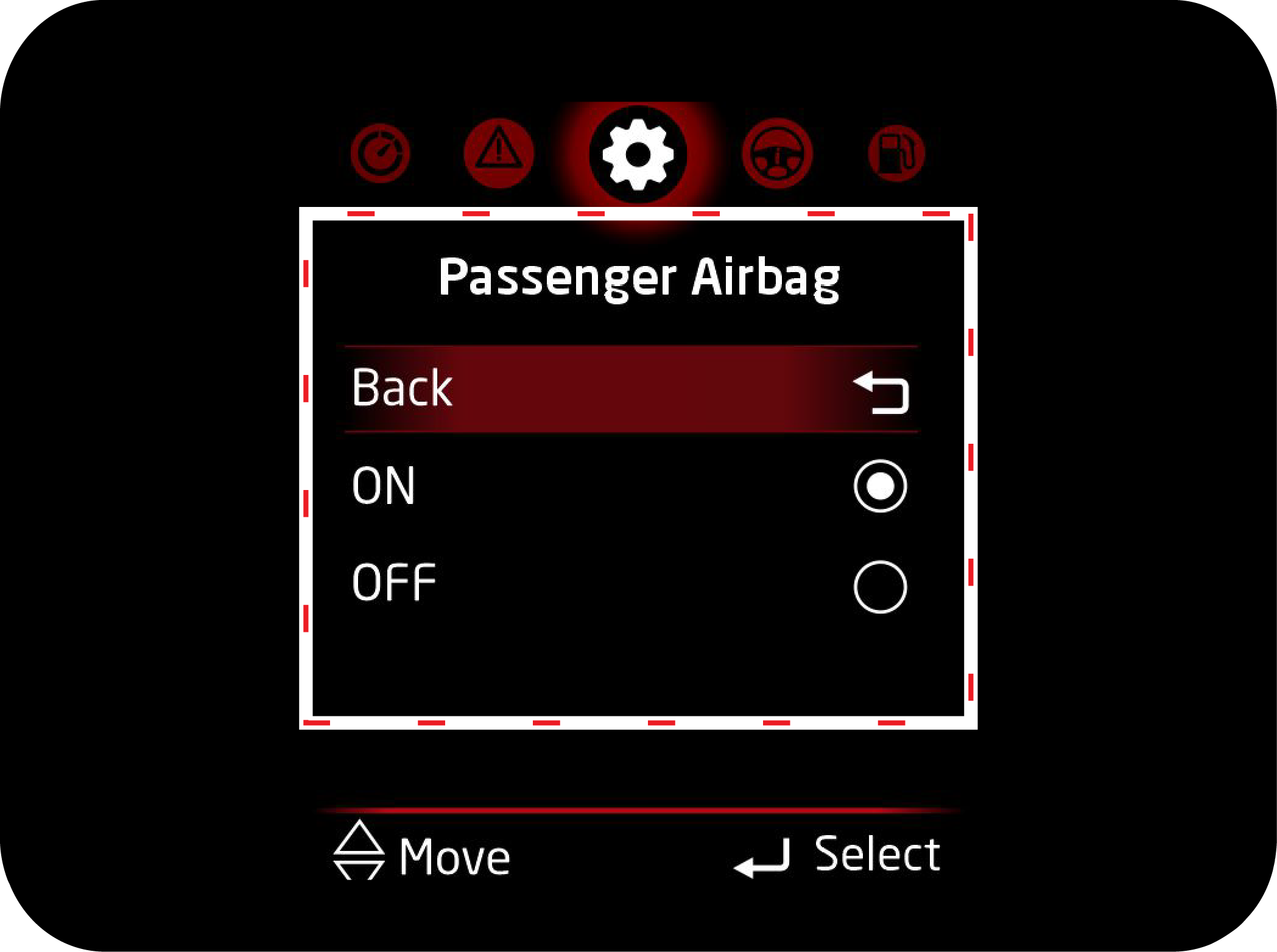 |
2. Press OK button to enter in settings and
following screen will appear.
|
|
|
3. Press Up/Down buttons to navigate to Passenger
Airbag ON/OFF option.
|
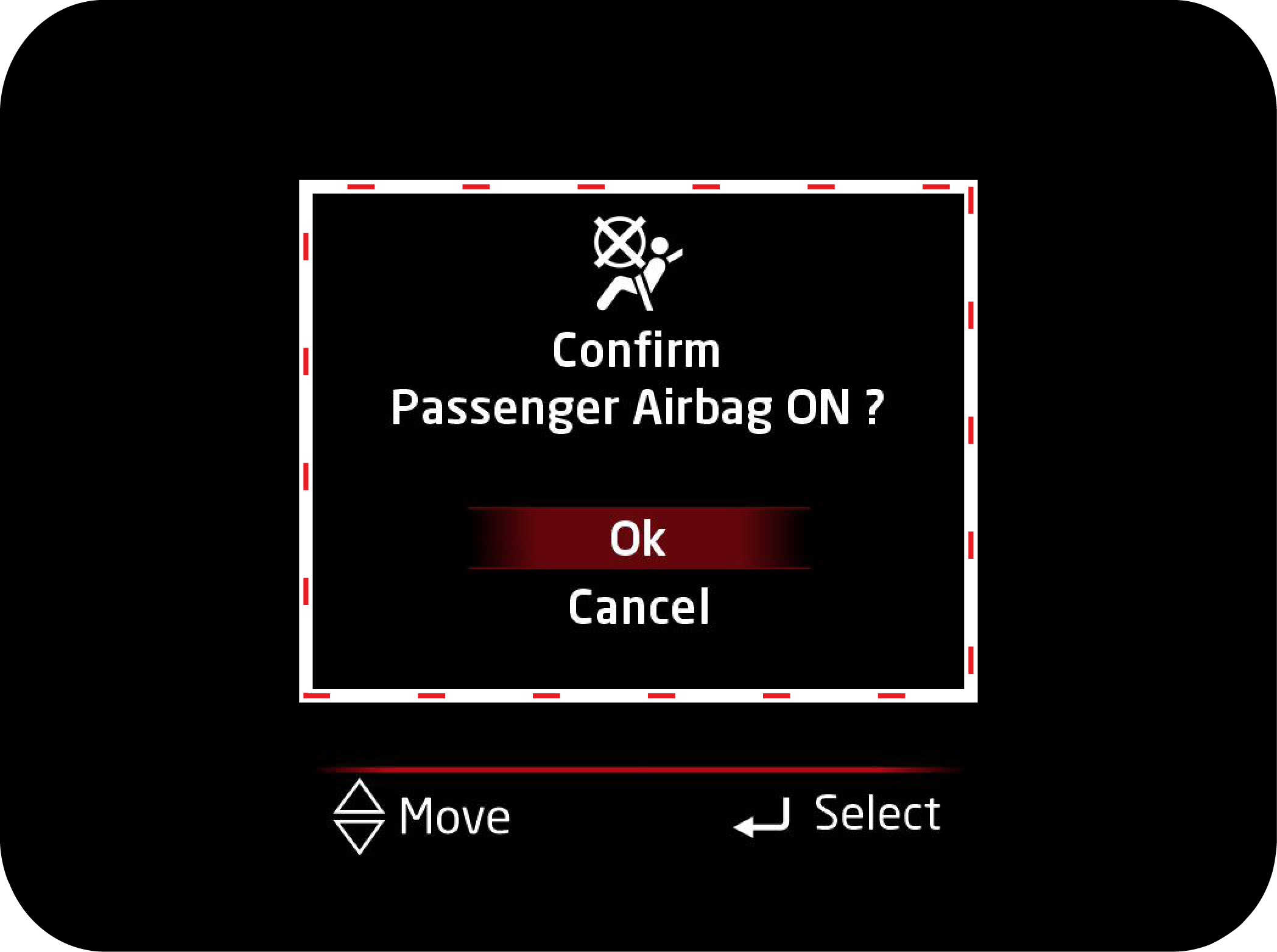 |
4. Once select the Passenger ON/OFF option, Press
OK to confirm selection and following message will appear on screen.
5. Confirm the option by selecting “Ok or Cancel”
using Up/Down and Press the OK button.
|
6. Repeat the above steps for the Vice-versa of Passenger Airbag
ON/OFF selection.
4.1.15.2 Vehicle Condition Related Warning (If Equipped)
Following are the warning information available:
|
Display
|
Operating Conditions
|
|---|---|
 |
This alert will come when ABS related
malfunction is detected.
|
 |
This alert will come when EBD related
malfunction is detected.
|
 |
This message is displayed when the
engine check warning lamp is turned ON and engine has been running.
|
 |
This message comes on when the ESP
system is faulty, and engine has been running.
|
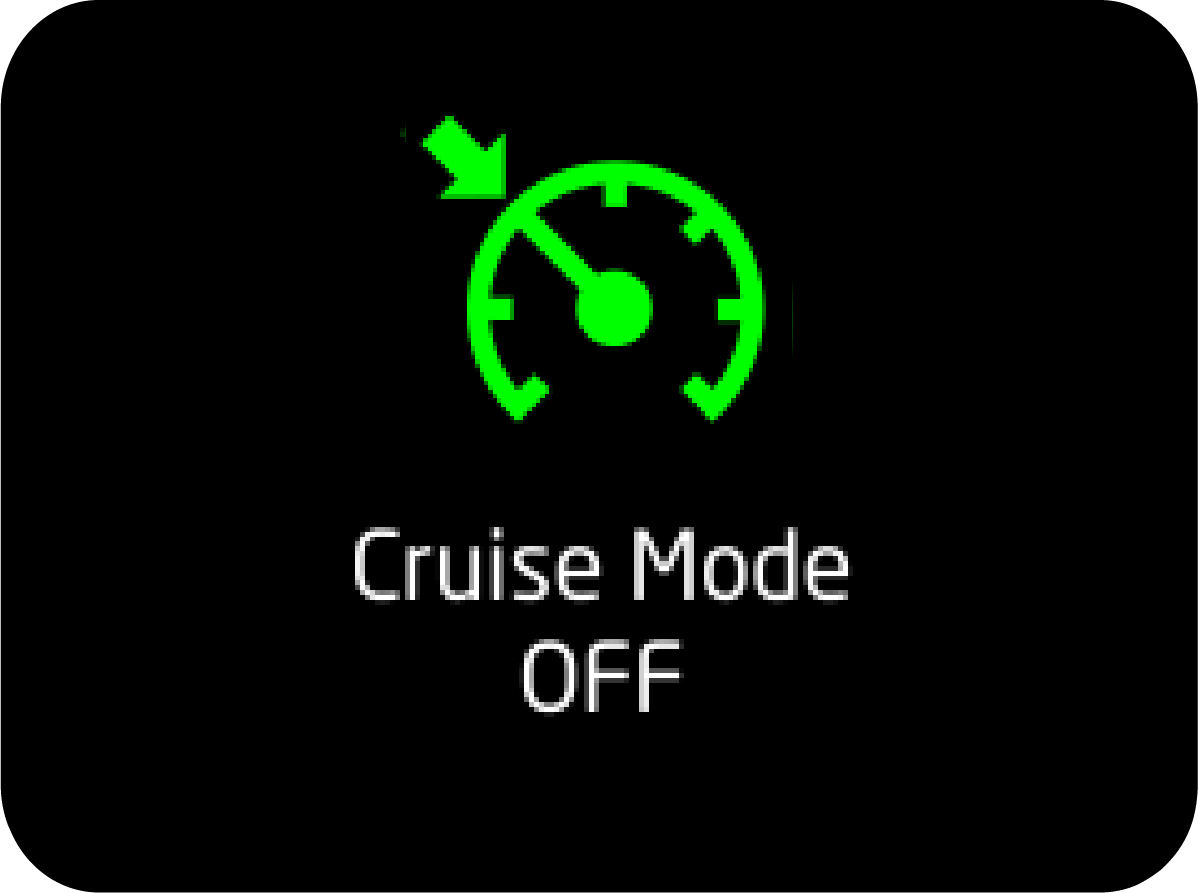 |
This message comes when cruise mode is
turned OFF manually using switch.
|
 |
This message comes when cruise mode is
turned ON.
|
 |
When the engine oil pressure warning
light is ON and engine has been running.
|
 |
This message comes when engine
temperature high telltale is ON and engine has been running. Indicates
that engine temperature
is high.
|
 |
This message will get pop up when HDC
control is necessary. HDC actively controlling the brakes to maintain
vehicle speed
while descending hills.
|
 |
This message will get pop up when HDC
feature is disabled by pressing the HDC button in console again or HDC
activation conditions
are override.
|
 |
This message will pop up when HDC
feature is enabled by pressing the HDC button in console. HDC function
is ready for action
but activation conditions are not met.
|
 |
This alert will come when Remote key fob
battery is low (if Equipped).
|
 |
This alert will be displayed when key is
left in barrel and IGN is turned OFF and door is opened If Equipped).
|
 |
This message comes when brake fluid
level is low and engine has been running.
|
 |
This message comes when fuel level
warning lamp is ON or Blinking and engine has been running.
|
 |
This message comes when passenger airbag
is turned OFF.
|
 |
This message comes when you try to move
the vehicle when park brake is still engaged.
|
 |
This message comes on when the tail
lamps are ON with the ignition in the "OFF" state.
|
 |
This message comes when vehicle has
crossed scheduled service limit.
|
 |
The message will be displayed if you are
trying to enter into settings in vehicle running state.
|
 |
This message comes when you are driving
vehicle above 120 km/h. (If Equipped)
|
 |
This message comes when water is
detected in fuel filter and engine has been running. It is applicable
for diesel variants
only.
|
 |
This message comes when either of driver
or passenger (if occupied) seatbelt is unbuckled.
|
4.1.15.3 Tyre Direction
Monitoring System (TDMS) Alert
Tyre direction monitoring system or TDMS assists you when
vehicle has just started and you are about to move the vehicle.
It tells you about the current direction in which tyres are aligned at very beginning of
manoeuvring the vehicle.
|
<Level 5>
|
|
 |
 |
|
<Level 3>
|
|
 |
 |
|
<Level 0>
|
|
 |
|
Operating Conditions
Tyre alignment is displayed in 6 levels (level 0 to level 5)
depending on the alignment degree when the ignition switch is
turned to "ON" position from "OFF" position.
Working Conditions:
| 1. | When vehicle speed is zero and parking brake engaged. |
| 2. | When vehicle speed is zero and vehicle is in neutral and clutch is not engaged. |


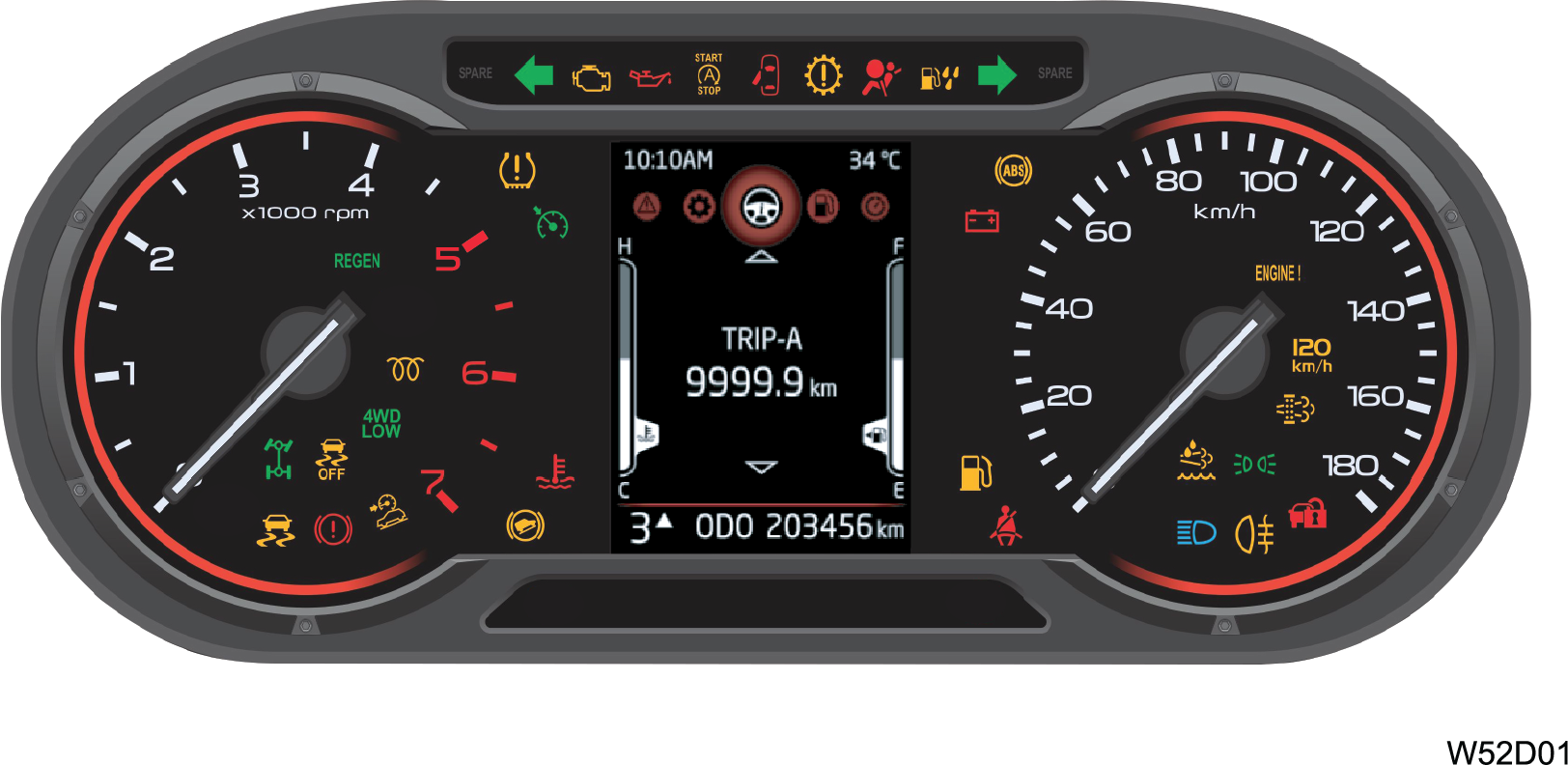
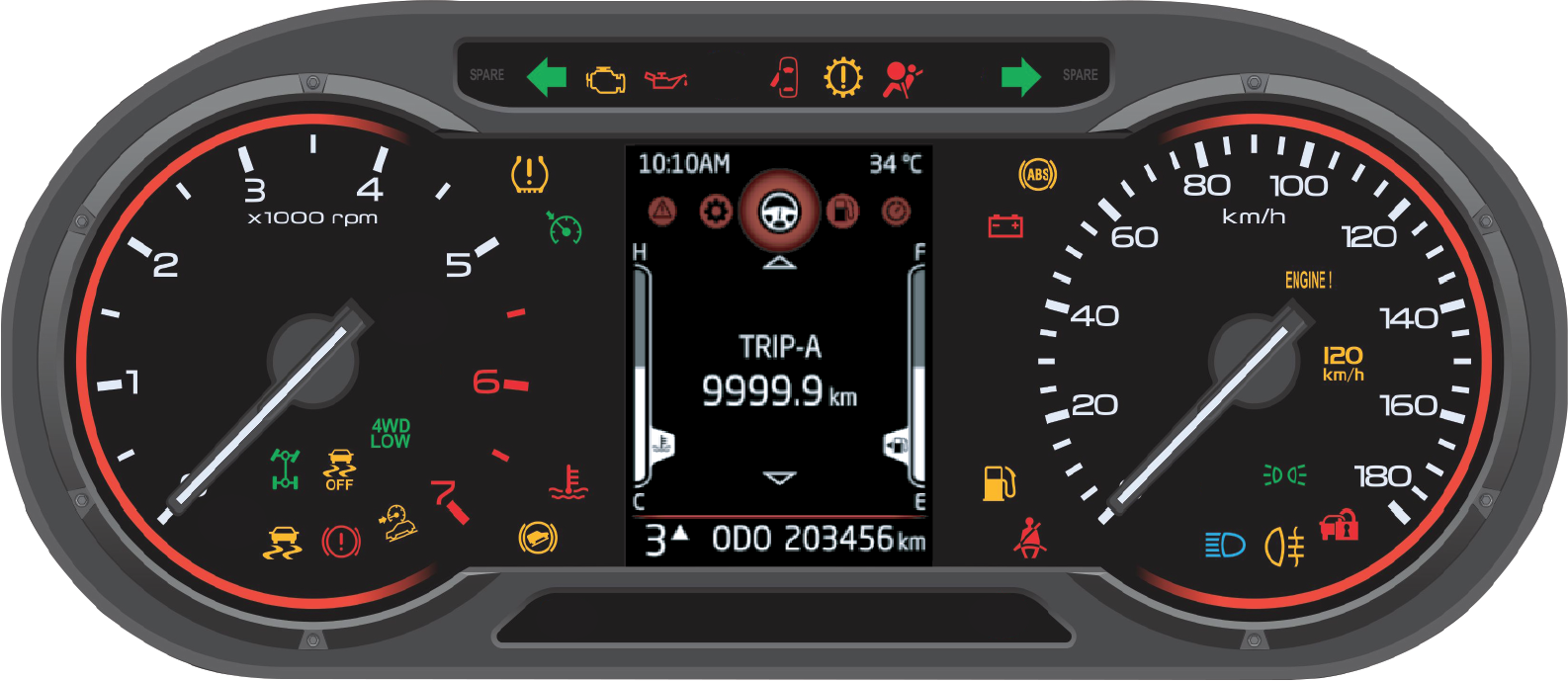
4.2 Warning Lamps Overview – Diesel
Warning Lamps Overview –
Petrol
The phenomenon of warning lamps flashing momentarily when ignition is
turned ON is called pre-check. This is self check done
by the cluster at every ignition ON.
|
Symbol
|
Warning Lamp/Tell Tale
|
Lamp Pre-check
|
Lamp Status
|
Action/Remarks
|
|---|---|---|---|---|
 |
Left
Turn Indicator
|
No
|
Slow or
Fast Blinking
|
Indicates left turn lamp is blinking
Slow Blinking: Normal operation Fast Blinking: One / more left turn lamp bulb has fused. Have the bulb replaced |
|
|
OBD
Check Lamp
|
Yes
|
Continuously
ON or Blinking
|
Telltale will always be ON till engine
starts after which it will turn OFF. Telltale ON even after start of
engine indicates
an emission system related failure. Contact an Authorized Mahindra
Service Center immediately.
|
|
|
Low
Engine Oil Pressure Warning Lamp
|
No
|
Continuously
ON
|
Telltale will always be ON till engine
starts after which it will turn OFF. Telltale ON even after start of
engine indicates
low engine oil pressure. Contact an Authorized Mahindra Service
Center immediately.
|
|
|
Engine
Start/Stop telltale*
|
No
|
Continuously ON or
Blinking
|
CONTINUOUSLY ON: Engine is in auto stop mode
Blinking: Stop/Start is about to stop the
engine. FAST BLINKING: Stop/Start is inhibited due
to unhealthy battery conditions.
|
|
|
Door
Ajar Warning Lamp
|
No
|
Continuously
ON
|
Indicates one or more doors are
open.
|
|
|
AT
Malfunction indicator Lamp*
|
Continuously
ON till Engine Starts
|
Continuously
ON or AT Blinking
|
Telltale ON indicates malfunction in the
automatic transmission. Contact an Authorized Mahindra Service Center
immediately.
|
|
|
Airbag
Warning Lamp
|
Yes
|
Continuously
ON
|
Indicates malfunction of the airbag system.
Contact an Authorized Mahindra Service Center
immediately.
|
|
|
Water
in Fuel warning Lamp*
|
Yes
|
Continuously
ON
|
Indicates water in fuel filter. Drain the
water from filter or contact an Authorized Mahindra Service Center
for assistance.
|
|
|
Battery
Charging System Warning Lamp
|
No
|
Continuously
ON
|
Telltale will be ON in ignition ON But
engine is OFF. If it is ON in engine ON condition, it represents
malfunction in charging
system. Contact an Authorized Mahindra Service Center for
assistance.
|
 |
Right
Turn Indicator
|
No
|
Slow or
Fast Blinking
|
Indicates right turn lamp is blinking.
Slow Blinking: Normal operation Fast Blinking: One / more right turn lamp bulb has fused. Have the bulb replaced. |
|
|
ABS
Warning Lamp
|
Yes
|
Continuously
ON
|
Indicates malfunction of the ABS system.
Contact an Authorized Mahindra Service Center
immediately.
|
|
|
Check
Engine Lamp
|
Yes
|
Continuously
ON or Blinking
|
Indicates a potential malfunction in the
Engine System, contact an Authorized Mahindra Service Center
immediately.
|
|
|
Overspeed
Alert
|
No
|
Continuously
ON
|
Telltale will blink when vehicle is running
at speed greater than 120 km/h.
|
|
|
DPF
Indicator Lamp *
|
Yes
|
Continuously
ON or Blinking
|
If
the DPF indicator is ON in the engine running condition then DPF
regeneration has not happened. Follow the instructions
mentioned in the “EMISSION CONTROL SYSTEM”.
|
|
|
Parking
Lamp
|
No
|
Blinking
|
Indicates Park Lamp is
ON.
|
 |
Immobilizer
|
No
|
Continuously
ON or Blinking
|
Slow
Blinking in IGN ON: vehicle has been turned on using an invalid
key.
Fast Blinking/Continuously ON: Indicates a system malfunction Contact an Authorized Mahindra Service Center immediately. |
 |
DEF
Indicator Lamp*
|
Yes
|
Continuously
ON
|
It
indicates that either DEF Level is low or incorrect DEF has been
filled or DEF Dosing is malfunctioning. Follow the instructions
mentioned in the “EMISSION CONTROL SYSTEM”.
|
|
|
Head
lamp High Beam Indicator
|
No
|
Continuously
ON
|
Indicates Head lamp high beam is
ON.
|
|
|
Front
Fog Lamp Indicator *
|
No
|
Continuously
ON or Blinking
|
Indicates front fog lamps are
ON.
|
|
|
Driver
Seat Belt Warning Lamp
|
No
|
Continuously
ON
|
Telltale ON indicates that the driver seat
belt is not buckled.
|
 |
Low
Fuel Warning Lamp
|
No
|
Continuously
ON or Blinking
|
Telltale ON indicates that the fuel in the
tank has reached the reserve level. Telltale blinking indicates a
failure in the
fuel gauge. Contact Authorized Mahindra Service Center
immediately.
|
 |
High
Coolant Temperature Warning Lamp
|
No
|
Continuously
ON or Blinking
|
Telltale ON indicates that the engine
coolant temperature is high. Telltale blinking indicates very high
coolant temperature.
|
|
|
HHC
Malfunction*
|
No
|
Continuously
ON
|
Indicates malfunction of Hill Hold Control.
Contact an Authorized Mahindra Service Center
immediately.
|
|
|
4WD Low
*
|
No
|
Continuously
ON or Blinking
|
Blinking:
Indicates 4 Wheel Drive Low engagement is in progress.
ON:
4 Wheel Drive Low is engaged.
|
|
|
HDC*
|
No
|
Continuously
ON
|
Indicates malfunction of Hill Descend
Control. Contact an Authorized Mahindra Service Center
immediately
|
|
|
Parking
Brake ON/Brake Fluid Low Warning Lamp/ EBD
Malfunction
|
Yes
|
Continuously
ON
|
Either one of the below conditions:
1. Park Brake might be engaged 2. Brake fluid level might be low 3. There is some concern in ABS/EBD failure. Please contact Authorized Mahindra Service Center. |
|
|
ESP
Malfunction Warning Lamp*
|
Yes
|
Continuously
ON or Blinking
|
Blinking:
Indicates ESP has taken control of the vehicle stability.
Continuously ON: Indicates a malfunction in the ESP system. Contact an Authorized Mahindra Service Center immediately. |
|
|
4WD
High *
|
No
|
Continuously
ON or Blinking
|
Blinking:
indicates 4 wheel drive high engagement is in progress.
ON:
4 wheel drive high is engaged.
|
|
|
ESP OFF
Lamp*
|
Yes
|
Continuously
ON
|
Indicates ESP OFF
|
|
|
Glow
Plug Indicator*
|
No
|
Continuously
ON
|
Indicates a malfunction in the starting
system. Contact an Authorized Mahindra Service Center
immediately.
|
|
|
REGEN
Indicator Lamp*
|
NO
|
Continuously
ON or Blinking
|
ON:
Regeneration is required
Blink: Regeneration is in progress. |
|
|
Cruise
Control Indicator *
|
Yes
|
Continuously
ON
|
Indicates vehicle is in Cruise
mode.
|
|
|
Tiretronics*
|
Yes
|
Continuously
ON or Blinking
|
Indicates low/high tyre pressure or possible
malfunction in Tiretronics. Refer to Tiretronics section in
INSTRUMENT CLUSTER
FEATURES/WHEELS AND TYRES chapter for further
details.
|
|
* –
If Equipped
|
||||
4.3 Warning Lamps in the Instrument
Cluster
4.3.1 Turn Lamps
The turn lamp arrows in the instrument cluster flash showing the
direction indicated by the turn signals. A sudden increase
in the rate of flashing indicates failure of one or more of the lamp bulbs. Have them replaced as
soon as possible.
4.3.2 OBD Check Lamp
The OBD check lamp illuminates when the ignition is switched ON and
remains ON till the engine is started indicating normal
status. If the lamp remains ON, even after starting the engine it indicates a potential
malfunction.
There may be a malfunction in:
| • | The fuel management system |
| • | The emission control system |
| • | Systems which affect emissions |
Such malfunctions may result in excessive emissions. Contact an
Authorized Mahindra Service Center immediately.
4.3.3 Low Engine Oil Pressure
Warning Lamp
The low engine oil pressure warning lamp illuminates when the
ignition is switched ON and goes off when the engine started.
If the lamp remains ON even after starting the engine, or illuminates while driving, stop
immediately, check the oil level
after 2-3 minutes. If low, add engine oil to the “MAX” level and check status. If problem persists,
contact an Authorized
Mahindra Service Center immediately.
Operating the vehicle with
the low oil pressure warning lamp ON could cause sudden unexpected engine failure and loss of
vehicle
control, resulting in an accident and/or serious personal injury.
Do not run the engine with
low oil pressure warning indicator ON. This may result in engine damage, which will not be
covered
by the limited warranty.
4.3.4 Engine Stop/Start Lamp (If
Equipped)
The Engine Stop/Start lamp flashes when the vehicle/engine is about
to stop through the Engine Stop/ Start System. The lamp
illuminates continuously when the vehicle/engine has been switched OFF by the Engine Stop/Start
System. On restarting the
vehicle / engine again by using the clutch/key, the lamp goes out.
4.3.5 Door Ajar Warning Lamp
The door ajar warning lamp illuminates when any of the doors, hood
are open during ignition ON. The buzzer chimes when the
vehicle speed goes beyond 6 km/h. The lamp and chime goes OFF when all the doors are closed
properly.
4.3.6 AT Malfunction Indicator
Lamp (If Equipped)
| • | This warning lamp comes on when the ignition switch is turned on and it goes off when the engine is started. |
| • | If the lamp stays ON or comes ON while driving, some of the Transmission control components including sensors and devices may be malfunctioning. |
| • | If the Indicator lamp is blinking continuously, reduce the vehicle speed until the lamp stops blinking. Contact the Authorized Mahindra Service Centerr as soon as possible. |
4.3.7 Airbag Warning Lamp
The airbag warning lamp in the instrument cluster illuminates when
the ignition is switched ON and goes off in 6 seconds irrespective
of engine condition. If the lamp remains ON continuously or flash intermittently, contact an
Authorized Mahindra Service Center
immediately.
Following conditions indicate airbag malfunction:
| • | Lamp fails to go OFF after engine is started |
| • | Lamp does not illuminate at all or flash intermittently |
| • | Illuminates while driving |
Contact an Authorized Mahindra Service Center immediately when the
airbag warning lamp indicates a system malfunction. The
airbag may not deploy when needed, which could result in serious or fatal injury, or it might
deploy unexpectedly or unnecessarily,
which may result in personal injury.
4.3.8 Water-in-Fuel Warning Lamp
(If Equipped)
The water-in-fuel warning lamp illuminates when the accumulation of
water in the fuel filter reaches the maximum permissible
limit. The fuel filter needs to be drained. Contact an Authorized Mahindra Service Center.
Do not continue driving the
vehicle with the Water-in-Fuel Warning Lamp ON. This may result in fuel pump / other fuel
system
component damage, which will not be covered by the warranty.
4.3.9 Battery Charging System
Warning Lamp
The battery charging system warning lamp illuminates when the
battery is not being charged or when there is a malfunction
in the alternator.
This lamp illuminates when the ignition is switched ON and goes out
as soon as the engine is started. If the lamp continues
to remain ON even after starting the engine or while driving, it is an indication that the battery
is not being charged or
there is a malfunction in the alternator. Check the alternator drive belt for looseness/breakage.
If the drive belt is okay,
switch OFF all unnecessary electrical equipment and recheck. Contact an Authorized Mahindra Service
Center for further assistance.
4.3.10 Anti-Lock Brake System
(ABS) Malfunction Lamp
The ABS malfunction lamp illuminates when the ignition is switched
ON and goes OFF after about 3 seconds. If the ABS malfunction
lamp continues to remain ON or illuminates while driving (and the brake system warning lamp is
OFF), ABS will not operate.
But the brake system will still operate conventionally. In this condition, the wheels can lock
during severe braking. Have
the vehicle checked by an Authorized Mahindra Service Center as soon as possible.
However, if ABS malfunction lamp and brake fluid low warning lamp
are simultaneously glowing, there is a severe malfunction
in the ABS. Operate the vehicle with extreme care and have the vehicle checked as soon as possible
at an Authorized Mahindra
Service Center.
4.3.11 Check Engine Lamp
The check engine lamp illuminates when the ignition is switched ON
and goes out in 3 seconds. indicating normal status. The
lamp blinks or illuminates continuously if there is a fault in the engine management system. Switch
OFF the engine immediately.
Contact the nearest Authorized Mahindra Service Center for necessary repairs.
4.3.12 Overspeed Alert (If
Equipped)
Overspeed warning lamp will start blinking when vehicle speed is
above 120 km/h. When speed starts to decrease, lamp will
keep blinking till 114 km/h.
4.3.13 DPF Indicator Lamp (If
Applicable)
If the DPF indicator is ON in the engine running condition then DPF
regeneration has not happened. Follow the instructions
mentioned in the “EMISSION CONTROL SYSTEM”.
4.3.14 Park Lamp
The Park lamp indicator illuminates whenever park lamp is switched
ON through Combination switch.
4.3.15 Immobiliser
Blinking in IGN ON:
Vehicle has been turned on using an invalid key.
If it is continuously ON in IGN ON condition or it is blinking fast
in IGN OFF, it indicates malfunction in immobilizer system.
Contact Authorized Mahindra Service Center for assistance.
4.3.16 DEF Indicator Lamp (If
Applicable)
If the DEF indicator is ON in the engine running condition then DEF
Level is low or incorrect DEF has been filled or DEF Dosing
is malfunctioning. Follow the instructions mentioned in the ‘EMISSION CONTROL SYSTEM’.
4.3.17 Head Lamp / High Beam
Lamp
The head lamp high beam telltale illuminates whenever the head
lamps are switched ON to high beam or when the head lamp flash
is used.
4.3.18 Front Fog Lamp (If
Equipped)
The front fog lamp telltale indicates the status of the front fog
lamp. The front fog lamp can be switched ON only when the
parking lamp is ON.
4.3.19 Seat Belt Warning Lamp
The seat belt warning lamp illuminates and the buzzer chimes,
reminding the driver to fasten the seat belt when the ignition
is ON and vehicle running condition. The lamp will continue to illuminate till the driver fastens
the seat belt properly.
For the co-driver lamp will be centre console.
4.3.20 Low Fuel Warning Lamp
When the fuel level in the fuel tank falls below the reserve limit,
the low fuel warning lamp is illuminated. Refuel sufficiently
and the lamp turns OFF. If the lamp continues to remain ON even after refuelling, contact an
Authorized Mahindra Service Center.
4.3.21 High Engine Coolant
Temperature Warning Lamp
The high engine coolant temperature warning lamp will blink if
gauge is showing 7 bar. it will be continuously ON if gauge
is showing 8 bar. it represents that engine is overheating.
Do not continue driving the
vehicle with an overheated engine. This may result in engine damage, which will not be
covered
by the limited warranty.
4.3.22 HHC Malfunction (If
Equipped)
HHC malfunction lamp turn ON if there is any malfunction in hill
hold control system of the vehicle.
4.3.23 4WD Low
This lamp indicates that the vehicle is running in the 4WD low
gear. Driving in this mode gives maximum traction while driving
on all adverse conditions.
4.3.24 HDC Malfunction (If
Equipped)
Hill Descent Control or HDC malfunction warning lamp indicates
malfunction in HDC system. Contact nearest Authorized Mahindra
Service Center.
4.3.25 Parking Brake Lamp
The lamp illuminates when Parking brake is engaged or when brake
fluid level is low. If the lamp illuminates while driving,
do the following:
| • | Check if the parking brake is engaged. If yes, disengage it. |
| • | Check if brake fluid level is low. If yes, top-up brake fluid to the required level. |
| • | There is some concern in EBD. Please Contact Authorized Mahindra Service Center. |
Clean the top of the brake
fluid reservoir before removing the cap. Make sure no dirt, impurities or other items fall
into
the reservoir. Do not leave the cap off for more than a few minutes. Any contaminants,
impurities or moisture in the brake
fluid can affect brake operation, resulting in an accident.
If the brake warning lamp
comes ON while driving, the brake system might not be working properly. The pedal might be
harder
to operate or might go closer to the floor and it can take longer to stop. Pull off the road
carefully and stop the vehicle.
Have the vehicle towed to the nearest Authorized Mahindra Service Center for checks or
repairs.
Driving the vehicle with the
brake fluid low warning lamp ON or when you suspect brake trouble is very dangerous and could
result in serious fatalities. Have your vehicle towed to an Authorized Mahindra Service
Center.
The brake fluid warning lamp
may flash momentarily during sharp cornering maneuvers, which change fluid level conditions.
The vehicle should have service performed, and the brake fluid level checked.
.
If brake / clutch failure is
detected, immediate repair is necessary
4.3.26 ESP System Warning Lamp
(If Equipped)
While driving, if the ESP system warning lamp blinks, it indicates
that ESP has taken control of the vehicle stability. If
the lamp remains ON, it indicates the malfunction in the ESP System. Contact the nearest Authorized
Mahindra Service Center.
4.3.27 4WD High
This lamp indicates that the vehicle is driven in the 4WD high
gear. Driving in this mode gives more traction while driving
on cross-country roads.
4.3.28 ESP OFF Lamp (If
Equipped)
The ESP OFF lamp illuminates when the ESP has been switched OFF
manually.
4.3.29 Glow Plug Indicator (If
Equipped)
Glow plug indicator illuminates when the ignition is turned ON and
Glow plug is activated. It automatically goes OFF when
the glow plug reaches the required temperature. Contact an Authorized Mahindra Service Center, if
it illuminates while driving.
4.3.30 Regen Indicator Lamp (If
Equipped)
If it is continuously ON, It indicates the DPF Manual Regeneration
is required. It will blink when Manual regeneration is
in progress. Follow the instructions mentioned in the ‘EMISSION CONTROL SYSTEM’.
4.3.31 Cruise Indicator
The cruise control lamp illuminates when the ignition is switched
ON and goes off in about 3 seconds. indicating normal status.
When SET+ button in the steering wheel is pressed, cruise control
is activated and the lamp illuminates indicating the vehicle
is in cruise mode. When CRUISE OFF button in the steering wheel is pressed for more than 3 seconds,
the cruise mode is deactivated
and the lamp goes OFF indicating that the vehicle is not in cruise mode.
If the lamp does not illuminate when the vehicle is in cruise mode
or does not go OFF when the vehicle is out of cruise mode,
there is a possible malfunction in the lamp or the cruise control system. Have the vehicle checked
by an Authorized Mahindra
Service Center.
5 EMISSION CONTROL SYSTEM - Applicable for
Diesel
The emission control system is a highly effective system which controls
exhaust emissions from the engine and crucial for
meeting emission norms specified by law.
Your vehicle is equipped with the following emission control systems for
meeting BS VI emission norms.
| 1. | Diesel Oxidation Catalyst (DOC) |
| 2. | Selective Catalytic Reduction (SCR) |
| 3. | Diesel Particulate Filter (DPF) |
In order to ensure proper function of the emission control systems, it is
mandatory to get your vehicle inspected and maintained
by an Authorized Mahindra Service Center. The maintenance schedule in this manual need to be followed.
It is also extremely important to use correct grade of fuel, confirming
to IS 1460:2025 specification (Having Sulphur less
than 10 mg/kg (PPM)).
5.1 Diesel Oxidation Catalyst (DOC)
A diesel oxidation catalyst (DOC) is an after treatment component that
is designed to convert carbon monoxide (CO) and hydrocarbons
(HC) into carbon dioxide (CO2) and water (H2O).
5.2 Selective
Catalytic Reduction (SCR)
Selective Catalytic Reduction (SCR) is an advanced active emission
control technology system that injects a liquid-reducing
agent through a special catalyst into the exhaust stream of a diesel engine. The reductant is called
as Diesel Exhaust Fluid
(DEF). The DEF sets off a chemical reaction that converts nitrogen oxides into nitrogen and water
which is then expelled through
the vehicle tailpipe.
5.2.1 Diesel Exhaust Fluid (DEF)
MaxiCLEAN
To enable SCR system work efficiently and to ensure emission
compliance, It is recommended to use MaxiCLEAN DEF meeting IS
17042 (or) ISO 22241 specification.
Refilling DEF is part of regular maintenance service. DEF consumption is highly dependent on driving conditions / pattern. It may be necessary to refill DEF reservoir in-between the scheduled service, You need to monitor DEF Indicator telltale and symbols / text messages display on the cluster.
MaxiCLEAN DEF is available at all the Authorized Mahindra Service Centers in variable packs. Individual DEF Packs may have specific filler neck, for filling DEF in the vehicle. While refilling DEF, Ensure no spillage on the body of self and vehicle to avoid any stains or inconvenience.
Refilling DEF is part of regular maintenance service. DEF consumption is highly dependent on driving conditions / pattern. It may be necessary to refill DEF reservoir in-between the scheduled service, You need to monitor DEF Indicator telltale and symbols / text messages display on the cluster.
MaxiCLEAN DEF is available at all the Authorized Mahindra Service Centers in variable packs. Individual DEF Packs may have specific filler neck, for filling DEF in the vehicle. While refilling DEF, Ensure no spillage on the body of self and vehicle to avoid any stains or inconvenience.
It is unlawful to tamper
with or remove any component of the after treatment system. It is strongly recommended not to
use
DEF which is not meeting above specification. Further, this may lead to emission
non-compliance and warranty will be void.
| • | Use Genuine DEF MaxiCLEAN always. |
| • | Incase of non-availability of above Diesel Exhaust Fluid (DEF) complying to IS 17042 (or) ISO 22241 specification can be used. |
| • | Never attempt to use agricultural grade urea mixed with water. Agricultural grade urea does not meet the necessary specifications and the after treatment system of your vehicle may be damaged. |
| • | Total DEF quantity inside the DEF Tank should never be more than 20 liters. Overfilling may result in system/component failure. |
| • | DEF quality and purity can be ensured only if it is stored properly. Hence ensure the storage of DEF in cool, dry place between storage. |
| • | Do not add urea to DEF and do not dilute with water. This may cause after treatment system damage. |
| • | While refilling DEF inside tank, be careful not to allow any foreign particles, liquids, wiping paper/clothing fibers or lint to get inside the system. These may clog or damage the system. |
| • | If DEF is spilled over vehicle components and metal surfaces, rinse with water or wipe off with sponge and water. DEF residues will corrode the components and metal surfaces, painted body panels. |
| • | DEF is not a fuel additive and must not be added to the diesel fuel tank. If DEF is mixed with the diesel fuel, engine/fuel system could get damaged. |
| • | In such a case, do not start the engine and immediately contact nearest Authorized Mahindra Service Center for assistance. |
5.2.2 Contamination/ Incorrect
DEF
In the event that incorrect or contaminated fluid is filled inside
DEF Tank, contact an Authorized Mahindra Service Center
to determine the appropriate repair direction.
5.2.3 Handling of DEF
| • | Ensure that DEF does not come into contact with skin, eyes, or clothing. |
| • | Keep DEF out of the reach of children. |
| • | In case if any part of the body is in contact with DEF, clean affected area immediately with plenty of water. |
| • | If DEF contacted with eyes, flush with plenty of water immediately and seek medical help. |
| • | If DEF is swallowed, rinse mouth immediately with plenty of water, drink plenty of water immediately and seek medical help. |
| • | Don’t store DEF refill containers inside the vehicle. Ammonia vapors may escape from container which have a pungent odor and are particularly irritating for skin, mucous membranes and eyes. Inhaling ammonia vapors may cause burning eyes, nose and throat, as well as cough and watering eyes. |
| • | When opening the DEF filler cap, ammonia vapors may escape. Refill DEF in a well ventilated area only. |
| • | If Diesel Exhaust Fluid is spilled on metal surfaces rinse and clean immediately with water. Failure to do so may leave permanent corrosive stains on the metal surfaces which cannot be removed. |
5.2.4 DEF Operating Condition
DEF will freeze at -11°C (12.2°F). This is natural phenomenon. The
DEF system in the vehicle is designed considering this
and does not require any external heating or additives to avoid freezing.
The Diesel Exhaust Fluid
(DEF) system purges to prevent damage from freezing. Do NOT disconnect battery power within
20 minutes
of switching the ignition key off. Failure to comply may result in vehicle or property
damage.
5.2.5 Refilling DEF
Your vehicle DEF filler neck is beside the fuel filler neck. The
DEF storage tank is located under the body.
Following below steps to refill the DEF:
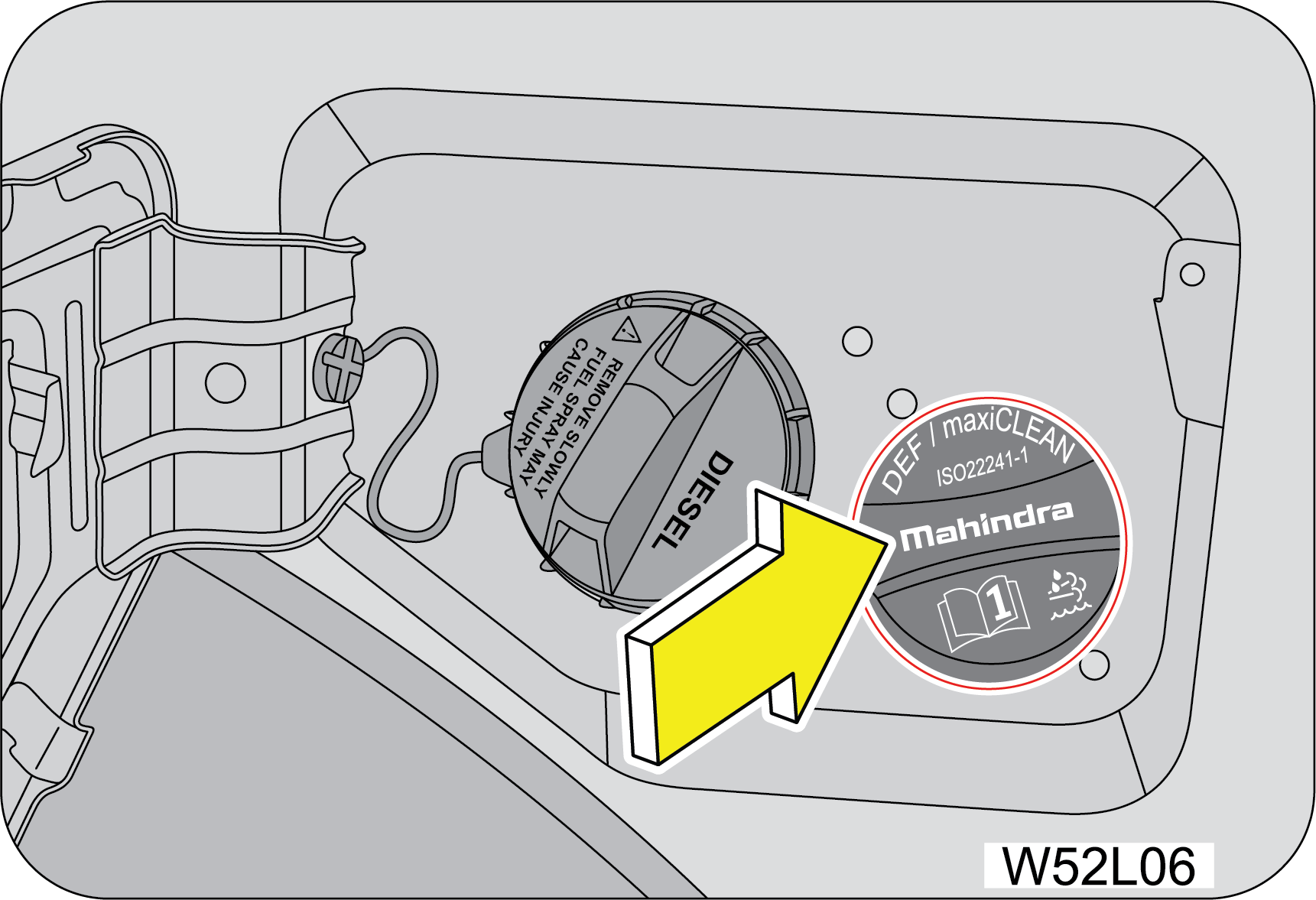 |
1. Park the vehicle on level ground and switch OFF
the ignition.
2. The fuel lid is manually locked/unlocked from
outside by using conventional key.
3. Rotate the DEF filler cap in anti-clockwise
direction and remove.
|
4. Fill DEF from the Container Pack. Each container pack has unique
mouth and filling provision. Ensure utilizing the same
and avoid spillage. Example. 10 Liter. Pack provided with filler tube.
5. Fill DEF as required. Maximum Storage capacity is 20 liter.
Minimum filling is 5.0 liter.
6. Rinse with water or use sponge wetted with water to clean the
components/surfaces in case of DEF spills over.
7. Put the DEF filler cap back in its place and tighten in the
clock wise direction, then close the fuel lid shut.
8. Switch the ignition ON.
9. Verify that there is no warning regarding DEF low level. If DEF
Level Low warning is still appearing, Check enough quantity
filled, If still problem persist Contact nearest Authorized Mahindra Service Center immediately.
10. DEF is being monitored through iSmart tool during regular
service at dealership and quantity will be filled accordingly.
It is highly recommended to DEF filling always at Ignition off
condition only.
5.3 Diesel Particulate Filter (DPF)
The Diesel particulate filter (DPF) is an integral part of the vehicle
exhaust gas emission reduction systems and it removes
the soot from (Particulate matter) the exhaust gas. Unlike a disposable air filter, the DPF is
regenerative filter. Regeneration
is triggered automatically according to the driving conditions which burns of the accumulated
particles/soot. In other words,
the active burning by engine control system and high exhaust gas temperature caused by normal/high
driving condition burns
and removes the accumulated soot. The process is called as DPF
Active Regeneration.
However, if the vehicle continues to be driven at either of the
following conditions the accumulated soot may not be automatically
removed because of low exhaust gas temperature.
| 1. | Heavy traffic driving conditions, especially in city. |
| 2. | Frequent short trips. |
| 3. | Low speed for a long time. |
When more than a certain amount of soot deposited, the DPF lamp
illuminates.
If the DPF lamp turns ON or Blinking while driving the vehicle, then
it indicates DPF regeneration has not occurred successfully.
At this moment, we suggest DPF regeneration must be done through a specific methodology. The same is
as mentioned below:
|
Take vehicle to highway and drive for 20–30 minutes @
speeds above 60 kms/hr until the lamp to turns off.
|
|
(or)
Perform DPF Park
Regeneration
|
DPF park regeneration is only
possible when the REGEN telltale is ON in the instrument cluster.
| • | Park the vehicle safely in a well ventilated levelled open space and free of any flammable material. |
| • | Shift the gear lever to Neutral with the engine running and apply the parking brake. |

|
|
| • | REGEN screen will go OFF if REGEN telltale turns OFF. |
| • | When in the REGEN screen of the drive info menu, long Press OK button to start park regeneration. |
| • | Once regeneration starts, “In Progress” text will appear below REGEN. The engine idle speed will increase indicating regeneration has started. |
| • | Park Regeneration can take up to 30 minutes to complete. Once completed the REGEN warning lamp in the instrument cluster will turn OFF. The engine’s idling speed also returns to normal. |
Park Regeneration process may
not start if CHECK ENGINE LAMP or OBD are ON in the cluster. Take vehicle to Authorized Mahindra
Service Center for assistance.
When Park regeneration is
happening do not press the Accelerator, Brake or Clutch pedals as this will cancel the
regeneration
process.
When Park regeneration is
happening, switching off the ignition will cancel the regeneration process. The park
regeneration
process may not start if requested when the engine is switched ON again. Take the vehicle to
highway and drive for 20–30 minutes
@ speeds above 60 kms/hr until DPF warning lamp turns OFF
|
(or)
Take vehicle to
Authorized Mahindra Service Center for assistance
|
For Diesel Vehicles:
Use Automotive Diesel fuel confirming to IS 1460:2025 specification
(Having Sulphur less than 10 mg/kg (PPM)). Information
regarding the diesel fuel quality filled shall be available with the concerned fuel retail outlet.
| • | During the regeneration process, take care the vehicle is not near any flammable materials as you may observe hot emission gases from exhaust pipe. |
| • | In order to avoid burns & personal injury, stay yourself away from exhaust system. |
| • | Follow speed limits & traffic regulations as defined by local jurisdiction while doing forced regeneration. |
5.4 Alerts in Cluster
5.4.1 DPF Alert
|
DPF is
clogged
 |
DPF Alert message will appear when the DPF is
clogged. Contact Authorized Mahindra Service Center immediately for assistance.
|
5.4.2 DEF Alert
Introduction
DEF Tell Tale will get illuminated and relevant messages will be
flashed on Cluster screen due to any of the following reasons:
| • | DEF level low |
| • | Incorrect DEF detected |
| • | DEF dosing malfunction |
It is unlawful to tamper
with or remove any component of the after treatment system. It is strongly recommended not to
use
DEF which is not meeting above specification. Further, this may lead to emission
non-compliance and warranty will be void.
5.4.3 DEF Level Indication
When DEF level in tank fall below pre-defined values, warnings are
flashed in four stages. These four warning stages are explained
below:
|
E31
|
E32
|
E33
|
 |
 |
 |
|
E34
|
E35
|
|
 |
 |
Irrespective of the warning stages, once DEF level is low, 5.0
liter of DEF needs to be filled. If the warnings continue even
after refill, contact nearest Authorized Mahindra Service Center immediately.
In absence of DEF level low warning, refilling is not recommended.
Total DEF quantity inside the DEF Tank should never be more than 20
liter. Overfilling may result in system/component failure.
Only Authorized Mahindra Service Center will be able to correctly determine quantity of DEF present
inside tank. Hence if
you are refilling the DEF yourself, fill only 5.0 liter, in case DEF Low level warning is flashed.
If the DEF warning lamp turns on due to the DEF level, refill
the DEF tank. Failure to refill may cause the engine start restriction.
5.4.4 DEF Quality
If SCR system detects quality of DEF inside the tank is not meeting
IS 17042 (or) ISO 22241 specification, warnings will flashed
in four stages. These four warning stages are explained below:
|
E11
|
E12
|
E13
|
 |
 |
 |
|
E14
|
E15
|
|
 |
 |
If the DEF warning lamp turns on due to the DEF quality, see
contamination/incorrect fluid for corrective action. Failure
to correct may cause the engine start restriction.
5.4.5 DEF Dosing Malfunction
If SCR system detects any malfunction due to failures in components
or tampering, warnings are flashed in four stages. These
four stages are explained below:
|
E21
|
E22
|
E23
|
|---|---|---|
 |
 |
 |
|
E24
|
E25
|
|
 |
 |
If the DEF warning lamp turns on due to dosing malfunction, see
your Authorized Mahindra Service Center to have this repaired.
Failure to repair the system may cause the engine start restriction.
5.5 Regen Alerts
|
Regen
Aborted
|
Regen
Completed
|
Regen Not
Started
|
|---|---|---|

|

|

|
|
Regen
Requested
|
Regen
Required
|
Regen
Started
|

|

|

|
Procedure for initiating REGEN:
| 1. | If REGEN telltale is ON, navigate to Above page will be available only if regeneration can be done in vehicle and REGEN TT is ON. |
| 2. | Hold OK to start regeneration. |
| 3. | Once REGEN has started, text in page will change to REGEN In Progress. |
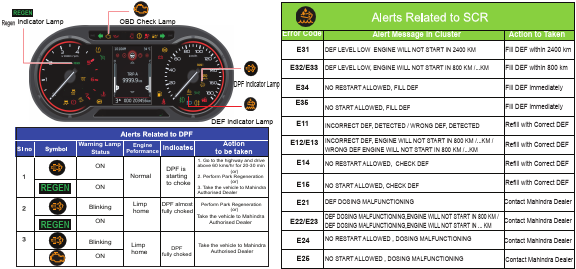
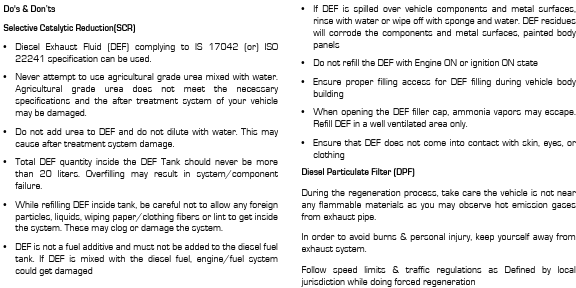
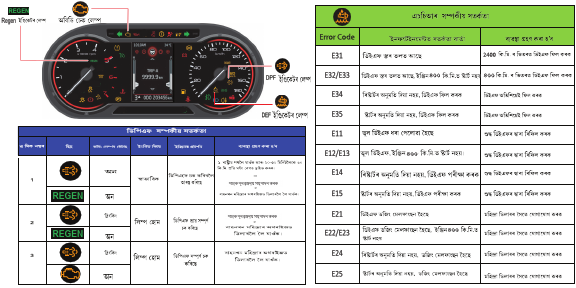
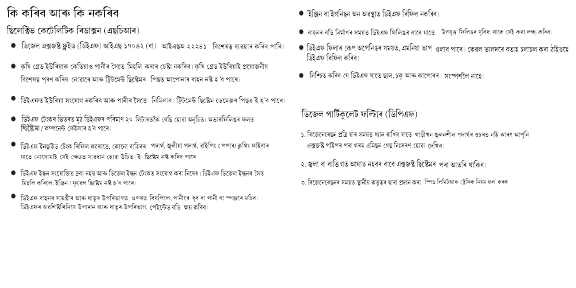
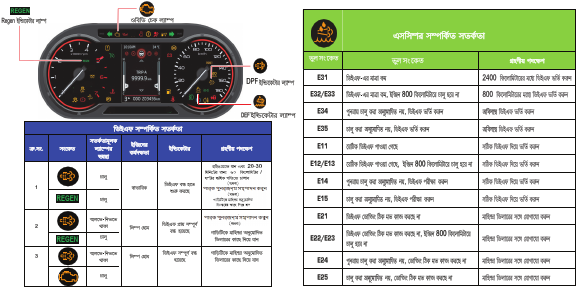
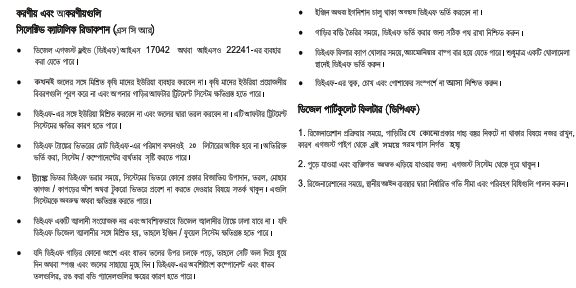
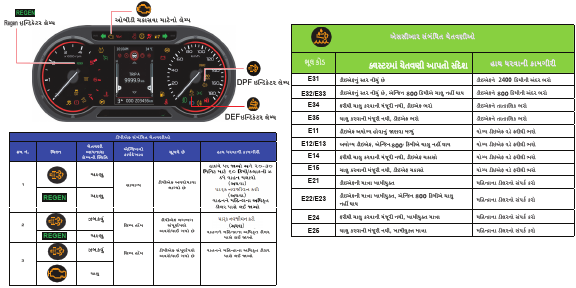
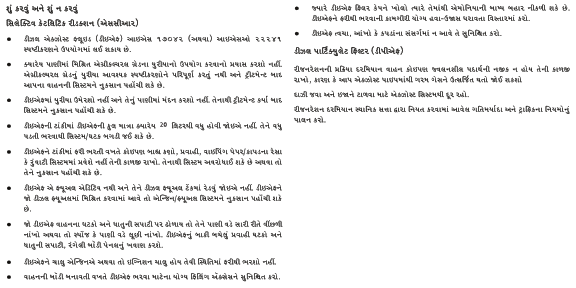
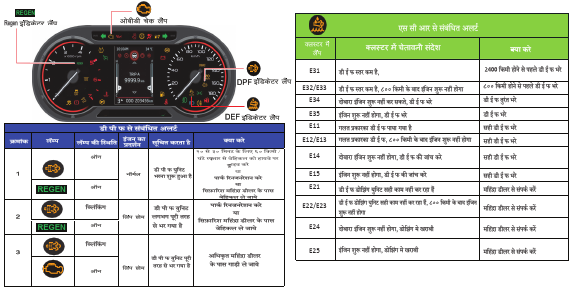
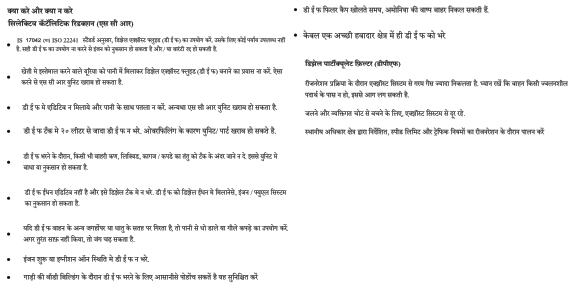
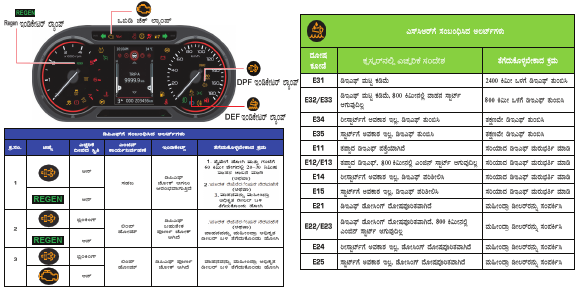

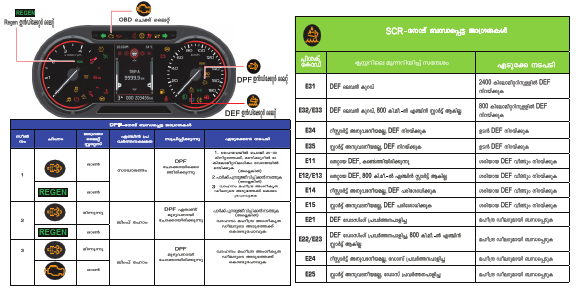
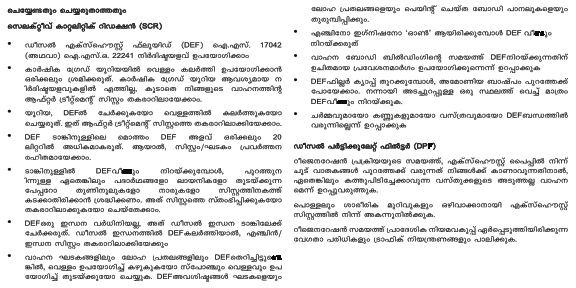
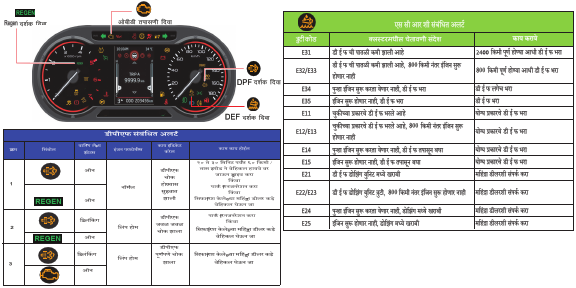
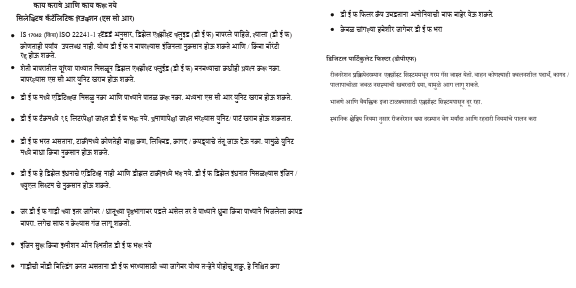
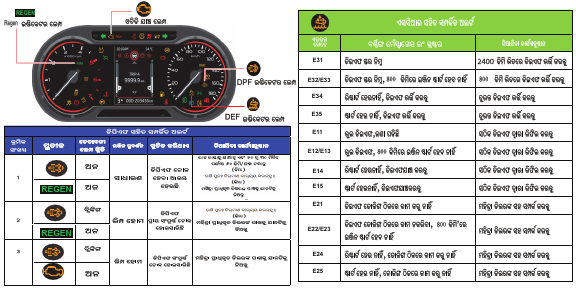
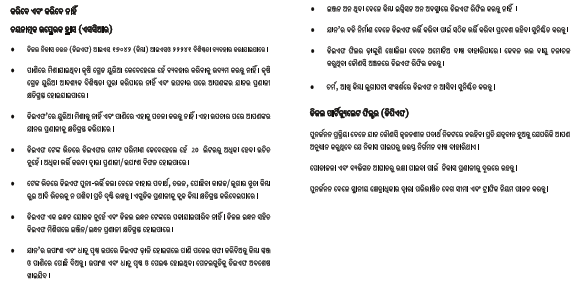
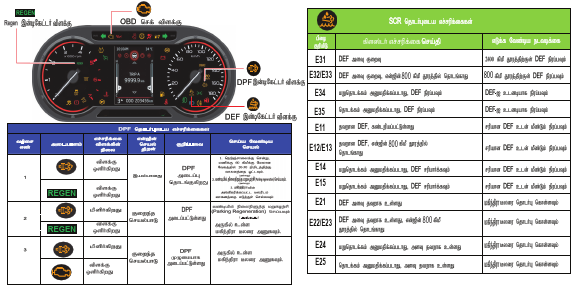

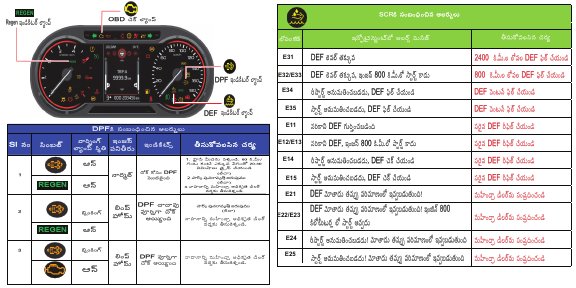

6 SEATS AND SEAT BELTS
6.1 Driver seat
6.1.1 Sitting in the Correct
Position
Follow the tips below for a comfortable and safe journey:
|
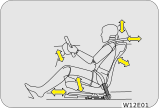 |
| • | Maintain sufficient distance between yourself and the steering wheel. Maintain at least a 25 cm distance from the centre of the steering wheel to your chest. |
| • | The top curve of the steering wheel should align with your chin for ideal road visibility. |
| • | Adjust your seat and seat back angle such that your wrists rest on top of the steering wheel freely. |
| • | Ensure your legs are in a bent position while fully depressing the clutch pedal. |
The seat should be adjusted while still maintaining control of the
foot pedals, steering wheel and your view of the instrument
panel controls.
Never adjust the driver's
seat while the vehicle is in motion. The seat may unexpectedly move and cause the driver to
unintentionally
operate the accelerator or brake, or turn the steering wheel, causing loss of control of the
vehicle, an accident or serious
personal injury. Adjust the driver's seat only when the vehicle is not in motion.
Never put objects under the
seats. They may interfere with the seat-lock mechanism or unexpectedly activate the seat
position
adjusting lever, causing the seat to suddenly move, resulting in loss of control of the
vehicle, an accident or serious personal
injury.
While adjusting the seat, do
not put your hands under the seat or near the moving parts. This may lead to injuries.
6.1.2 Front Seat Slide
|
Move the seat forward or backward by lifting the
adjustment lever located under the seat front and release once the desired
position is reached.
|
 |
While adjusting the seat,
make sure the latch engages fully and the seat is locked firmly in the desired position. An
unlocked
seat may move in a sudden stop or collision, causing injury to the person in that seat. Push
and pull on the seat to be sure
it is locked.
6.1.3 Front Seat Recline
|
To adjust the seat back, lift the recline lever
located on the outboard side of the seat, lean back and release the lever
at the desired position. To return the seat back, lift the lever, lean forward, and
release the lever.
|
 |
The seat belts provide
maximum protection in a frontal or rear collision when the occupants are sitting up straight
and well
back in the seats. If you are reclined, the lap belt may slide past your hips and apply
restraint forces directly to the abdomen,
or the shoulder strap may contact your neck.
When returning a extremely reclined seat back to its upright
position, make sure you support the seat back while operating
the lever.
6.1.4 Driver Seat Height Adjust
(If Equipped)
|
Lift/Push the seat height adjustment lever located
on the outboard side of the driver seat to raise/lower the seat. Adjust
the seat height such that you are able to depress the clutch pedal completely.
|
 |
It is recommended to adjust
the seat height only when the vehicle is stationary.
6.2 Head Restraint
|
Your vehicle seats are equipped with head restraints
which are vertically adjustable. The purpose of these head restraints
is to help limit head motion in the event of a collision.
|

|
Always align top of the head restraint with the top of your head or as
close to it as possible. To raise/lower the head restraint,
press the lock tab and pull/push the restraint up/down.
The head restraint can be pulled out completely by depressing the
locking button while pulling the restraint out. To put it
back, align the head restraint shafts over the holes on the seat top and push the restraint straight
down till you hear the
lock click.
Keep the seat back as upright as possible so the headrest is behind,
not beneath, and almost touching your head.
Never drive with the head
restraints not properly adjusted, head restraints removed or inserted in a flipped condition.
With
no support behind your head, your neck could be seriously injured in a collision.
6.3 Co-Driver Seat Lift and Slide (If
Equipped)
|
Step 1 : Pull the shoulder knob to unlatch the seat.
Step 2 : Push the seat to slide forward.
|

|


6.4 Seat Belts
6.4.1 General Warnings and
Instructions
At least once each month, inspect the seat belt webbing for any
cuts, tears, or other signs of wear (such as fraying along
the edges). Also inspect the anchors, retractors, and buckles to be sure they are tight and
operational.
| • | All occupants, including the driver, should always wear their seat belt no matter how short the trip in order to minimize the risk of severe injury in the event of a crash. In an accident, an un-belted passenger becomes a projectile, and can cause serious injury to himself or another passenger. |
| • | In a rollover crash, an un-belted person is significantly more likely prone to Injury than a person wearing a seat belt |
| • | In order to be properly buckled, you must always sit up straight and keep your feet on the floor in front of you. The lap part must be worn low and tight across your hips, just touching the top of your thighs. While fastening the seat belt, the shoulder strap of the seat belt must pass over your chest and top of your shoulder. It must never touch your neck, face, the side of your shoulder, arm, or pass under your arm. The belt must always be flat against your body and not twisted in any way. Nothing, such as an arm rest, a pocketbook, or any external objects should be between you and the seat belt. Improper wearing of a seat belt will reduce the protection in an accident. |
| • | Seat belts should be adjusted as tightly as
possible, consistent with comfort to properly secure the wearer in the seat.
|
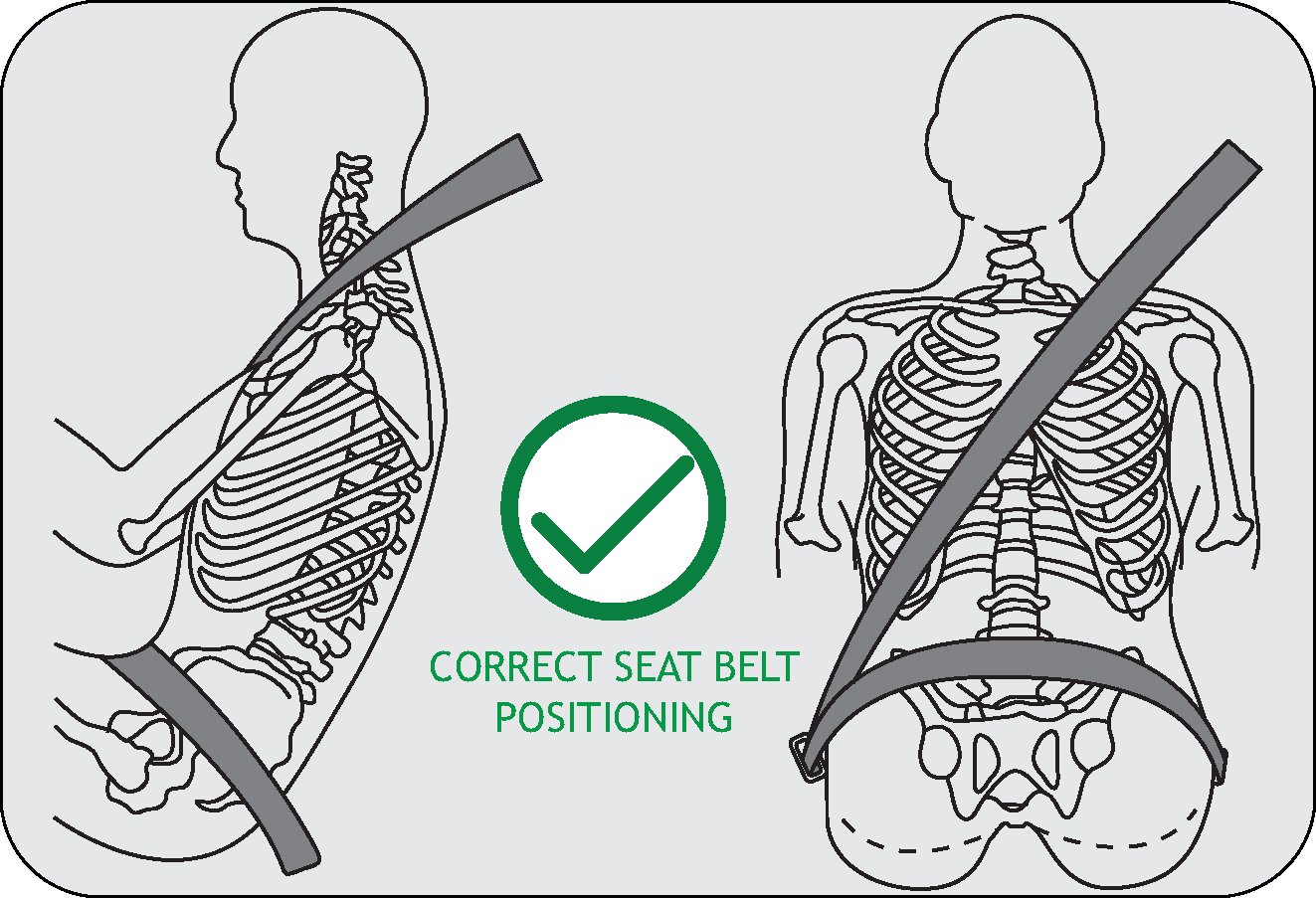
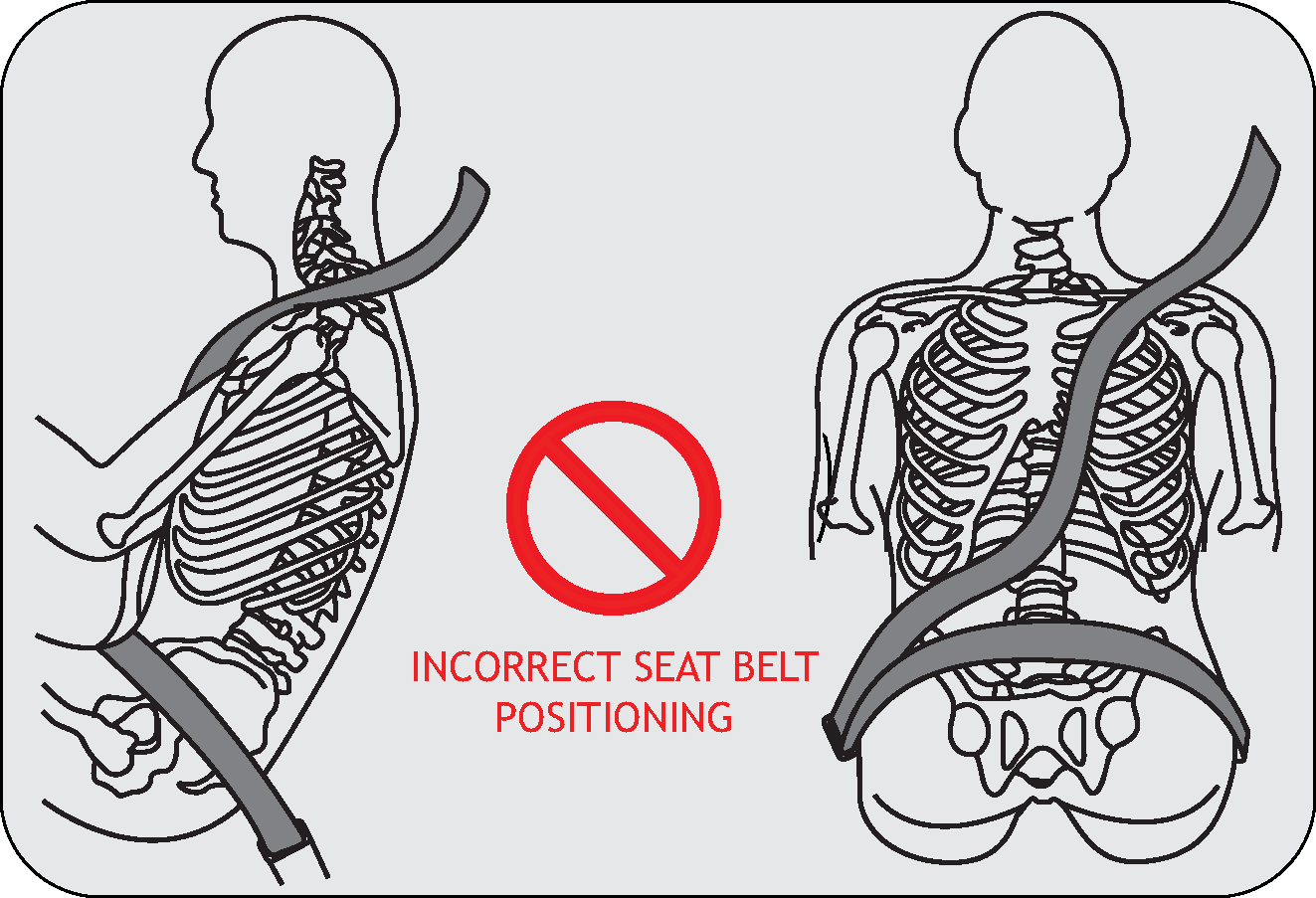
| • | The seat belts provided for your vehicle are designed for people of adult size, must be properly used and maintained. |
| • | For usage of adult seat belt to secure children refer to section on manual for child seat positions and use a child restraint systems. |
| • | Passengers should not move out of or change seats while the vehicle is in moving condition. Passenger who does not wear the seat belts will be under a high risk of thrown against the vehicle inside hard parts, against other occupants or out of the vehicle during emergency stop or collision. |
| • | Do not use any accessories on seat belts or modify in any way the seat belt system. Devices claiming to improve occupant comfort or reposition the seat belt can reduce the protection provided by the seat belt and increase the chance of serious injury in a crash. |
| • | An accident or emergency stop, can damage your seat belt system, even if the accident is “minor”. Please have your Authorized Mahindra Service Center inspect the seat belt system after an accident. |
| • | Please be aware that any unsecured item in your vehicle, such as your pet, unsecured child restraint system, a laptop or mobile phones, can become a projectile in the event of an accident or sudden stop, causing injuries to occupants in the vehicle. |
Never use a damaged seat
belt system. A damaged seat belt will not provide protection in an accident, resulting in
serious
injury.
| • | Seat belt systems can be prone to abuse. They are not indestructible. They must be handled with care to avoid damage. |
| • | Keep the belts clean and dry. Belt retraction may become difficult if the belts and webbing are soiled. If they need cleaning, use a mild soap solution or lukewarm water. Never use bleach, dye, or abrasive cleaners. These chemicals will severely weaken the belts. |
| • | Retractors in 3-point type seat belts retract the seat belts when not in use. The inertia lock and coil spring allow the belts to remain comfortable on users during normal driving. During accidents or abrupt stops, inertia locks restrict the sudden forward movement of the wearer. |
Seat Belts - Patients:
Persons with serious medical conditions should also wear a seat belt. Consult your doctor
for specific recommendations before
travel.
Seat Belts - Pregnant
Women: Pregnant women must also wear seat belts. Consult your doctor for specific
recommendations.
|
The lap belt should be worn snugly and as low as
possible over the hips. The shoulder belt should be worn across your shoulder,
but never across the stomach area. When worn properly, the seat belt will protect
both the mother and the foetus in an accident
or emergency stop.
|
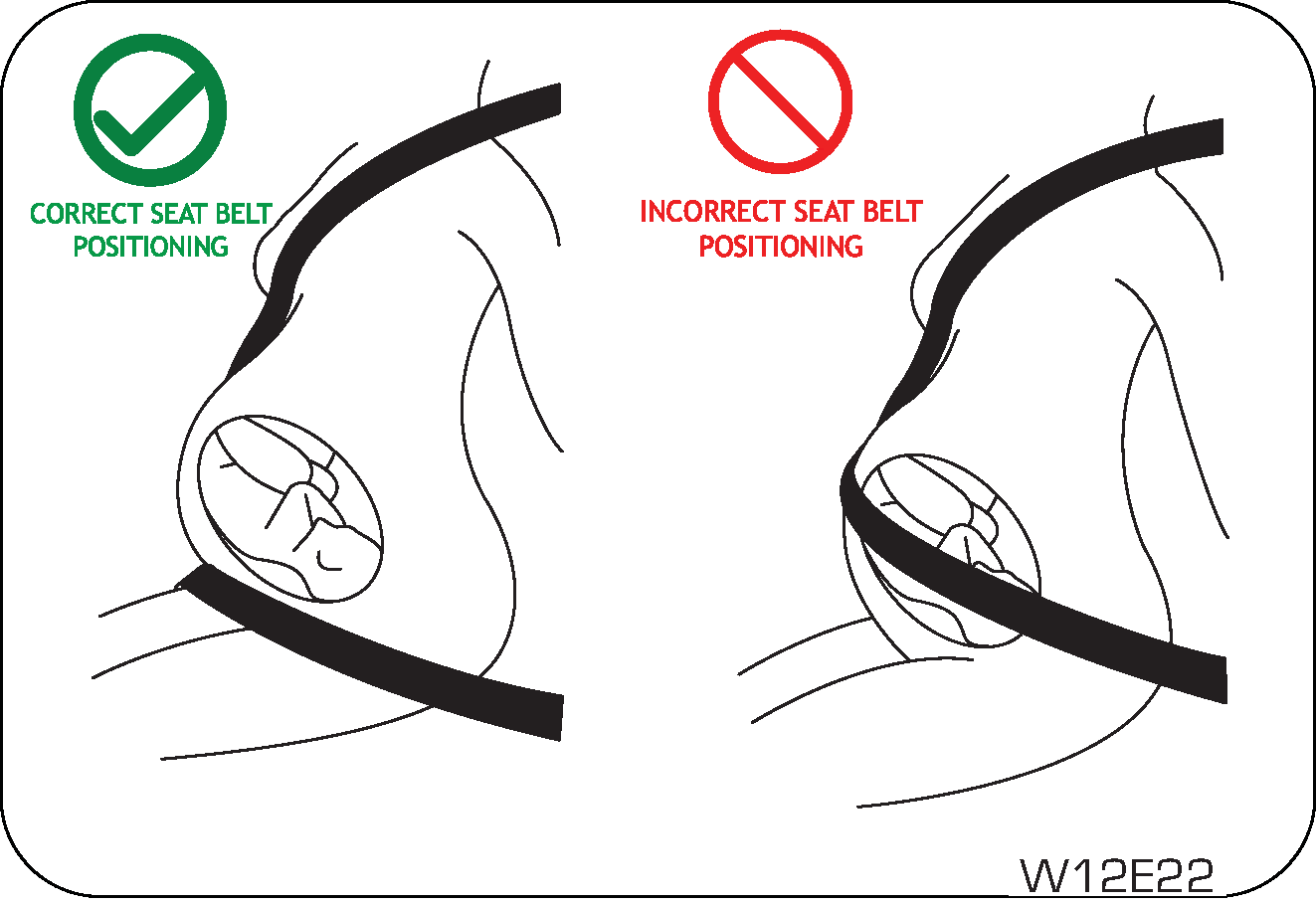 |
A pregnant woman should
never wear the seat belt across the stomach area. This could lead to serious injuries to
the foetus
and/or the pregnant mother.
Never wear twisted seat
belts. Excessive forces will be transferred from the belt to the wearer, in a collision,
resulting
in serious personal injury.
Each seat belt is meant
for use by one person only. Using one seat belt for more than one person at a time is
dangerous. The
seat belt will not be able to spread the impact forces properly leading to serious
injuries.
Never put a belt around a
child being carried on the occupant's lap. This could lead to serious injuries.
Seat belt usage is necessary
to:
| • | Reduce the possibility of being thrown from your vehicle. |
| • | Reduce the possibility of injuries to upper body, lower body and legs during an accident. |
| • | Hold the driver in a position which allows better control of the vehicle. |
Children who are too large for child restraint systems should
always occupy the rear seat and use the vehicle seat belts.
The lap portion should be fastened snug on the hips and as low as possible and the shoulder
strap should be across the child's
shoulder, not the neck or face. If you are unable to position the strap across the child's
shoulder, the child should remain
in a booster seat. Frequently check the seat belt to be sure it remains snug and in position. A
squirming child could cause
the seat belt to come out of position.
6.5 Fastening the Seat Belt

|

|
||||||
|
|

|
|
| • | Periodically check the seat belt as you ride to be sure it remains snug and in position. If there is a sudden stop or impact, the belt will lock into position. It will also lock (restrict) if you try to lean forward too quickly. |
If the driver or co-driver seat
belt is not fastened when the ignition is switched ON, the seat belt warning lamp illuminates
and chimes beat will turn till seat belt fastened. Refer “Warning Lamps” in the “Instrument
Cluster Features” chapter for
further details.
6.6 Seat Belt Release
To release the belt, press the buckle release button and allow the
belt to retract. If the belt does not retract smoothly,
pull it out and check for kinks or twists. Then make sure it remains untwisted as it retracts.
The word “CENTER” is marked on the seat belt buckle positioned on LH
side for the rear center seat occupant to wear seat belt
correctly. The buckles are designed so that an outboard seat belt tongue cannot be inserted into the
wrong buckle.
To unfasten the seat belt, push the red colour button engraved with
“PRESS” on the buckle and retract the seat belt slowly
while holding the belt or/and the belt tongue.
Never insert coins, clips, etc.
in the buckle as this may prevent from properly latching the tongue and may cause damage to
the buckle mechanism, thereby making the seat belt ineffective in an accident, resulting in
serious personal injury.
6.7 Seat Belt Reminder
Indication
The seat belt reminder warning symbol lamp will be continuously ON in
the instrument cluster, do not wear the seat belt and
until the seat belt is buckled.
Chime will be activated when the vehicle speed is equal to or more
than 25 km/h in forward motion with telltale Blinking or
Continuously ON for 95 seconds and 35 seconds respectively
for all seats. Beyond 95 seconds and 35 seconds respectively telltale will be
continuous ON.
If the vehicle is driven between 10-25 km/h speed for more than a
minute and the seat belt is not buckled by driver/passengers,
telltale appears in cluster and chime is heard.
Lower Variant: Below and
above 25 km/h of vehicle speed, the driver, co-driver and rear passenger seats belt reminder warning
symbol lamp
will be Continuously ON in instrument cluster if driver,
co-driver and rear passengers doesn’t wear the seat belt and will be continuous until seat
belt is buckled. Chime will be activated when vehicle speed is more than 25 km/h of speed while
vehicle is in forward motion
with Continuous ON of Telltale for 95 seconds for front seat belt and 35 seconds for rear seat belt.
Beyond 95 seconds and
35 seconds also, telltale will be Continuously ON
respectively for Front and Rear Seats if it is unbuckled.
Additionally, for vehicle speed equal to or beyond 25 km/h, piano
switch LED will be continuously blinking indicating rear
seat belt is unbuckled.
Higher Variant: Below 25
km/h of vehicle speed, the driver, co-driver and front facing rear passenger seat belt reminder
warning symbol lamp
will be Continuously ON in instrument cluster if driver,
co-driver and front facing rear passenger doesn’t wear the seat belt and will be continuous
until seat belt is buckled. Chime will be activated when vehicle speed is more than 25 km/h of speed
while vehicle is in forward
motion with Blinking of Telltale for 95 seconds for front
seat belt and 35 seconds for rear seat belt. Beyond 95 seconds and 35 seconds, telltale
will be Continuously ON respectively for front and rear
seat if they are unbuckled.
Additionally, for vehicle speed equal to or beyond 25 km/h, Piano
Switch LED will be Blinking for 35 seconds and beyond 35
seconds, piano switch LED will be Continuously ON
indicating rear seat belt is unbuckled.
6.8 Passenger
Occupant Detection System (PODS) and Seat Belt Reminder Indication

|
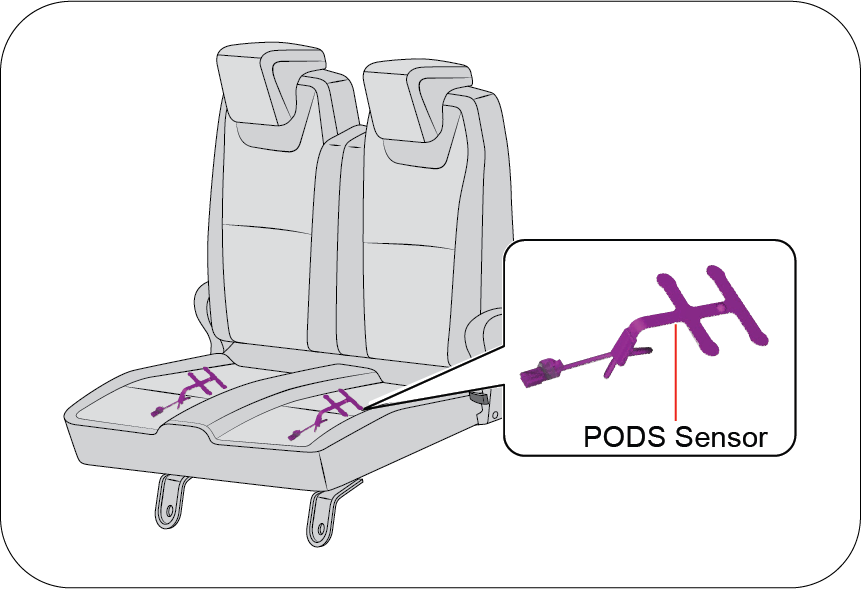
|
PODS detects the presence of occupant in the front passenger and on
all rear seating locations.
If occupant is present on front passenger and any of the rear
passenger seats and not wearing the seat belt, Seat belt reminder
warning symbol lamp will glow on the vehicle instrument cluster panel and will be continuous until the
seat belt is buckled.
It should be noted that the PODS require a minimum weight, hence
children may not be detected by PODS. Along with this warning
symbol, a chime in cluster will be ON for 95 seconds for front seat belt reminder and 35 seconds for
rear passenger seat belt
reminder.
Do keep in mind that after market seat covers also may deteriorate the
occupant detection sensor performance, don’t use the
non recommended/non authorized seat covers.

|
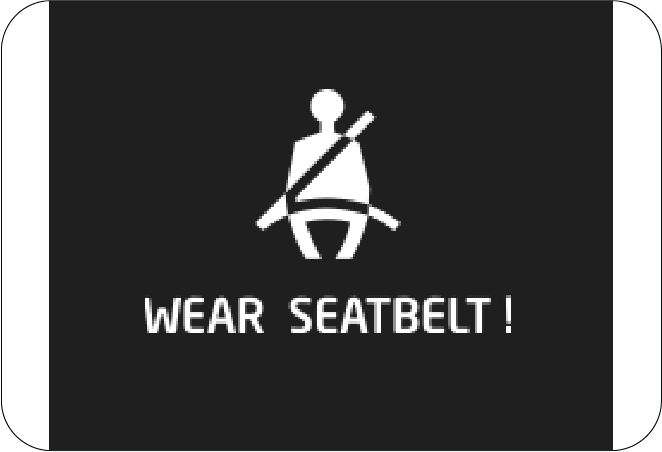
|
Seat belt reminder warning lamp
for passenger seat may glow in case of child is present in passenger seat.
Strong advice not to carry
children in front seat without child restraint seat. Also do not use adult seat belt which is
designed
to harness person taller than 140cm Always ensure Passenger Airbag is turn OFF before you carry
child on passenger seat. We strongly urge that
children should be in middle row using the child seats with the ISO FIX.
6.9 Child Restraint System (CRS)
Fitment using the Seat Belt System
6.9.1 Child Restraint
When carrying infants or small children, an appropriate child
restraint system should always be used. The child restraint
system should be appropriate for your child’s weight and height and properly fit on the car’s
seat. Accident statistics indicate
that children are safer when properly restrained in the rear seat (If Equipped) rather than in
the front seat. If passenger
seat to be use for child carrying then it is mandatory to OFF the Passenger Airbag by following
the instructions and using
options provided (refer the user manual).
If child presents on
passenger seat also seat belt reminder warning symbol lamp will glow and it is strongly
not recommended
to carry children in front seat without child restraint seat and using the adult seat belt
which is provided to use for persons
taller than 140cm. Always ensure Passenger Airbag is turn OFF before you carry child on
passenger seat.
6.9.2 Securing Methods of
Child Restraint System
Child restraint systems are designed to be secured in vehicle
seats by seat belts or the latch system (ISOFIX & Top tether
seat - If Equipped).
| • | Infants and tiny children should always be restrained in an infant or child restraint system (CRS). |
| • | Never install a rear-facing child restraint in the front seat with front passenger airbag ON condition. A child in a rear-facing child restraint installed in the front seat can be seriously injured if the front passenger airbag deploys. Secure a rear-facing child restraint in the rear seat (if equipped). |
| • | A front-facing child restraint should be secured in the rear seat whenever possible. If installed in the front passenger seat, adjust the seat as far back as it will go. When installing a child restraint system, follow the instructions provided by the manufacturer. |
| • | When your child restraint is not in use, secure it in the vehicle with the seat belt or remove it from the vehicle. |
| • | In a collision an unrestrained child, even a tiny baby, can become a missile inside the vehicle. The force required to hold even an infant on your lap can become so great that you could not hold the child, no matter how strong you are. |
| • | Do not allow a child in the cargo areas while the vehicle is moving condition. |
| • | If the shoulder belt contacts the face or neck, move the child closer to the center of the vehicle. Never allow a child to put the shoulder belt under an arm or behind their back. |
| • | Please note that the three-point seat belt is designed for a person who is taller than 140 cm. |
6.9.3 Infant and Child
Safety
Child Seat
Children that are too small to use the seat belts must be
properly secured in a child restraint system (CRS).
| • | Never place a rear-facing child restraint in the front passenger seat with front passenger airbag, because of the danger that an inflating passenger airbag could impact the rear-facing child restraint and kill the child. Passenger Airbag turn OFF is mandatory to use passenger seat to carry child. |
| • | Use only the recommended and suitable child restraint systems. Follow the manufacturer’s instructions for installation and use of the child restraint system in vehicle. |
| • | Do not carry your child on your lap while driving. You cannot resist against the impact pressure in an accident. The child could be crushed between you and the parts of vehicle. |
| • | Remember that a child restraint seat left in a concealed vehicle can cause it to be very hot. Check the seating surface before putting your child in the child restraint. |
| • | When your child restraint is not in use, remove it from the vehicle or keep it secured with a seat belt to prevent it from being thrown forward in case of a sudden stop or an accident. |
| • | When installing a child restraint system, do not let the seat belts come across the child’s neck, follow the installation instructions. |
|
Table of
Information on Child Restraint Systems Installation Suitability for Various
Seating Positions
|
|||
 |
 |
 |
 |
|
Mass
Group
|
Restraint device figure
|
Front Passenger
|
Rear
out board
|
Mounting method of vehicle
|
|
O ~ up to 10 kg (0 ~ 9 months)
|
Rear-facing child seat
|
U
|
U
|
3-point seat belt
|
|
O+ ~ up to 13 kg (0 ~ 2 years)
|
Rear-facing child seat
|
U
|
U
|
3-point seat belt
|
|
I ~ 9 to 18 kg (9 months ~ 4 years)
|
Forward-facing child seat
|
U
|
U
|
3-point seat belt
|
|
II ~ 15 to 25 kg (4 years ~ 6 years)
|
Booster seat
|
U
|
U
|
3-point seat belt
|
|
III ~ 22 to 36 kg (6 years ~ 12 years)
|
Booster seat
|
U
|
U
|
3-point seat belt
|
U: Suitable for “universal”
category restraints approved for use in the mass group.
UF: Suitable for
forward-facing “universal” category restraints approved for use in the mass group.
L: Suitable for particular
child restraints given on attached list. These restraints may be of the “semi-universal”
categories.
X: Seat position not
suitable for children in the mass group.
It is strongly
recommended to carry the children with Child Restraint System (CRS) at rear seats for good
safety. Child sitting
on the Passenger seat with Passenger airbag ON condition may cause serious injury or even
death during collision due to airbag
deployment forces. It is Must to Turn OFF the Passenger airbag before allowing to child to
sit on the Passenger seat.
| • | User must read and follow the instructions provided in manual for the Child Restraint System installations in vehicle using the Adult Seat belt system (or) using the ISOFIX & Top-tether feature. |
| • | Failure
to follow all the warnings and instructions could be a Serious risk to
Child safety or even may lead to death, if
an accident occurs.
|


| • | Do not leave /allow children to stand in front of vehicle holding grab handle when the passenger airbag in ON condition. |
| • | If a child is seated in front seat it may cause serious injury or even death during accident when PAB deploys due to force. |
| • | Never install a rearward facing child restraint system on front passenger seat when passenger airbag is ON condition while on ride. |
| • | Properly read and follow the instructions provided by the manufacture for installation of child restraint system. |
| • | Never hold a child in your lap or arms when the vehicle is moving condition, sudden braking or while collision child may thrown on away/trapped in vehicle, which could cause serious risk. |
| • | Don’t modify the passenger seat or forcefully fit the child restraint system which is having ISOFIX fixing provision can damage the seat. |
6.10 Child Restraint System (CRS)
Installation using ISOFIX and Top Tether
How to use the ISOFIX Lower Latch
Anchor/ISOFIX Rods
|

|
| • | The ISOFIX lower latch anchors (rods) are located in rear seats bottom position. Their locations (1) are shown in the illustration. |
| • | Insert the child restraint attachments into the ISOFIX lower latch anchors (rods) until it clicks. Refer Child seat installation manual. |
| • | Do not use the seat belt for installing the ISOFIX child restraint. |
ISOFIX system is a standardized method of fitting child seats that
eliminates the need to use the standard adult seat belt
to secure the seat in the vehicle. This enables a much more secure and positive location with the
added benefit of easier
and quicker installation.
| • | When using the “ISOFIX” lower latch system (rod), all unused vehicle rear seat belt metal latch plates or tabs must be latched securely in their seat belt buckles and the seat belt webbing must be retracted behind the child restraint to prevent the child from reaching and taking hold of un-retracted seat belts. Unlatched metal latch plates or tabs may allow the child to reach the un-retracted seat belts which may result in strangulation and a serious injury or death to the child in the child restraint. |
| • | Child restraint anchorages are designed to withstand only those loads imposed by correctly-fitted child restraints. Under no circumstances are they to be used for adult seat belts, harnesses or for attaching other items or equipment to the vehicle. |
How to use the Top Tether/Rear
Anchor
|
There are two top tether rods/rear anchors on the seat
base back side of the rear row front facing seats.
|

|
| 1. | Remove the headrest from the rear row seat. |
| 2. | Place the child restraint on the rear row seat. |
| 3. | Connect the tether connector in child restraint to the top tether rod/ rear anchor. Securely tighten the child restraint by adjusting the webbing of the child restraint system (CRS) tether connector. Follow the clear instructions provide in the CRS manual. |
| • | The top-tether/ rear anchor is the supplemental device to secure the child restraint system after engaging it by the ISOFIX rod/lower latches. Therefore, do not secure the child restraint system only with the seat back anchors. The increased load may cause the hooks or anchors to break, causing serious injury or death. |
| • | If a child restraint is not properly secured to the vehicle and a child is not properly restrained in the child restraint, the child could be seriously injured or killed in a collision. Always follow the instructions provided by the manufacturer for installation. |
| • | Make sure the latches of the child restraint system are Firmly latched to the ISOFIX rod/lower latches. In this case, you can hear the “click” sound/ latch indications provided on seat. |
| • | Incorrectly installed child restraint system may cause an unexpected personal injury. |
| • | Child restraint anchorages are designed to withstand only those loads imposed by correctly fitted child restraints. |
| • | The tether strap may not work properly if attached somewhere other than the correct top tether rod/rear anchor provided on seat back. |
| • | Don’t put the top tether strap over the head restraint of rear row seat which is not the correct methods and may cause risk. |
| • | Rock the child restraint to check if it is securely installed. Refer to instructions provided by the manufacturer of the child restraint. |
| • | Do not install the child restraint of such size if it hinders the operations of front seat which may cause problem to front occupants. |
|
Table of
Information on ISOFIX Child Restraint Systems Installation Suitability for Various
ISOFIX Positions
|
|||
|
|
|
|
|
Table of Vehicle Handbook
Information on ISOFIX Child Restraint Systems Installation Suitability for Various ISOFIX
Positions
|
Mass
group
|
Size
Class
|
Fixture
|
Vehicle
ISOFIX Positions
|
|
|
Front
Passenger
|
Rear out
board
|
|||
|
Carrycot (Newborn Baby)
|
F
|
ISO/L1
|
N/A
|
X
|
|
G
|
ISO/L2
|
N/A
|
X
|
|
|
Group 0: up to 10 kg (~9 months)
|
E
|
ISO/R1
|
N/A
|
IL/IU
|
|
Group 0+: up to 13 kg (~0 – 2 years)
|
E
|
ISO/R1
|
N/A
|
IL/IU
|
|
D
|
ISO/R2
|
N/A
|
IL
|
|
|
C
|
ISO/R3
|
N/A
|
X
|
|
|
Group I 09 to 18 kg (~9months – 4 years)
|
D
|
ISO/R2
|
N/A
|
IL
|
|
C
|
ISO/R3
|
N/A
|
X
|
|
|
B
|
ISO/F2
|
N/A
|
IUF
|
|
|
B1
|
ISO/F2X
|
N/A
|
IUF
|
|
|
A
|
ISO/F3
|
N/A
|
IUF
|
|
Key of letters be inserted in the above table.
IUF: Suitable for ISOFIX forward
child restraint systems of universal category approved for use in this mass group.
IL: Suitable for particular
ISOFIXchild restraint systems (CRS). These CRS may be are those of the ‘specific vehicle’,
‘restricted’
or ‘semi-universal’ categories.
IU: Suitable for using rearward
facing child restraint system with ISOFIX & Top-tether (or) ISOFIX Base with Support
leg.
X: Seat position not suitable
ISOFIX child restraint systems in this mass group and/or this size class.
A - ISO/F3: Full-Height
Forward-Facing toddler Child Restraint System (height 720 mm).
B - ISO/F2: Reduced-Height
Forward-Facing toddler Child Restraint System (height 650 mm).
B1 - ISO/F2X: Reduced-Height
Second Version Back Surface Shape Forward-Facing toddler Child Restraint System (height 650
mm).
C - ISO/R3: Full-Size
Rearward-Facing toddler Child Restraint System.
D - ISO/R2: Reduced-Size
Rearward-Facing toddler Child Restraint System.
E - ISO/R1: Infant-Size
Rearward-Facing Child Restraint System.
F -ISO/L1: Left Lateral Facing
position Child Restraint System (carry-cot).
G - ISO/L2: Right Lateral Facing
position Child Restraint System (carry-cot).
Use the manufacturer
recommended Child Restraint System (CRS) and locations to fit in vehicle. Please read the
installation
instructions provided in manual carefully before use.
6.11 Warning for Child Restraint
| • | Use only the approved Child Restraint System (CRS) for better safety of your child. |
| • | Mahindra is not responsible for the personal injury and property damage due to the defect of child restraint system. |
| • | Use the proper type of child restraint system suitable for the weight and size for your baby. |
| • | Use the child restraint system at recommended seating location only and follow the instructions. |
| • | Child restraint has 5 categories based on the
weight as below:
|
| • | Group 0 & 0+ : Rear-facing child restraint fitted on the rear seat (use of ISOFIX with Base & Support Leg is recommended). |
| • | Group I: Forward-facing child restraint fitted on the rear seat (use of ISOFIX & Top Tether is recommended). |
| • | Group II & III: Booster seat fitted on the rear seat with seat belt fastened. Always follow the installation procedure and use instructions provided by the manufacturer of the booster seat. |
6.12 Cautions for
ISOFIX Seat Usage
| • | The anchor provided on rear seat base back is the supplemental device to secure the child restraint system after engaging it by the lower latches. Therefore, do not secure the child restraint system only with the seat back anchors. The increased load may cause the hooks or anchors to break, causing serious injury or death. |
| • | If a child restraint is not properly secured to the vehicle and a child is not properly restrained in the child restraint, the child could be seriously injured or killed in a collision. Always follow the instructions provided by the manufacturer for installation. |
| • | Make sure the latches of the child restraint system are latched to the lower latches. In this case, you can hear the “click” sound and color indications. |
| • | The child restraint seat strap may not work properly if attached somewhere other than the correct seat back anchor provided on the rear seat base back side behind the seat carpet. Follow the instructions provided on the seat back for the details of anchor location. |
| • | Make sure that the child restraint system is firmly secured by rocking it in different directions. |
| • | Incorrectly installed child restraint system may cause an unexpected personal injury. |
7 SUPPLEMENTAL RESTRAINT SYSTEM (SRS)
This vehicle is equipped with airbags, seat belt pretensioners and airbag
ECU. The airbags are Supplemental Restraint System
(SRS) and are designed to provide further protection to the vehicle occupants in addition to the primary
protection provided
by the seat belts and seat belt pretensioners.
The primary components of the system are the sensors which measure the
crash severity. In the event of a significant frontal
impact, the SRS airbags inflate to work in conjunction with the seat belts and help reduce injuries
mainly to the driver's
and front passenger's head/chest.
Seat belts are the primary
restraint system in the vehicle. An airbag provides supplemental protection in addition to the
seat belts.
All occupants, including the
driver, should always wear their seat belts to minimise the risk of severe injury in the event
of a crash.
Airbags are more effective in
reducing injuries when the seat belts are worn.
7.1 Airbags

|
Driver’s Airbag:
A frontal airbag for the driver in Steering wheel hub.
|

|
Passenger’s
Airbag: A frontal airbag for the front passenger in the passenger side
instrument panel.
|
An airbag is not designed to
deploy in every type of crash. Depending on the type of accident or impact, the front airbags
independently deploy thereby protecting the occupants. It is not necessary that ALL the airbags
deploy during an accident.
To minimise the risk of severe injury in the event of a crash, every
passenger must always wear their seat belt (see the chapter
on Seat Belts in this manual). The airbags inflate very quickly with great force. Do not position any
part of your body too
close to airbag, you or especially children could be seriously injured/killed by a deploying airbag.
7.2 Driver and Front Passenger Airbag
Your vehicle is equipped with a Supplemental Restraint System (Airbag)
and lap/shoulder belts at both the driver and front
passenger seating positions. The indications of the system's presence are the letters “AIRBAG”
embossed on the airbag pad
cover in the steering wheel and the passenger's side front panel pad above the glove box.
The SRS is designed to deploy the front airbag only when an impact is
sufficiently severe and when the impact angle is less
than ± 30° from the forward longitudinal axis of the vehicle.
|
Driver
Airbag
|
Front
Passenger Airbag
|

|

|
Front airbag are not intended to deploy in side-impact, rear impact or
rollover crashes. In addition, front airbag will not
deploy in frontal crashes which are below the prescribed deployment threshold where risk of serious
injuries is low.
Do not place any objects over
the airbag or between the airbag and yourself.
7.3 Passenger Air Bag ON/OFF
Instruction
For TFT Cluster Variants
The passenger airbag activation/deactivation option is available in
instrument cluster menu.
Select Passenger Airbag Activation/Deactivation option in SETTINGS
menu to activate/deactivate (not inflatable) of front passenger
airbag as per below steps as per reference images.
1. Navigate to Setting menu using MENU button.
|
|
2. Press OK to enter setting. Press UP/DOWN to navigate
to Passenger Air bag option.
|
|
|
3. Press OK to select following screen will appear.
|
|
|
4. Use Up/Down buttons to navigate to the option. Press
OK to select Pop-up will appear to confirm selection.
|
|
|
5. Press OK to select a option. Confirm your selection
by selecting OK or Cancel.
|
If your select Airbag ON/OFF the following indicator will appear.
Passenger Airbag OFF
Indicator
This Warning indicator glows on center fascia switch on IP when
turning the passenger airbag ON/OFF switch to “OFF” position
to disable the passenger airbag.
Passenger Airbag ON
Indicator
This Warning indicator symbol glows on center fascia switch on IP when
selecting the passenger airbag “ON” option to enable
the passenger airbag.
7.4 Airbag System Malfunction Lamp
Airbags do not require any regular maintenance of service. The airbag
system malfunction lamp illuminates 6 seconds including
precheck when the ignition is ON, and it turns OFF.
This lamp monitors airbag sensor assembly, airbag sensors, indicator
lamp, seat belt pre-tensioner assemblies, inflators,
interconnecting wiring and power sources.
If either of the following conditions occur, there is a malfunction of
the airbags or seat belt pre-tensioner. Immediately,
contact your Authorized Mahindra Service Center.
| • | The lamp does not glow when the ignition is switched ON or glows beyond six (6) seconds. after switching the ignition ON. |
| • | The lamp comes ON at any other time, even briefly. |
| • | The lamp comes ON intermittently. |
Never make any modifications to
your vehicle which could affect the performance of your airbag system. In particular, changes
to the vehicle frame, bumpers, bull bar, front fenders, ride height, suspension, seat belts,
interior trim, seats or steering
wheel (especially covers, pads or other trim), could prevent proper deployment of the airbag. If
you need to make any modifications
to accommodate any disability you may have, please contact your Authorized Mahindra Service
Center.
Never try to open or strike the
airbag cover. If the airbag cover is cracked or damaged in any way, the airbag may not function
as intended. Take the vehicle to an Authorized Mahindra Service Center.
Even if the airbags do not deploy during an accident, take your
vehicle to an Authorized Mahindra Service Center for a thorough
inspection of the airbag and seat belt systems, no matter how minor the accident. The airbag system
could have been damaged,
and may not work as intended in the future, resulting in serious injury.
7.5 Airbag Inflation/Deployment
The airbag sensors constantly monitor the forward deceleration of the
vehicle. If an impact results in a forward deceleration
beyond the designed threshold level, the system triggers the airbag inflators. This initiates a
chemical reaction which quickly
fills the airbags with non-toxic gas.
Upon deployment, tear seams moulded directly into the pad covers
separate under pressure from the expansion of the airbags.
Further, opening of the covers allows full inflation of the airbags. A fully inflated airbag, in
combination with a properly
worn seat belt, slows the driver's or the passenger's forward motion, reducing the risk of head and
chest injury.
After complete inflation, the airbag immediately starts deflating,
enabling the driver to maintain forward visibility and
the ability to manoeuvre or operate other controls.
Deployment of the airbags happen in a fraction of a second, producing
a loud noise releasing a ‘white smoke’ and residue along
with a non-toxic gas. This does not indicate a fire. This smoke may remain inside the vehicle for some
time, and may cause
some minor irritation to the eyes, skin or breathing. Be sure to wash off any residue with soap and
water as soon as possible
to prevent any potential skin irritation. If you can safely exit the vehicle, you should do so
immediately.
Airbag deployment may cause windshield to break.
| • | Do not modify, remove, strike or open the seat belt pre-tensioner assemblies, airbag sensor or surrounding area or wiring. Failure to follow these instructions may prevent them from activating correctly, cause sudden operation of the system or disable the system, which could result in serious injury. |
| • | Parts of the airbag module (steering wheel hub, airbag cover and inflator) may be hot for several minutes after deployment. The airbags inflate only once. |
| • | Do not cover the steering wheel, instrument panel with any object (e.g. dash panel covers) which may prevent the airbags from inflating properly. |
| • | The airbags inflate with considerable force. While the system is designed to reduce serious injuries, primarily to the head and chest, it may also cause other, less severe injuries to the face, chest, arms and hands. These are usually in the nature of minor burns or abrasions and swelling, but the force of a deploying airbag can also cause more serious injuries, especially if an occupant's hands, arms, chest or head is in close proximity to the airbag module at the time of deployment. Sit straight and well back into the seat. Move your seat as far back as practical to allow room for airbag inflation, while still allowing you to properly operate/drive the vehicle. |

|
The front passenger
should never sit on the edge of the seat, stand near the glove compartment, rest
feet or other parts of
the body on the dashboard when the vehicle is moving.
|
The driver or front passenger who is too close to the steering
wheel or dashboard can be seriously injured during airbag deployment.
| • | The driver must sit as far back as possible from the steering wheel while still maintaining control of the vehicle. |
| • | The front passenger must sit as far back as possible from the dashboard. |
| • | Sitting improperly or out of position can cause occupants to be shifted too close to a deploying airbag, strike the interior structure or be thrown from the vehicle resulting in serious injury. |
 |
 |
| • | Always sit upright with the seat back in an upright position, on the seat cushion centre with your seat belt on, legs comfortably extended and your feet on the floor. |
| • | All vehicle occupants must be properly restrained using the seat belts. |
| • | All infants and children must be placed in the rear seat of the vehicle in a child restraint seat and be properly restrained by seat belts. |
| • | Front airbags can injure occupants improperly positioned in the front seats. |
| • | Even with airbags, improperly belted and un-belted occupants can be severely injured when the airbag inflates. Always follow the precautions about seat belts, airbags and occupant safety contained in this manual. |
| • | Do not place items under the front seats. Placing items under the front seats could interfere with the operation of the supplemental restraint system sensing components and wiring harnesses. |
7.6 Child Restraint and Airbag

|

|
Do not use a rearward facing child restraint on a seat protected by an
airbag in front of it.
In addition, do not place front-facing child restraints in the front
passenger’s seat either. If the front passenger airbag
inflates, it could cause serious or fatal injuries to the child.
This is indicated also on stickers that are located at the following
position.
| • | On the front passenger’s sun visor. |
Extreme Hazard! Do not use a
rear-facing child restraint on a seat protected by an airbag in front of it!
Never put a child restraint in
the front passenger’s seat. If the front passenger airbag inflates, it can cause serious or
fatal injuries.
Never hold an infant or child
on your lap. The infant or child could be seriously injured in the event of a crash. All infants
and children should be properly restrained in appropriate child safety seats or seat belts in
the rear seat.
Instal the child restraint
system on the rear outboard seats, and securely lock the child restraint system in position with
the help of ISOFIX.
Always Buckle Children (ABC) in
the back seat. It is the safest place for children of any age to ride.
7.7 Airbag Deployment

|
The images shown
in this section are for illustrative purpose only. They may not look like your
model/variant or vehicle.
Front
Airbag: Front airbag are designed to inflate in a frontal collision depending
on the intensity, speed or angles of impact of the
front collision.
|
7.8 Airbag Non-deployment
Impacts below a pre-determined threshold level may not cause the
airbag to deploy in the following cases:
Collision with Utility Poles or
Trees

|
Airbags may not inflate if the vehicle collides with
objects such as utility poles or trees, where the point of impact is
concentrated to one area and the full force of the impact is not delivered to the
sensors.
|
In case of less severe frontal accidents, seat belts alone are
effective to reduce the severity of injury to occupants, seat
belt pretensioners may trigger to further reduce the severity of injury in such accidents and
airbags are may not intended
to deploy.
Under-ride Situations

|
Running under a truck may not provide the decelerations
necessary for airbag deployment. Airbags will not inflate in this
“under-ride” situation where deceleration forces that are detected by sensors are
significantly low.
|
Rear-end Collisions
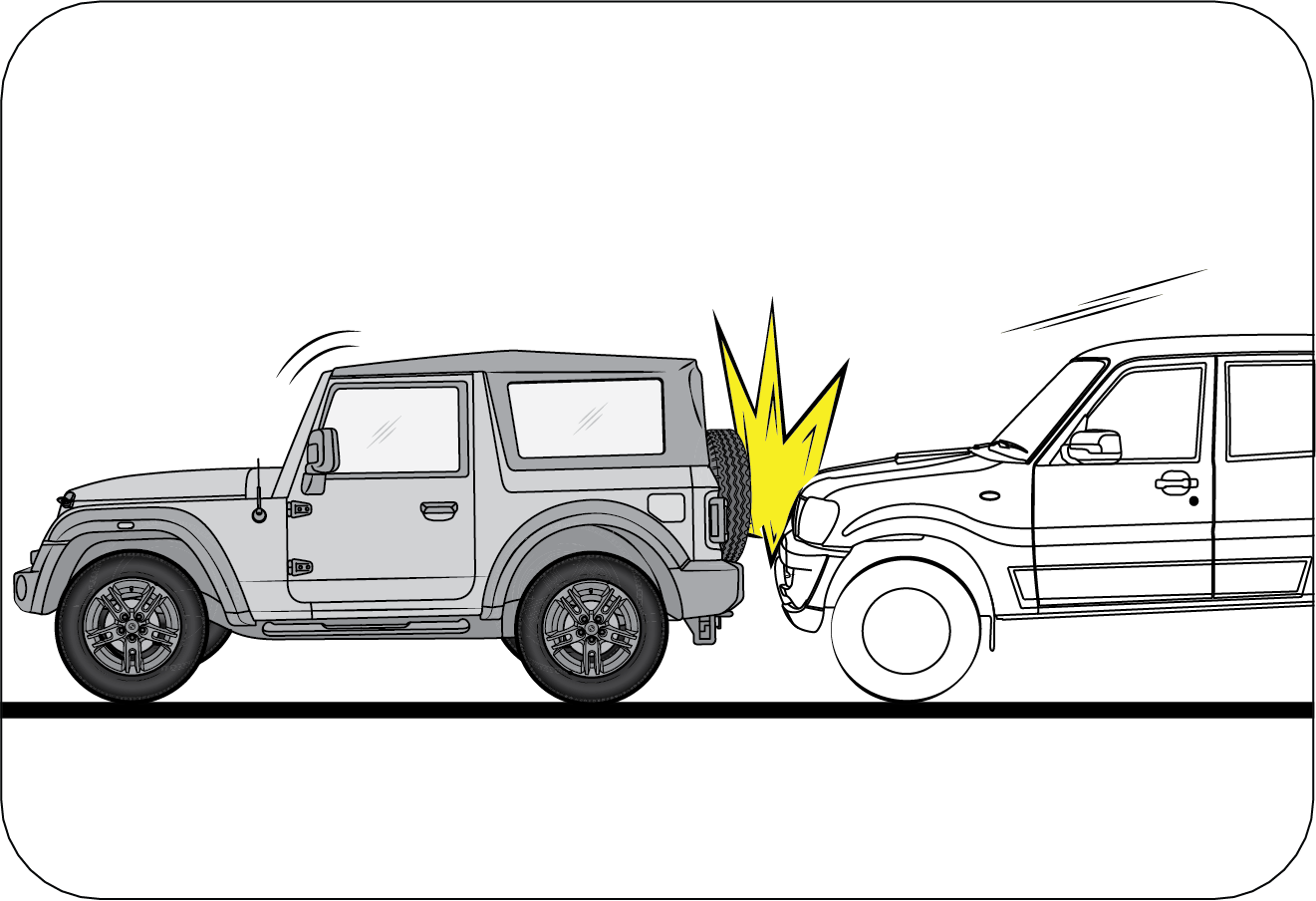
|
Frontal airbags are not designed to inflate in rear
collisions, where occupants are moved backward away from the airbags by
the force of the impact. In this case, inflated airbags would not be able to provide
any additional benefit.
|
Frontal Impact

|
Frontal impact beyond 30º range from head-on to the
vehicle.
|
Potholes or Stepped
Surfaces

|
Driving into a big pothole, stepped surface or hitting
the far side of a hole/incline will not inflate the airbag.
|
Rollover

|
Airbags will not inflate in rollover accidents where
airbag deployment would not provide protection to the occupants.
|
Frontal Side Swipe Impact

|
Frontal offset impact to the vehicle may not provide
the deceleration force necessary for airbag deployment. In an angled
collision, the force of impact may direct the occupants in a direction where the
airbags would not be able to provide any
additional benefit, and thus the sensors may not deploy any airbags.
|
Side airbags and side curtain
airbags may inflate in a strong impact
Side airbags and side curtain airbags may inflate even in a frontal
collision, if there is a strong impact to the lateral
direction.
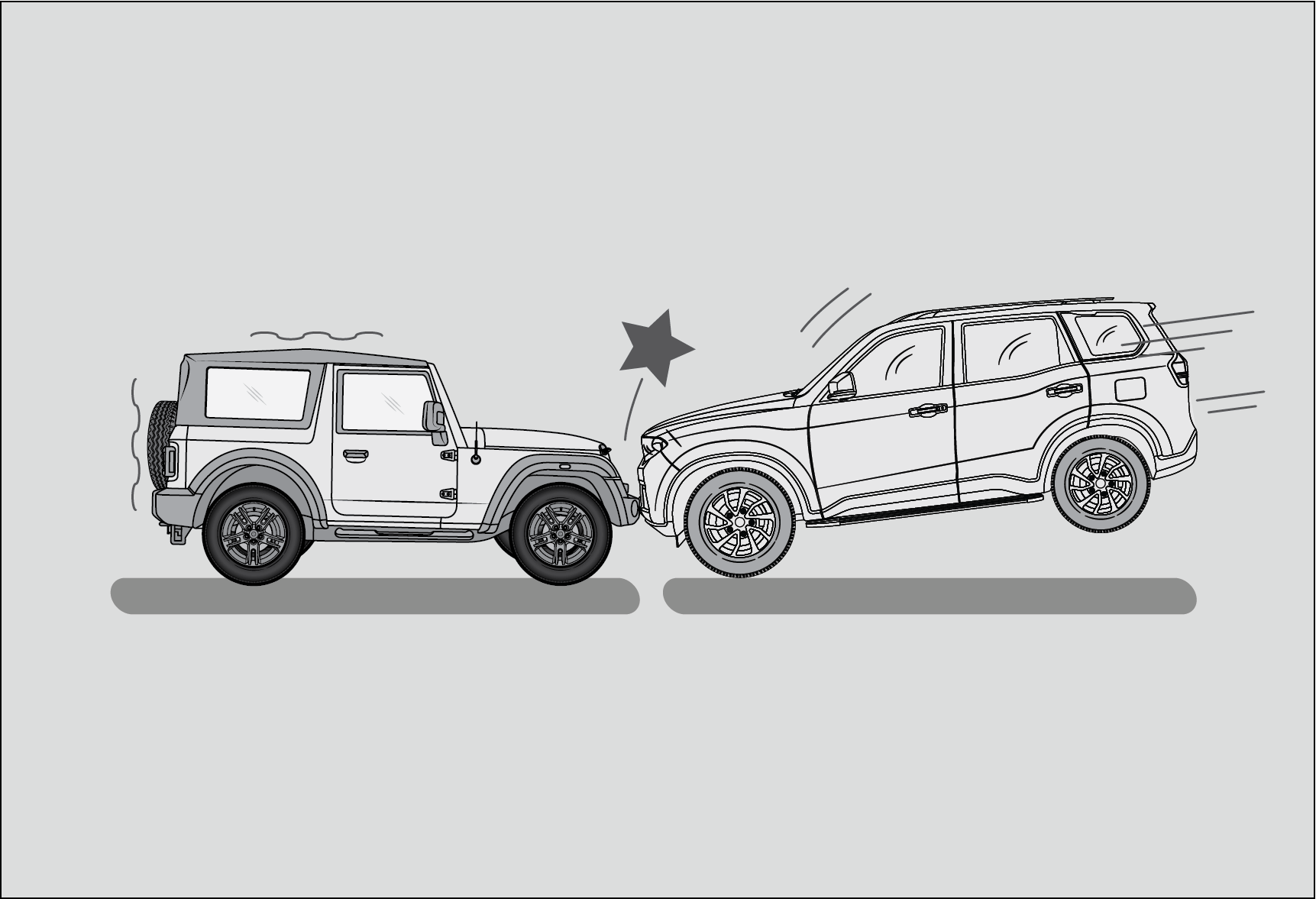
|
A frontal collision occurs when the front ends of two
vehicles collide.
|
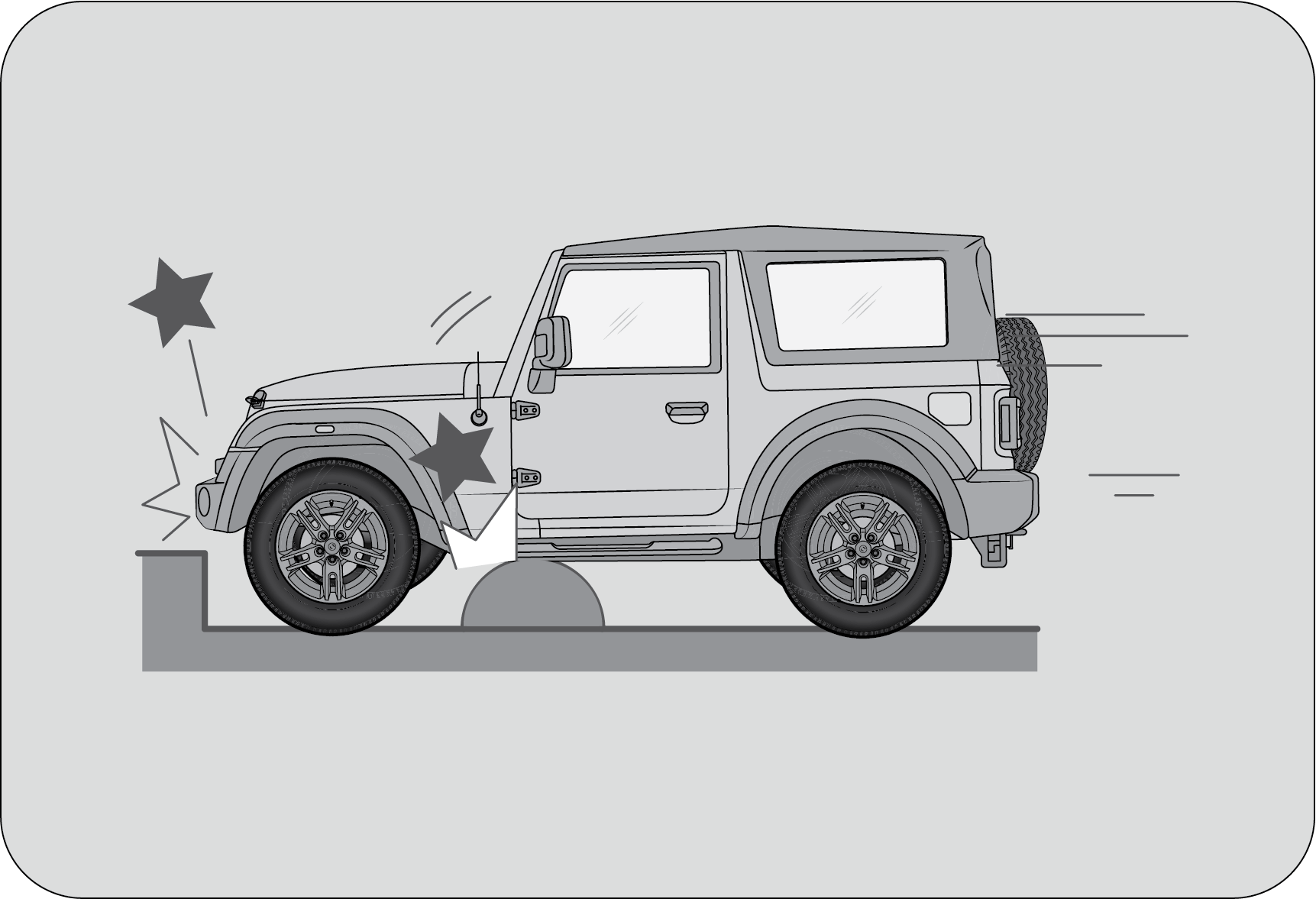
|
When a vehicle hits a curb or bump.
|
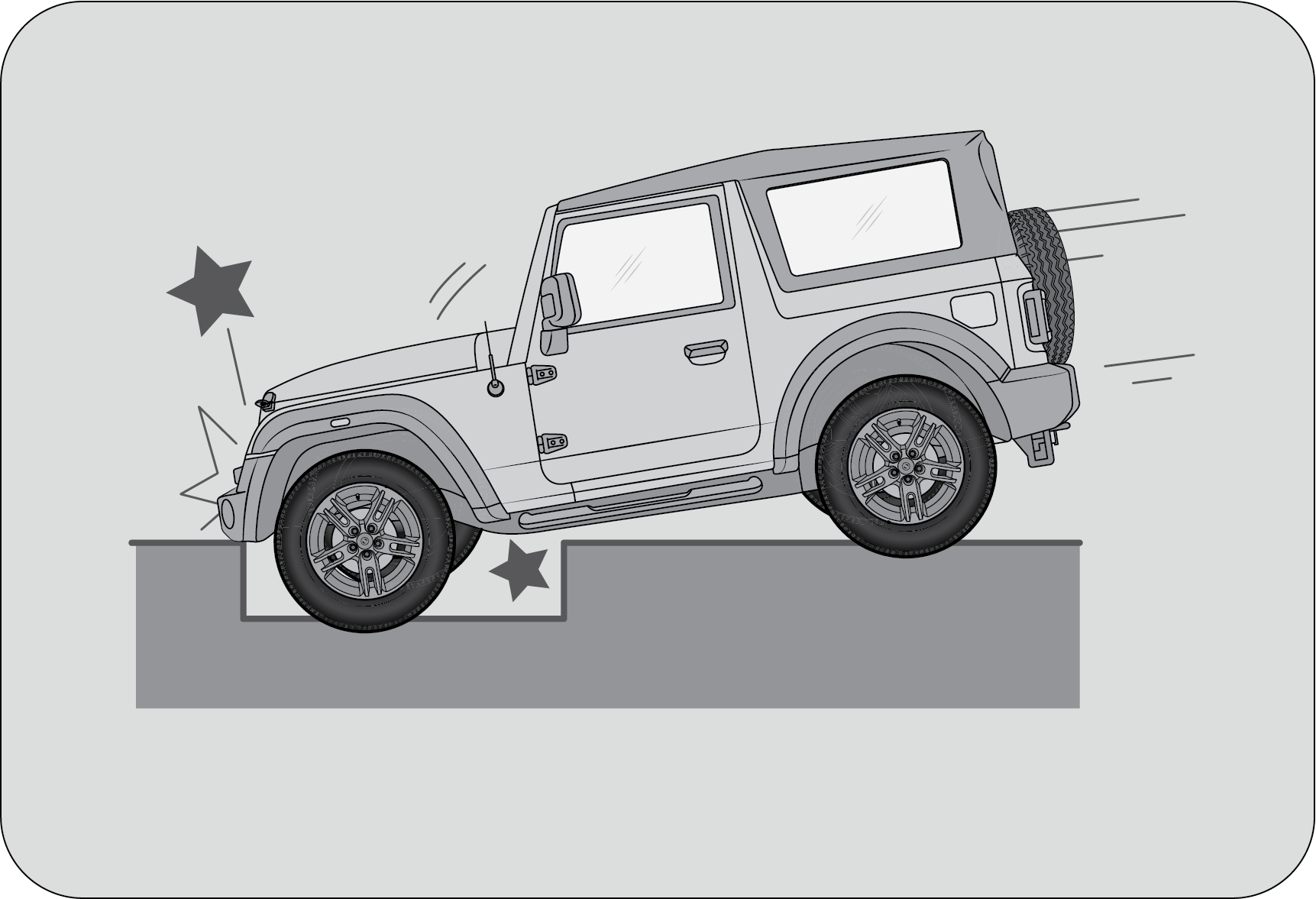
|
When a vehicle falls into a deep hole or ditch.
|
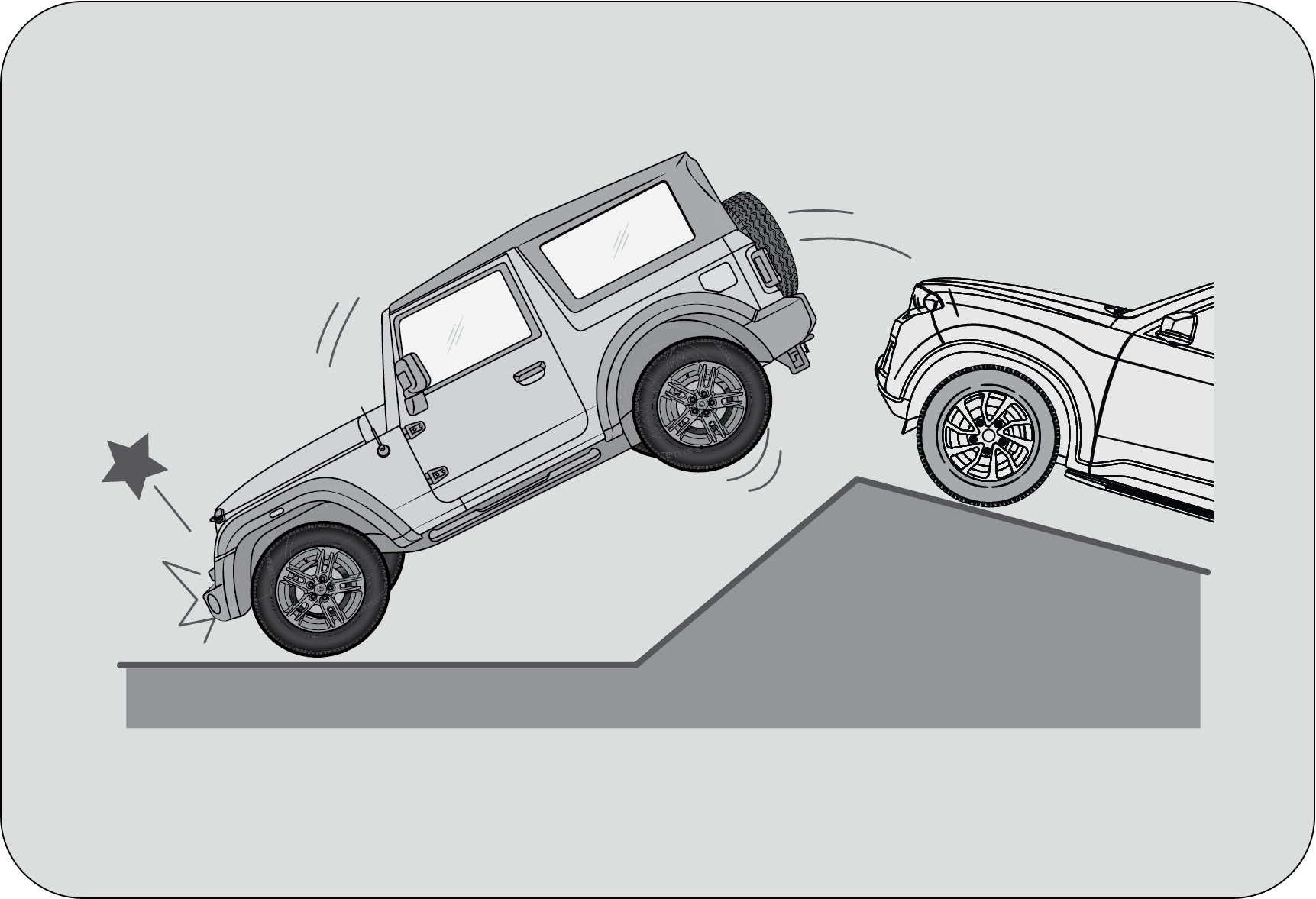
|
When a vehicle experiences a hard landing or fall.
|
Side airbags and side curtain
airbags may not inflate
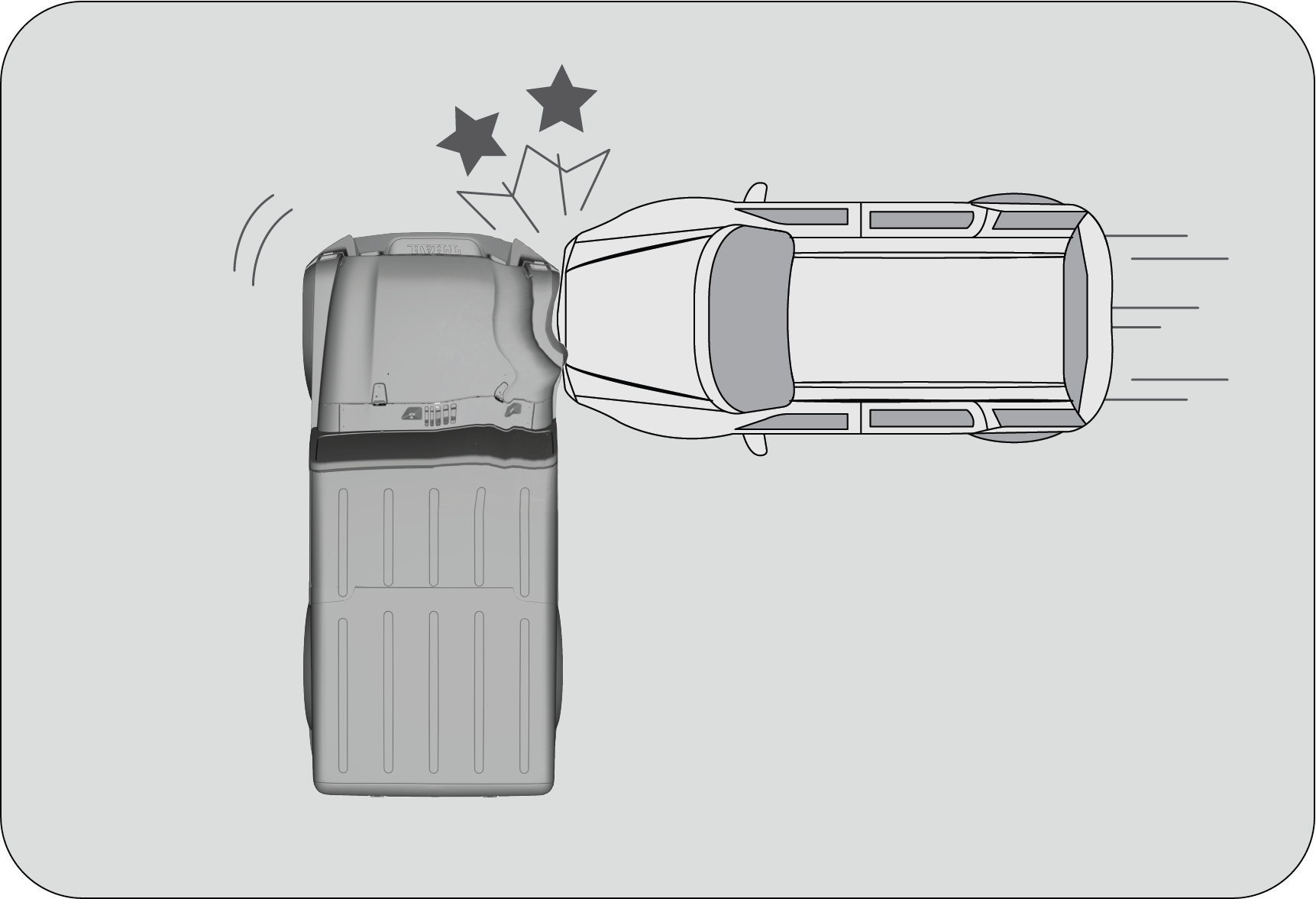
|
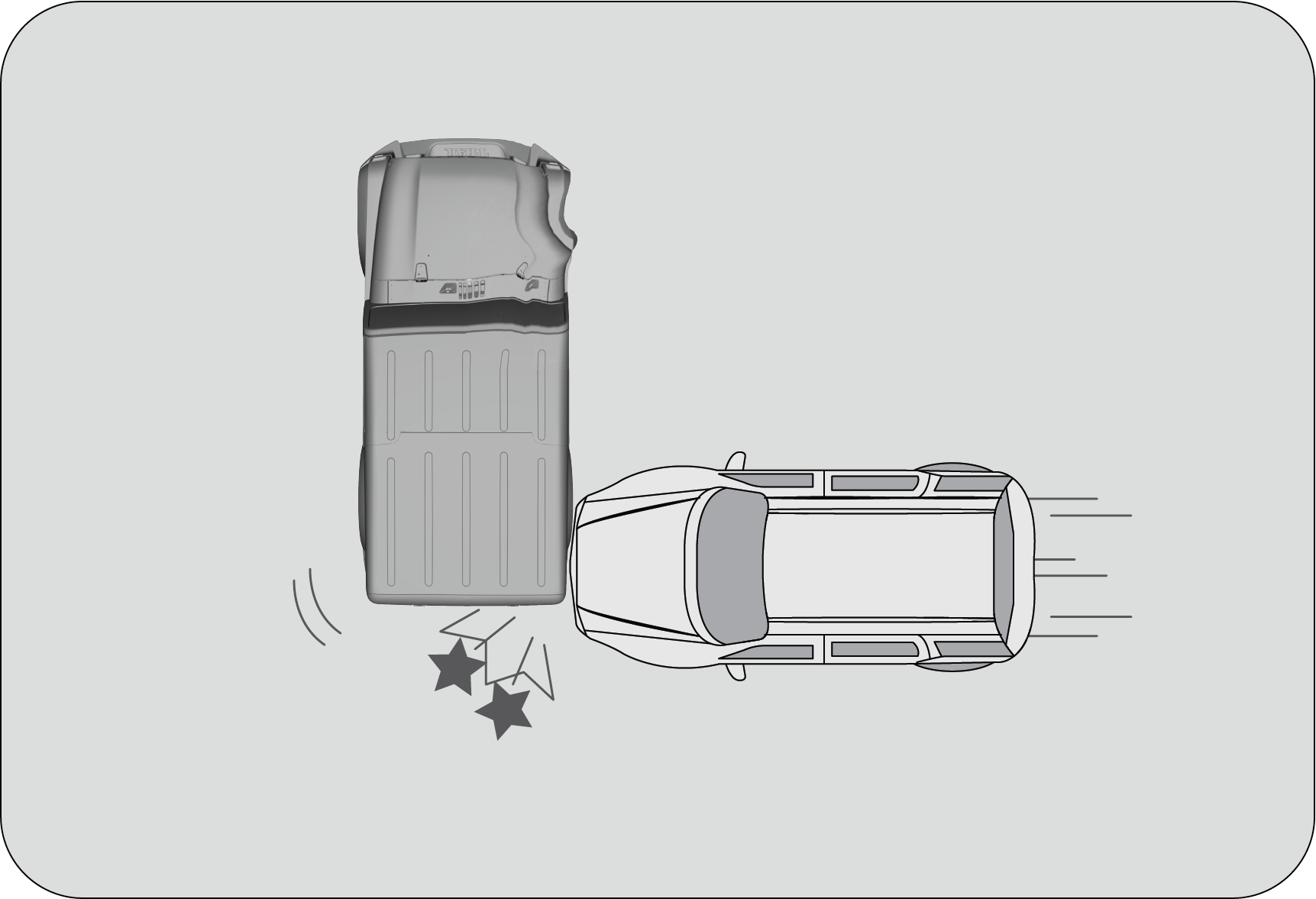
|
|
In the event of a side impact to the vehicle body,
excluding the passenger compartment, several areas of the vehicle are typically
affected.
|
|
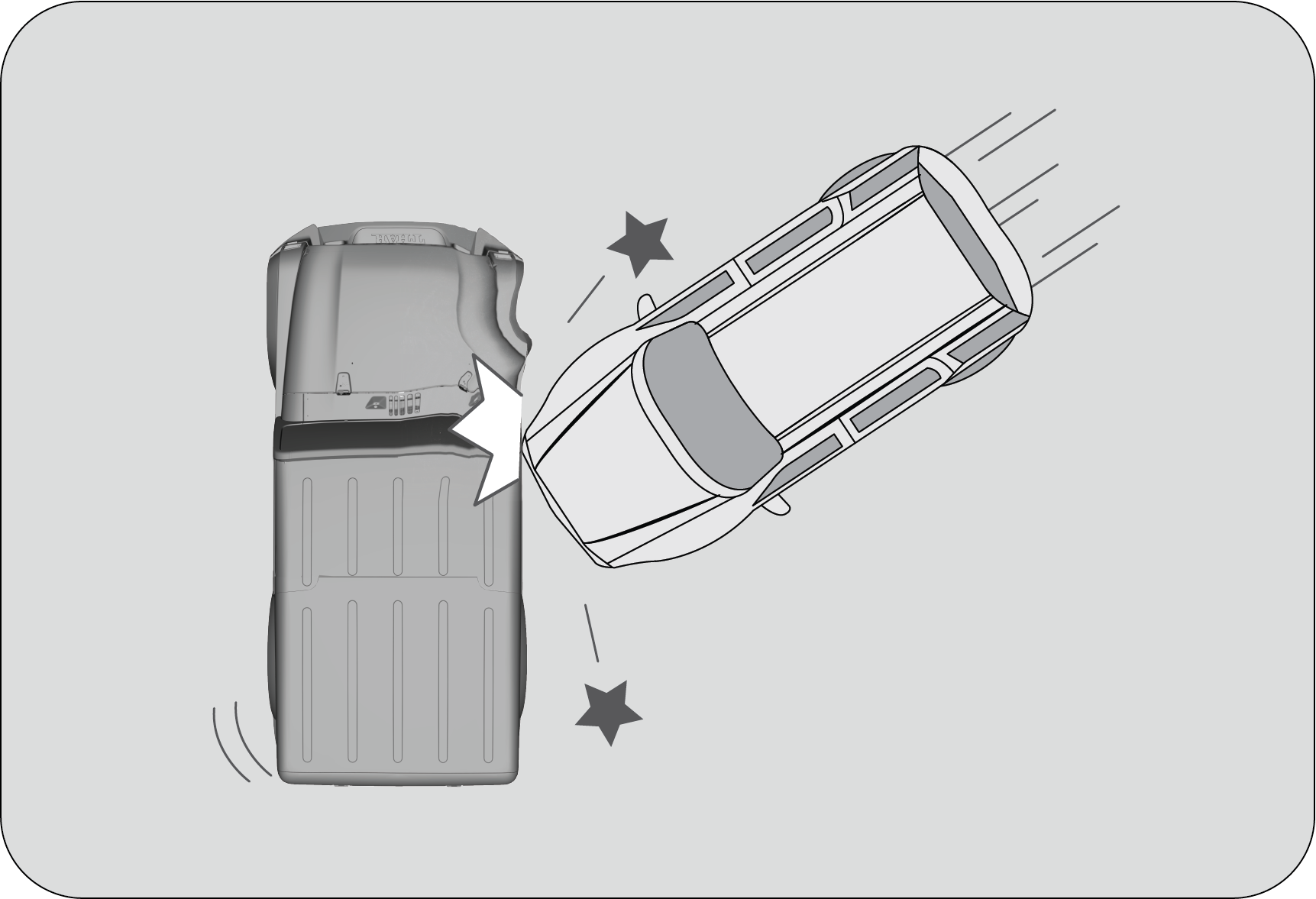
|
When a vehicle is impacted from the side at an oblique
angle.
|
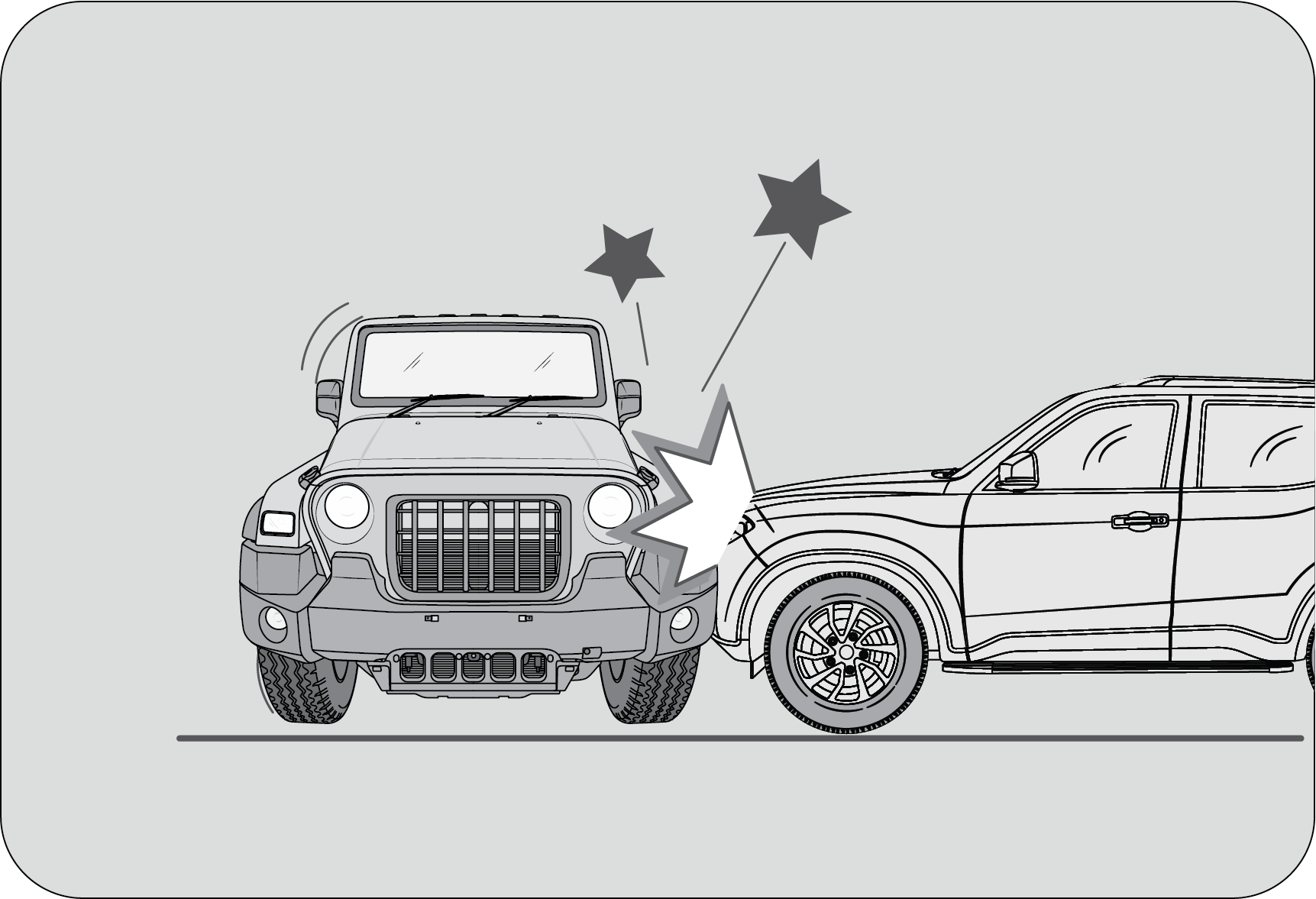
|
When a vehicle is impacted from the side by a high-hood
vehicle.
|
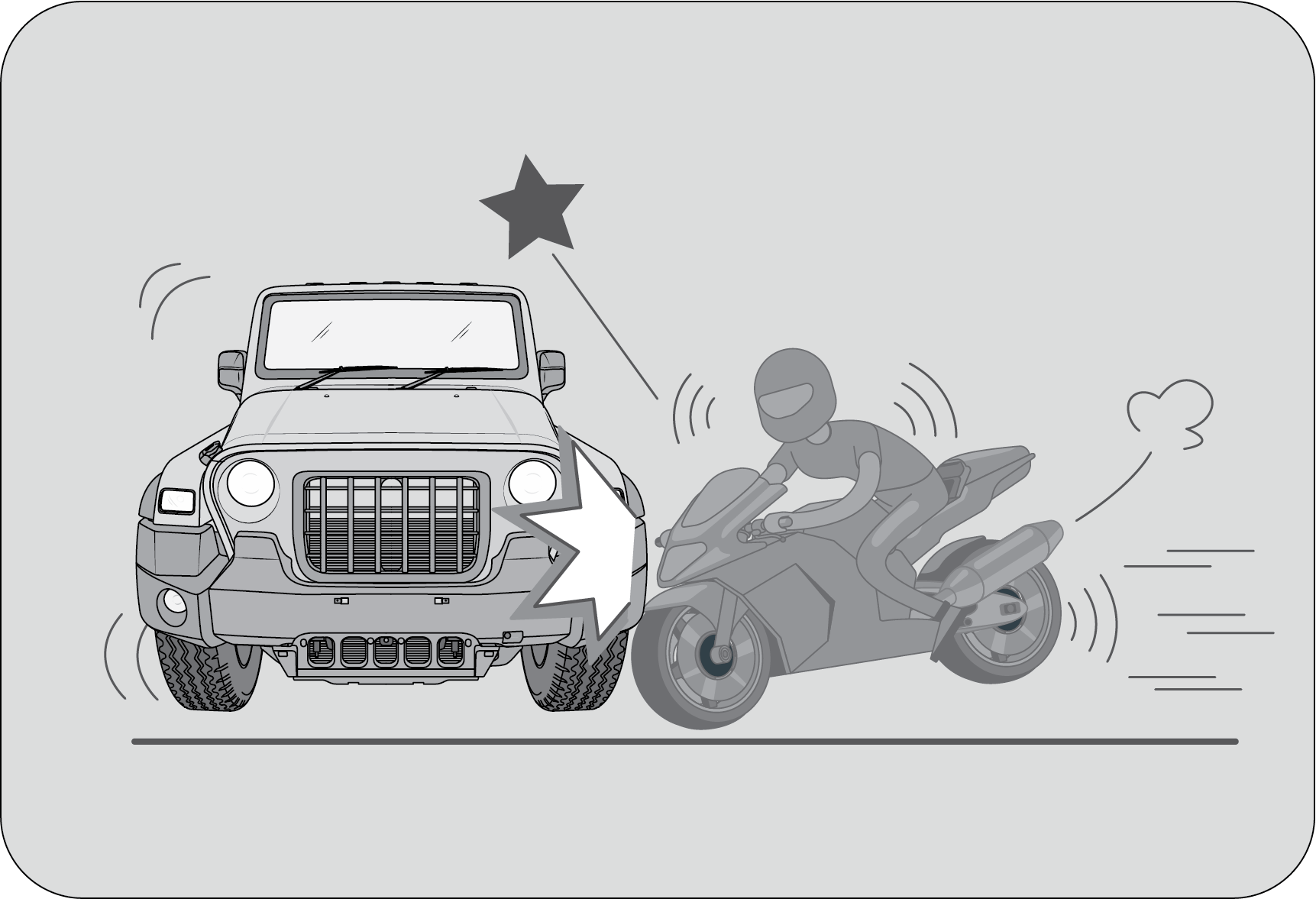
|
When a vehicle is impacted from the side by a
motorcycle or bicycle.
|
7.9 Airbag Service
Airbag Replacement:
Self-servicing or tampering with the airbag system is dangerous. An airbag could accidentally
deploy causing serious injuries,
or will not deploy when there is a need. Always take your vehicle to an Authorized Mahindra Service
Center for inspection
and repairs.
Removing SRS Related Parts:
We do not recommend removing the instrument panel, steering wheel, seats or airbag related
parts or sensors by any individual
or garages which are not recommended. Airbags could accidentally activate and cause serious injuries,
or they may not deploy
when there is a need. Visit an Authorized Mahindra Service Center if these parts must be removed.
Airbag Disposal: Improper
disposal of an airbag or a vehicle with live airbags can be extremely dangerous. Approach an
Authorized Mahindra
Service Center to do these jobs.
Airbag Repair: If the front
airbag cover or instrument panel airbag cover shows signs of damage or having been removed, the
vehicle should
be towed to the nearest Authorized Mahindra Service Center for repair. Do not attempt to self repair
or reinstall the cover.
Airbag Maintenance: For
cleaning the airbag covers/areas, use only a soft dry cloth or one which has been moistened with plain
water. Solvents
or cleaners could adversely affect the airbag covers and proper deployment of the system.
8 LOCKS AND KEYS
Your All New THAR vehicle
comes with Remote Flip key. The keys operate all locks in your vehicle including those of the doors and
ignition
with steering lock. We advise you to keep one of these keys in a safe place for emergency use, but not in
the vehicle. Should
you lose your keys or if you need replacement keys, they can be ordered through an Authorized Mahindra
Service Center.

|
Key Number Tag:
Your key number is shown on the Aluminium tag attached to
the key. It is recommended that you record the key number and store
in a safe place.
|
There is a limitation (max 2 keys at a time) to the number of keys
that can be programmed. The minimum timeframe required
to supply the duplicate keys is 20 days after all the formalities are completed. Please contact the
Authorized Mahindra Service
Center to understand the formalities involved.
Never leave the key in the
ignition switch with children in the vehicle. A child could switch on the ignition, start the
engine,
operate power windows and other controls, or move the vehicle, resulting in personal injuries to
the bystanders and/or children
seated inside.
8.1 Doors
8.1.1 To Open a Door from Inside
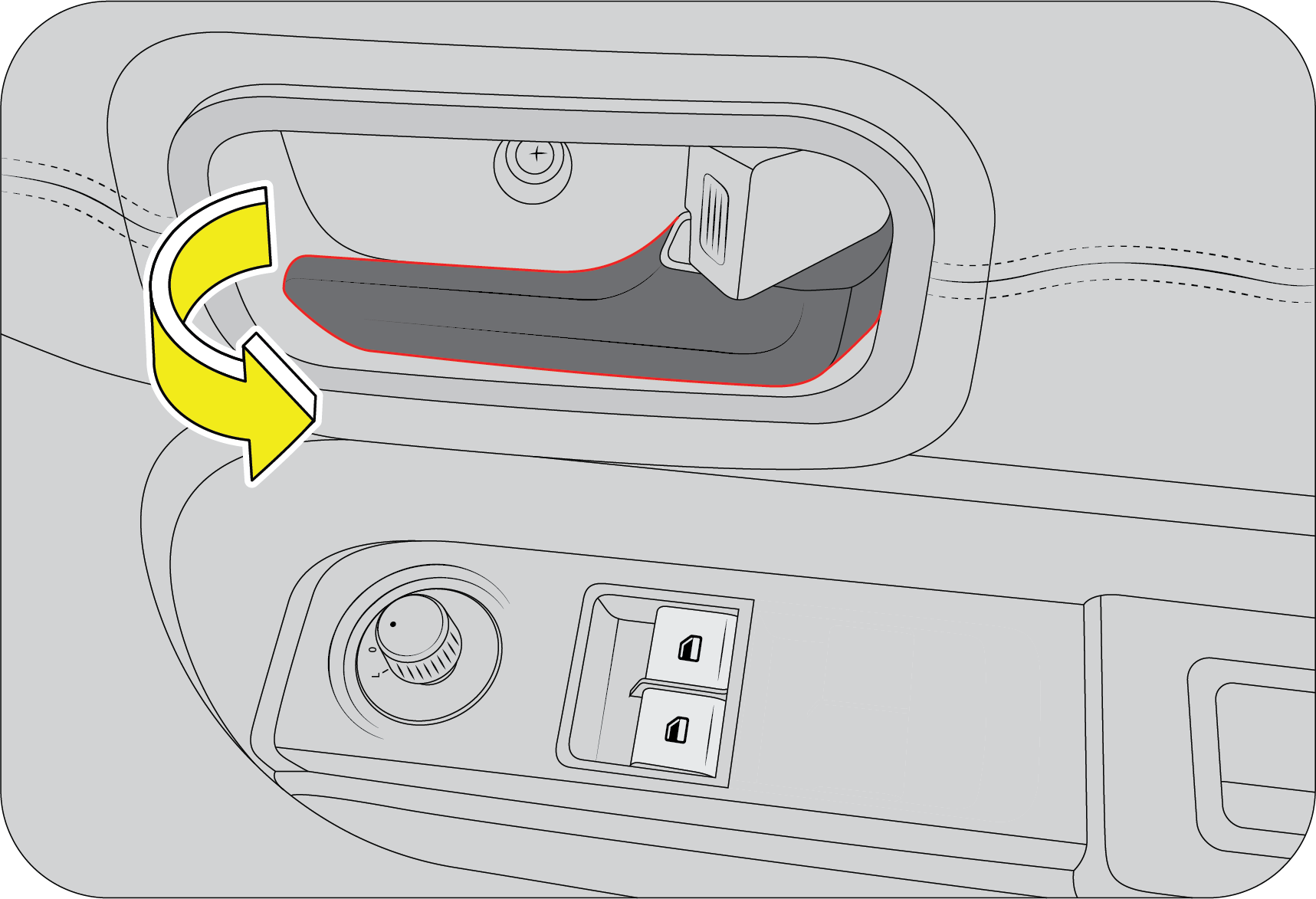 |
Pull the door lever away from the door and push the
door outward to open.
|
8.1.2 To Open a Door from
Outside
 |
Pull the door handle firmly outwards to unlock and
swing the door open.
|
8.1.3 Locking / Unlocking
Individual Doors from Inside
Individual doors can be locked/unlocked from inside by the
respective door lock tabs.
Lift the lock tab outwards to unlock or press the tab inwards to lock that particular door.
Lift the lock tab outwards to unlock or press the tab inwards to lock that particular door.
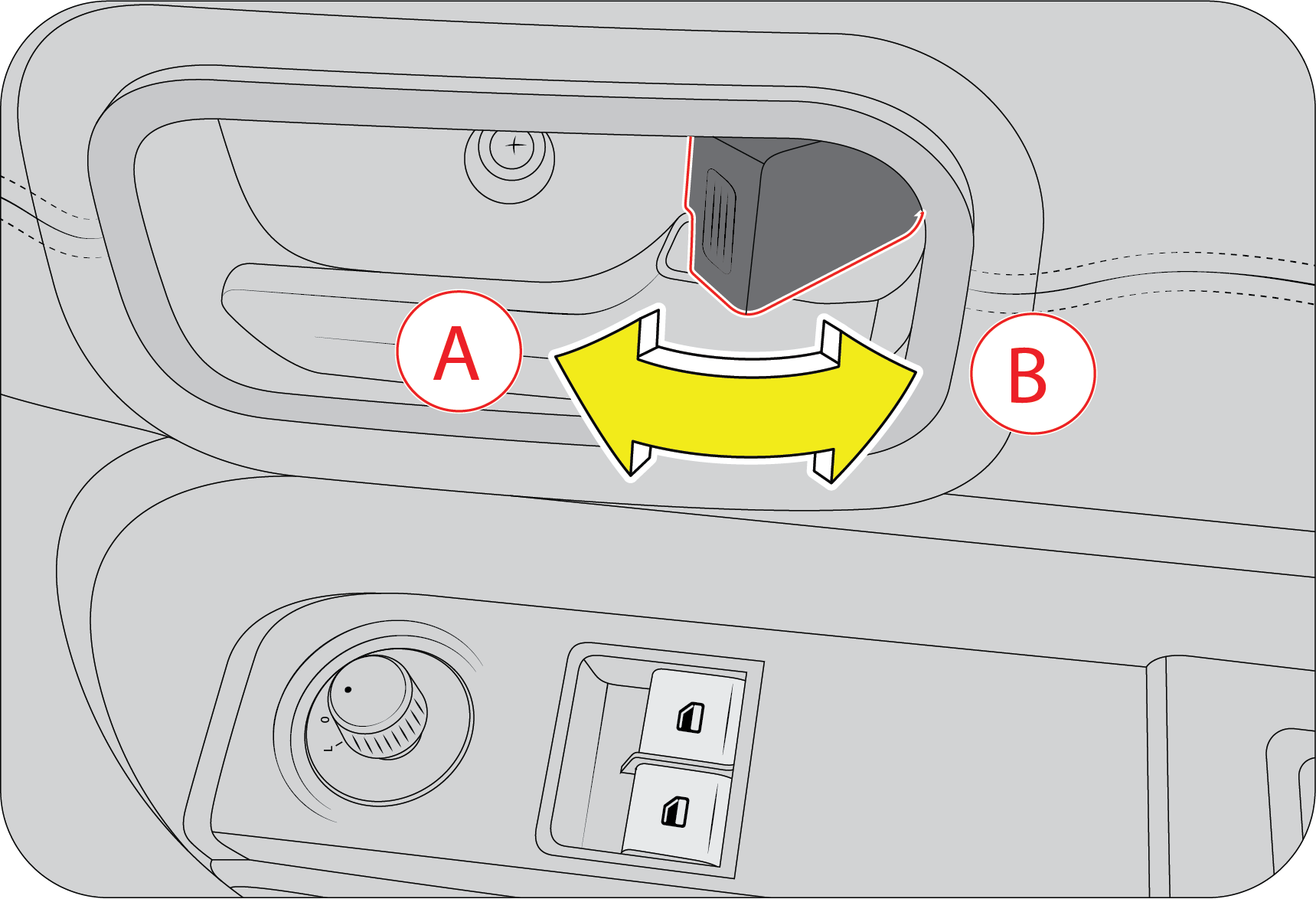
|
A : Lock
|
B : Unlock
|
Locking the driver door from
inside activates the central locking system, thereby locking ALL the doors of the vehicle.
Refer
to Central Locking section for further details.
8.1.4 Manual Locking / Unlocking
Doors from Outside
The driver door can be manually locked/unlocked from outside by
using conventional key. The key is bi-directional; you can
insert it into the keyhole either way. Turn the key anti-clockwise to unlock or clockwise to lock
the door.
 |
A : Unlock
B : Lock
|
A keyhole is provided in the
driver door to lock/unlock the doors manually from outside.
Locking the driver door from
outside activates the central locking system, thereby locking ALL the doors of the vehicle.
Refer
to Central Locking section for further details.
8.1.5 Locking / Unlocking the
Swing Gate
 |
A : Unlock
B : Lock
|
8.2 Central Locking System
All doors of the vehicle including swing gate can be simultaneously
locked or unlocked from the driver door.
8.2.1 Central Locking /
Unlocking All Doors from Outside
To manually lock/unlock all the doors from outside using the
conventional key, turn the key anti-clockwise / clockwise respectively
in the driver door keyhole.
|
|
A : Unlock
B : Lock
|
If any doors are open when
central locking is activated, the system locks the open doors when they are closed.
Central locking ALL the
doors in the vehicle can also be done using the Remote key. Refer the relevant sections in
this chapter
for more details.
8.2.2 Central Locking /
Unlocking All Doors from Inside
Press the driver door lock tab down (A) to lock or lift the lock
tab up (B) to unlock all doors simultaneously.
|
|
A : Lock
B : Unlock
|
|
|
Driver can simultaneously lock/unlock all the doors by pressing
this switch as shown in the image.
8.3 Remote Keyless Entry (RKE) System

|
A: LED
B: Lock
C: Search (Panic Alarm)
D: Unlock
|
The front side of the RKE has three control buttons, Unlock, Lock and
Search buttons. The Remote Keyless Entry (RKE) system
operates on Radio Frequency (RF). You can insert the key into the ignition with either side up.
8.3.1 To Lock the Vehicle with
RKE
 |
Press the LOCK button on the RKE for locking the
vehicle.
|
Hazard lamps flash once:
if all the doors in the vehicle are locked successfully using RKE.
Hazard lamps flash five times
along with an alarm: if any of the doors, bonnet in the vehicle are open.
8.3.2 Unlock the Vehicle with
RKE
 |
Press the UNLOCK button on the RKE to unlock and
disarm the vehicle.
|
‘Magic lamps’ are
activated (selected variants) / Hazard lamps flash
twice.
Upon the remote lock, if any
of the doors are not closed properly or are left open, the hazard lamps will flash five times
to indicate the same.
8.3.3 Auto Locking
All doors will get locked automatically when:
| • | All doors are closed properly. |
| • | Vehicle speed is greater than 20 km/h. |
Auto Locking ON DOOR OPEN —
Once the auto lock has been activated, if any door is opened when the vehicle speed is below
5 km/h, then the auto lock will
reactivate only if all doors are closed, the vehicle speed goes above 20 km/h and the master
actuator is in the unlock position.
Auto Locking ON MASTER ACTUATOR
UNLOCK — Once the auto lock has been activated, if the master actuator was unlocked at
any vehicle speed, then the auto lock will reactivate
only when the vehicle speed goes below 5 km/h and further crosses 20 km/h.
8.3.4 Auto Unlocking
Auto Unlock of all doors will happen in the following conditions:
| • | When Ignition is switched from ON to OFF, OR |
| • | In the event of a crash |
8.3.5 Search (Panic) Function
 |
Press the SEARCH/PANIC button on the RKE to locate
the vehicle in a parking lot. Panic alarm can also bring attention to the
vehicle and surrounding area, warning about an intruder or seek for help when key is
in key barrel.
|
When the SEARCH/PANIC function is ON, the hazard lamps flash along
with an alarm for 30 sec. In this mode;
| • | Pressing the SEARCH button again switches OFF the alarm. |
| • | Pressing the UNLOCK button switches OFF the alarm and unlocks all doors. |
The search function works
both during the Locked/Unlocked conditions of the vehicle. In the muted condition, when the
RKE
Search function is ON, only hazard lamps would flash and alarm chirps would not be
audible.
8.3.6 Mute/Un-mute Function
 |
The horn chirps can be muted / un-muted. Press the
LOCK & SEARCH buttons together for 3 sec. to toggle between MUTE/UN-MUTE
mode. Hazard lamps will flash once to indicate the change in status.
|
In the un-muted condition,
Horn chirps can be heard during RKE Lock when any of the door open (5 Chirps).
In the muted condition, only
hazard would flash and horn chirps would not be audible.
8.3.7 RKE Operating Range
 |
Using RKE, you can lock/arm or unlock/disarm the
vehicle from distances approximately 9 m (30 ft) This is in open area.
|
If there is reduction in RKE
range, please follow the steps below:
| • | Check the distance: The RKE may be too far from the vehicle. Stand closer to the vehicle during rain or bad weather. |
| • | Check the location: Other vehicles or objects may be blocking the signals. Take a few steps to the left or right, hold the RKE higher, and try again. Moreover, closeness to a radio transmitter such as radio station tower, airport transmitter, mobile or CB radios may lead to reduction in range of RKE. |
| • | Check the RKE battery: See battery replacement procedure, given later in this section. |
| • | If the RKE is still not working correctly, contact an Authorized Mahindra Service Center. |
8.3.8 Remote Battery
Battery Specification
|
Battery Voltage
|
3 V
|
|
Battery Capacity
|
225 mAh
|
|
Battery Model No.
|
2032
|
Remote Battery
Replacement
If the Remote operation is inconsistent when any of the buttons are
pressed, then it indicates that the Remote battery is
weak.
 |
The rear side of the Remote is snap fitted. Flip
open the key blade and use two fingers on the side of the fob and gently
pry open the battery cover.
|
Use a small flat head screwdriver to gently pry out the battery to
and discard the same. Insert new batteries of 3V type (Battery
No. 2032). While fitting the new battery, ensure the positive side of the batteries face up. Align
both the halves of the
Remote casing and press to snap fit. Check operation of the Remote.
While prying the Remote
case, take care not to damage the battery.
Do not touch the battery
terminals that are on the back housing or the printed circuit board.
Pull out the battery and
discard the same. Insert new battery of same type. While fitting the new battery, ensure the
positive
side of the batteries face up. Align both the halves of the Remote casing and press to snap
fit. Check operation of the Remote.
The Batteries are Lithium
Ion batteries. They should be kept away from children.
This product contains
a lithium button cell. If the button cell is swallowed, severe internal burns can occur
within a mere
two hours and lead to death.
Keep new or removed
batteries away from children. If the battery compartment does not close securely,
discontinue use and
keep away from children. If you think that batteries have been swallowed or stuck in
any part of the body, seek medical help
immediately.
8.3.9 If RKE is Lost
If you have lost the programmed RKE, contact an Authorized Mahindra
Service Center for procuring a new RKE.
While programming a new key set, you will have to submit all the
keys available with you to an Authorized Mahindra Service
Center.
There is a limitation (max 2
keys at a time) to the number of keys that can be programmed. The minimum time frame required
to supply the duplicate keys is 20 days after all the formalities are completed. Please
contact the Authorized Mahindra Service
Center to understand the formalities involved.
If the key is stolen or
lost, communicate to an Authorized Mahindra Service Center to de-activate the function of the
lost
or stolen key. This is essential to avoid unauthorized access using the misplaced key.
Only RKE transmitters
programmed to your vehicle electronics can be used for remote locking and unlocking of your
vehicle.
8.3.10 Precautions while
Handling RKE:
| • | Do not cover the key grip with any material that cuts off RF waves. |
| • | Do not leave the key exposed to high temperatures for a long period, such as on the dashboard or hood under direct sunlight. |
| • | Do not put the key in any liquid or wash it in an ultrasonic washer. |
8.4 Engine Immobilizer System
An Engine Immobiliser System is a security system that prevents the
vehicle from being operated by an unauthorized keys. The
Engine immobilizer prevents the engine from being started unless it recognizes signals from the
correct coded key.
The system is automatically activated when the key is removed from the
ignition.
8.4.1 Features of the
Immobilizer System:
| • | Prevents the vehicle being started by anyone not in possession of the correct vehicle key. |
| • | The vehicle is automatically protected after the key is removed from the ignition. At every ignition ON, if the vehicle does not recognise the correct key code, the engine check lamp will illuminate/blink and the engine cannot be started. |
| • | The vehicle will not be protected until the key has been taken out of the ignition. |
If the engine check lamp
flashes or remains continuously illuminated after the ignition being switched ON, there is a
system
malfunction. Contact an Authorized Mahindra Service Center immediately.
Inserting the correct coded key in the ignition and switching the
ignition ON, automatically deactivates the system. This
enables the engine to start.
In the event of the vehicle
not starting with the correct key, switch off the ignition for a minimum of 1 minute and
attempt
to start the vehicle again.
Do not modify, remove or
disassemble the engine immobilizer system. Any unauthorized changes or modifications can
affect proper
operation of the system and will void your warranty.
8.5 Control Switches – Power Windows
The driver door switch bank is located on the driver door
armrest/handle and controls and the various functions:

|
A : Driver Door Window Switch
B : Passenger’s Window Switch
|
8.5.1 Power Window Switch
Power windows can be operated only when the ignition is “ON”
position.
The driver can operate all the power windows in the vehicle through the quadruple switch on the driver door armrest/handle.
The driver can operate all the power windows in the vehicle through the quadruple switch on the driver door armrest/handle.
Other passengers in the vehicle can raise or lower their respective
window glasses individually by using the separate switches
provided on each of the door trim pads/armrests.
To lower/raise the window glass push/pull, the power window
switches respectively.
 |
Do not
operate the power windows frequently. This will drain the vehicle
battery.
If you
operate the switches often during a short period of time, the system might
become inoperable for a certain duration
to prevent damage due to overheating. The system will return to normal
functioning shortly.
It is
recommended to operate one window switch at a time.
|
While operating the power
windows, check for obstructions like head, hand, etc. which may lead to personal
injuries.
8.5.2 Door Lock/Unlock Switch
(If Equipped)
The Door lock/unlock switch is located on the driver door trim.
Driver can simultaneously lock/unlock all the doors by pressing
this switch as shown in the image.
8.5.3 Power Window Lock Switch
(If Equipped)
The main power window quadruple switch in the driver door trim has
a power window lock switch to enable or disable operation
of rear passenger window switches.
To disable the rear passenger power windows, press the window lock
switch down.
To revert to normal operation, press the window lock switch again.
8.5.4 Smart Power Window with
Anti-Pinch
This is applicable for driver door only (If Equipped)
Smart power window is one of the significant safety features with
the anti-pinch function, which automatically reverses the
direction of glass if an obstruction is detected during the auto up mode.
|
|
This feature consists of three functions:
| • | Auto UP |
| • | Auto DOWN |
| • | Anti-Pinch during Auto UP |
Auto UP: Pull the power
window switch up for a moment and release. The glass moves all the way up automatically. You do not
need to
hold the switch till the glass closes.
Auto DOWN: Press the
power window switch down for a moment and release. The glass moves all the way down automatically.
You do not need
to hold the switch till the glass comes down.
Anti-Pinch during Auto UP:
During Auto UP if any obstacle is detected with the force value ranging between 70~100 N
(~7-10 kg), the controller senses
the load and reverses the direction of the glass to downward direction for almost full stroke
length.
If the force against the
glass is less than the specified value, then this function does not operate. So, While
operating
the power windows, check for obstructions like head, hand, etc. which may lead to severe
personal injuries.
If power window anti-pinch is used continuously for more than 8
times, the power window express feature will have thermal
cut off and it will not operate for 20 seconds and after that for one cycle it will operate and
once the temperature comes
to nominal, then it will start operating normally.
9 FEATURES AND CONTROL
9.1 Rear Swing Gate
To manually lock/unlock all the doors from outside using the
conventional key, turn the key anti-clockwise / clockwise respectively
in the rear swing door keyhole.
|
|
A : Unlock
B : Lock
|

|

|
|
Hold flip window and open the swing gate fully and
slowly remove pressure from swing gate and it will get open.
|
While closing swing gate, first close flip window and
hold in place and close swing gate.
|
9.2 Control Switch – Electric ORVM
(If Equipped)
ORVM Adjustment: The
electric exterior mirror adjustment switch is located on the driver door hand rest. The joystick on
the switch can be
used to select the left/right mirror and also to adjust the respective mirror.

|
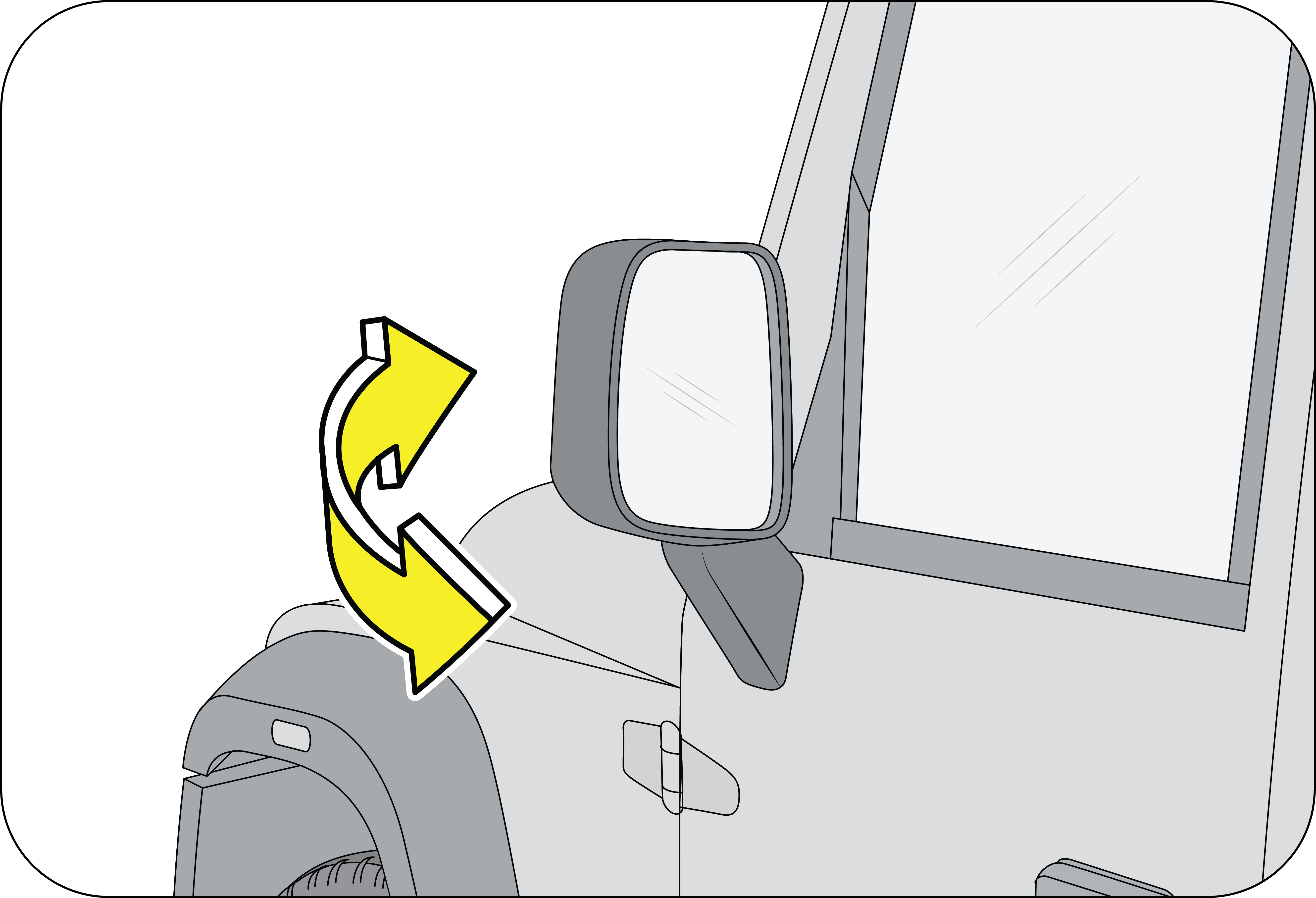
|
9.3 Interior Mirror
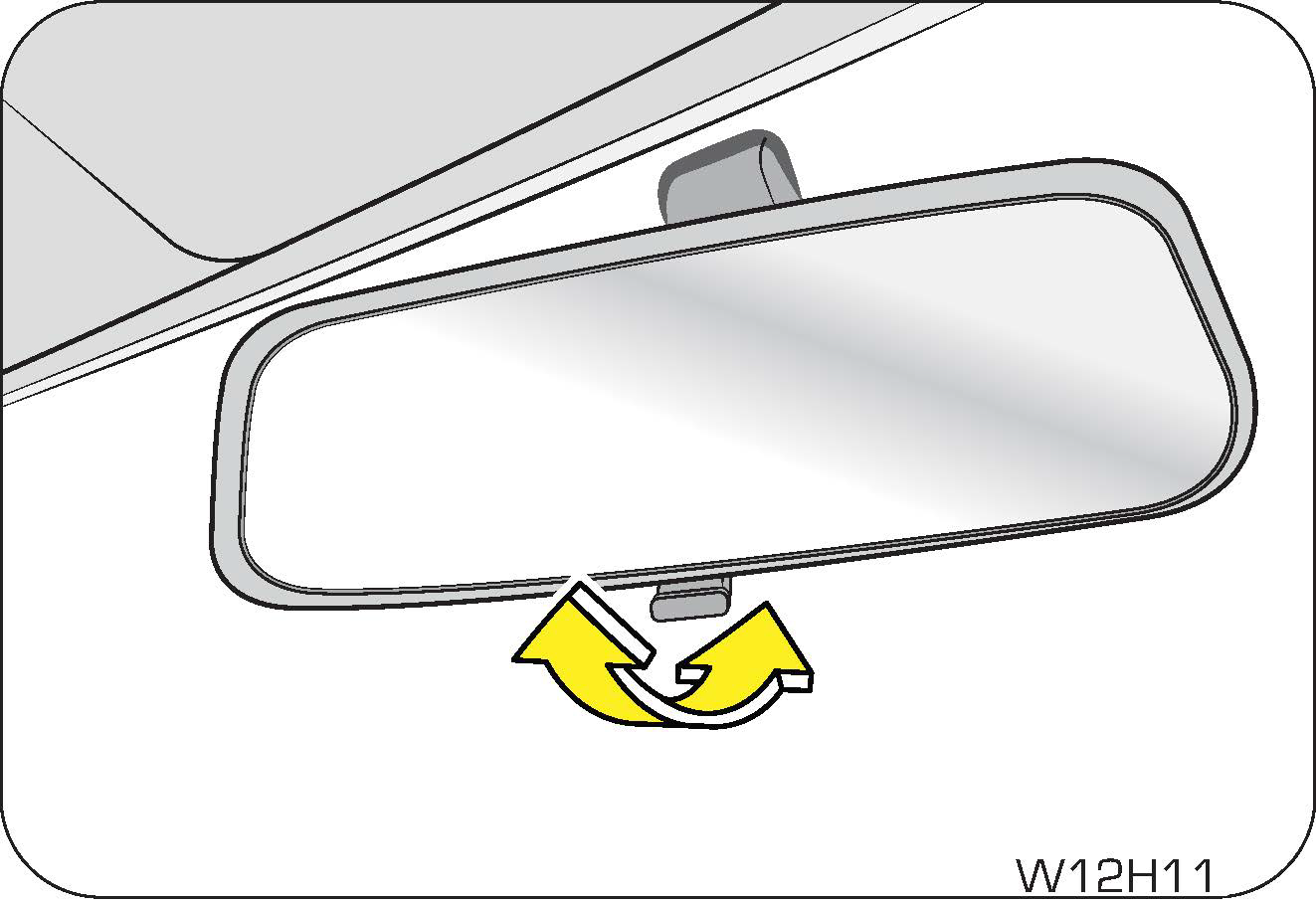
|
The interior mirror has day and night (anti-glare)
positions. The night position reduces glare from head lamps of vehicles
behind you. Flip the tab on the bottom edge of the mirror to select the day or night
position.
|
9.4 Exterior Lamps
|
|
The lighting control stalk is located on the right hand
side of the steering wheel. It controls operations of parking lamps,
head lamps, head lamp beam selection, high beam flashing, fog lamps (If Equipped) and
turn signals when the ignition switch
is ON.
|
9.4.1 Turn Signals
|
|
A: Turn Signal - Left
B: Turn Signal - Right
|
Taking a Right Turn :
Push the lighting control stalk clockwise to indicate a right turn. The instrument cluster arrow
lamp pointing towards the
right flashes along with the right side turn signal lamps (front and rear) with chime indicating
your intention of turning
towards right.
After you have completed your right turn, the stalk will
automatically return to the neutral position switching OFF all the
lamps.
Taking a Left Turn :
Push the lighting control stalk anti-clockwise to indicate a left turn. The instrument cluster
arrow lamp pointing towards
the left flashes along with the left side turn signal lamps (front and rear) with chime indicating
your intention of turning
towards left.
After you have completed your left turn, the stalk will
automatically return to the neutral position switching OFF all the
lamps.
If the turn signal lamps on
the instrument panel flash faster than normal, there may be a possibility that one or more of
the turn signal lamp bulbs have blown. Replace the blown bulb immediately.
Lane Changing: To signal
a lane change, move the light control stalk clockwise or anti-clockwise to the limit point of free
movement of
the lever and release. The turn signals will flash three times and stop.
The turn signals will continue flashing as long as the lighting
control stalk is held in the limit point of free movement.
9.4.2 Lamps Off
|
|
Rotate the outer rotary switch on the lighting
control stalk aligning the ‘arrow’ on the switch to ‘O’ on the stalk to switch
OFF all lamps.
|
9.4.3 Parking Lamps On
|
|
Rotate the outer rotary switch on the lighting
control stalk aligning the ‘arrow’ on the switch to the ‘1st détente’ position on the stalk to switch ON the parking
lamps.
The tail
lamp, license plate lamp, front park lamp and instrument panel illumination
lamps are activated when the parking
lamp is switched ON.
|
9.4.4 Head Lamp On
|
|
Rotate the outer rotary switch on the lighting
control stalk aligning the ‘dot’ on the switch to the ‘2nd détente’ position on the stalk to switch ON the head
lamps.
|
9.4.5 Daytime Running Lamp (DRL)
(If Equipped)
To enable DRL: DRL will
get enabled automatically, whenever engine is running and park switch is in OFF position.
To disable DRL: DRL will
get disabled, once park lamp is switched ON while engine is running.
If customer doesn't want the DRL to be ON, he can disable
through infotainment settings. Refer to Infotainment
e-manual.
9.4.6 Head Lamp High Beam/Low
Beam
|
|
A: Low Beam
B: High Beam
|
With the head lamp low beam ON, push the lighting control stalk
down (away) from steering wheel to switch ON the head lamp
high beam. The head lamp high beam telltale lamp in the instrument cluster illuminates indicating
high beam option selected.
For low beam, pull the stalk back up.
Your vehicle head lamps are
vented and moisture may be collected on the inside of the head lamp lens under certain
climatic
and geographical conditions. This moisture will evaporate once the head lamps have been
switched ON for a few minutes.
9.4.7 Head Lamp Flash
|
|
Pull the lighting control stalk (from the head lamp
low beam position) towards the steering wheel to instantaneously flash
the head lamp high beam. The head lamp flash works even when the head lamp is OFF.
|
9.4.8 Head Lamp Levelling
System
 |
When the vehicle is either fully or partially
loaded, it may have an upward inclination disturbing the head lamp aiming. A
correct head lamp setting provides good visibility to the driver with minimum
inconvenience to other road users.
|
To properly aim the head lamp beam, use the head lamp levelling
switch. This switch is located on the right side of the steering
column shroud in the instrument panel. This switch has three positions marked as 0, 1 and 2.
|
Switch
Position
|
Vehicle
Loading Condition
|
|
0
|
Driver only or Driver with front passenger
|
|
1
|
Driver + Front passenger + Rear seat occupied
|
|
2
|
All seats occupied
|
|
3
|
All seats occupied with luggage OR Driver with
luggage at extreme rear side
|
Select the suitable switch position depending on the pay load as
advised in the table.
The headlights can only be
adjusted when the low beam is switched ON.
9.4.9 Hazard on Panic Braking
Hazard Lamps are turned ON during panic braking for 10 seconds when
the following conditions are met:
. Ignition is ON . Brake is applied
. Vehicle speed is
greater than 100 km/h . Sudden High deceleration Rate
9.4.10 Fog Lamps (If Equipped)
Fog lamps are to be used along with the head lamp low beam, to
improve the vision during foggy and misty conditions.
Fog Lamps OFF
|
|
Align the inner rotary switch on the lighting
control stalk to the fog lamp off ‘O’ on the inner fixed stalk as shown to switch
OFF the fog lamps.
The front fog lamp indicator in the instrument
cluster indicates the operation status.
|
Front Fog Lamps ON
|
|
To switch ON the front fog lamps, switch ON the
ignition and the parking lamps. Turn the inner rotary switch on the lighting
control stalk to align to the fog lamp symbol on the inner fixed stalk as shown.
The front fog lamp indicator in the instrument
cluster indicates the operation status.
|
Fog lamps will turn ON only
if the parking lamp is ON.
The Front fog lamp indicator
in the instrument cluster indicates even if fog lamp is not fitted in the vehicle.
The Rear fog lamp indicator
in the instrument cluster indicates even if fog lamp is not fitted in the vehicle.
9.4.11 Hazard Warning Lamp
The hazard warning lamp switch is located below the AC controls on
the instrument panel.
Use the hazard warning lamp when your vehicle is stationary or to
warn other road users to be cautious while passing your
vehicle.
To turn the hazard warning lamp ON, press the switch input. All the
turn signal lamps flash. To turn OFF, press the switch
again.
Hazard lamps are also
switched ON during the following conditions:
| • | Crash — Hazard would be turned on for 30 minutes. |
| • | Panic Braking — When the vehicle is running above 100 km/h and panic/sudden brakes are applied, hazard will turn on for 10 seconds. |
Pressing the hazard switch
twice deactivates this feature.
9.5 Follow-Me Home (FMH) RKE
This feature helps the driver and passengers to easily get out of the
vehicle during poor light conditions. The head lamp
low beam is turned ON for about 20 seconds, assisting the passengers to find their way unless
cancelled by the UNLOCK signal
from the RKE.
To enable FMH:
| • | Ignition transition from ON to OFF. |
| • | Park lamp ON to OFF. |
| • | Ignition key is out. |
| • | Double press RKE LOCK. |
| • | Head lamp low beam will turn ON for 20 seconds unless cancelled by the UNLOCK signal. |
To extend FMH:
| • | The first RKE LOCK command will be used for locking all doors. |
| • | Successive RKE LOCK commands will be used for toggling the current status of the head lamp low beam. |
| • | Each time FMH is extended, the head lamp low beam will be kept/turned on for the next 20 seconds. |
| • | If no extension is provided for 3 minutes, FMH will get expired. |
To disable FMH
| • | Park lamp transition from OFF to ON. |
| • | Ignition off to any other states. |
| • | FMH ON 20 seconds expires. |
| • | Max time of 3 minutes has elapsed and no extension of FMH. |
With FMH mode ON, if the UNLOCK signal is received twice from RKE, the
feature gets deactivated and cannot be extended further.
Also, the doors are unlocked and vehicle disarmed.
9.6 Follow-Me Home (FMH) Non RKE
This feature helps the driver and passengers to easily get out of the
vehicle during poor light conditions. The head lamp
low beam is turned ON for about 20 seconds, assisting the passengers to find their way.
To enable FMH:
| • | Ignition transition from ON to OFF. |
| • | Park lamp ON to OFF. |
| • | Ignition key is out. |
| • | Open Driver door. |
| • | Head lamp low beam will turn ON for 20 seconds. |
To disable FMH:
| • | FMH ON 20 seconds expires. |
| • | Park lamp transition from OFF to ON. |
9.7 Lead Me to Vehicle (LMV) (RKE)
LMV is the feature that switches the head lamp ON in low beam for 20
seconds, helping the passengers to reach the parked vehicle
safely and comfortably at night.
To enable LMV:
| • | Ignition key is out. |
| • | Park lamps OFF. |
| • | Press UNLOCK button twice on the RKE. |
| • | System will unlock all doors and disarm the vehicle followed by head lamp turning ON for 20 seconds. |
If FMH has already expired, LMV
would turn ON at the 2nd RKE unlock press.
To extend LMV:
| • | Successive UNLOCK commands received from RKE is used for toggling the current status of the head lamp low beam. |
| • | Each time LMV is extended the low beam will be kept/turned on for next 20 seconds. |
To disable LMV:
| • | LMV ON 20 seconds expires. |
| • | Ignition off to any other states. |
| • | LOCK command is received from RKE. |
| • | Park lamp is switched ON. |
9.8 Power Outlets
The USB outlets are provided on the centre bezel below the center
facia switch bank.
The Type ‘C’ Charging Port (A) shown in the image is only for
charging.
The Type ‘A’ USB Port (B) shown in the image can be used as an input
for the music system.
You can connect iPods, USB memory sticks and other devices as an
input to listen to music through the vehicle speakers.

|
A: Type ‘C’ Charging Port
B: Type ‘A’ USB Port
|
It is recommended to connect an
input device only when the vehicle is stationary. Attempting to do so while driving may distract
your attention and potentially lead to accidents.
Second Row “C” Type Charger
Outlet

|
“C” type charger outlet is provided on the rear side of
the floor console below the 2nd row AC
vents.
|
It can be used only for charging and it is intended to be used by
second row passengers.
12V - Power Outlet
The 12V power outlet socket is provided below the rear AC vents.
Electrical equipment/appliances like mobile phone charger,
cigarette lighter, etc. can be used in the outlets.
The power sockets function only
when the ignition is in ACC or ON positions. It is recommended to use the power sockets when
the ignition is ON to avoid battery drain.
To avoid serious injury:
| • | Close the power outlet cap when not in use. |
| • | Do not allow children to use or play with the power outlet. |
| • | When using electrical appliances, strictly follow the manufacturer's instruction manual. |
| • | Never use the power outlet for electric heaters while sleeping. |
| • | Never insert foreign objects into the power outlet. |
| • | Never use malfunctioning electrical appliances. |
| • | Never insert inappropriate or badly fitting plugs into the power outlet. |
Do not modify, disassemble or
repair the power outlet in any way. Doing so may result in unexpected malfunction or fire, which
could cause serious damage to equipment and/or personal injuries. Contact an Authorized Mahindra
Service Center for any necessary
repairs.
To prevent injuries and
accidents, secure all electrical appliances before use. Do not use any appliance that
may:
| • | Distract the driver while driving, or hamper safe driving. |
| • | Result in a fire or burn injuries due to the appliance rolling, falling or overheating. |
| • | Emit steam, while the windows of the passenger compartment are closed. |
| • | Remove the plug from the power outlet after using the electric device. Leaving the electric device plugged in for more time may cause the battery to drain. |
| • | Do not use the power outlet to connect electric accessories or equipment that are not designed to operate on 12V. |
| • | Some electronic devices can cause electronic interference when plugged into the power outlet. These devices may cause excessive audio noise and may interfere with other electronic systems or devices in your vehicle. |
9.9 Utility Holders
9.9.1 Can/Cup/Bottle Holders
(If Equipped)
Console Storage with Armrest
(If Equipped)
 |
 |
You can use the console storage by lifting up the console lid with
the knob.
To avoid possible theft, do not leave valuables in the storage
compartment.
Do not store items that are damageable or cause noises since
they can move around in the compartment while driving.
Do not store any flammable materials such as cigarette lighter
in the console box or other space. In hot weather, they may
explode and cause a fire.
By pressing up the console knob, you can use the compartment in the
console storage.
The console storage can be used as an armrest for both the driver
and the passenger.
You can store a max. 10-inch mobile device (Galaxy tab, iPad, etc.)
in the centre console storage.
Front Cup Holder
 |
The cup holder located in the floor console between
the front seats, It can be used for small cups or cans that are closed
or have a lid.
|
Use caution when using the
cup holders. A spilled beverage that is very hot can injure the driver or passengers. Spilled
liquids
can also damage interior trim and electrical components.
Any spilled beverage can
also startle the driver and cause loss of control of the vehicle, resulting in an
accident.
Never place objects other
than cups or cans in the cup holder. These objects can be thrown out in the event of a sudden
stop
or an accident, possibly injuring the passengers in the vehicle.
Bottle Holder
 |
Bottle holders are located on both the front door
lower trims. You can use them to store maps, papers, small books, bottles,
etc.
Only sealed/closed bottles are to be used in the
bottle holders.
|
9.9.2 Glove Box
The instrument panel houses a glove box on the passenger side.
It is also recommended to keep copies of all vehicle documents in
the glove box for reference when needed.
Do not overload the glove
box.
Do not store loose or small
metal objects inside the glove box. This will lead to rattling while the vehicle is driven on
bad roads.
To avoid the possibility of
injury in case of an accident or a sudden stop, the glove box lid should be kept closed when
the
vehicle is in motion.
9.10 Horn
|
|
Press the pad on the steering wheel to blow/sound the
horn.
The horn functions even when the ignition has been
switched OFF.
Horn will get activated when horn switch/pad is
pressed.
It will get deactivated when horn switch/pad is
released or after 10 seconds of continuously pressing.
|
If Horn Switch Input is ON for
more than 10 sec, Horn will get deactivate after 10 seconds.
9.11 Switch Bank (If Equipped)
Driver side Switch bank is located on the RH side of driver on the
Instrument panel. You can check the vehicle information
and choose vehicle settings using the switches.
|
S.NO
|
Switches
|
S.NO
|
Switches
|
|
A
|
Fuel Lid Open
|
D
|
Enter/OK Switch*
|
|
B
|
UP Switch*
|
E
|
DOWN Switch*
|
|
C
|
Menu Switch
|
F
|
Engine Start-Stop Switch*
|
|
*-If Equipped
|
|||
9.12 Center Fascia Switches
|
S.NO
|
Switches
|
S.NO
|
Switches
|
|
A
|
Passenger Airbag ON Indicator
|
E
|
ESP ON/OFF*
|
|
B
|
Passenger Airbag OFF Indicator
|
F
|
HDC ON/OFF*
|
|
C
|
Seat Belt Reminder Indicator
|
G
|
Central Door Lock Switch*
|
|
D
|
Hazard Lamp Switch
|
9.13 Sun Visor

|
The sun visors can be used for either frontal or
sideward shade, to reduce glare or to shut out direct rays of the sun. The
sun visor can be swivelled to the side, to provide shade from the glare of the sun.
|
In certain variants, a vanity mirror is provided on the back of the
front passenger sun visor.
9.14 Grip Handle and Luggage Hook
Grip Handle

|
The grip handles are provided above the front row
outboard seats.
|
Luggage Hook

|
The Luggage hook is available in the back side of the
passenger seat for hang the shopping bag or other suitable objects on
the hook. This hook is not designed for large or heavy items.
|
To avoid breaking the hook, do not hang items heavier than 3 kg.
Make sure the weight is not hung on the front seat back hook during
the reclining of co-driver seat.
Hang light weight articles only. Hanging excess / bulky weight
items may cause breakage of the hook and inconvenience to the
passenger.
9.15 Washable floor mats (If
Equipped)

|
Floor mats are washable type, Which can be removed and
refixed by customer.
|
9.16 Voice Messaging System(VMS) (If
Equipped)
A state-of-the-art system, the Voice Messaging System (VMS) is
provided to monitor and announce various warnings in your vehicle.
This is in addition to the warnings on the instrument cluster. VMS is a unique gadget, which provides
security to you and
your vehicle. It monitors specific fault signals from your vehicle.
9.17 Roof Top-Hard Top
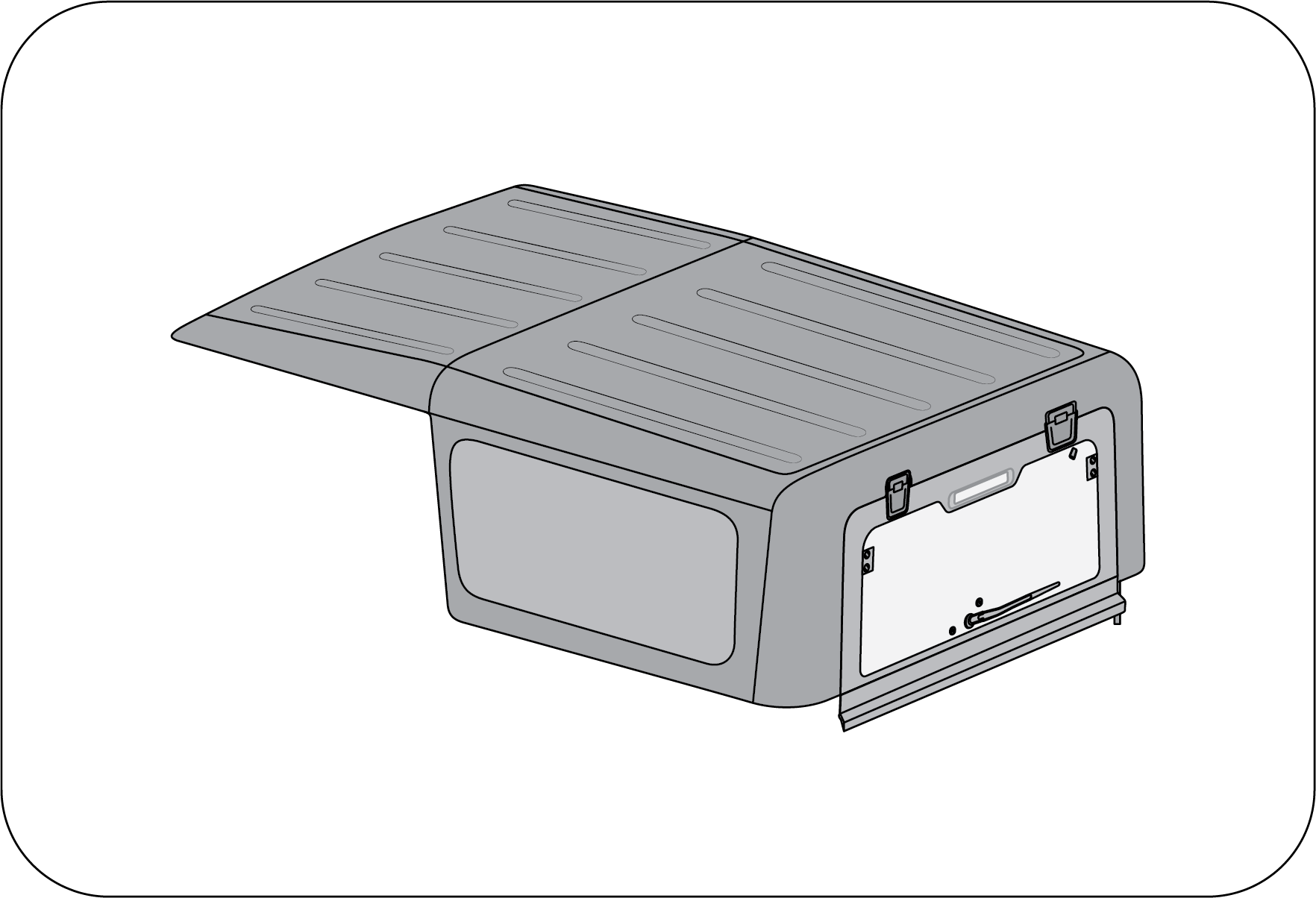
|
This is fixed roof top which can not removable.
Hardtop assembly must be removed and refitted only
at Authorized Mahindra Service Center.
|
Mind your head for injury on account of sharp edges of HMSL body
while maneuvering near tailgate with roof top glass open
condition.
9.18 Lamps
9.18.1 Interior Lamps
The Roof lamp is located in the roof above the front and rear
seats. The lamp can be switched on using the switch on the lamp.
Do not leave the Roof lamp in permanent ON mode. This will drain
your vehicle battery.
The Roof lamp switch has three operation modes to choose from:
1. The lamp remains
permanently ON in this position irrespective of the door open status.
2. The lamp remains
permanently OFF in this position.
3. The lamp remains in
AUTO mode in this position. The operation of the Roof lamp in Auto mode is as follows:
| • | Roof lamp switches ON, dims and goes OFF after a preset delay once RKE unlock is performed. |
| • | Roof lamp switches ON when any of the doors is/are open. |
| • | Roof lamp switches ON when Ignition on to ignition off all doors closed condition. |
| • | Roof lamps dim and go OFF after a preset delay upon closing of all doors during IGN OFF condition. |
| • | Roof lamps dim and go OFF immediately on RKE lock or manual key lock after all doors are closed. |
| • | If any of the doors are not closed properly, then the Roof lamps switch OFF automatically after a preset duration (during Key removal from key Barrel) or once the vehicle speed > 20 km/h. |
| • | Roof lamps go OFF with ignition ON and all doors closed properly. |
9.18.2 Exterior Lamps
Lighting Control Stalk:
The lighting control stalk is located on the right-hand side of the steering wheel and is a
part of the combination switch.
It controls operations of parking lamps, head lamps, head lamp beam
selection, high beam flashing, front/rear fog lamps and
turn signals when the ignition switch is ON.
Rotate the outer rotary switch on the lighting control stalk
clockwise aligning the “arrow” on the stalk to Position “OFF”
to switch OFF all lamps.
i) Turn Signals
A: Turn Signal - Left xxxxx B: Turn Signal - Right
Taking a Right Turn:
| • | Push the lighting control stalk clockwise to indicate a right turn. The instrument cluster arrow lamp pointing towards the right flashes along with the right side turn signal lamps (front, rear and ORVM) with chime indicating your intention of turning towards right. |
After you have completed your right turn, the stalk will
automatically return to the neutral position switching OFF turn indicator
lamp.
Taking a Left Turn:
| • | Push the lighting control stalk anti-clockwise to indicate a left turn. The instrument cluster arrow lamp pointing towards the left flashes along with the left side turn signal lamps (front, rear and ORVM) with chime indicating your intention of turning towards left. |
| • | After you have completed your left turn, the stalk will automatically return to the neutral position switching OFF turn indicator lamp. |
If the turn signal lamps on
the instrument panel flash faster than normal, there may be a possibility that one or more of
the turn signal lamp bulbs have blown. Replace the blown bulb immediately.
Changing Lanes:
The system is equipped with One Touch Lane Indicator function which
can be used to signal a lane change.
To signal a lane change, move the light control stalk clockwise or
anti-clockwise to the limit point of free movement of the
lever and release. The turn signals will flash three times and stop.
The turn signals will continue flashing as long as the lighting
control stalk is held in the limit point of free movement.
ii) Parking Lamp ON
Rotate the outer rotary switch on the lighting control stalk
clockwise/downward aligning the “arrow” on the stalk 2nd position from the top position to switch ON the parking lamps.
The tail lamp, license plate
lamp, instrument panel illumination lamps and all interior switches are also activated when
the
parking lamp is switched ON.
The Park lamps will be
switched OFF automatically after opening the driver door. If a user still wants a park lamp
they must
turn OFF and turn ON manually.
Park Lamp Warning Buzzer:
A warning buzzer sound will be provided if the park lamp is left ON with ignition OFF, as
soon as driver door is opened.
iii) Head Lamp “AUTO”
Function
Auto head lamp switches ON the head lamp based on the outside
ambient light sensed by the RLS sensor. This is useful when
travelling through tunnels or low light areas.
Rotate the outer rotary switch on the lighting control stalk clockwise/upward aligning the “arrow” on the stalk to the 3rd position from top to switch ON Auto head lamp function.
Rotate the outer rotary switch on the lighting control stalk clockwise/upward aligning the “arrow” on the stalk to the 3rd position from top to switch ON Auto head lamp function.
| • | Do not clean the sensor with detergent or wax. |
| • | On a foggy, snowy, rainy, or cloudy day, be sure to use manual mode. The turning on or off time of the lamps varies depending on the weather, season, or circumstances. |
| • | Any aftermarket sun-film or spray may cause the lighting system to malfunction. |
| • | When the switch is turned to the “AUTO” position, room, tail, and head lights might blink for a very short time. It is a normal phenomenon recognizing the automatic setting. |
| • | There may be a difference between ambient light intensity sensed by the RLS sensor and the human eye. Hence it is possible that during low light conditions, the head lamp is activated early as the RLS sensor senses it as low intensity. This is a normal behaviour. |
iv) Head Lamp ON
Rotate the outer rotary switch on the lighting control stalk
clockwise aligning the “arrow” on 1st position from
the top to switch ON the head lamps.
v) Head Lamp Low/High Beam:
Switch ON the head lamp, and push the lighting control stalk down (away) from steering wheel
to switch ON the head lamp high
beam and lift/pull the lighting control stalk up again towards the steering wheel to switch ON the
head lamp low beam. In
head lamp high beam, the high beam tell-tale lamp in the instrument cluster illuminates indicating
high beam option selected.
|
A
|
Low Beam
|
B
|
High Beam
|
Your vehicle head lamps are vented and moisture may be collected
on the inside of the head lamp lens under certain climatic
and geographical conditions. This moisture will evaporate once the head lamps have been switched
ON for a few minutes.
vi) Head Lamp Flash:
Pull the lighting control stalk towards the steering wheel to instantaneously flash the head
lamp high beam and low beam.
Head Lamp Levelling
System
|
|
When the vehicle is either fully or partially
loaded, it may have an upward inclination disturbing the head lamp aiming. A
correct head lamp setting provides good visibility to the driver with minimum
inconvenience to other road users.
To properly aim the head lamp beam, use the head
lamp levelling switch.
|
This switch is located on the right side of the steering column
shroud in the instrument panel. This switch has three positions
marked as 0, 1 and 2.
Select the suitable switch position depending on the pay load as advised in the table.
Select the suitable switch position depending on the pay load as advised in the table.
|
Switch
Position
|
Vehicle
Loading Condition
|
|
0
|
Driver only or Driver with front passenger
|
|
1
|
Driver + Front passenger + Rear seat occupied
|
|
2
|
All seats occupied
|
|
3
|
All seats occupied with luggage OR Driver with
luggage at extreme rear side
|
The headlights can only be
adjusted when the low beam is switched ON.
9.18.3 Hazard Warning Lamp
The hazard warning lamp switch is located below the AC controls on
the instrument panel.
Use the hazard warning lamp when your vehicle is stationary or to
warn other road users to be cautious while passing your
vehicle.
To turn the hazard warning lamp ON, press the switch input. All the
turn signal lamps flash. To turn OFF, press the switch
again.
Hazard lamps are also
switched ON during the following conditions:
| • | Crash — Hazard would be turned on for 30 minutes. |
| • | Panic Braking — Hazard lamps are turned on automatically for 10 seconds during panic braking condition to indicate following traffic. |
Pressing the hazard switch
twice deactivates this feature.
9.18.4 Daytime Running Lamp
(DRL) / Rear Park Lamp (If Equipped)
To enable DRL/Rear Park
Lamp: In daytime whenever the vehicle is in running and park lamp switch is in OFF
position, DRL / Rear Park Lamp is enabled.
To disable DRL: Whenever
the vehicle is in running and park lamp is ON, DRL will get switch to park mode.
If customer doesn’t want the DRL/Rear Park Lamp to be ON, he can
disable through infotainment settings.
9.18.5 Fog Lamps (If Equipped)
Fog lamps (If Equipped) are to be used along with head lamp low
beam, to improve the vision during foggy and misty conditions.
Front Fog Lamps ON: To
switch ON the front fog lamps, first switch ON the parking lamps, rotate the inner rotary switch on
the lighting control
stalk clockwise aligning the front fog lamp icon to the “arrow” on the inner fixed stalk as shown.
The front fog lamp indicator in the instrument cluster indicates
the operation status.
Fog lamps will turn ON only
if parking lamp is ON due to Park light input or Auto light input.
Fog Lamps OFF: Align the
“marking” of inner rotary switch on the lighting control stalk to the “OFF” position on the inner
fixed stalk as
shown to switch OFF the fog lamps.
9.18.6 Rear Defogging
There are heating grids on the tailgate glass. Be careful not to
damage the heating grids while cleaning inside of the tailgate
window.
Do not coat the tailgate window with commercial anti-glare film.
When the metal anti-glare film and two-tone anti-glare film
is used, the sensitivity of the heating grids can be deteriorated.
If any transmitter or receiver is close to the antenna, it can
interfere with the communication of the antenna.
The heating element of the glass is activated only when the
engine is ON. When the glass heater switch is pressed, the heating
elements of the rear windshield and outside rearview mirrors are turned on simultaneously.
9.19 Windshield Wipers
9.19.1 Wiper Control Stalk
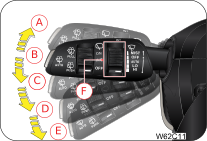 |
A: Flick- Wipe (MIST)
B: Off
C: Intermittent (INT)/AUTO
D: Low Speed (LO)
E: High Speed (HI)
F: Rotary Switch
|
Wiper Off: The wipe
function is OFF when the wiper control stalk is in neutral position (B).
Flick-Wipe (Mist): Push
the wipe control stalk to position (A) for a flick-wipe, hold to operate the wipe continuously
(simultaneously lift the
wiper stalk towards the steering wheel to operate the wash). The stalk automatically comes back to
position (B) when released.
Intermittent (INT) (If
Equipped):Intermittent (INT) mode wiping is selected when the wipe control stalk is
pushed down to position (C). In the INT mode, the
wiper operates on preset intervals. The delay between each wipe can be varied by rotating the wiper
speed intensity rotary
switch (F).
Auto Mode (If Equipped):
Auto mode wiping is selected when the wipe control stalk is pushed down to position C. In the AUTO
mode, the wiper operates
based on rain intensity.
The delay between each wipe can be varied by rotating the wiper
speed intensity rotary switch (F).
When the ignition key is in the “ON” position, the wiper will
automatically operate once if the wiper switch is turned from
the “OFF” to the “AUTO” position.
Low Speed Wiping: Push
the wipe control stalk down to the position (D) to operate the wiper at a fixed low speed.
High Speed Wiping: Push
the wiper control stalk down to position (E) to operate the wiper at a fixed high speed.
9.19.2 Wipe/Wash
Pull/Lift the wiper control stalk towards the steering wheel from
any position to activate wipe/wash function. Washer fluid
from front washer reservoir is pumped and sprayed onto the windshield. The wipers wipe the
windshield 3 times after the washer
spray is stopped. Hold the stalk in position for continuous spray of washer fluid.
When wiper is in OFF or
Intermittent mode:
After completion of the
wipe/wash cycle, wipers return to their bottom position.
If the wipers are in
Intermittent mode and DWELL delay is less than or equal to 5 seconds, then the wiper will
continue in
the Intermittent mode.
If the wipers are in
Intermittent mode, and DWELL delay is more than 5 seconds, then a further single wipe will be
performed
5 seconds after the wash/wipe cycle. After the drip wipe (last wipe), wiper returns to normal
Intermittent wipe.
The wipe/wash function can
be activated only when the ignition is in “ON” position.
9.19.3 AUTO Wash (If Equipped)
When Auto Washer switch is pressed once, Washer fluid from front
washer reservoir is pumped and sprayed onto the windshield
for 2 seconds. The wipers wipe the windshield 4 times.
After that, again Washer fluid from front washer motor will turn ON
for 1.5 seconds and the wipers wipe the windshield 3 times.
AUTO wash function will work
only when the wiper switch is in OFF mode.
9.19.4 Rear Wiper-INT Mode
Rotate the outer rotary switch on the wiper control stalk to align
the “arrow” on the stalk to the rear wipe “ON” position
to operate the rear wiper in INT mode. In this mode, the wiper operates on preset intervals of 4
seconds.
9.19.5 Rear Wiper-ON Mode
Rotate the outer rotary switch on the wiper control stalk to align
the “arrow” on the stalk to the rear wipe “ON” position
to operate the rear wiper continuously.
9.19.6 Rear Wash
Push the wiper control stalk towards back side from any position to
activate wipe/wash function. The rear windshield wash
and wipe operates 3 to 4 times or as long as the stalk end is Push/Pull to the rear wash position.
Wiping will continue for
3 times after releasing the stalk end switch.
If you switch OFF the
ignition before switching OFF the wiper, the blades stop at random on the windshield. Switch
ON the
ignition and move wiper stalk to 'MIST' position to return the wipers to the park position,
provided the wiper stalk is in
OFF position.
Using a windshield washer in
freezing temperatures could be dangerous. The washer fluid could freeze on the windshield,
and
block your vision resulting in an accident. If you operate your vehicle in temperatures below
40 deg C, use washer fluid with
anti-freeze protection.
| • | Do not operate the wipers when the windshield is dry. It may lead to scratches on the glass. |
| • | It is recommended not to use the wiper when the windshield glass is covered with debris, snow or leaves. Clean the glass before using the wiper to avoid damage to the wiper blades and glass. |
| • | Do not operate the windshield washer for more than 10 seconds or when the reservoir is empty. |
9.19.7 Windshield Washer Jet -
Front and Rear
There are two nozzles with triple adjustable washer jets in the
front (on the bonnet). Using a pin, the eye ball jets can
be adjusted precisely for direction. Always direct the washer jet to hit the middle of the
windshield. This will enable the
wiper blade to wipe the complete width of the windshield.
|
Front
|
Rear
|
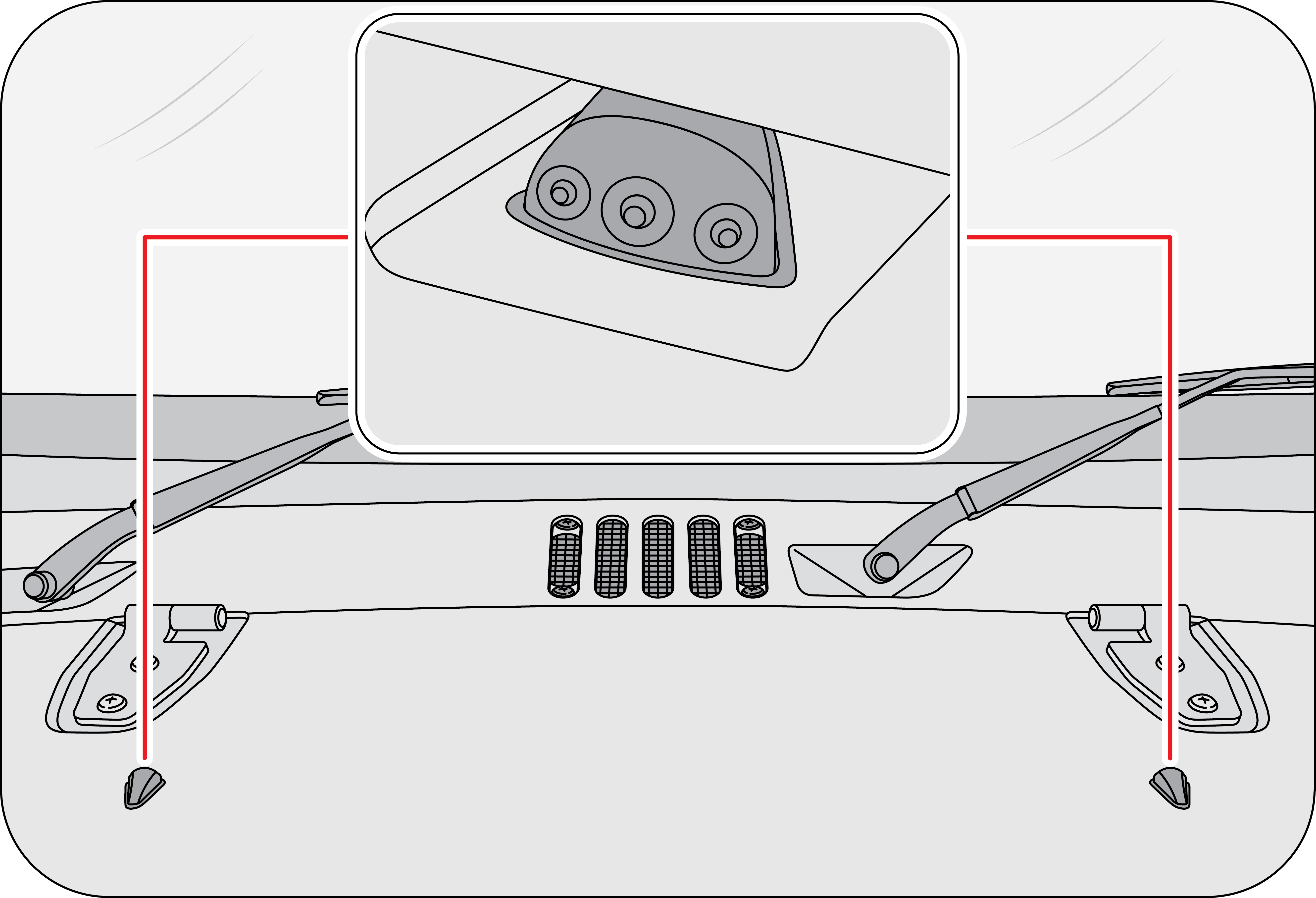 |
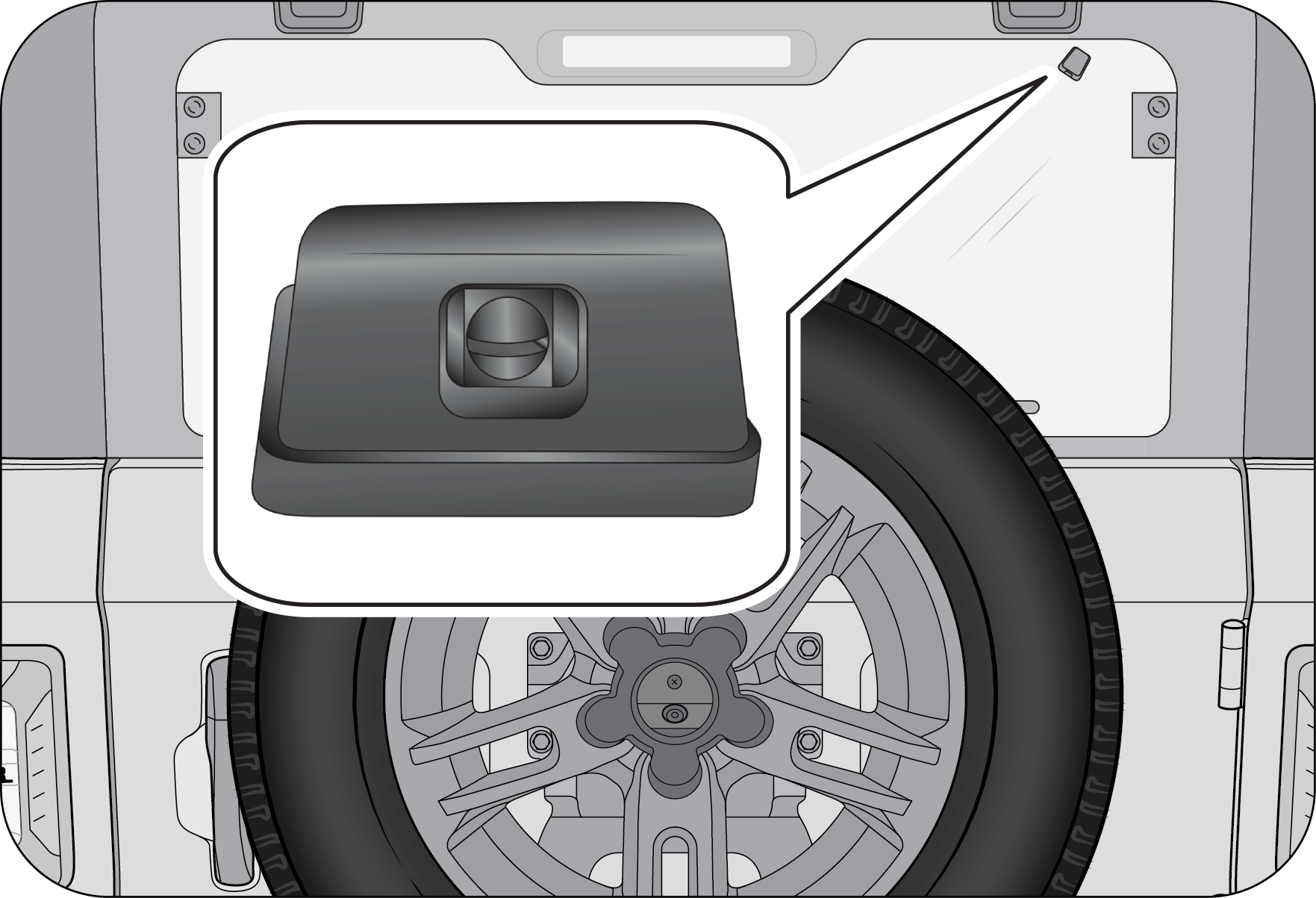 |
In the rear, one nozzle provided for the rear windshield wash. Rear
windshield washer fluid is supplied from front washer
reservoir located in the engine compartment.
9.20 Rear View Camera (RVC) (If
Equipped)
Rear View Camera is located at center of the spare wheel (located on
the rear swing gate).
It assists the driver while reversing and manoeuvring the vehicle at
lower speeds. It has:
| 1. | Normal View |
| 2. | Static and Dynamic Guidelines |
9.20.1 Feature Description
1. Normal Rear View
By engaging the reverse gear or selecting ‘RVC’ icon on
infotainment home screen, displays the vehicle's rear surrounding.
It overcomes the limitation of IRVM, where ground is visible only
after longer distance from the vehicle rear. Whereas with
the RVC, the ground will be visible further.
2. Static and Dynamic
Guidelines
Guidelines assist the driver in understanding the position /
placement of the vehicle with respect to the surroundings by
displaying overlays with representation, when driven straight and when driven in a path.
Dynamic guidelines indicate path, the vehicle will traverse with
current steering position.
This will help the driver in adjusting the steering, to avoid
hitting any obstacles.
Colour coding on the static guideline helps in assessing the
distance of obstacle from the vehicle’s rear. In the RVC display,
if an object falls in the red coloured section of the static line, it indicates object is within
0.5 meter distance from the
vehicle rear. Likewise, amber line indicates objects within 1 meter, green indicates 1-2 meter.
9.20.2 Entry and Exit
Conditions
Entry Conditions
Whenever you apply the reverse gear, the infotainment will enter
into ‘Rear View Camera’ and displays the view without close
button.
It can also be accessed by selecting apps icon and RVC on the
infotainment screen, rear view displays with close button.
You cannot enter RVC Mode, through the infotainment screen
button, if the vehicle is running in forward gear and speed exceeds
20 km/h.
Exit Conditions
| • | ‘RVC’ is entered, when reverse gear is engaged, then disengaged to any other gear, infotainment screen then returns to home screen. |
| • | RVC is accessed through infotainment apps and user clicks on the close button (located on the right corner), then infotainment returns to home screen. |
| • | When vehicle is running in forward gear above 20 km/h speed, infotainment screen auto displays home screen if RVC was displayed previously. |
9.20.3 Camera Maintenance
Always keep the camera lens clean from dust. Presence of dirt on
lens may lead to poor image quality.
Always use clear water and soft nonabrasive cloth to clean the
lens.
Don’t clean the camera lens and the area around the rear view
camera with a power washer.
| • | In case of any RVC related concerns and if RVC is
accessed, infotainment either displays green or blue screen with message
‘Please Contact Service Centre’. Avoid using the rear view camera under these
circumstances and vehicle needs to be taken
to the Mahindra Authorized Service Centre.
|
| • | If rear of your vehicle is damaged or if the camera position is changed, please contact the nearest Authorized Mahindra Service Center, for accidental repair or recalibrating the camera. |
9.20.4 System Limitations
| • | Reverse view camera may not operate normally, when you drive in the extremely high or low temperature area (Operating temperature: -20 °C ~ 65 °C). |
| • | Under certain circumstances given below, the rear view camera system will work with limitations or will not function fully: |
- In heavy rain, snow or fog.
- At night or in very dark places.
- If the camera is exposed to very bright light sources.
- Display may flicker, if the camera area is lit by LED or
fluorescent lighting.
| • | If there is a sudden change in temperature, from cold to hot areas. |
| • | If the camera lens got dirty or obstructed. |
| • | If the rear of your vehicle got damaged. And if the camera position and the settings got changed, please contact the nearest Authorized Mahindra Service Center. |
| • | Camera image reproduced slightly delayed and not in real time due to processing. Please avoid reverse view camera in the above situation. It could you otherwise injure others or damage objects and your vehicle. This occurs as the display is 2-dimensional, pointed and protruding obstacles are hard to depict and thus very difficult to recognise. |
| • | The performance gets affected sometimes due to deposition of ice, dust, heavy rain, heavy wind, heavy exhaust on the camera. |
| • | The reverse view camera is only a supplementary function and may display obstacles from a distorted perspective and inaccurately. |
| • | Avoid using of rear view camera, if you are having eye colour blindness or impaired colour vision. |
| • | Objects above the ground or hanged may appear to be far away than they are. But in reality, objects shall be closer to your car. In such cases, avoid using guidelines to judge the distance. Since, it leads to misalignments and increase the risk of collision with your car. |
| • | It is driver’s responsibility to identify the suitable parking area to park his car safely. |
| • | Rear view video is shown, whenever reverse gear is applied, but it cannot be used as a rear view monitoring system, which cannot replace the driver for looking into exterior and interior view mirrors. |
Rear view camera is only meant to aid the driver and to enhance
convenience while parking. It does not in any way replace
the driver’s abilities and driving skills while using this system. Under any circumstances,
Mahindra accepts no responsibility
and cannot be held liable for any direct or indirect, incidental or consequential damage caused
by this system.
10 REVERSE PARKING ASSIST SYSTEM (RPAS)
Reverse parking assistance system is provided to aid the driver while parking the
vehicle in reverse at a speed of less than
5 km/h.
While reversing, RPAS will detect the obstacles at the rear side of the vehicle within
the sensing zone, which cannot be viewed
through the internal rear view mirror and the outside rear view mirrors.
The RPAS will then alert the driver by sending out sound alarms at different frequency
to indicate proximity of the obstacle
from the vehicle.
The alert sound level is proportional to the distance.
Lesser the distance, shorter the interval between beeps.
10.1 RPAS Sensors
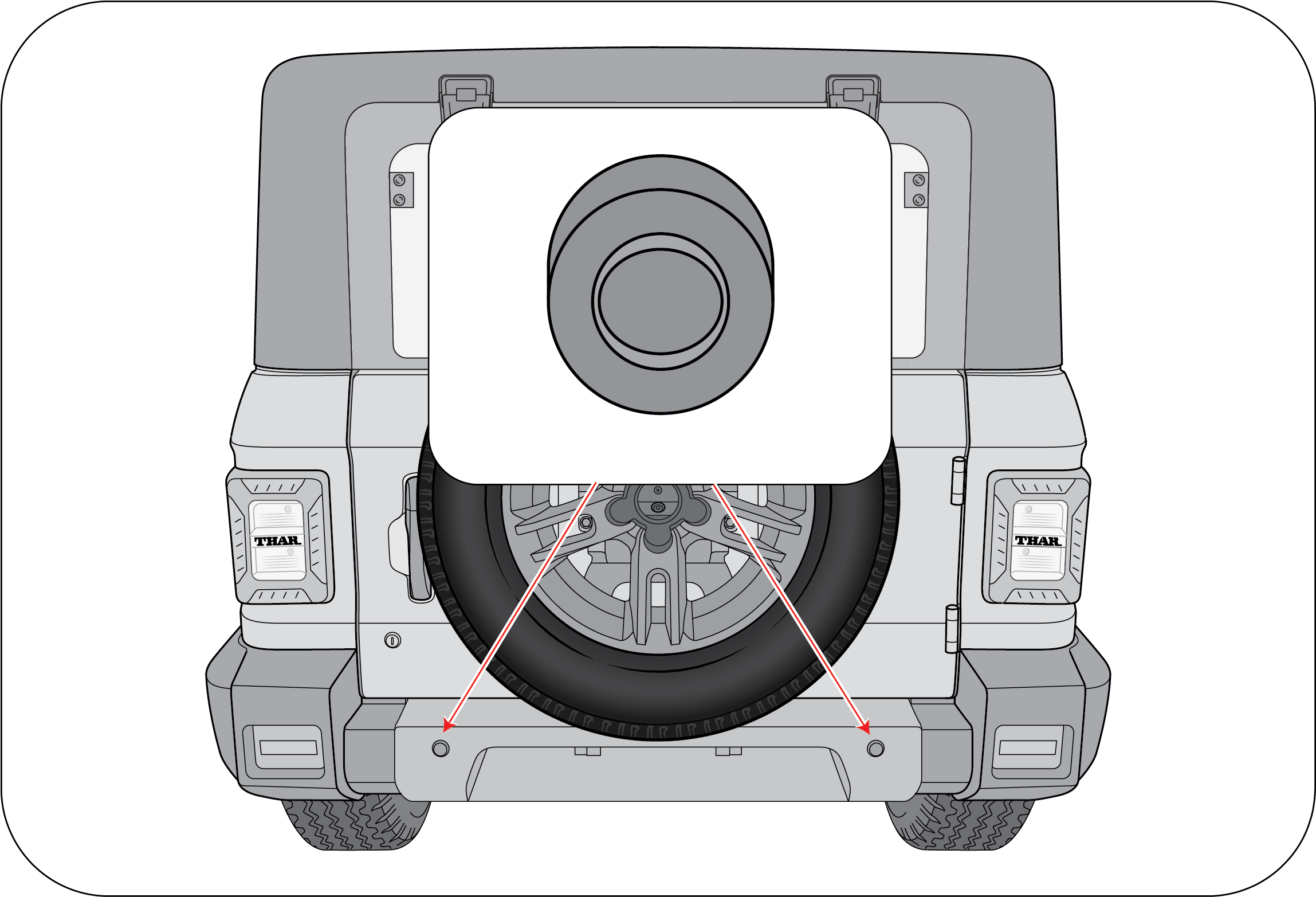
|
Two RPAS sensors are located at the rear bumper to assist driver for
hassle-free parking.
|
Magnetic devices present in the detection range could
vastly affect the sensor performance and the distance displayed may
not be accurate.
Always keep the sensors clean and free from ice
formation, dust, water etc. for proper working of the system.
Do not press or apply shock on the sensors by hitting or
using a high-pressure water gun while washing. The sensors could
be damaged.
10.2 Driving and Operation
| • | RPAS is an aiding system. Under no circumstances Mahindra will accept any responsibility or can be held liable for any direct or indirect, incidental or consequential damage caused by this system. |
| • | System will not sense pot holes, trenches or drainages which are below the ground level. |
| • | Applying paint over the sensor will affect the performance of the system. |
Activation and De-activation of RPAS
| • | The vehicle should be in IGN ON state to activate the reverse parking assistance system. |
| • | RPAS will be activated automatically when reverse gear is engaged and deactivate when reverse gear is disengaged. |
| • | When the obstacles come in the sensing range, the systems starts giving the indication based on the distance and direction of the obstacles as defined in the detecting zones. The closer the obstacles, more display bars illuminate and frequency of beeps increases. |
10.3 RPAS Information on Instrument Cluster

|
RPAS display on the instrument cluster gives the following
information:
|
10.4 Operation of RPAS
1. Start the vehicle (IGN is turned ON)

|
2. Change the gear to reverse (engage the reverse gear). The RPAS
will be displayed as like below in the instrument cluster.
|
3. Start moving the vehicle in the reverse direction

|
4. Display bars in the respective direction will glow according to
obstacles in its path.
|
5. The Beep sound can be heard from the Instrument cluster. Frequency of the beep
will increase if obstacle comes closer (crossing
each display bar) and the sound will be continuous if any of the obstacle is less than 50 cm.

|
6. The RPAS distance displayed will be the minimum of distances
sensed by left and right sensors. And 120 cm is the maximum
detection range.
|
For Example:
Assume 2 obstacles are placed as mentioned below:
| • | Obstacle at left at 70 cm |
| • | Obstacle at right at 101 cm |
On engaging the gear in reverse, instrument cluster will display as below:

|
Since obstacle is at 70 cm in left, minimum distance is shown in the
distance indicator.
|
Along with this beep sound can be heard from Instrument cluster. Frequency of the
beep will increase if obstacle comes closer
and the sound will be continuous if any of the obstacles is less than 50 cm.
10.5 Pay Attention

|
If display bars in any one of the sides are displayed with cross
marks, contact an Authorized Mahindra Service Center.
|

|
If all display bars are displayed with cross marks, contact an
Authorized Mahindra Service Center.
|
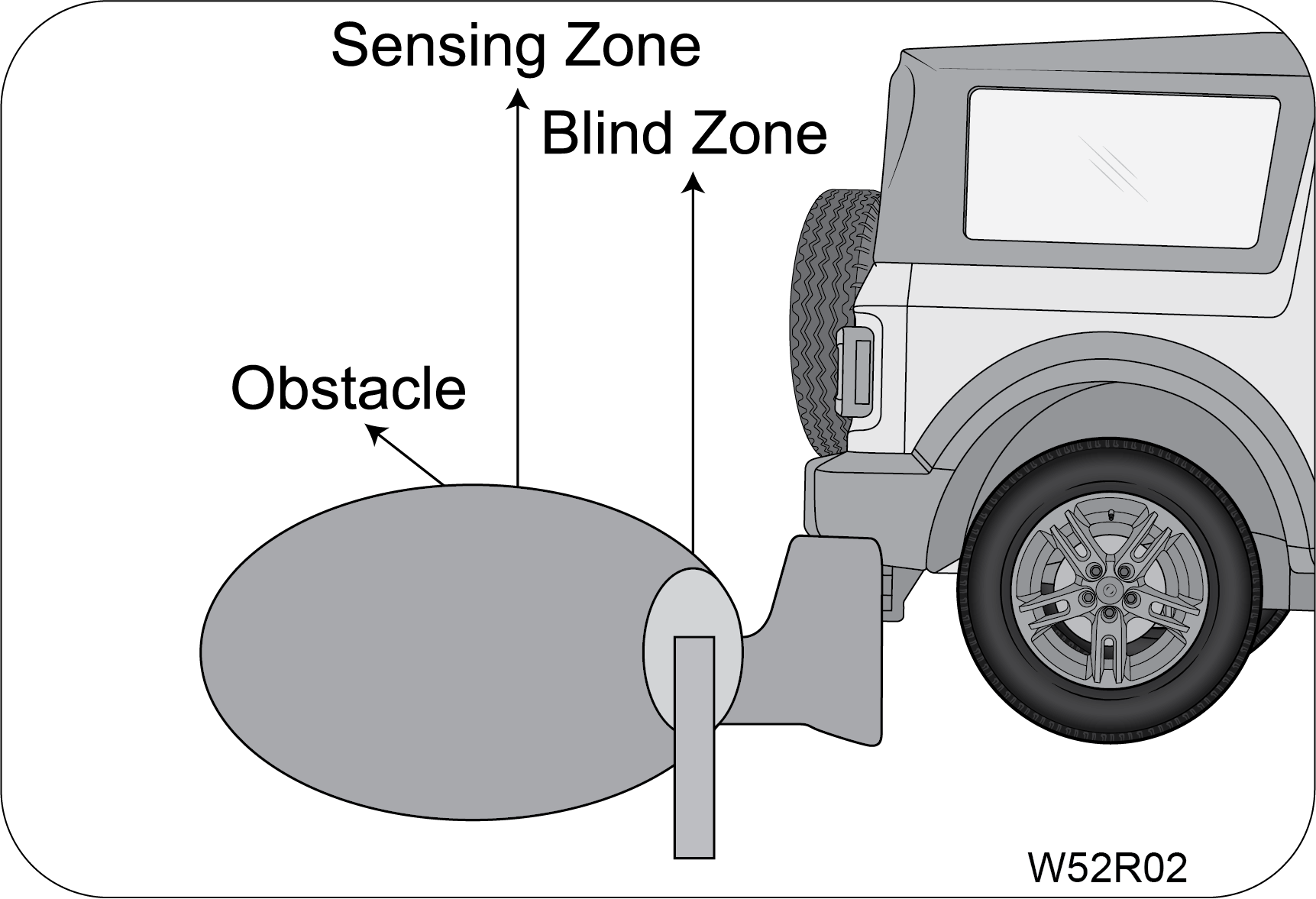
|
Obstacle in the blind zone cannot be sensed by the system.
|
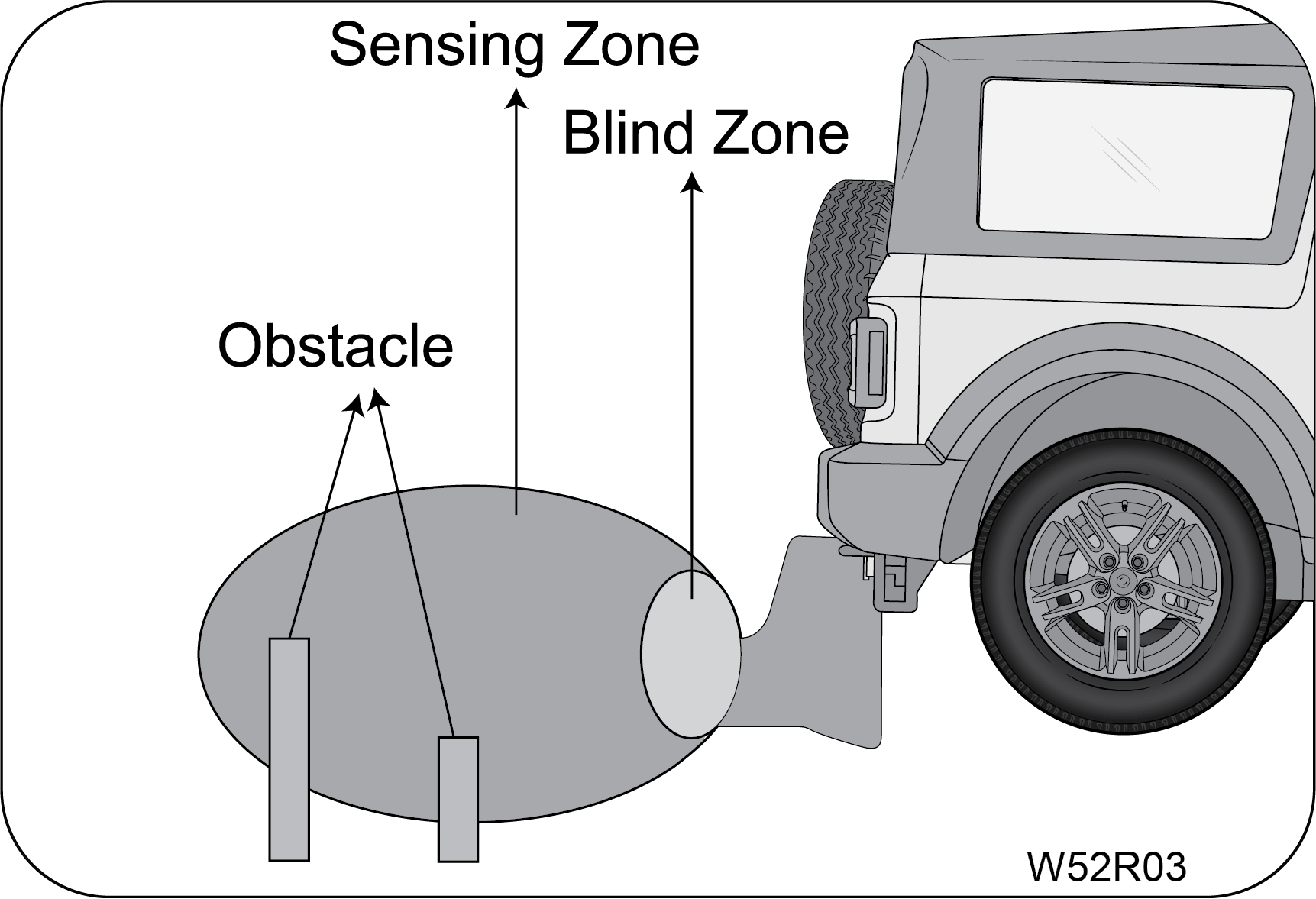
|
Please check the condition of the obstacle behind your vehicle
before reversing. In some cases, the display may be not as
same as reality due to the installed sensor level, obstacle shape and reflection
condition.
|
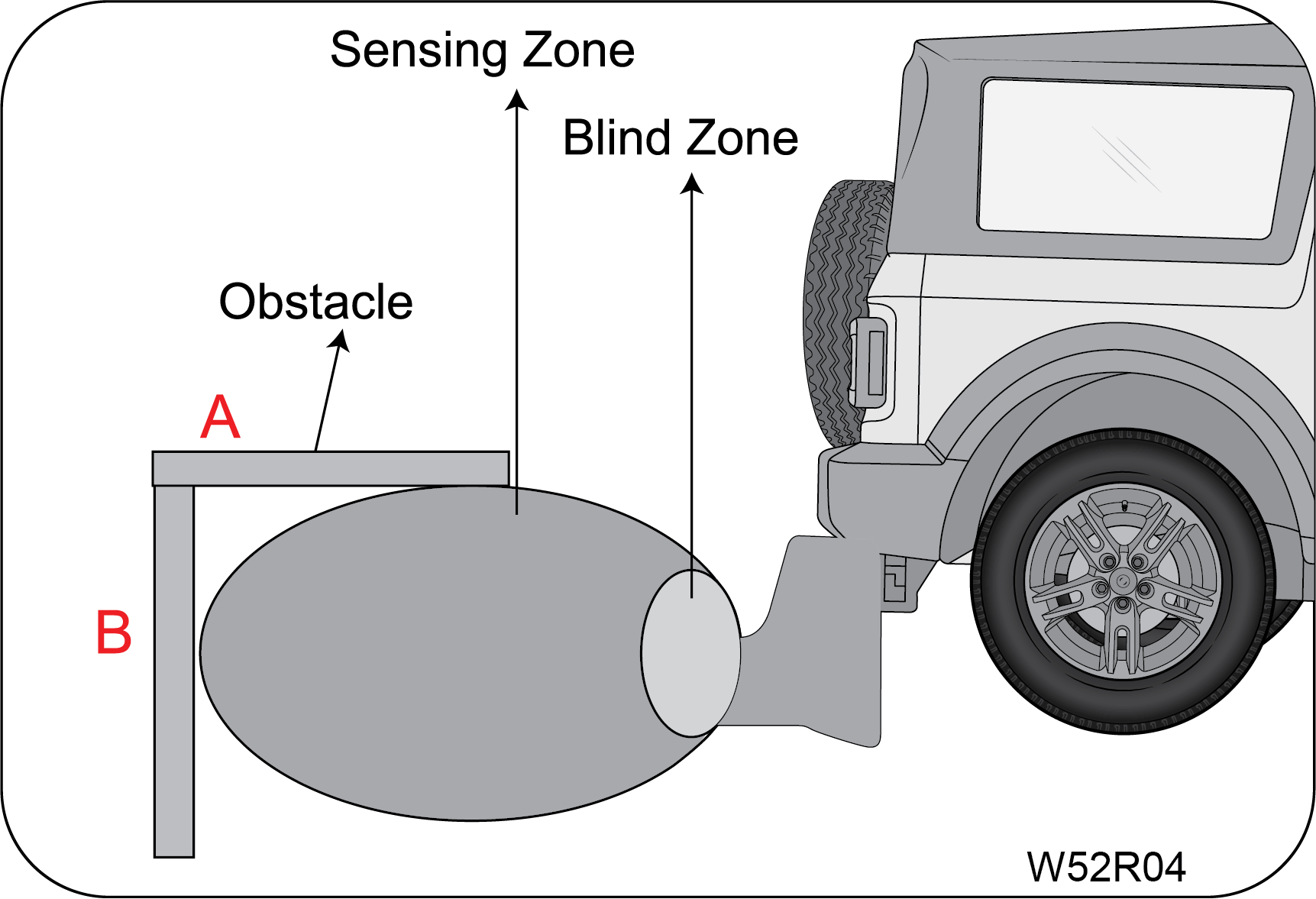
|
Point B will be detected sooner or later, but A may not be detected
at all.
|
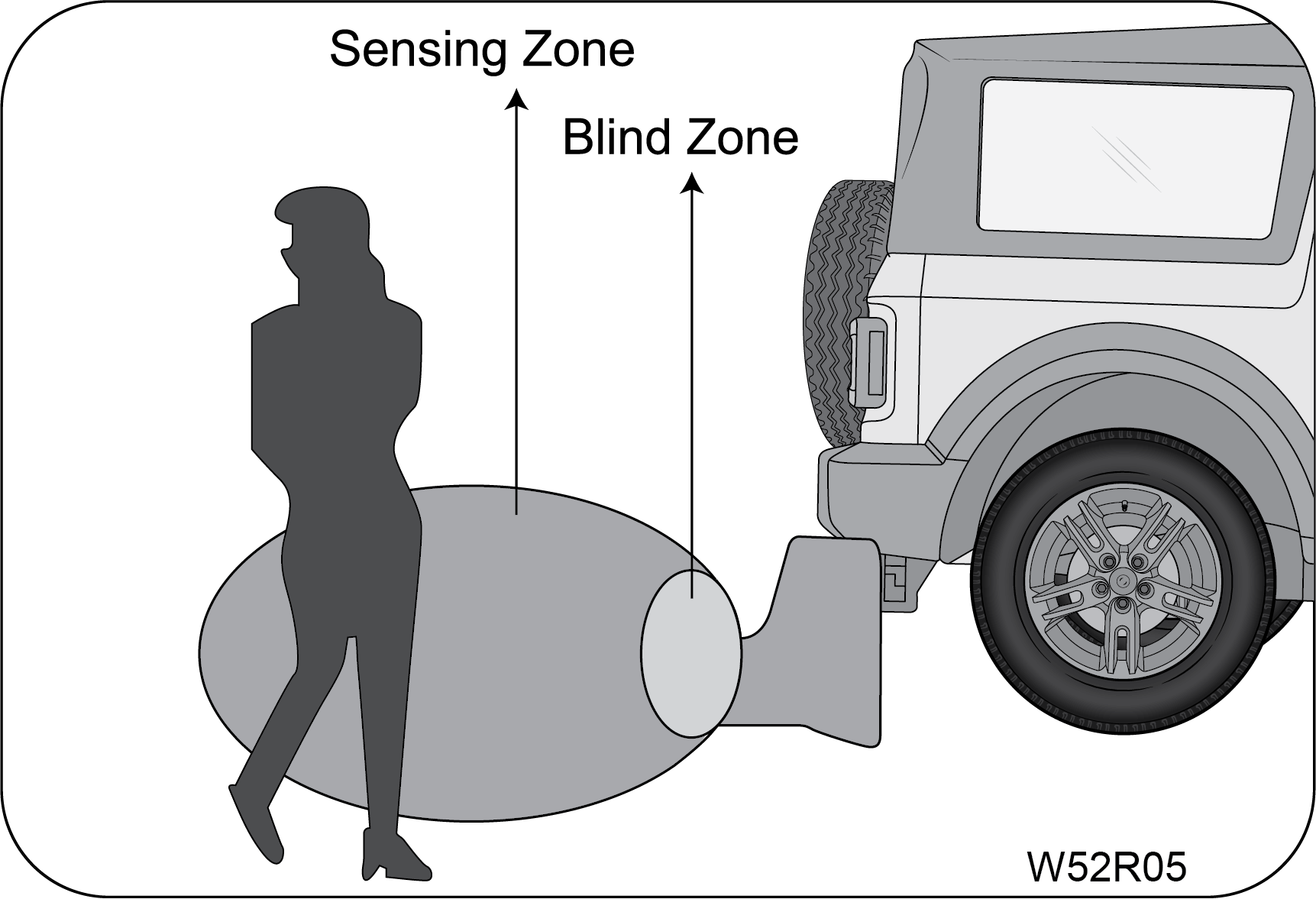
|
Not all obstacles are detected from 120 cm. For instance, a person
is detected from 75 cm because of the weak reflection or
absorption of the waves of the clothes.
|
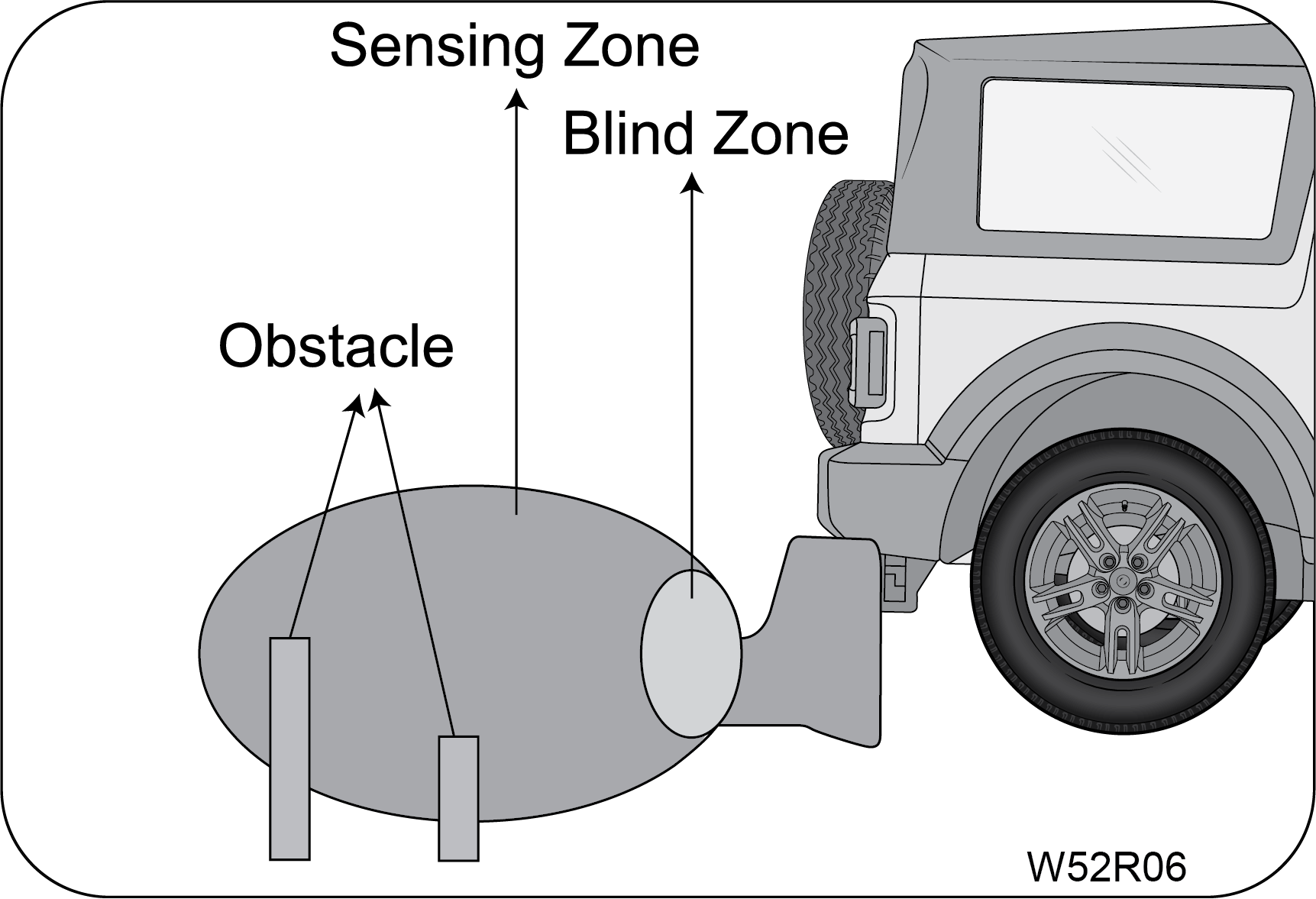
|
The distance indication may move up and down due to different sizes
of the obstacle at different positions.
|
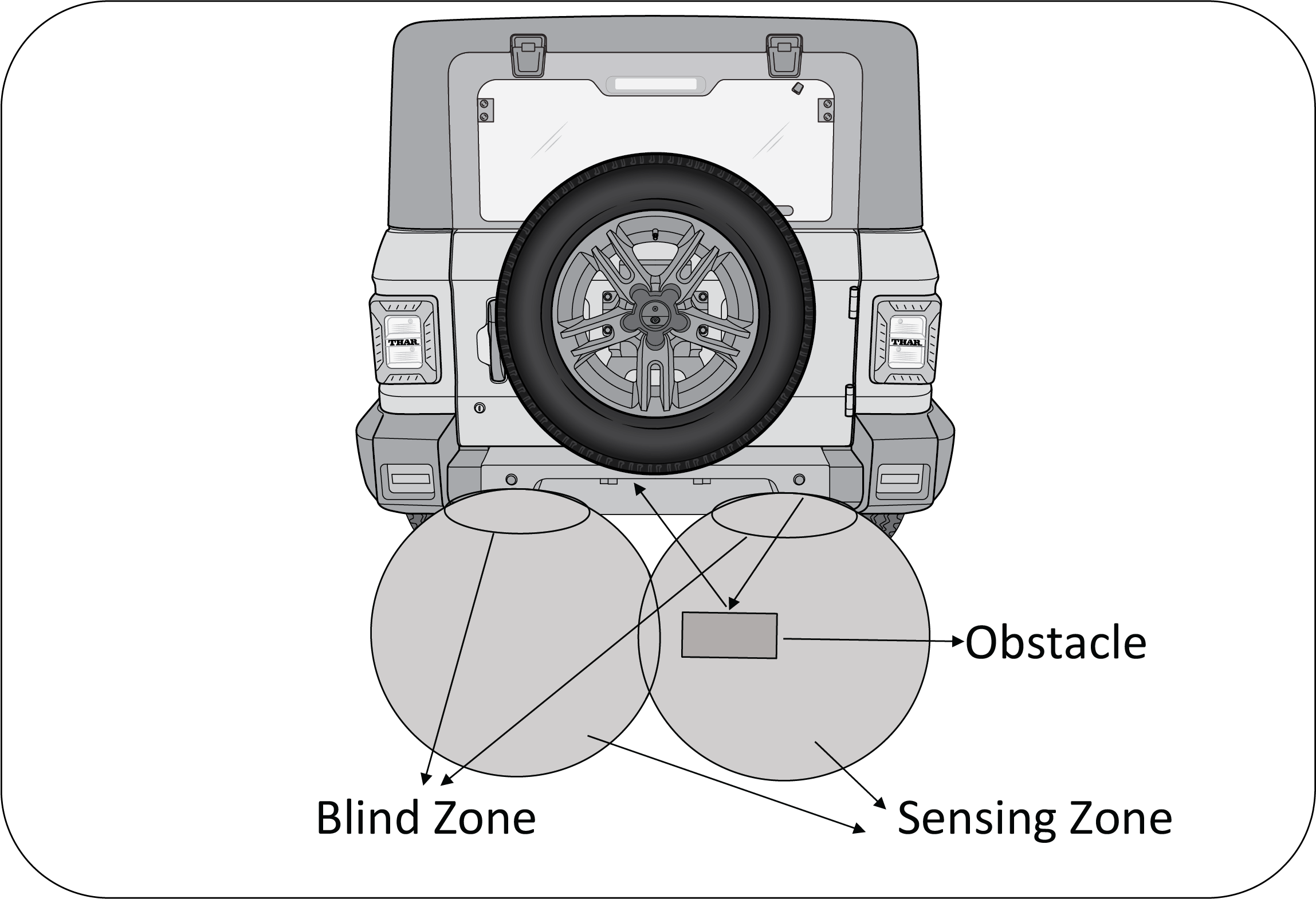
|
Though the obstacle is in the sensing zone, obstacle may not be
detected since the ultrasonic waves are not reflected back
to the sensor.
|
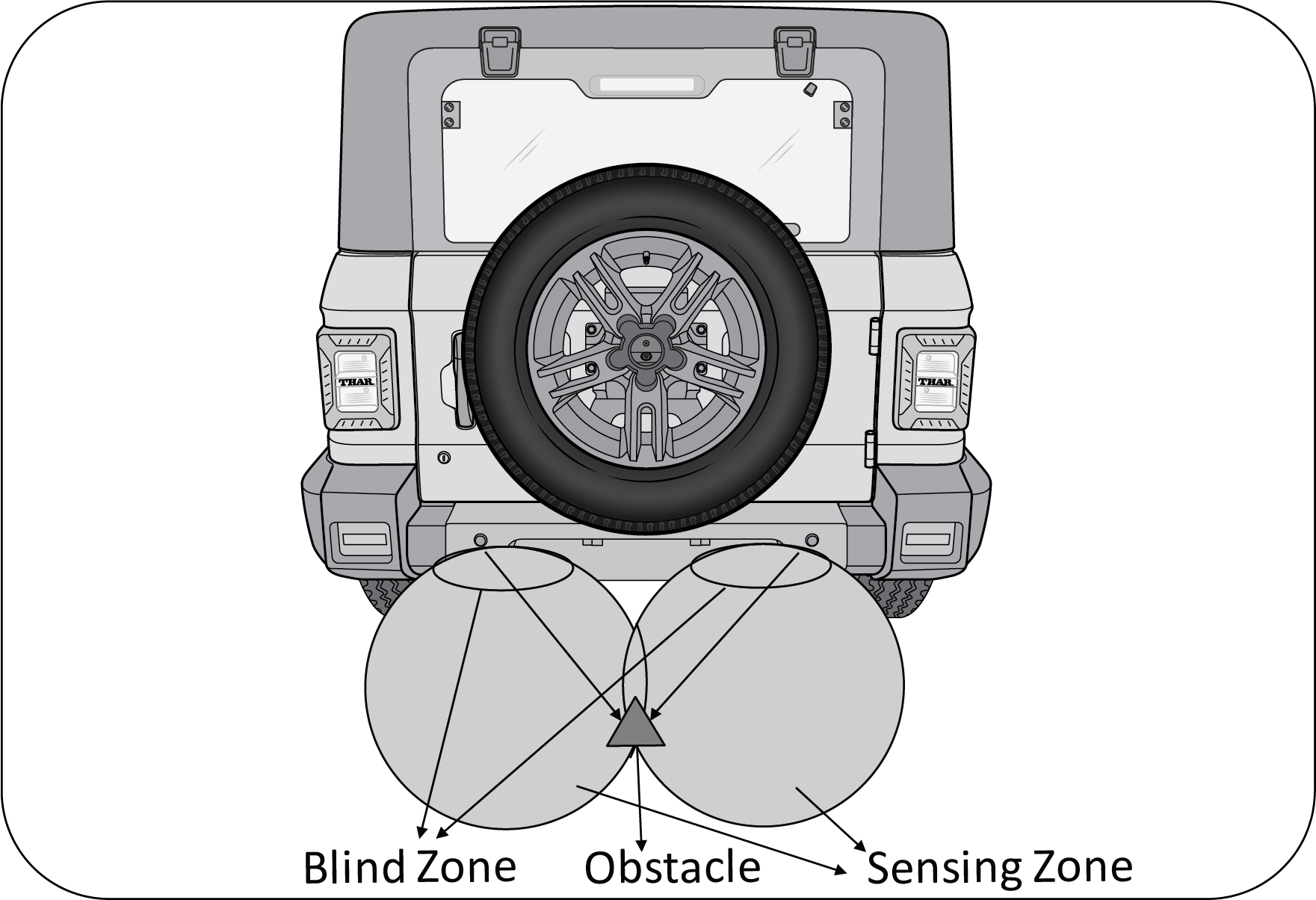
|
The obstacle of a conical shape may not be detected, since the
ultrasonic waves get deflected away.
|
10.6 Limitations of RPAS
| • | System may not sense obstacles like wire mesh, handrail, small objects which are below the bumper level. |
| • | System may not sense obstacles with cotton or spongy surface, which will absorb ultrasonic waves emitted by RPAS. |
| • | System performance is dependent on the reflection angle of the obstacle. |
| • | System may give false alert without obstacles while reversing the vehicle on grasslands, gravels and bumpy roads considering it to be an obstacle. |
| • | System may alert you by sensing the ground when the bumper is not fitted in its intended position or when the vehicle is overloaded. |
| • | System may give false signal while the vehicle moves from plain ground to a slope terrain and vice versa. |
| • | System may give false signal by sensing the ground when the bumper is tilted more from the normal position or when the vehicle is heavily overloaded. |
| • | System may give false signal an alarm during heavy rain, snow and heavy wind conditions. |
| • | The shape of the obstacle may prevent a sensor from detecting it.
Some obstacles for example as follows:
|
| • | Depending upon the shape of the obstacle and other environmental factors, the detection distance may shorten or detection may be impossible. |
| • | Obstacles may not be detected if they are too close to the sensor. |
| • | Thin posts or objects lower than the sensor may not be detected when approached, even if they have been detected once. |
| • | Because of other ultrasonic sources, sensor may give false alarm for e.g, sweeping machines, high pressure steam cleaners and neon lights. |
| • | Due to vehicle horns, motorcycle engines, air brakes of large vehicles, or other loud noises producing ultrasonic waves, the vicinity of the vehicle is noisy. It may cause sensor to give false alarm. |
11 STEERING AND BRAKES
11.1 Steering
Your vehicle is equipped with power steering. Power steering uses
energy from the engine to decrease the driver's effort in
steering the vehicle. The power steering system will give you good vehicle response and increased ease
of maneuverability
in tight spaces. If for some reason the power assist is interrupted, it will provide mechanical
steering capability to steer
the vehicle. Under these conditions, you will observe a substantial increase in steering effort,
especially at very low vehicle
speeds and during parking maneuvers.
Upon initial start-up in cold
weather, the power steering pump may produce noise for a short amount of time. This is due to
the cold, thick fluid in the steering system. This noise should be considered normal, and it
does not in any way damage the
steering system.
Continued operation with
reduced power steering performance could pose a safety risk to yourself and others. Have the
vehicle
serviced at specified intervals or whenever a power steering problem is noticed.
When driving in rough/off
roads, hold the steering wheel rim, do not hold the wheel spokes. A sudden bump can jerk/ turn
the
wheel and injure your hand. This may also lead to loss of vehicle control.
Keep both hands on the steering
wheel, with the thumbs resting on the outer wheel rim.
To help prevent damage to the power steering pump:
| • | Never hold the steering wheel to the extreme right or the extreme left for more than a few seconds when the engine is running. |
| • | Heavy or uneven steering efforts may be caused by low power steering pump fluid level. Check the low power steering pump fluid level before seeking service from an Authorized Mahindra Service Center. |
| • | Do not fill the power steering pump reservoir above the MAX mark on the reservoir, this may result in leaks from the reservoir. |
If the power steering system
breaks down (or if the engine is turned OFF), you can still steer the vehicle manually, but it
takes more effort.
If the steering wanders or pulls, check for:
| • | Under inflated tyre(s) on any wheel(s) |
| • | Uneven vehicle loading |
| • | High crown in the center of the road |
| • | High crosswinds |
| • | Wheels out of alignment |
| • | Wheels out of balance |
| • | Loose or worn suspension components |
11.2 Tilt Steering
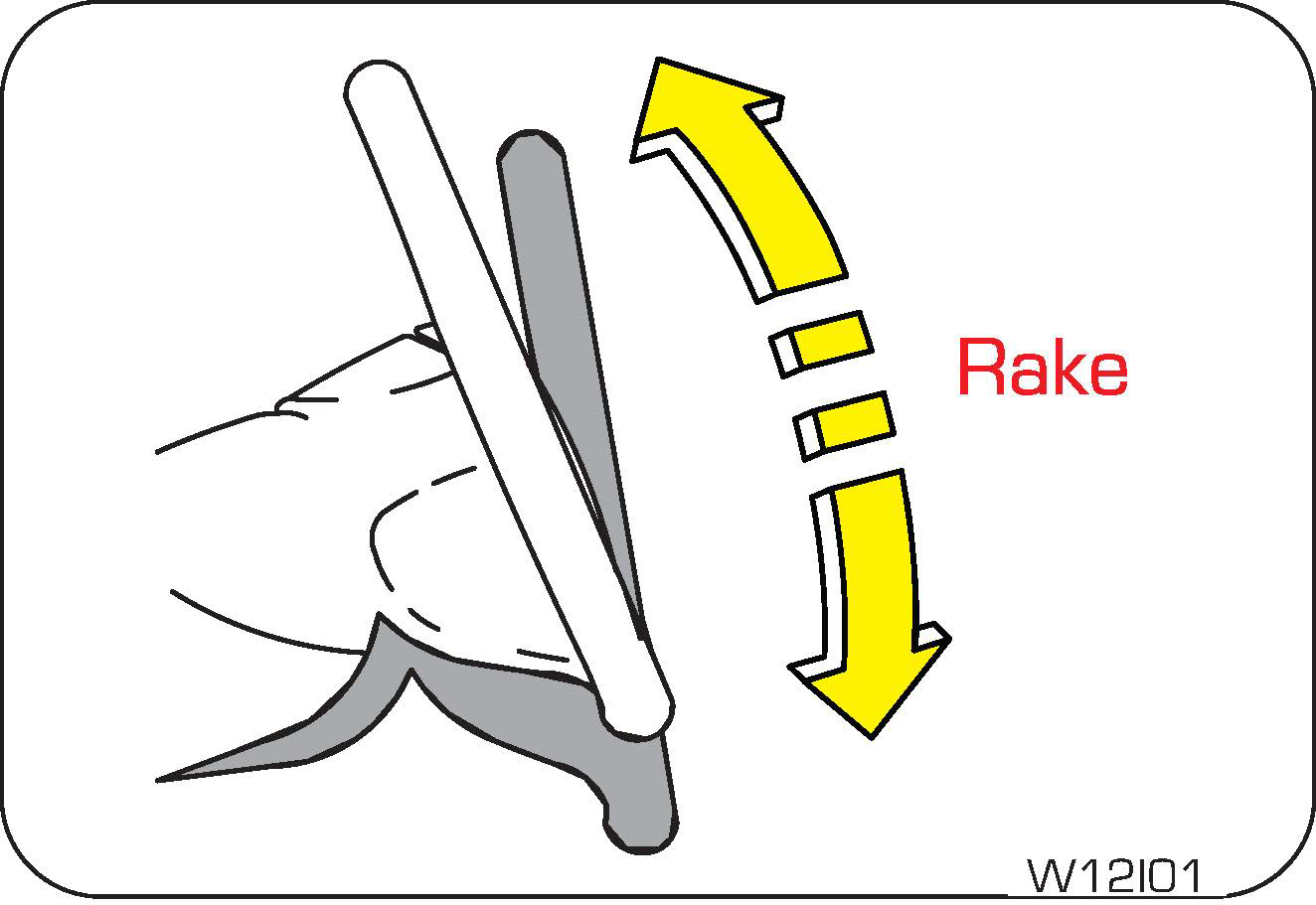
|
The steering wheel can be adjusted as required using
the lever in the steering shroud under the steering wheel.
To tilt/adjust the steering wheel:
|

|
1. Ensure the vehicle is stationary and parking brake
engaged.
2. Push the steering tilt lever down to unlock.
3. Raise or lower the steering wheel to the desired
position.
|
4. Pull the steering tilt lever back up to its original position to
lock the steering.
5. Adjust the seat according to the steering wheel position.
An improperly locked steering
wheel could cause loss of control and lead to accidents. Never adjust the steering wheel while
driving.
11.3 Steering Controls - Audio
Control System (If Equipped)
Audio control through the steering wheel switches/buttons helps the
driver to operate the audio system from the steering wheel
without losing concentration.
The system has four switches which are mounted on the steering wheel.
Hold the Mute button to start the infotainment system.

|
A: Source
B: UP
C: Down
D: Seek / Call Receive / Disconnect
|
Refer to the Audio/Infotainment
e-Manual for complete information on audio controls and features. The map upgradation details
are also available in the Infotainment manual.
Source: The source button
switches between different modes in the audio system.
When the source button is pressed once, the next source is chosen in
the following sequence, provided the required media is
connected.
Tuner ð MP3 ð USB - Auxiliary
In case of the absence of USB mode, the system will toggle between
Tuner and Auxiliary modes.
Seek/Call Receive/Call Disconnect:
Press the SEEK switch once to increase radio reception frequency by 0.05 MHz. Press the SEEK
switch continuously for more
than 3 seconds for AUTO scan of radio stations. In USB modes, the next track can be selected by
pressing the switch once.
This button can also be used to receive or disconnect calls while
connected through Bluetooth.
Mute: Press the Mute button
to mute the audio. Press again to Un-mute.
Volume (+) and Volume (—):
To increase the volume by one point press the (+) button once. To decrease the volume by one point
press the (—) button once.
If the steering wheel audio
control switches do not work, you can still control the system through the infotainment system
or with the remote (If Equipped).
11.4 Brakes
Your vehicle is equipped with disc brakes in the front and drum brakes
in the rear.
Disc brakes offer good braking capability and reduced stopping
distance. Wet brake discs result in reduced braking efficiency.
After a car wash or driving the vehicle through water, dab the brake pedal while driving to remove the
film of water from
the brake pads. Brake pads feature wear indicator. When the brake pad is worn, metallic squeal noise
is heard indicating the
pad wear. Have them replaced as soon as possible.
Driving with wet brakes is
dangerous. Stopping distance increases considerably when braking.
Dry the brakes by driving at
very slow speed and applying the brakes lightly until the brake performance becomes
normal.
Even if the power assist
(vacuum assistance) is completely lost, the brakes will still work. The brake pedal would be
much
harder than normal and the vehicle stopping / braking distance will be longer than usual.
Brake squeal occurs as a high frequency whistling noise usually at
the end of the stop while pressing the brake pedal, squeal
can occur from front or rear or from both ends. This is a normal condition caused by environmental
factors such as cold, wet,
snow, etc and vehicle usage pattern.
Brake Creep-Groan occurs as a low-frequency (Kar-Kar) noise which
occurs in AT vehicles when the vehicle is ON and D/R mode
is selected and the brake pedal is released slowly to move the vehicle.
11.4.1 Parking on a Hill/Incline
If you have to park facing uphill, select first gear and turn the
front wheels away from the kerb. If you have to park facing
downhill, select reverse gear and turn the front wheels towards the kerb. Always ensure the parking
brake is engaged before
leaving the vehicle.
While driving in a continuous down gradient at high speeds,
always engage the appropriate gear to reduce aggressive and sustained
brake usage. Aggressive and sustained brake usage can cause higher brake pad temperatures and
fading.
11.4.2 Manual Parking Brake (If
Equipped)
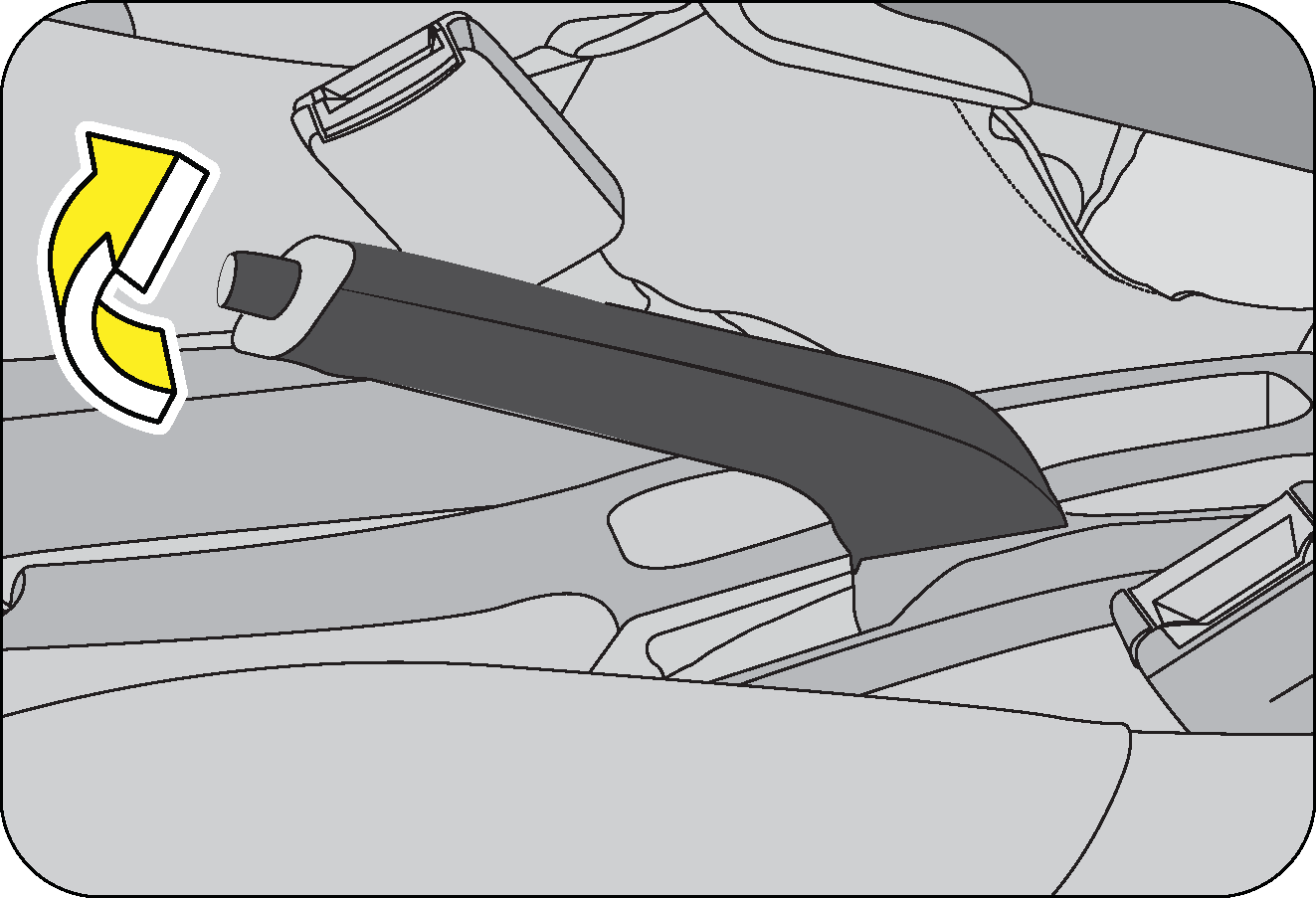 |
To apply the parking brake, pull the park brake
lever up as firmly as possible. When the parking brake is applied with the
ignition ON, the brake warning lamp in the instrument cluster illuminates.
To release the parking brake, pull the parking brake
lever up slightly, press the release button on the lever tip and lower
the parking brake lever completely.
|
The brake warning lamp
indicates only the parking brake status. It does not indicate the degree of brake
application. Be sure
the parking brake is firmly set when parked and the gear shift lever is in gear. When parking
on a hill you should apply the
parking brake before shift lever in gear, since the load on the transmission locking
mechanism may make it difficult to move
the shift lever out of gear.
Be sure the parking brake is
fully disengaged before driving off. Failure to do so can lead to brake problems due to
excessive
heating of the rear brakes.
| • | The parking brake should be adjusted as per recommended maintenance schedule. |
| • | Always apply the parking brake when leaving the vehicle, and be certain to leave the transmission engaged. Failure to do so may allow the vehicle to roll and cause damage, hit a bystander resulting in physical injury. |
| • | Leaving unattended children in a vehicle is dangerous for a number of reasons. Children should be warned not to touch the parking brake or the gear shift lever. Do not leave the key in the ignition. A child could accidently move the vehicle leading to accidents |
| • | The parking brake should always be applied when the driver is not in the vehicle. |
Engaging the parking brake while the vehicle is in motion can cause
the rear wheels to lock up. You could lose control of
the vehicle and cause an accident.
11.5 Anti-Lock
Brake System (ABS)
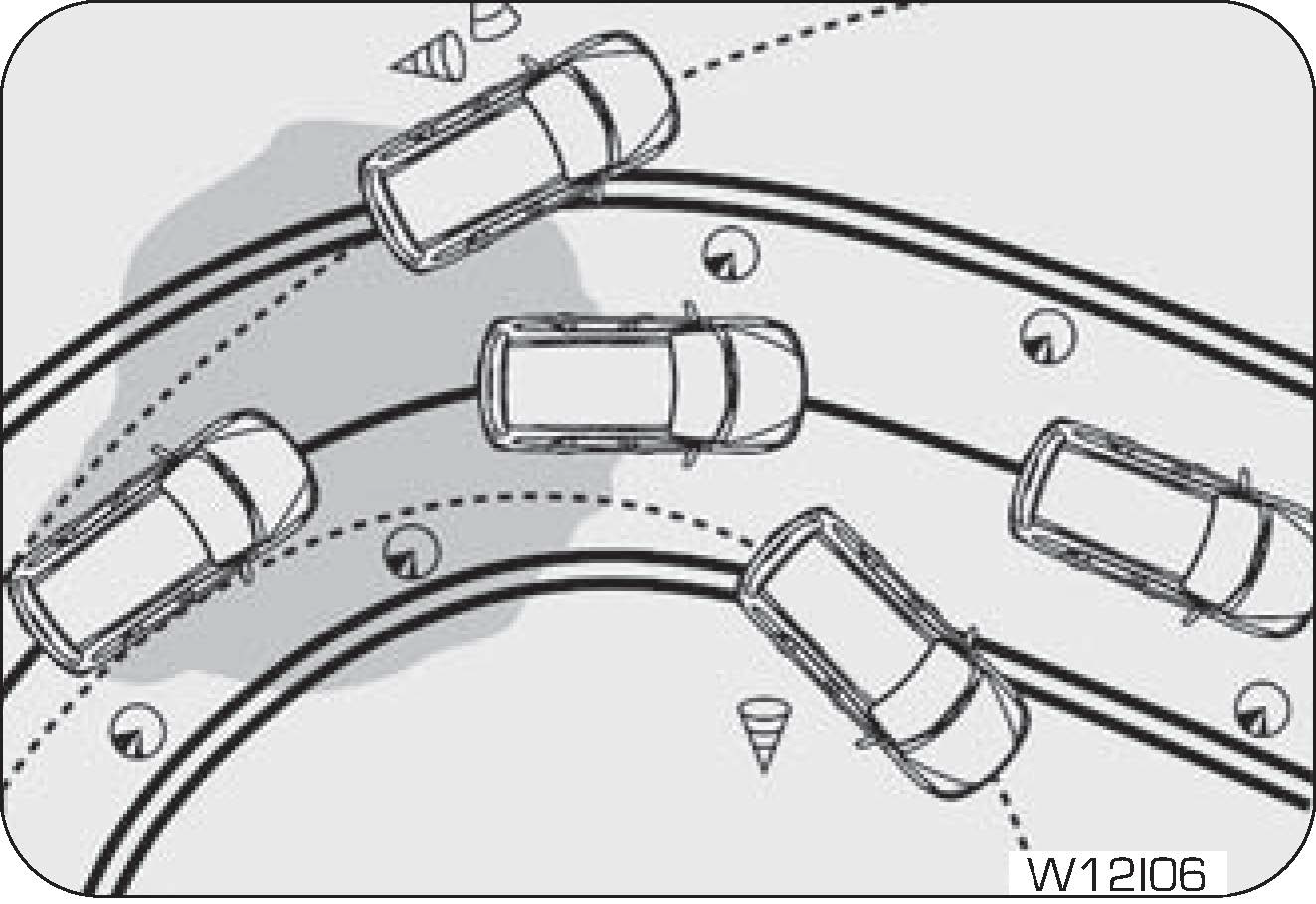
|
The Anti-lock Brake System (also called as ABS) is
designed to help prevent lock-up of the wheels and stable stopping of vehicle
during a sudden, panic emergency braking or braking on slippery road surfaces.
The ABS system takes input from wheel speed sensors and
brake pedal switch to control the brake fluid pressures at the wheels
to avoid wheel lock-up. It allows vehicle to be steered during braking.
|
The minimum speed for ABS to function is 12 km/h. ABS is activated
only during wheel lock conditions where ABS takes over
and prevents wheel lock. During the ABS operation, a slight pulsation may be felt in the brake pedal
to indicate ABS is active.
You may also hear motor noise from the engine compartment. It is recommended to hold the brake pedal
firmly while the ABS
is active rather than pumping the brake pedal or removing foot off the pedal in panic.
Depressing the brake pedal on slippery road surfaces as on a manhole
cover, a steel plate at a construction site, a joint
in a bridge, etc. on a rainy day, tends to activate the anti-lock brake system. The ABS warning lamp
lights up when you switch
the ignition ON and turns OFF after a few seconds. If the ABS warning lamp does not go out or if it
comes ON while driving,
it means there is a fault in the ABS system. In both cases, the normal braking system remains active,
exactly as on a vehicle
without ABS.
The vehicle should be examined as soon as possible by an Authorized
Mahindra Service Center. The Anti-lock braking system,
It is designed to shorten the stopping distance: Always drive at a moderate speed and maintain a safe
distance from the vehicle
in front of you. The stopping distance may be longer in the following cases:
| • | Driving on rough, gravel or snow covered roads. |
| • | Driving with tyre chains installed. |
| • | Driving over steps such as the joints on the road. |
| • | Driving on roads where the road surface is pitted or differences in surface height. |
The ABS warning lamp lights up when you switch ON the ignition and
should turn OFF after a few seconds. If the ABS warning
lamp does not turn OFF or if it turns ON while driving, it means there is a fault in the ABS system.
In both cases, the normal
braking system remains active, exactly as on a vehicle without ABS. The vehicle should be examined as
soon as possible by
an Authorized Mahindra Service Center.
Do not overestimate the
Anti-lock Brake System: Although the Anti-lock Brake System assists in providing vehicle
control,
it is still important to drive with all due care and maintain a moderate speed and safe distance
from the vehicle in front
of you. There are limits to the vehicle stability and effectiveness of steering wheel operation
even with ABS active. If tyre
grip performance exceeds its capability, or if hydroplaning occurs during high speed driving in
the rain or water logged roads,
the Anti-lock Brake System will not assist with vehicle control.
11.6 Electronic Brake Force
Distribution (EBD)
EBD, as a subsystem of the ABS system, controls the effective adhesion
utilisation of the rear wheels. EBD aids in distributing
the brake forces more evenly leading to better vehicle stability during braking.
Typically, the front end carries more weight and EBD distributes less braking pressure to the rear brakes avoiding a lock up/skid.
For example, under light loads EBD applies less effort to the rear brakes and for heavy loads it allows full braking effort to the rear wheels.
A fault with EBD is indicated by illumination of the brake as well as ABS warning lamps. The vehicle should be examined as soon as possible by an Authorized Mahindra Service Center.
Typically, the front end carries more weight and EBD distributes less braking pressure to the rear brakes avoiding a lock up/skid.
For example, under light loads EBD applies less effort to the rear brakes and for heavy loads it allows full braking effort to the rear wheels.
A fault with EBD is indicated by illumination of the brake as well as ABS warning lamps. The vehicle should be examined as soon as possible by an Authorized Mahindra Service Center.
|
Symbol
|
Warning
Lamp/Tell Tale
|
Action/Remarks
|
|
|
EBD Malfunction Telltale
|
|
|
Both ABS and parking brake telltale lamp will be ON
incase of EBD malfunction.
|
12 HEATING, VENTILATION AND
AIR-CONDITIONING SYSTEM
HVAC system provided in the vehicle enables occupants to automatically
adjust air flow distribution pattern, air flow rate,
air intake mode and air temperature inside passenger compartment.
By appropriately adjusting the control knobs/switches provided on the ETC
control panel, located on instrument panel, occupant’s
comfort can be ensured.
HVAC system also helps in defogging / de-misting the windshield and
windows. Air flow direction can be further controlled
by adjusting louvres of air vents An air filter is provided at the inlet of HVAC blower.
Engine coolant is utilized to heat the cabin air. For cooling the cabin
air, an air conditioning circuit based on the vapor
compression refrigeration cycle is used. The air conditioning system uses a refrigerant along with a
suitable lubricating
oil.
Although being non-ozone depleting, the refrigerant is a greenhouse gas,
hence once allowed to escape in the atmosphere, it
adversely affects the environment by contributing to global warming/climate change.
Refrigerant used in the system is a hazardous liquefied gas and is
under high pressure. The refrigerant is colorless and has
ethereal or faint sweetish odor. Exposure of refrigerant to the skin or eyes may cause irritation and
frostbite It can also
cause suffocation, dizziness and loss of concentration. When mixed with compressed air or certain
other refrigerants, it may
form a flammable mixture. Never try to service the HVAC system yourself which would involve
refrigerant handling.
If you sleep while operating the air conditioner or heater with all
the windows closed, you may suffocate to death due to
lack of ventilation.
Multiple vents are provided for distributing the air, being
force-circulated by HVAC blower, throughout the passenger compartment.
To ensure sufficient air flow and hence adequate HVAC system
performance, the air flow path should be kept free of obstructions.
Keep the system’s air intake, located near the plenum appliqué, free of snow, leaves and other debris.
Also keep the area
in front of the air vents free of any obstruction inside the cabin.
12.1 HVAC Overview

|
|
A
|
Side De-misting Vents
|
D
|
Center Vents
|
|
B
|
Windshield Defrost Vents
|
E
|
Foot Vents
|
|
C
|
Side Vents
|
F
|
HVAC Controls
|
12.2 Center/Side Vents
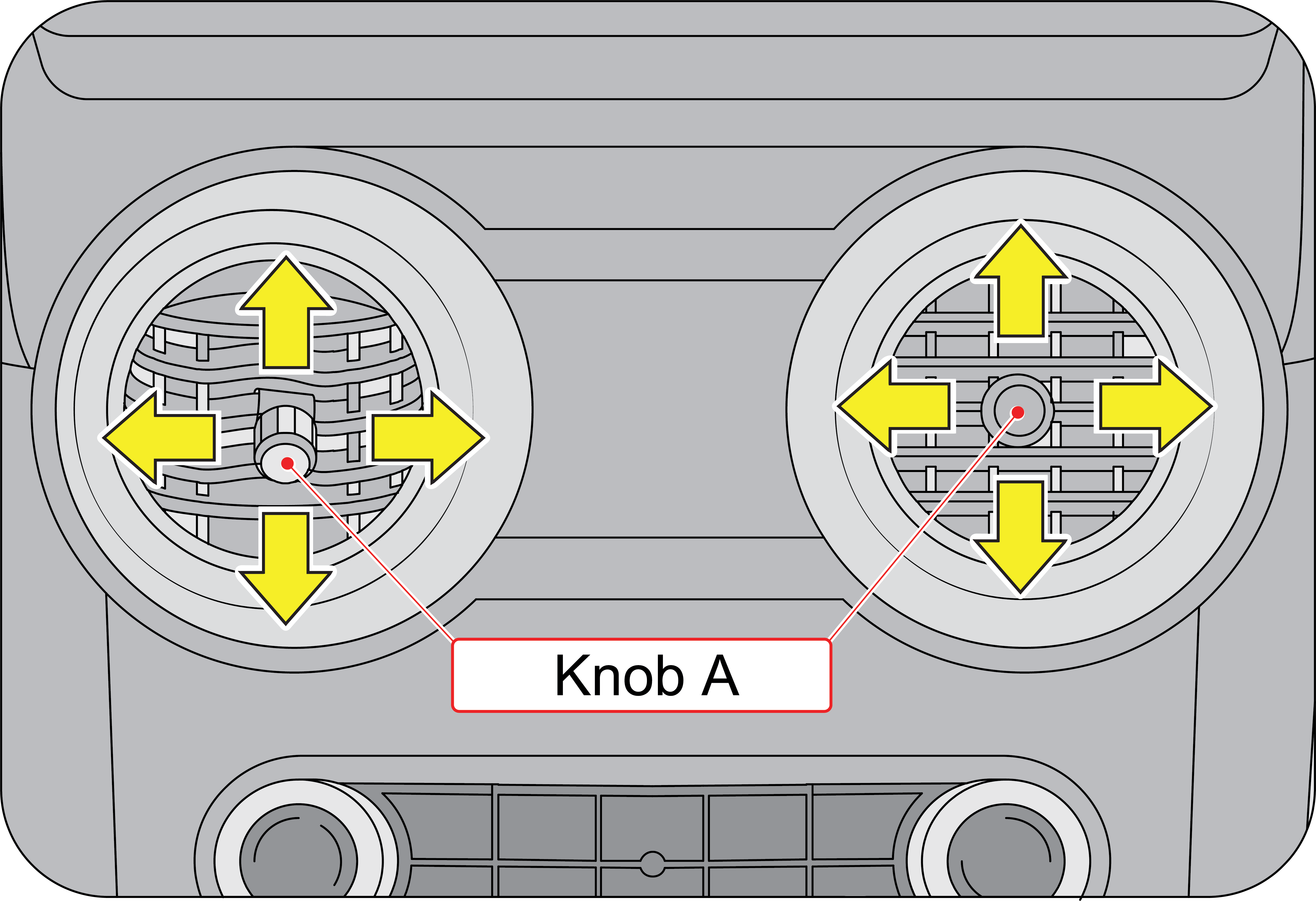
|
Center Vents
Two center vents are located below the audio system on
the instrument panel. Both the center and side vents provide air flow
to the front seat passengers Rotate the knob ( A) clock wise to shut off the air flow
and anti-clockwise to allow the air
flow through the air vent. Direct air to the desired direction by the adjusting knob
(A).
|

|
Side Vents
There are two side vents located one each at the left
and right side of the instrument panel.
Rotate the knob ( A) clock wise to shut off the air
flow and anti-clockwise to allow the air flow through the air vent. Direct
air to the desired direction by the adjusting knob (A).
|
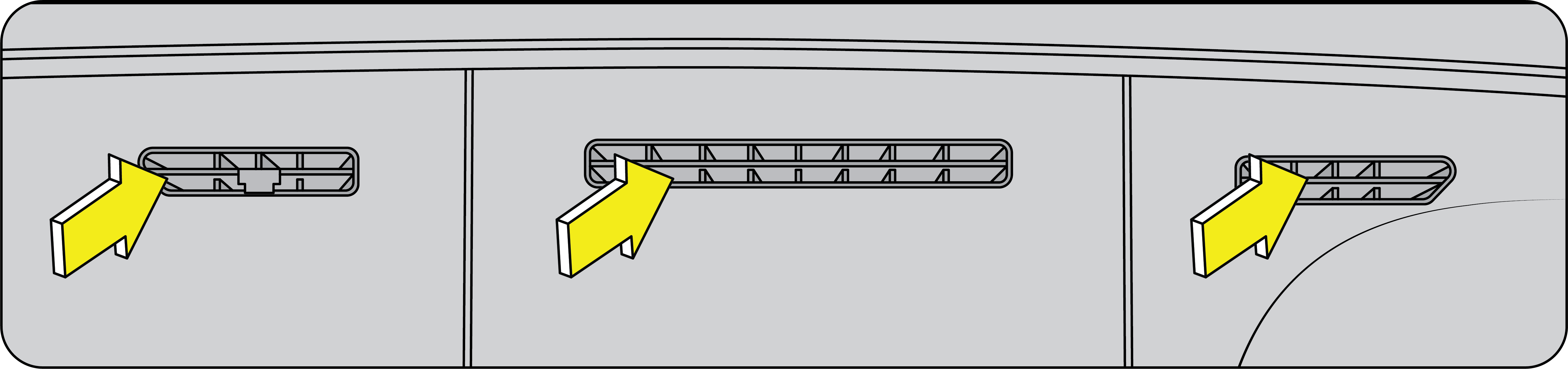
|
Defogger
Vents: There are five defogger vents in your vehicle: two side defogger and
three windshield defogger vents.
|
They are located just below the windshield The side defogger vents
prevent the front windows from defogging.
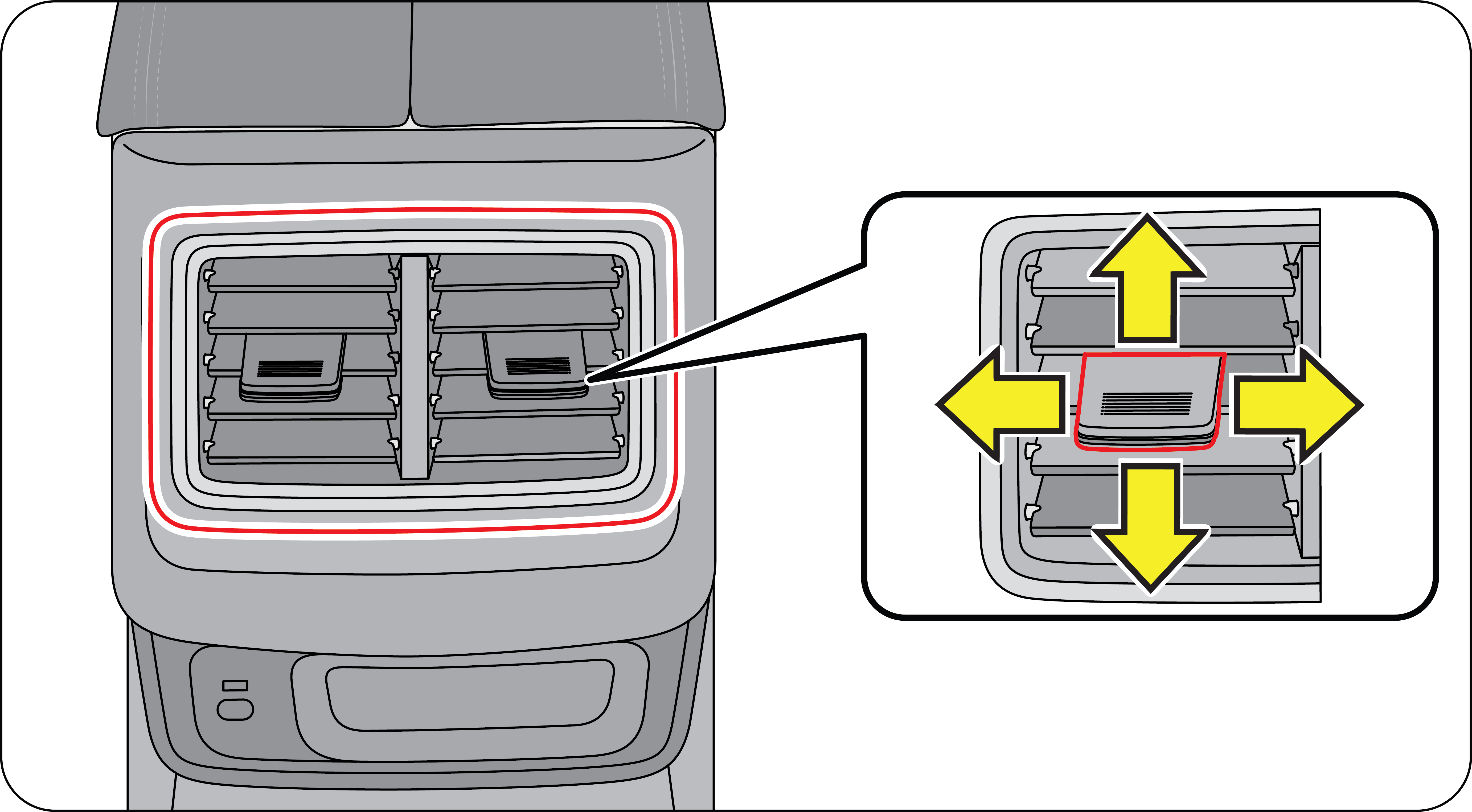
|
Second Row AC
Vents: The second row AC vents are located on the rear side of the center
console.
|
12.3 Electronic Temperature Control
(If Equipped)
|
A
|
Temperature Control Knob
|
E
|
Rear Defogger Switch
|
|
B
|
Air Distribution/Mode Switches
|
F
|
Recirculation Mode Switch
|
|
C
|
Front Defogger Switch
|
G
|
A/C Switch
|
|
D
|
Blower Speed Control Knob
|
Temperature Control Knob:
By operating the temperature control knob, temperature of air being discharged from various
vents can be adjusted to the desired
level. Engine coolant is utilized to heat, whereas the air conditioner is used to cool the air inside
the AC unit Based upon
selected position of the temperature control knob, the desired discharged air temperature can be
obtained.
By rotating the knob anti-clockwise and setting it to the extreme left
position, maximum cooling is obtained When the knob
is rotated clockwise, the discharged air progressively starts getting warmer and at the extreme right
position, hot air is
discharged.
Blower Speed Control Knob:
The blower force-circulates the air through the HVAC unit and distributes it throughout the
passenger compartment.
Blower is OFF when the blower speed control knob is set to small (Blower Symbol) position (extreme left). To switch-ON the blower, rotate the control knob clockwise which progressively increases the blower speed.
Blower is OFF when the blower speed control knob is set to small (Blower Symbol) position (extreme left). To switch-ON the blower, rotate the control knob clockwise which progressively increases the blower speed.
A/C switch: This button
turns the air-conditioner ON or OFF.
When the air conditioner is functioning, air gets cooled and de-humidified before being circulated inside the cabin In hot weather conditions, it will take a slightly longer time to cool the interior as compared to cooler weather. Fuel consumption will be relatively higher if the vehicle is being driven with the air conditioner ON.
When the air conditioner is functioning, air gets cooled and de-humidified before being circulated inside the cabin In hot weather conditions, it will take a slightly longer time to cool the interior as compared to cooler weather. Fuel consumption will be relatively higher if the vehicle is being driven with the air conditioner ON.
AC will function only when both
engine and blower are switched ON.
| • | In certain operating conditions when the engine gets overheated, the engine management system may switch off the air conditioner intermittently. |
| • | The air conditioner should be operated at least for ten minutes once every fortnight, even during winter months. This allows AC system components to get lubricated periodically and ensures optimum system. |
| • | During extreme cold weather conditions, the air conditioner may not function until temperature of the air near the evaporator rises above a predefined threshold. |
| • | When air conditioner is ON, moisture is extracted from the air. The resulting condensate is drained off from the vehicle. It is therefore normal, if you see a small pool of water under your vehicle. |
Re-circulation Mode
(Re-circulation mode switch ON): To set the HVAC system to recirculation mode, press the
recirculation mode button. The LED on the button illuminates, indicating
the recirculation mode is active In this intake mode, the air from inside the passenger compartment
will be sucked by the
blower and utilized further to ventilate /cool / heat the cabin.
For quick cabin cooling/heating or while driving through dusty/polluted region, re-circulation mode can be selected for short periods. Driving with this mode active, may lead to better fuel economy and longer HVAC filter life. However, running the air conditioner in re-circulation mode for long will make cabin air too dry and oxygen level drops inside cabin the turning the air stale. On the contrary, keeping air intake control in recirculation mode for long, with air conditioner switched OFF, will make cabin air too humid and windshield and window are more likely to become foggy. Hence, never drive in recirculation mode for long, shift back to fresh air mode intermittently.
For quick cabin cooling/heating or while driving through dusty/polluted region, re-circulation mode can be selected for short periods. Driving with this mode active, may lead to better fuel economy and longer HVAC filter life. However, running the air conditioner in re-circulation mode for long will make cabin air too dry and oxygen level drops inside cabin the turning the air stale. On the contrary, keeping air intake control in recirculation mode for long, with air conditioner switched OFF, will make cabin air too humid and windshield and window are more likely to become foggy. Hence, never drive in recirculation mode for long, shift back to fresh air mode intermittently.
Never keep recirculation mode
selected continuously for long period. Prolonged use of the HVAC system in recirculation mode
may cause windshield/windows to mist/fog-up, impairing visibility which can lead to an accident,
endangering you and others.
Fresh Air Mode (Re-Circulation
Mode Switch OFF): To set the HVAC system to fresh air mode, press the re-circulation mode
button again. The LED on this button switches OFF,
indicating that fresh air mode is active In this intake mode, fresh air from outside the vehicle is
sucked by the blower and
utilized further to ventilate / cool / heat the cabin.
Air Distribution/Mode
switches
The air flowing out of various vents can be controlled by the air
distribution/mode switches.
| • | Face Mode — When face mode switch is pressed, air is discharged from the Center vents and side vents. This mode is most suitable for directing air flow towards the face of the passengers. |
| • | Face-Foot Mode — When face-foot mode switch is pressed, air is discharged from the Center vents, Foot vents and side vents. This mode is most suitable for directing air flow towards both the face and feet of passengers at the same time. |
| • | Foot Mode — When foot mode switch is pressed, air is discharged from the two foot vents. This mode is most suitable for directing air flow towards the feet of passengers seated on front seats. |
| • | Foot and Front Defogger Mode — When foot and front defogger mode switch is pressed air is discharged from the foot vents, side defogger vents and windshield defogger vents. This mode is most suitable for directing air flow towards the feet of passengers while de-misting / defogging. |
| • | Front Defogger Mode — When Front Defogger mode switch is pressed air is discharged from the side defogger vents and windshield defogger vents. This mode is most suitable for directing air flow towards the front windshield to ensure de-misting / defogging. |
Rear Defogger Switch (If
Equipped): Rear defogger switch is located on the ETC control panel. Press the switch once
to activate the rear defogger. The LED on
the switch illuminates upon activation and the rear defogger heats the rear windshield clearing the
fog / mist Switch OFF
the rear defogger by pressing the switch once as soon as the fog / mist is cleared.
.
If the rear defogger switch is not switched OFF manually, it will turn OFF automatically after a pre-defined time, based on ambient temperature. If you want to switch the rear defogger ON again, press the rear defogger switch again.
On second and subsequent activations of the rear defogger in the same ignition cycle, the rear defogger ON time will be half the duration of the first activation.
12.4 HVAC Points to Remember
| • | For quickly defogging/de-misting outside of front windshield, it is advisable to operate the windshield wiper/washer for few times intermittently. |
| • | If snow has deposited on windshield, use ice scraper to remove ice deposited before using wiper. |
| • | In freezing weather, warm the front windshield with the defogger before using the windshield washer. Also, use a washer fluid having anti-freezing properties. These will help prevent the washer fluid from freezing on your windshield. |
| • | Dirty / contaminated windshield would make misting / fogging-up worse. Always keep the inside and outside of windshield clean. |
| • | Reduced air flow because of clogged HVAC filter or any other obstructions in air flow path may lead to inadequate defogging/de-misting performance. If air flow seems to have considerably reduced, get the filter cleaned or replaced immediately. Air flow path should be kept free of obstructions. |
| • | Reduced cooling performance from air conditioner may lead to inadequate defogging/de-misting. If cooling effect seems to have dropped considerably, get the air conditioning system checked by an Authorized Mahindra Service Center. |
Your vehicle is equipped with a HVAC filter. If the AC performance
is considerably low, it is recommended to have the HVAC
filter checked at the nearest Authorized Mahindra Service Center.
Keep in mind that a choked filter will also lead to poor cooling.
Never operate HVAC system with the filter removed. This may result
in premature failure of system components.
13 STARTING AND DRIVING THE VEHICLE
13.1 Safety
Tips - Before Starting your Vehicle
13.1.1 General
| • | Before starting the vehicle, inspect the inside and outside of the vehicle ; look for any damages, leaks, loose parts, foreign objects/debris. Contact an Authorized Mahindra Service Center if found required. |
| • | Before starting your journey, check the working of all safety devices/components especially brakes, steering, lamps, signals and tyres. In case you suspect any system/devices not working properly contact Authorized Mahindra Service Center. |
| • | Adjust the seat head restraint, steering wheel and fasten the seat belt as described in this manual. Never perform any seat/ steering adjustments when the vehicle is in motion. |
| • | Start the vehicle only when seated and belted in the driver's seat. |
The Engine Management
System controls the engine's idle speed. When the engine starts, idle RPM runs higher than
normal in
order to warm the engine. The engine idle speed RPM reduces once the engine warms
up.
Never start your vehicle
in a closed garage or in an enclosed area. Exhaust fumes can be toxic. Always keep the
garage door
open or start the engine in an open area.
13.1.2 Mirror Adjustment
Ensure that the rear view mirror and both the ORVM’s are
adjusted for an unobstructed view of the road behind.
13.1.3 Exterior Lamps
Have someone observe and confirm normal operation of all
exterior lamps while you work on the controls from the driver seat.
Also, check functioning of all lamps in the instrument panel.
13.1.4 Door Latches
Check for positive closing, latching, and locking of all doors,
both from inside and outside.
13.1.5 Fluid Leaks
Check the area under vehicle after an overnight parking for
fuel, power steering fluid, brake fluid, engine coolant, oil,
or other fluid leaks. If leaks are observed, contact an Authorized Mahindra Service Center.
13.2 Ignition Switch
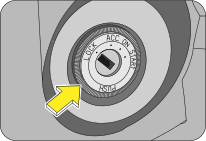
|
An illuminator ring is provided on the face of the
ignition switch to help in locating the ignition switch at night. The ring
will illuminate the moment the driver door is opened and will remain illuminated till
the driver door is closed.
|
The different positions of the ignition switch are;
LOCK — This is the ignition
and steering lock position. The vehicle circuits and engine are completely switched OFF. The steering
wheel is also locked and the key can be removed from the ignition only in this position.
ACC — The steering is
unlocked and can be rotated. In this position all electrical circuits are enabled. Use this mode when
you
want to listen to music, etc., with the engine temporarily switched OFF.
Note: This mode can be used
for a short time. It may drain the battery with prolonged usage.
ON — All electrical
circuits are enabled. Some of the warning or information lamps illuminate in this position. While some
of
the lamps will go out after a few seconds, some will continue to remain ON till the engine is started.
When the vehicle is
being driven, the ignition switch remains in the IGN position.
Select the ignition ON position
when the vehicle is being towed.
Do not leave the ignition ON
for long when the engine is OFF. This could lead to battery drain and ignition switch
damage.
START — This position is to
start the engine by cranking the starter motor. This is a momentary position. When the key is turned
to the start position, the starter cranks the engine. Once the engine is running, release the key, and
the key reverts back
to the ON position and the starter motor disengages from the engine.
Do not continue cranking after
the engine has started. This will lead to permanent damages to starter motor and engine
components.
If turning the key is
difficult, jiggle the steering wheel from side to side and try again. The key can be removed
only in
the LOCK position. When the key is removed, the
steering column lock is activated and the steering wheel cannot be turned.
Never return the key to the
LOCK position or try to remove the key, when the
vehicle is in motion. Removing the key may lead to steering wheel locking. You
will lose control of the vehicle and may cause a serious accident. Remove the key only when the
vehicle is parked.
13.3 Pedals
|
Manual
Transmission (MT)
|
Automatic
Transmission (AT)
|
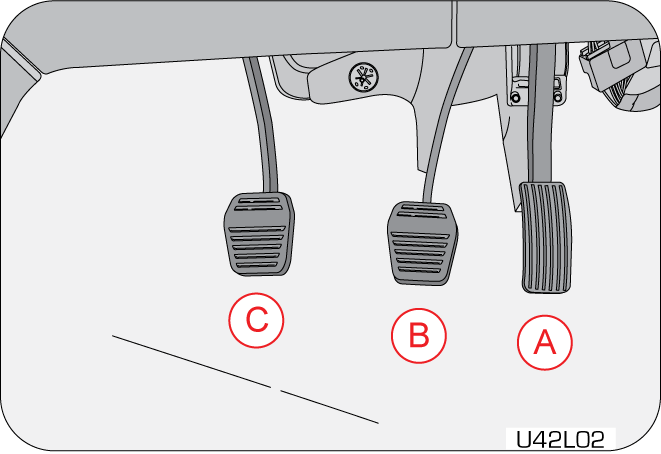
|
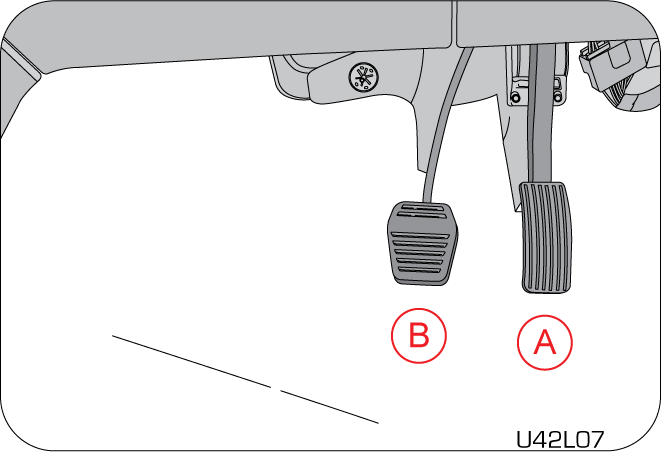
|
|
A
|
Accelerator Pedal
|
|
B
|
Brake Pedal
|
|
C
|
Clutch Pedal
|
13.4 Starting the Engine
Make sure all vehicle occupants are properly seated in their seats and
have buckled their safety belts. For more information
on seat, head-restraint positioning, safety belts and their proper usage, refer to the ‘Seat-Belts’
section in this manual.
Conditions to be met before
cranking the engine
| • | Make sure the gear shift lever is in neutral or clutch is fully pressed. |
| • | The engine will start even if half turned and the above condition is met. |
| • | Make sure the parking brake is engaged. Turn the key to IGN position but do not turn the key to start. |
Sequence of activities
| 1. | Apply parking brake. |
| 2. | Shift the gear shift lever to neutral position. |
| 3. | Turn the ignition ON. |
| 4. | Wait till the glow plug lamp to switch off before the engine crank. |
| 5. | Few warning lamps briefly illuminate. See ‘Warning Lamps in the Instrument Cluster’ section for more information. |
| 6. | Do not press the accelerator. |
| 7. | Turn the key momentarily to the START position to crank the engine. |
| 8. | Once the engine starts, release the key. it will
return to the IGN position.
Do not
continue cranking after the engine has started. This will lead to permanent
damages to starter motor and engine components.
|
| 9. | If the engine fails to start, attempt to restart after about 10 seconds by toggling the ignition |
| 10. | If the engine fails to start even after repeated attempts as per the procedure given above, contact the nearest Authorized Mahindra Service Center |
If the vehicle battery has
discharged, use booster cables, a booster battery or a battery from another vehicle to start.
Jump-starting
a vehicle can be dangerous if done improperly. Refer to the ‘Jump-starting procedure’ section in
this manual.
If the engine still fails to start, contact an Authorized Mahindra
Service Center for assistance.
The idle speed is controlled automatically and it will decrease as the
engine warms up.
Observe the following when the engine is running:
| • | All warning lamps are OFF |
| • | Low oil pressure lamp is OFF |
After idling for a few seconds, release the parking brake, depress the
clutch, shift the gear shift lever to 1st gear, release
the service brake pedal, drive by releasing the clutch and pressing the accelerator pedal gradually.
13.4.1 Engine Idling - In Cold
Weather
Avoid full throttle operation when the engine is cold and prolonged
idling at low ambient temperatures. Long periods of idling
may be harmful to your engine. Combustion chamber temperatures can drop so low that the fuel may
not burn completely. Incomplete
combustion allows carbon and varnish to form on piston rings and injector nozzles. Also, the
unburned fuel can enter the crankcase,
diluting the oil and causing rapid wear to the engine.
13.5 Stopping the Engine
Your vehicle is powered by a turbo diesel/petrol engine. Before
turning the engine OFF, always allow the engine to return
to normal idle speed and run for few seconds. This assures proper cooling and lubrication of the
turbocharger. This is particularly
necessary after any hard driving.
To reduce the risk of
personal injury, before turning OFF the engine and leaving the vehicle, always,
| • | Keep your right foot on the service brake pedal. |
| • | Turn front wheels towards the road curb. |
| • | Switch OFF the ignition, turn the key to the steering lock position and remove the key. |
| • | Firmly engage the parking brake. |
| • | Move the gear shift lever to 1st gear position (reverse gear if parking on a decline). |
| • | Slowly release the service brake pedal. |
| • | Lock your vehicle when leaving. |
13.6 Manual Transmission (If
Equipped)
13.6.1 Gear Shift Lever
 |
The gear shift lever shifts the transmission into
various gears. The gearshift pattern is shown on the gear lever knob. The
clutch pedal should be depressed fully while shifting, and then released slowly.
|
With the gear shift lever in neutral and brakes released, the
vehicle can move freely by pushing or towing. The engine can
be started in this mode. It is always recommended to keep the brake pedal depressed in this
position. It is advisable to shift
into neutral when the vehicle is at a standstill for longer durations with the engine idling.
Coasting the vehicle with
the gear lever in neutral and engine ON/OFF is not recommended. The steering and braking will
be
very hard without power assist while coasting with the engine OFF. In an event of panic
braking, you will not have the power
of engine braking to slow down the vehicle. This may lead to personal injury or
accident.
Do not leave the vehicle
with the gear shift lever in the neutral position. Always engage the manual parking brake
before
leaving the vehicle, to prevent any vehicle movement leading to possible injury to a
bystander or damage to the vehicle.
For brief stops, e.g. at
traffic lights, keep the gear shift in neutral and hold the vehicle with the brake pedal. For
prolonged
stops, it is recommended to switch OFF the engine and apply the parking brake.
| • | Do not leave children unattended in the vehicle or with access to an unlocked vehicle. Children could move the gear shift lever, which could result in an accident or serious injury. |
| • | On slippery/wet road surfaces, never downshift in order to obtain braking action. This could result in a wheel slip and reduced vehicle control. |
Forward — Use the gears
1 to 6 as per vehicle load, road/traffic conditions or as per requirement.
Reverse — This gear is
to enable the vehicle to move in the reverse direction. Move the gear shift lever into this
position only after
the vehicle has come to a complete stop.
To engage REVERSE gear from the NEUTRAL position, lift the REVERSE
ring, located below the knob and move the gear selector
all the way left and then forward.
To avoid transmission
damage, shift into or out of reverse gear only after the vehicle has come to a complete stop
and the
engine is at idle speed. It is recommended you wait approximately for three seconds in
neutral gear before shifting into or
out of the reverse gear.
Uphill and Downhill
Driving
To prevent the engine from laboring at a low RPM when driving
uphill gradients or with your vehicle heavily loaded, downshift
when necessary to maintain engine RPM within the best torque range. Similarly while driving
downhill, downshift to utilize
the engine braking in an optimum manner. While driving in a continuous down gradient at high
speeds, always engage the appropriate
gear to reduce aggressive and sustained brake usage. Aggressive and sustained brake usage can cause
higher brake pad temperatures
and fading.
When stopping the vehicle on
an uphill gradient, do not hold it with the clutch/ accelerator, use the brake to avoid
unnecessary
clutch wear/heat buildup. When parking on an incline, gear alone may not be sufficient to
prevent the vehicle from moving.
Always set the parking brake in addition to shifting the gear shift lever into gear. It is
also recommended to turn the front
wheels towards the curb.
13.6.2 Recommended Gear Shifting
Speeds – For MT
Shift gears at suitable
engine or road speeds to safeguard the transmission components. Avoid driving in high RPM’s
(>3000
r/min).
Always depress the clutch fully before moving the gear shift lever
from the current position to any desired position. Perform
up-shifts or down-shifts one gear at a time, do not jump gears.
|
Upshifting - Diesel
|
||
|
Shift
Range
|
Vehicle
Road Speed (km/h)
|
Engine
r/min Range
|
|
1–2
|
16
|
1600–2500
|
|
2–3
|
27
|
|
|
3–4
|
42
|
|
|
4–5
|
55
|
|
|
5–6
|
67
|
|
|
Down shifting -
Diesel
|
||
|
Shift
Range
|
Vehicle
Road Speed (km/h)
|
Engine
r/min Range
|
|
6–5
|
62
|
1300–1800
|
|
5–4
|
51
|
|
|
4–3
|
39
|
|
|
3–2
|
24
|
|
|
2–1
|
13
|
|
|
Upshifting - Petrol
|
||
|
Shift
Range
|
Vehicle
Road Speed (km/h)
|
Engine
r/min Range
|
|
1–2
|
18
|
1600 – 2200
|
|
2–3
|
30
|
|
|
3–4
|
42
|
|
|
4–5
|
55
|
|
|
5–6
|
70
|
|
|
Downshifting -
Petrol
|
||
|
Shift
Range
|
Vehicle
Road Speed (km/h)
|
Engine
r/min Range
|
|
6–5
|
63
|
1100 – 1400
|
|
5–4
|
50
|
|
|
4–3
|
38
|
|
|
3–2
|
27
|
|
|
2–1
|
15
|
|
13.7 Automatic Transmission (If
Equipped)
The first few shifts on a new vehicle may be somewhat rough. This is a
normal phenomenon, and precision shifts will develop
within the initial few hundred km of running.
13.7.1 Gear Selector Lever
 |
Your vehicle is equipped with 6 speed automatic
transmission having electronic controls with an Adaptive Transmission Control
Strategy.
|
This adaptive Transmission strategy offers optimal transmission
operation and shift quality in different driving conditions.
The transmission electronics are self calibrating. Therefore, the first few shifts on a new vehicle
may be somewhat rough.
This is a normal phenomenon, and precision shifts will develop within the initial few hundred km of
running.
|
P : Park position
|
M : Manual shift
|
|
R : Reverse position
|
M+ : Manual up-shift
|
|
N : Neutral position
|
M- : Manual down shift
|
|
D : Drive position
|
Shift Logic Table
|
Movement
|
Lock
|
|
P - R
|
Yes-Brake pedal + knob button
|
|
R - N
|
No
|
|
N - D
|
No
|
|
D - M
|
No
|
|
M - D
|
No
|
|
D - N
|
No
|
|
N - R
|
Yes-Only knob button
|
|
R - P
|
Yes-Only knob button
|
13.7.2 P : Park Position
 |
Use this position to park your vehicle, warm up the
engine, or stay in a location for an extended length of time. To shift
in to any other position, first depress the brake pedal, then press knob button and
move the TGS to R or N or D as desired.
|
| • | Stop the vehicle completely before shifting into ‘P’. |
| • | Never shift to ‘P’ when the vehicle is moving, It will damage the transmission. |
| • | If the lever is shifted to P when the vehicle has not come to stop and in forward motion, then a ratchet noise will be heard. This is not abnormal. However we do not recommend moving to P till the vehicle has come to standstill. As repeated, such instances can damage the internal parts. |
| • | To shift from the “P” position to another position, the ignition switch must be turned to “ON” and the brake pedal should be depressed. Any forcible attempts to move the selector lever from “P” without the two procedures may damage the selector lever. |
13.7.3 R : Reverse position
 |
Use this position to reverse the vehicle.
To shift into 'R' from 'N', completely stop the
vehicle, depress the brake pedal and press the Knob button and to shift from
'N' to 'R'.
|
| • | Never shift into “R” when the vehicle is moving. |
| • | Please note that the vehicle may slowly move rearward when the selector lever is at “R”. |
13.7.4 N : Neutral position
 |
At this position, the engine does not transfer power
to the wheels and the vehicle will not move on a flat road. However,
for safety, apply the brake when the gear is in this position.
|
| • | Warm up the engine for approximately 3 minutes when the ambient temperature is below -15 °C. Otherwise, shifting of gears in Forward or Reverse direction may not be smooth. |
| • | Never shift into “N” from the “D” position or vice versa when the vehicle is moving, or the transmission will be damaged. |
| • | If you have to stop on a hill and would like to use this neutral position, depress the brake pedal firmly. |
| • | Never attempt to move the gear selector lever to “N” when the vehicle is in motion. |
Depress the brake pedal while shifting the gear lever from “N”
to “D” or “R” for your safety.
For shifting R to P, press the knob button and for shifting to N
or D, only shift lever to moved. Refer the shift logic table
for more clarity.
13.7.5 D : Drive position
 |
Use this position for normal driving conditions. The
transmission is automatically shifted from 1st gear up to 6th gear according to the level of depression
on the accelerator pedal.
|
| • | Do not abruptly drive off or sharply accelerate the vehicle immediately after shifting into “D” or the transmission will get damaged. Wait for D symbol to come in the cluster before pressing the accelerator pedal. |
| • | Even while the gear is in ‘D’, the vehicle can roll down an uphill according to the gradients, so you have to depress the brake. |
| • | Please note that the vehicle may creep forward
on level ground when the selector lever is in “D”, even without pressing the
accelerator pedal and this behavior is known as forward creep.
Note:
Equivalent to - clutch release without acceleration in Manual Transmission).
|
13.7.6 M : Manual Shift
 |
Driving gear can be adjusted by operating/moving the
shift lever in front or back direction. In manual shift mode, the user
can upshift or downshift from 1 to 6 or 6 to 1 forward gears by moving the shift
lever in front or back direction.
|
Shift up: Move the shift
lever forward towards + direction and release once to shift up one gear.
Shift Down: Move the
shift lever backwards towards - direction and release once to shift up one gear.
The gears can be shifted without requiring to release the
Accelerator pedal.
In manual mode, downshifts are made automatically when the vehicle
slows down.
Auto upshift at Manual Mode is deactivated for only 1st to 2nd
and 2nd to 3rd gears. Whereas 3rd to 4th, 4th to
5th and 5th to 6th gears auto upshift
will happen at max threshold.
When starting to drive on a snow or icy road, upshift of the gear
to 2nd or 3rd is possible to avoid loss of traction.
For safety reason maximum three shifts “+”/ ”-” can be allowed at
given point of time.
| • | Before leaving the Driver’s seat always make sure that the shift lever is in the P (park) position. |
| • | Shifting into P position while the vehicle is in motion will cause the drive wheels to lock which will cause you to lose control of the vehicle. |
| • | Always fully depress the brake pedal before and while shifting out of the Drive (D) position into another position (other than M Mode) to avoid inadvertent motion of the vehicle. |
| • | The shift from D to M (Manual Mode) and M to D can be performed while the vehicle is moving. |
| • | To maintain the required levels of vehicle performance and safety, the system may not execute certain gearshifts when the shift lever is operated. |
Use of Engine Brake
To use the engine as a brake, change into the manual gear shift
mode first, then operate the gear lever to next lower gear.
| • | Abruptly downshifting and using the engine brake may make the vehicle unstable, especially when driving on roads covered with snow or ice. |
13.7.7 Gear Shift Interlock
system
 |
The Automatic Transmission has a shift lock system
which prevents shifting the transmission from P or N into R unless the
Brake Pedal is depressed.
|
In case of malfunction of the shift lock system, remove the shift
lock cap present on shifter bezel and then press the button
inside with help of any circular/pen type object, and then press knob button to come out of P.
13.7.8 Starting and Driving Off
| • | Always start the engine while the selector lever is in “P”. For your safety, avoid starting the engine from “N” even though you can do so. |
| • | Check whether or not the engine idling speed is normal. Keep the brake pedal depressed and shift into “D” or “R”. |
| • | To move the vehicle, release the brake pedal and depress the accelerator pedal gradually. |
| • | Do not abruptly drive off or sharply accelerate the engine after shifting into “D”. Otherwise the transmission will be damaged. Especially, when you start off after stopping, wait for a while until the “D” shift indicator comes on with the brake pedal depressed. |
| • | When driving on a down hill, never shift the selector lever to “N” If you try to shift the lever to “D” from “N”, a sudden gear engagement can damage the drive train. |
| • | HDC (Hill Descent Control) is designed for driving down a steep hill. When HDC is applied, do not shift to “N”. Otherwise, HDC will get deactivated. |
| • | Even though you can start the engine with the selector lever in both “P” or “N”, for your safety, always start the engine with the selector lever in “P”. |
| • | For your safety, always depress the brake pedal before moving the gear selector lever with the vehicle stopped. |
| • | Never depress the accelerator pedal when moving the gear selector. |
| • | If you have to stop on a hill, depress the brake pedal securely. |
| • | When the parking brake is released while the engine is running at a high rpm, your vehicle may abruptly move. Therefore, wait until the engine speed returns to idling. |
| • | To avoid any mechanical damages or accidents, never shift into “P” or “N” while the vehicle is in motion. |
| • | When driving at a high speed, any sudden attempt to shift from a higher to a lower gear can severely damage the vehicle. In addition, your vehicle may lose its stability and be at / be a high risk. |
| • | A high engine speed can cause your vehicle to move abruptly from the parked position. To avoid this, wait until the engine rpm becomes stable. |
| • | When you start off on a hill after stopping and parking the vehicle, wait for a while until the “D” shift indicator comes on, with the brake pedal depressed. |
| • | Do not move the gear selector lever into “N” position while the HDC (Hill Descent Control) system is operating. Doing so stops the operation of HDC system. |
| • | Do not press the accelerator pedal and the brake pedal at the same time. |
| • | We suggest that right leg only should be used for operating brake and accelerator pedal. |
13.7.9 Creep Function
Without any actuation of the accelerator pedal, your vehicle will
move slowly if the selector lever is in any position other
than “P” or “N”. This is called the creep effect. You can control your vehicle’s movement by only
applying the brake in heavy
traffic or narrow lanes.
On a steep decline or incline, your vehicle may move in the
opposite direction of the intended direction despite the creep
effect. When stopping on a steep hill, always depress the brake pedal.
13.7.10 Kick-down Function
If you need to accelerate rapidly, or on sudden acceleration, a
lower gear will automatically be engaged. Then, a lower gear
will be automatically engaged. Then will provide required thrust / acceleration.
| • | Do not use the kick-down function while driving on slippery or sharply curved roads. |
| • | If you use the kick-down function too frequently, the durability and fuel economy of the vehicle will get worsen. |
13.7.11 Engine Braking
When the accelerator pedal is released while the vehicle is in
motion, the engine speed decreases. On a down hill, engaging
a lower gear can generate a higher engine braking and eventually slow down the vehicle speed. By
using engine behavior as
a brake, you can decrease your vehicle speed without excessively using the brake system. lower the
gear, higher the braking
force.
| • | Do not excessively apply the brake pedal while going down a long slope. The brake system will overheat, experience vapor lock or the fade phenomenon, and lose the braking efficiency. |
| • | Be aware that the engine brake does not work when the gear selector lever is in the ‘N’ position. |
| • | Avoid any abrupt engine braking on slippery roads, or the tyres may slip. |

13.7.13 Neutral Position
This position stops the transmission of power from the engine to
drive axle. With the gear lever is in neutral and brakes
released, the vehicle can move freely by pushing or towing. The engine can be started in this mode.
It is always recommended
to keep the brake pedal depressed in this position. It is advisable to shift into neutral when the
vehicle is standstill for
longer durations with the engine idling.
Coasting the vehicle with the gear lever in neutral and engine
ON/OFF is not recommended. In an event of panic braking, you
will not have the power of engine braking to slow down the vehicle. This may lead to personal
injury or accident.
Do not leave the vehicle with the gear lever in neutral
position. Always engage manual parking brake before leaving the vehicle,
to prevent any vehicle movement leading to possible injury to a bystander or damage to vehicle.
13.7.14 Limp Home Mode (LHM)
When there is a malfunction in the transmission, it goes into Limp
Home Mode to maintain minimum driving conditions and also
to prevent critical transmission damage. This status is indicated by the transmission check lamp
illumination in the instrument
cluster. Contact the nearest Authorized Mahindra Service Center for further assistance.
The transmission is held either in 3rd/ 5th gear when LHM is
activated is possible. Needs to be driven carefully to nearest
service center.
13.8 Electronic Stability Program
(ESP) (If Equipped)
This system enhances directional control and stability of the vehicle
under various driving conditions. The ESP corrects for
over-steering and under-steering behaviour of the vehicle by applying the brake of the appropriate
wheel automatically. Engine
power may also be reduced or AT gears may be downshifted to assist in counteracting the condition of
over-steer or under-steer
and help the vehicle maintain the desired path.
ESP uses steering angle sensors and YAW rate sensor to determine the
path that the driver intends to steer the vehicle and
compares it to the actual path of the vehicle. When the actual path does not match the intended path,
the ESP applies the
brake of the appropriate wheel to assist in counteracting the condition of over-steer or under-steer.
Over-steer - When the
vehicle is turning more than appropriate for the steering wheel position.
Under-steer - When the
vehicle is turning less than appropriate for the steering wheel position.
The ESP cannot prevent the
natural laws of physics from acting on the vehicle, nor can it increase the traction afforded by
prevailing road conditions. The ESP cannot prevent accidents, including those resulting from
excessive speed in turns, driving
on very slippery surfaces, or hydroplaning. Only a safe, attentive, and skilful driver can
prevent accidents. The capabilities
of an ESP-equipped vehicle must never be exploited in a reckless or dangerous manner that could
jeopardise the user’s safety
or the safety of others.
13.8.1 ESP ON (If Equipped)
Whenever the vehicle is started, the ESP system will be in active
mode. This mode should be used for most driving conditions.
When the ESP is in operation, ESP indicator lamp blinks in the
instrument cluster.
When the ESP is operating, you can feel a slight pulsation in
the vehicle. This is only the effect of brake control and indicates
nothing unusual.
When moving out of the mud or slippery road, accelerator
response may be different because ESP system controls the engine
RPM to come out of this slippery road condition. This is normal.
13.8.2 ESP OFF (If Equipped)
In some driving conditions, to maximise traction, it may be
beneficial to de-activate ESP.
Such conditions are:
| • | To start in deep snow or on a loose surface. |
| • | Driving in deep sand. |
| • | Driving through deep mud etc. |
To de-activate ESP, press ESP OFF button on the center fascia
switch bank. Once ESP OFF mode is selected, a warning indicator
illuminates in the instrument cluster.
Press ESP OFF button again to activate ESP function.
Mahindra recommends that ESP
be operational in all normal driving conditions.
When ESP is in OFF mode,
other functions like HHC (Hill Hold Control), HBA (Hydraulic Brake Assist), HDC (Hill Descent
Control),
DTC (Drag Torque Control), ROM (Roll Over Mitigation) will be in working mode.
However, for safety reasons,
if the ESP system detects that the vehicle is going into a unstable condition, ESP will be
automatically
activated on depressing the brake pedal.
ESP, by default, will be in
ON condition for every ignition cycle.
If the ESP indicator blinks while driving, it indicates that ESP is
working. If this indicator illuminates continuously, it
indicates a malfunction in the ESP system. Drive carefully to the nearest Authorized Mahindra
Service Center and get the ESP
system checked.
13.9 Traction Control System (TCS)
(If Equipped)
TCS function is part of Electronic Stability Program (ESP). It is
intended to enhance the stability and acceleration when
wheel spin is occurred. It monitors the speed sensor input on each wheels and uses brakes or engine
torque control to provide
optimum tractive force on driven wheels during acceleration in slippery surfaces. A feature of TCS,
Braking Traction Control
(BTC), functions similar to the locking differential and controls the wheel spin across driven axle.
If more than one wheel
on driven axle is spinning faster than the other, the system will apply the brake on spinning wheel.
This will allow more
engine torque to be transferred to the wheel that is not spinning. BTC remains enabled even in ESP off
mode. To effectively
use the BTC system the driver should gradually accelerate in a situation where 'wheel slip' is
occurring. This will allow
the sensors to determine the need to apply the brake to the slipping wheels.
The ESP system has two available operating modes in 2H and 4H modes.
The system has one operating mode in 4L mode.
2H and 4H Modes:
ESP ON : This is the normal
operating mode for ESP in 2H and 4H range.
ESP OFF
This mode is entered by momentarily pushing the ESP OFF switch.
When in “ESP OFF” mode, the TCS portion of ESP (except for Braking
Traction Control described in TCS section) gets disabled
and the “ESP OFF” indicator light turns ON. This mode is intended to be used if the vehicle is in deep
snow, sand and gravel
in order to gain the traction. In ESP OFF mode, the engine torque reduction and stability
features are disabled. Therefore
enhanced vehicle stability offered by ESP is unavailable until the vehicle speed reaches the
approximate speed of 55 km/h.
For speeds at or exceeding approximately 55 km/h, the ESP goes into normal “ESP On” mode automatically
in order to maintain
the vehicle stability. To turn the ESP on again, momentarily push the ESP OFF switch. This will
restore the normal “ESP ON”
mode of operation.
When in ESP OFF mode, the engine torque reduction feature TCS
(except Braking Traction Control feature described in TCS section)
gets disabled and enhanced vehicle stability features offered by ESP systems are disabled. In an
emergency maneuver, the ESP
stability functions like Vehicle Dynamics Control and Roll Over Mitigation will not engage to
assist in maintaining stability.
This mode is intended for Off-Road use only. ESP OFF indicator will be illuminated continuously in
this mode.
4L Mode:
ESP OFF
This is the normal operating mode for ESP in 4L mode. Whenever the
vehicle is started in 4L range, or the transfer case is
shifted from 2H or 4H or Neutral mode to 4L mode, the ESP system will be in this mode. In 4L mode, the
ESP and TCS, except
for the Braking Traction Control (BTC) feature described in TCS section are disabled. The “ESP OFF”
indicator lamp will be
illuminated continuously in this mode.
When in “ESP OFF” mode, the TCS portion of ESP (except for Braking
Traction Control described in TCS section) gets disabled
and the “ESP OFF” indicator light will be illuminated. This mode is intended to be used in
‘Off-Roading’ conditions in order
to gain the traction. In ESP OFF mode, the engine torque reduction and stability features are
disabled, the ESP stability
functions like Vehicle Dynamics Control and Roll Over Mitigation will not engage to assist in
maintaining stability. ESP OFF
indicator will be illuminated continuously in this mode.
13.10 Driving Your Vehicle
13.10.1 General Driving
Precautions
Always observe the
following precautions to minimize the risk of accidents leading to serious personal injury
or damage to
your vehicle.
| • | Before you drive your vehicle, please read this manual carefully. |
| • | Before you start driving, check proper operation of the brakes and steering system. |
| • | If, while driving, you hear any strange noise or feel unusual vibration, or if you have any concerns whatsoever, or if any warning lamps illuminate or buzzers sound, park/stop the vehicle in a safe location as soon as possible. Identify the cause and take necessary remedial action. Contact your Authorized Mahindra Service Center if necessary. |
| • | Never overload or improperly load your vehicle. |
| • | Always be attentive while driving and follow safe driving practices. |
| • | Always maintain the recommended inflation pressure in tyres. |
| • | Always drive at a safe speed appropriate for given driving conditions. You must follow the speed limits. |
| • | While backing up, keep a constant lookout for people, particularly children, or other obstructions or hazardous material that might be present behind the vehicle. |
| • | Avoid loading any items on the roof that will raise the vehicle’s center of gravity and make your vehicle more unstable. |
| • | Loaded vehicles, with a higher center of gravity, may handle differently than unloaded vehicles. Extra precautions, such as slower speeds and increased stopping distance, should be taken when driving a heavily loaded vehicle. |
| • | Always slow down in gusty crosswinds. Because of its profile and higher center of gravity, your vehicle is more sensitive to side winds than an ordinary passenger car. Slowing down will allow you to have much better control. |
| • | When driving off-road or on rugged terrain, do not drive at excessive speeds, jump, make sharp turns, strike objects, etc. This may cause loss of control or vehicle rollover causing serious injury. You are also risking expensive damage to your vehicle's suspension and chassis. |
| • | Maintain steering wheel control at all times, especially on rough terrains. Sudden changes in terrain can result in abrupt steering wheel motion. Make sure you grip the steering wheel from the outside. Do not grip the spokes. |
| • | If the vehicle goes from one type of surface to another (e.g. from concrete to gravel/sand/mud/snow) there will be a change in the way the vehicle responds, especially the way it responds to steering, braking and accelerating inputs. |
| • | Be extremely careful while driving on loose pavements, loose sand, water, gravel, snow or ice. |
| • | If your vehicle goes off the edge of the pavement, slow down, but avoid severe brake or steering application. Ease the vehicle back onto the pavement only after reducing your speed. Do not turn the steering wheel too sharply while returning to the road surface. |
| • | It may be safer to stay on the apron or shoulder of the road and slow down gradually before returning to the pavement. You may loose control if you do not slow down or if you turn the steering wheel too sharply or abruptly. |
| • | In an unavoidable emergency situation where a sudden sharp turn must be made, turn the steering wheel only as rapidly and as far as required to avoid the emergency. Excessive steering will result in less vehicle control. Additionally, smooth variations of the accelerator and/or brake pedal pressure should be utilized if changes in vehicle speed are called for. Avoid abrupt steering, acceleration or braking which could result in an increased risk of loss of vehicle control, vehicle rollover and/or personal injury. Use all available road surfaces to return the vehicle to a safe direction of travel. |
13.10.2 Off Road Driving
Precautions
| • | When driving off-road or on rugged terrains, never overspeed or make sharp turns. This may cause loss of control or vehicle rollover causing serious injury. |
| • | Maintain steering wheel control at all times. Sudden changes in terrain can result in abrupt steering wheel motion. |
| • | Do not drive horizontally or diagonally across steep slopes, your vehicle can tip over sideways. Driving straight up or straight down is preferred. |
| • | Drive cautiously to avoid vehicle damage from concealed objects such as rocks and stumps. You should either know the terrain or map-out your route before driving in the area. |
| • | Always perform a maintenance inspection after each day of off-road driving that has taken you through rough terrain, sand, mud or water. |
Post off roading, heavy mud slurry need to be cleaned from
Radiator, Condenser, Oil cooler etc, to avoid Engine overheating.
13.10.3 If your Vehicle is
Submerged
If your stationary Vehicle
is Submerged over the bumper
 |
|
| • | All fluids including engine and transmission fluids required to be changed incase of water ingress and contamination. |
Never attempt to start the engine, without the advice from
Authorized Mahindra Service Center.
| • | Never drive through water when it flows above the bottom portion of the bumper or above the tyre centre line. |
| • | The engine could get damaged internally, if attempts are made to cross through deep water. |
| • | Wet brake discs have a lower coefficient of friction resulting in reduced braking efficiency. Dab the brake pedal while driving to remove the film of water. |
13.10.4 Driving Through
Water
Although your vehicle is capable of driving through shallow
water, there are a number of precautions that must be considered
before entering the water.
Never drive through still
water that is higher than the bottom of the axle hubs. Not following this instruction will
allow
water to enter vehicle components causing internal damage to the components, affecting
driveability, safety, emissions and
reliability.
When driving through
water, drive very slowly and at constant speed, less than 8 km/h. Drive with accelerator
pedal in OFF
and control speed using only the brakes. At higher speed waves can be generated by the
front of the vehicle. These water waves
may enter air intake, causing severe engine damage or cause a vehicle to get
stalled.
You must slow down while
driving through shallow water. Speeding may cause water to splash onto the windshield,
impairing
your vision In extreme conditions you may get a water wedge formation between the road and
tyre causing loss of control in
the vehicle.
| • | The ground under the water might not be firm which could result the water being deeper than expected when driving the vehicle through it. |
| • | Do not stop or shut OFF the engine while immersed in water. It helps in preventing water getting inside the exhaust pipes. |
| • | When backing down a ramp, do not allow the exhaust tail pipe to immerse in water. |
| • | Water can wash the grease from wheel bearings, causing rusting and premature failure. It may also enter the differentials, transmission and transfer case, reducing the oil's lubricating qualities. If these are submerged in water, the lubricants should be replaced as required. |
| • | Water entering the transmission will cause deterioration in shift quality, locking up of your transmission accompanied by vibration, and ultimately damaging the transmission. |
| • | Sand, mud/sludge that has accumulated in brake drums and around brake discs may affect braking efficiency. This may also damage brake system components. Wet brakes cannot stop the vehicle as effectively as dry brakes. Drying can be improved by driving the vehicle slowly while applying light pressure on the brake pedal. |
| • | When driving through water, traction or brake capability may be limited. Always perform a maintenance inspection after each day of off-road driving that has taken you through water. |
13.10.5 Flowing Water
If the water is swift flowing and rising (as in storm run-off)
avoid crossing until the water level recedes and/or the flow
rate is reduced.
The flowing water can erode the streambed causing your vehicle
to sink into deeper water.
Determine the exit point(s) that are downstream of your entry
point to compensate for drifting.
13.10.6 After Driving
Off-road or through Water
Off-road operation puts more stress on your vehicle than does
most on-road driving. Always perform a maintenance inspection
after each day of off-road driving that has taken you through rough terrain, sand, mud, or
water.
| • | After going off-road, it is always a good idea to check for damage. Completely inspect the underbody of the vehicle for any damages. |
| • | Check for accumulations of plants or bushes. or polyethylene / plastic These could be a fire hazard. They might damage to fuel lines, brake tubes/hoses, etc. |
| • | Inspect all the tubes/hoses and check for any fluid leakages. |
| • | Get heat exchangers (radiator and condenser) cleaned. |
| • | Check threaded fasteners for looseness, particularly on the chassis, drive train components, steering, suspension and brakes. Visit nearest Authorized Mahindra Service Center for under body check and re-torquing the fasteners. |
| • | We also recommend that the vehicle be checked at the Authorized Mahindra Service Center for any water entry into the transmission/ axle or the engine. |
Abrasive material in any
part of the brakes may cause excessive wear or unpredictable braking. You might not have
full braking
power when needed leading to accidents. If you have been operating the vehicle in off-road
conditions, get the brakes checked
and cleaned as necessary.
| • | If any unusual vibration is experienced, check the wheels for impacted material. Impacted material can cause a wheel imbalance. Get it inspected/corrected as soon as possible. |
| • | After driving through deep water, inspect your vehicle fluids and lubricants (engine oil, transmission/transfer case/axle oils) to ensure the fluids have not been contaminated. |
Mud splashes will deposit in various components under chassis
and under bonnet depending on the nature of track you are driving.
While your THAR is a capable off roader, it would need drivers attention and care under
certain driving conditions. While
driving into sludge (mud + water) tracks with your 4x4, be aware that the slush will splash
and settle on various components.
The following precautions need to be taken:
| • | It is recommended to avoid usage of AC as it may result in fan vibrations. Removal of mud deposits through deep cleaning Immediately after off roading will resume the operation back to normal. |
| • | Do not over-speed |
| • | Do not let the muddy slush dry up specially on radiator /condenser /fan motor etc which will cause suboptimal performance /Engine overheating due to restricted air flow. |
| • | Take the vehicle to a wash immediately after off roading and get it cleaned under the chassis /under bonnet components before mud dries on it. This will protect your vehicle from unforeseen breakdowns. |
13.11 4WD System (If Equipped)
Failure to completely engage any transfer case position can cause
4WD system damage or loss of power and vehicle control.
Do not drive the vehicle unless the transfer case is completely engaged. Accidents may happen.

|
The 4WD system can be used for slippery and loose
roads, off terrain driving, hilly terrain regions in which more traction
is required. Driving in the 4H and 4L positions on hard-surfaced roads will cause
increased tyre wear and damage to the driveline
components.
|
The 4WD/2WD shift is done by the small 4WD lever next to the gear
lever. 4WD indicator on the instrument cluster alerts whether
the vehicle is in 4WD mode. The 4WD system allows you to choose between Four different modes depending
on the torque requirement.
| • | 2H (Two wheel drive high) |
| • | 4H (Four wheel drive high) |
| • | N (Neutral) |
| • | 4L (Four wheel drive low) |
Transfer Case is a part time manual shift system. There is no synchronizer in transfer case and hence Shifting while the front or rear axles rotating at different speeds can cause damage to the transfer case. Vehicle is equipped with electric front axle disconnect (FAD). There may be a slight delay and ratcheting noise while FAD is engaging as the splines may not be aligned. This is normal.
Proper operation of four-wheel drive vehicles depends on tyres of equal size, type, and circumference on each wheel. Any difference will adversely affect shifting and cause damage to the transfer case.
13.11.1 Operating
Instructions/Precautions
Transfer case provides four mode positions; 2H, 4H, N and 4L.
2H:Only the rear wheels
are driven at 1:1 speed ratio. Use this mode for normal driving on normal street, dry hard-surfaced
roads
and highway conditions. This position gives greater fuel economy, quietest ride and least tyre
wear.
4H: All four wheels are
driven at 1:1 speed ratio. This mode provides additional traction and maximum pulling power for
loose,
slippery road surfaces such as ice, snow, gravel, sand and dry pavement. Front and rear axles are
locked together in this
mode which forces the front and rear wheels to rotate at the same speed.
N: : Used only for towing in case of flat tyres or breakdown.
(Vehicle equipped with automatic transmission to be towed
strictly in N mode of transfer case)
Accidents may happen if you
leave the vehicle unattended with the transfer case in the NEUTRAL (N) position without first
fully engaging the parking brake. The transfer case NEUTRAL (N) position disengages both the
front and rear axle from the
powertrain, and will allow the vehicle to roll, even if the automatic transmission is in PARK
(or manual transmission is in
gear). The parking brake should always be applied when the driver is not in the
vehicle.
4L: Use this mode for
maximum pulling power and traction. Use the 4L position for climbing or descending steep hills,
off-road
driving, hard pulling in sand, mud or deep snow. Driving in the 4L position on dry hard surfaced
roads may cause increased
tyre wear and damage to driveline components. Take care not to over rev the engine and do not
exceed 40 km/h when driving
in this mode. When operating your vehicle in 4L, the engine speed is considerably higher than that
of the 4H position at a
given road speed. Do not exceed 40 km/h.
Exceeding 25 mph (40 km/h)
while the transfer case is engaged in 4L may result in an engine overspeed condition and
engine
damage.
Because the four-wheel drive
provides improved traction, there is a tendency to exceed safe turning and stopping
speeds.
| • | Do not believe than you can go faster than road conditions permit. |
| • | Do not shift to a lower gear than necessary to maintain forward motion. |
| • | Over-revving the engine can spin the wheels and traction will be lost. You will not be able to stop or control your vehicle. |
| • | Braking performance is dramatically reduced in wet/icy/slippery conditions. Avoid abrupt downshifts on slippery roads, engine braking may cause skidding and loss of control resulting in an accident. |
13.11.2 Shifting Procedure
 |
Shifting Between
2H and 4H
Shifting between 2H and 4H can be made with the
vehicle stopped or in motion (speed less than 4-5 km/h). If the vehicle is
in motion, release the accelerator pedal and maintain very low speed until transfer
case is completely engaged.
|
Never operate the 4WD
shifter lever if the wheels are slipping. Stop the slipping or spinning before operating the
shifter.
If transfer case is not
properly engaged, whine noise may come from driveline. This is because mating teeth not being
properly
aligned/engaged. In that case, stop the vehicle and start driving again. To shift from 4H to
2H, move the selector lever to
the 2H position. Vehicle may needs to be stopped for completely for proper disengaging from
4WH/4WL.
To Shift from 4H to 4L (also
for in between N mode):
| 1. | When the vehicle speed is 3 to 5 km/h, shift an automatic transmission in to NEUTRAL (N), or press the clutch pedal on a manual tranmission and shift the transfer case lever firmly to 4L. |
| 2. | Push down the 4WD shifter knob and shift the transfer case lever to the N Position, release the knob and then shift to 4L position (Do not pause with the transfer case in N (Neutral). |
| 3. | Once the shift is completed, Press brake to stop vehicle and place the automatic transmission in to DRIVE or release the clutch pedal on a manual transmission. |
Shifting into or out of 4L with the vehicle completely stopped,
difficulty may occur due to the mating teeth not being properly
aligned. Several attempts may be required for clutch teeth alignment and shift completion to
occur. The preferred method is
with the vehicle rolling at 3 to 5 km/h.
Avoid attempting to engage or disengage 4L with the vehicle moving
faster than 5 km/h.
To Shift from 4L to 4H (also
for in between N mode):
| 1. | When the vehicle speed is 3 to 5 km/h, shift an automatic transmission into NEUTRAL (N), or press the clutch pedal on a manual transmission and shift the transfer case lever firmly to 4H. |
| 2. | Shift the transfer case lever to the N position, push down the 4WD shifter knob and shift to 4H, release the knob (Do not pause with the transfer case in N (Neutral). |
| 3. | Once the shift is completed, Press brake to stop vehicle and place the automatic transmission into DRIVE or release the clutch pedal on a manual transmission. |
| • | In heavy snow or when pulling a load, or for additional control at slower speeds, select a low gear and/or shift the transfer case to the 4L range. |
| • | Over-revving the engine can spin the wheels and traction will be lost |
| • | Avoid abrupt gear shifts on slippery roads, engine braking may cause skidding and loss of control. |
13.11.3 Mechanical Lock
Differential (MLD) (If Equipped)
On the vehicle fitted with MLD, if one rear wheel begins to
spin/slip, the mechanical lock differential is designed to help/improve
traction by automatically getting locked and transmitting driving force to the other rear wheel
fully. Hence spinning of the
wheel is avoided and torque is transmitted to the wheel which is not slipping, which helps the
vehicle to move on loose terrain.
After locking the MLD lock opens up automatically on the
followings:
| 1. | Torque reversal/coasting. |
| 2. | Slight turning on the same side on which side the wheel was slipping. |
| 3. | Slight steering input. |
| 4. | Braking. |
| 5. | The system gets de-activated over a speed of 30 km/h. |
In normal driving condition the differential behaves as an open
differential.
13.11.4 Do’s and Don’ts
Do’s:
| • | While shifting between 2H-4H-2H, it is a good practice to stop the vehicle and then shift the transfer case lever. |
| • | While shifting from 4H to N and N to 4H, Shifter knob should be pressed down in order to avoid damage to the shift system. |
| • | Learn to use the power band. |
| • | 4-Low (4L) is recommended for soft and boggy conditions, while 4-High (4H) may be used in places where speed may be required. For example: Sand. |
| • | Always use 4L to descent steep slopes to take maximum advantage of engine braking. |
While ascending or descending hills, always be parallel to the
slope to ensure maximum stability of the vehicle.
Don’ts:
Avoid taking the engine to the redline (maximum rpm). It’s not
only inefficient but it also means you’re not getting the
maximum power from the engine.
Never half-clutch in off-road. Make it a practice to use it only
to change gears. This will prolong clutch life and is also
safer in off-road situations as you can utilize maximum engine braking.
Do not drive with 4WD engaged (4H, 4L) on the tarmac road to avoid
damage to the gearbox. Vehicle is having a part-time 4WD
and is not meant to be driven in 4WD on the tarmac road.
Do not press the clutch while descending steep hills as you may
lose control of the vehicle. Always descend in-gear.
Do not drive with 4WD on hard surfaced roads. This may lead to
difficulty in shifting from 4WD. Incase need to release 4WD,
drive the vehicle in reverse direction to some distance.
13.12 Hill Descent Control (HDC) (If
Equipped)
Assists the driver to descend a steep hill (max. 50% inclination) by
means of brake intervention limiting the vehicle speed
is without driver's input.
During HDC, if the wheel slip becomes excessive, ABS will be activated
automatically.
HDC is a user-intended function. To activate, press HDC button on the
center fascia switch bank. The LED on the button illuminates
indicating the status. Press the button again to deactivate HDC.
During a descent, if the vehicle speed is more than the rated speeds
(refer recommended shift speeds), HDC (if selected) automatically
operates the brakes to slow the vehicle and maintain a speed relative to the selected gear and the
accelerator pedal position.
HDC will also work in neutral gear, and maintains the vehicle rolling
speed by operating brakes automatically. HDC will deactivate
automatically, if the vehicle speed is exceeds approximately 60 km/h.
While HDC is controlling the vehicle speed, descent speeds can be
varied using cruise control switches mounted on the steering
wheel.
To decrease speed, press and hold “SET -” button. The vehicle speed at
the point of switch release will become the new descent
speed.
To increase, press and hold “SET +” button. The vehicle speed at the
point of switch release will become the new descent speed.
Alternatively, descent speeds can be adjusted by tapping the “SET _” or “SET +” buttons. Each press of
the button will adjust
the speed by approximately 0.5 km/h.
The descent speed increases
only if the gradient is sufficiently steep to cause the vehicle to accelerate as the braking
effect
is reduced. On a shallow slope, pressing the “SET +” button may result in no speed
increase.
If the brake pedal is depressed when HDC is active, HDC is overridden
and the brakes will perform as normal (a pulsation might
be felt through the brake pedal). If the brake pedal is then released, HDC will recommence operating,
if necessary.
HDC system monitors the brake temperature continuously. If brake
application is continuous and brake temperatures are too
high, HDC deactivates automatically. This is to ensure that the brake pads are not worn due to
continuous brake application.
HDC will also work in neutral gear, and maintain the vehicle
rolling speed by operating brakes automatically. HDC will deactivate
automatically. If the vehicle speed exceeds 60 km/h.
13.13 Hill Hold Control (HHC) (If
Equipped)
Hill Hold Control with acceleration sensor identifies gradients and
holds the vehicle for about three to four seconds after
the brakes have been released in order to prevent the vehicle from accidentally rolling backwards
during a hill start.
Imagine a situation where your vehicle is stopped on an uphill
incline. If you release the brake while moving off, there are
chances that your vehicle may roll back. HHC helps in such situations by holding the vehicle from
rolling back.
HHC operation cannot be
intervened. For HHC to work, clutch pedal must be in fully pressed condition and gear
engaged.
HHC will only operate when the road gradient is >4% on both
uphill (nose up with any forward gears selected) and downhill
(nose down with reveres gear selected). Maximum gradient for HHC is 30%.
13.14 Cruise Control (If Equipped)
Cruise control allows you to maintain a set speed without the need to
keep your foot on the accelerator pedal. It should be
used for cruising on straight, open highways. Never use it for city driving, inclines, winding roads,
slippery roads, heavy
rain or in bad weather conditions.
It works on the closed loop system principle to maintain the set speed
of the vehicle; the system controls the fuel injection
of the engine in order to maintain the set speed.

|
A: Cruise
B: Set +
C: Set -
D: Resume
|
Cruise control enhances your comfort while driving and allows you to
effortlessly maintain the desired lane speed limit. Improper
use of the cruise control can lead to an accident.
Cruise control is designed to
operate above a vehicle speed of 35 km/h for all gears except 1st and reverse gears. The cruise
lamp in the instrument cluster functions only if the cruise control is active.
Cruise control will function only
under the following conditions:
| • | The vehicle is cruising above 35 km/h. |
| • | Engine r/min above 1200 or above 1500. |
| • | Clutch pedal released. |
| • | Brake pedal released. |
| • | Cruise is activated first time in an ignition cycle by SET + button. |
| • | Subsequent cruise engagements can be done by RESUME SET+ buttons in the same ignition cycle. |
Cruise control is deactivated
under the following conditions:
| • | CRUISE OFF button is pressed. |
| • | Brake or clutch pedal depressed.
If the vehicle speed exceeds the cruise set speed by 30
km/h by accelerator pedal intervention.
|
| • | If vehicle speed is increased by 10 km/h for more
than 30 seconds by pressing the accelerator pedal
When Set+/Set- switch is pressed for more than 12
seconds. (In this case, vehicle will not go into cruise mode in that ignition
cycle. In order to restore the cruise function, switch OFF the ignition, wait for 30
seconds and switch ON the ignition).
Cruise influencing error not indicated by Check Engine
Lamp, OBD lamp, etc.
|
13.14.1 RESUME Button
With the help of RESUME, you can opt for the previous set cruising
speed of the vehicle in the same ignition cycle. This is
best explained with the following example:
| 1. | Assume, you have activated cruise mode and set the vehicle speed at 50 km/h. |
| 2. | Due to an obstacle or a sharp turn, you have deactivated the cruise mode by pressing the brake pedal. |
| 3. | Vehicle comes out of the cruise mode. |
| 4. | When the road condition is suitable to switch over back to cruise control mode, press RESUME button once. The system activates the cruise control mode to the previous cruising speed of 50 km/h. |
| 5. | To resume the previous cruise set speed, the vehicle speed should be above 35 km/h. |
13.14.2 Cruise Control
Activation
Drive the vehicle to the desired cruising speed (any value greater
than 35 km/h), press and hold the SET+ button until the
cruise lamp in the instrument cluster illuminates.
If cruise is deactivated (e.g. by depressing brake to handle an intervention in the road etc.) in current driving cycle, reactivate the Cruise to the last active Cruise Speed by pressing the RESUME button.
Cruise control may not hold the set speed when you are going up or down hills, and the vehicle may come out of cruise control. This is indicated by the cruise lamp going OFF in the instrument cluster.
If cruise is deactivated (e.g. by depressing brake to handle an intervention in the road etc.) in current driving cycle, reactivate the Cruise to the last active Cruise Speed by pressing the RESUME button.
Cruise control may not hold the set speed when you are going up or down hills, and the vehicle may come out of cruise control. This is indicated by the cruise lamp going OFF in the instrument cluster.
13.14.3 Cruise Control
De-activation
You can cancel cruise control in any of the following ways:
| • | Press the CRUISE OFF button in the steering wheel. |
| • | Press the brake pedal. |
| • | Gear selector moved into neutral. |
| • | HDC or ESP active. |
13.14.4 SET + Button
SET + button is used to activate cruise control and also to
increase the cruise set speed.
To increase the speed in very small amounts, press the SET +
Button. Each time you press, the cruise set speed increases by
about 2 km/h. When you wish to continuously increase the cruising speed, press and hold the SET +
Button and release when
the desired speed is reached.
13.14.5 SET - Button
To decrease the speed in small amounts, press the SET - Button.
Each time you press, the cruise set speed decreases by about
2 km/h.
When you wish to continuously decrease the cruising speed, press
and hold the SET- Button. When the desired speed is reached,
release the button.
If switch is pressed for
more than 12 secs., the switch is assumed to be malfunctioning and the cruise functionality
ceases
to function in that ignition cycle. To resume functionality, ignition has to be
toggled.
The cruise control is a
convenience system designed to assist the driver during vehicle operation. The driver should
be alert
of road / traffic conditions and responsible for the vehicle brake operation / steering
control.
Never activate cruise
control in traffic or when driven in adverse road conditions (heavy rains, windy, slippery
etc).
13.14.6 Override Function
This function enables user to ramp up the cruising speed to
overtake front vehicle.
The cruising speed can be increased by using accelerator pedal.
User has to complete this action within 30 seconds to maintain
the cruise mode. If user exceeds the 30 seconds limit, cruise mode will be deactivated.
13.15 Micro Hybrid Technology
(Engine Stop/Start System) (If Equipped)
Engine Stop/Start system automatically “stops” and “starts” the engine
when idle at signals or long traffic jams. This in
turn gives a better fuel efficiency.
13.15.1 Engine Stop/Start
System Overview
Engine Stop/Start System
Overview – MT

Engine Stop/Start System
Overview – AT
Engine Stop/Start system is activated by the Engine Stop/Start
button in the driver side switch bank. The LED on the button
indicates the status of the button.
How does the Engine Stop/Start
System Work?
Let’s take a simple example of driving in traffic conditions within
your city. Assume that your vehicle has stopped at a traffic
junction due to a red signal. The following steps illustrate how the system functions:
| • | The vehicle has come to a halt at a traffic signal, is in the neutral gear and the clutch pedal is released. |
| • | The vehicle has come to a halt at a traffic signal, is in the “D” Mode and the brake pedal is pressed (For AT). |
| • | The Engine Stop/Start lamp in the cluster will blink indicating that the engine is going to stop shortly. The engine will shut down automatically after a specific time period. |
| • | The Engine Stop/Start lamp will illuminate in the instrument cluster indicating the engine was stopped by the “Engine Stop/Start” System. |
| • | Once the signal turns green, press the clutch pedal and the engine starts immediately. |
| • | Once the signal turns green, release the brake pedal and the engine starts immediately (For AT). |
| • | The indicator in the cluster goes OFF indicating that the engine has started again and you are ready to drive on. |
For auto stop to happen, the
following conditions are to be met:
| • | Engine Stop/Start system is in active condition by default and should not be turned off using the selection switch. |
| • | Bonnet is fully closed. |
| • | In the current ignition cycle, the vehicle has crossed 7 km/h at least once. |
| • | Current status of the engine is idling. |
| • | Vehicle speed is zero. |
| • | Accelerator pedal and clutch pedal are fully released. |
| • | Brake pedal is fully pressed (For AT). |
| • | Vehicle battery should be in healthy condition. |
| • | Engine is warm (Engine coolant temperature is between 25 °C and 100 °C). This is an extra precaution to ensure safe working of the engine. |
| • | Fuel temperature is less than 60 °C. |
| • | Gear in neutral. |
| • | Gear shift Lever in ‘D’ mode (For AT). |
| • | Vehicle should not be in slope (For AT). |
| • | DPF REGEN should not be active. |
| • | Vehicle should not have DEF error codes E14, E24 and E34l. |
| • | AT Warning telltale in OFF condition (For AT). |
| • | OBD and CHECK ENGINE telltale in OFF condition. |
For auto start to happen, the
following conditions are to be met:
| • | Vehicle should have been stopped by the Engine Stop/Start System. |
| • | Gear lever is in the neutral position, Clutch pedal is fully de-pressed. |
| • | Gear lever is in ‘D’ mode and brake pedal is fully released (For AT). |
| • | Vehicle speed is zero. |
| • | Engine Stop/Start System is active. |
| • | Bonnet should be closed. |
Frequently Asked Questions
(FAQs)
| 1. | What is the advantage of the system?
The Engine Stop/Start System aids in attaining
better fuel efficiency on your vehicle and thus reducing your running costs.
However, the mileage improvement will depend upon various parameters such as
prevailing traffic, driving patterns, etc.
|
| 2. | What are the other advantages of the system?
|
| 3. | Is it possible to start the engine through the
clutch pedal for the first time?
No, the engine can be cranked only with the ignition
key for the first time. If the engine is stopped automatically by the
system, only then it is possible to start the engine through clutch pedal in MT.
|
| 4. | How to activate/deactivate the system?
The system is activated by default during every
ignition cycle. The LED indication on the Engine Stop/Start switch indicates
the status of the system. The system can be turned OFF or back ON using the Engine
Stop/Start switch.
|
| 5. | Whether the system will get activated as soon as
the engine is started the first time with the ignition key?
No, the Engine Stop/Start system can be activated
only by the Engine Stop/Start switch, provided all listed conditions (in
the previous section) are met. This is to ensure better performance of the engine in
terms of fuel economy and durability.
|
| 6. | What is to be done, if I don’t want the system to
stop my engine at traffic signals/jams?
The system can be turned OFF by the Engine
Stop/Start button in the central bezel switch bank.
|
| 7. | Whether the A/C will function, if the engine is
switched off?
No, the A/C will not work. However, the blower will
be in operation when the ignition is ON.
|
| 8. | What will happen if I keep the clutch continuously
pressed at traffic signals/jams?
The system will not stop the engine if the clutch is
continuously pressed since it indicates the driver’s intention of moving
the vehicle immediately.
|
| 9. | When the battery charge is low, whether the engine
will be switched off?
If the battery charge drops below a certain
threshold level, the system will not stop the engine so as to preserve the battery
from further draining.
|
| 10. | Whether I will be able to operate the engine with
the normal ignition key?
Yes, normal operation with the ignition key is
always possible.
|
| 11. | Whether the vehicle will start (or) stop in gear
for MT?
The vehicle will not start or stop automatically in
gear to ensure safety. It will do so only in the neutral position of the
gear lever.
|
| 12. | Whether the system will stop my engine in moving
traffic?
No, the engine will be stopped only when the vehicle
speed is zero.
|
| 13. | Whether the audio system will be switched OFF,
when the engine shuts down?
No, the audio system will not be switched OFF and
you can continue to enjoy the music.
|
| 14. | Whether the engine will re-crank whenever the
clutch pedal is pressed in MT?
No, when the engine is running, the starter motor
will not attempt to re-crank.
|
| 15. | If any component involved in the system fails,
what will happen?
The system has a built-in diagnostic module which
understands the failure and immediately goes to bypass mode. In the bypass
mode, the engine can be turned ON and OFF by ignition key as usual.
|
13.16 Fuel-BS VI
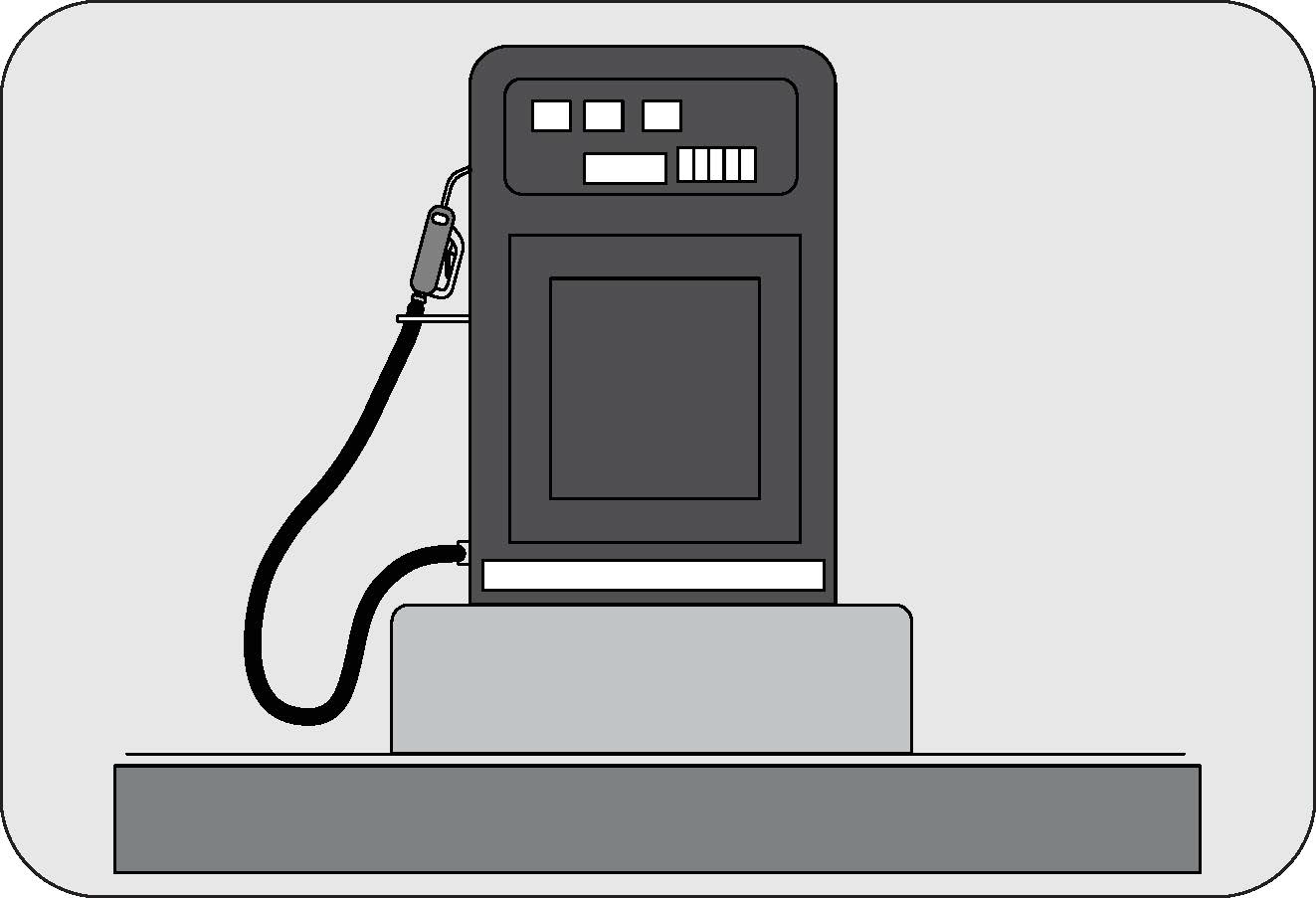
|
For Diesel
Vehicles: Use Automotive Diesel fuel confirming to IS 1460:2025 specification
(Having Sulphur less than 10 mg/kg). Information regarding
the diesel fuel quality filled shall be available with the concerned fuel retail
outlet.
|
In case you require freeze protection of diesel for cold start at
sub-zero temperature, we recommend to add Mahindra Genuine
additive “mFLO” for temperature up to -15 °C. For temperature lower than -15 °C recommend to fill
winter grade automotive
diesel available at the fuel retail outlet of that location.
Avoid filling any other grade of fuel or diesel with high sulphur
content or kerosene. Do not add any additives which are
not recommended by us. These actions will void the emission warranty of your vehicle and can cause
permanent damage to the
engine and emission control systems.

|
For Gasoline
(Petrol) vehicles:Use E20 (20 percent mixture of Ethanol in Motor Gasoline)
confirming to IS 17021 specification or E10 (10 percent mixture
of Ethanol in Motor Gasoline) confirming to IS 2796 specification having RON 95.
Information regarding the fuel quality shall
be available with the concerned fuel retail outlet.
|
Do not “top up” after the
nozzle automatically shuts off when refuelling.
Always ensure the fuel cap is
secured properly after fueling to avoid spillage or splash and causing fire incidents.
Do not fill ethanol or
biodiesel directly into the fuel tank. This will harm the fuel system, lines, engine and exhaust
components.
Once you realize if
inappropriate fuel filled in your vehicle, do not start the vehicle. Contact the nearby
Authorized Mahindra
Service Center for appropriate help and action in this regard.
Avoid inhaling fuel vapors and
any skin or clothing contact. Direct skin contact with fuel or the inhalation of fuel vapor
may affect your health.
Diesel and Petrol fuel are highly inflammable.
Avoid sparks, naked flame, any potential spark producing devices
while fuelling.
Its highly recommended to turn off the engine while filling fuel at
retail outlets.
Do not park your vehicle nearby or on any extreme hot surfaces /
nearby bonfire locations.
It is recommended to maintaining a minimum of 10 liters of fuel in the
fuel tank. Driving the vehicle till the fuel tank is
empty is not recommended. Always have sufficient fuel in the tank. Check the fuel level prior to
starting your journey.
Never carry fuel in separate
containers in the vehicle, it is dangerous and may lead to an inadvertent fuel leak or
spillage.
13.16.1 Fuel-Lid Opening and
Closing
 |
The fuel lid open switch is located in the driver
side switch bank. Press the switch to open the fuel lid door.
|
 |
 |
Turn the fuel cap anti-clockwise to open. Refuel and put the cap
back in its place and tighten in the clockwise direction
till three distinct clicks are heard. Close the fuel lid shut.
Ensure the fuel cap and lid
are securely closed before starting the vehicle.
13.16.2 Refilling DEF
(Applicable for Diesel Variant)
To enable SCR system work efficiently and to ensure emission
compliance, it is recommended to use MaxiCLEAN DEF meeting IS
17042 (or) ISO 22241 specification.
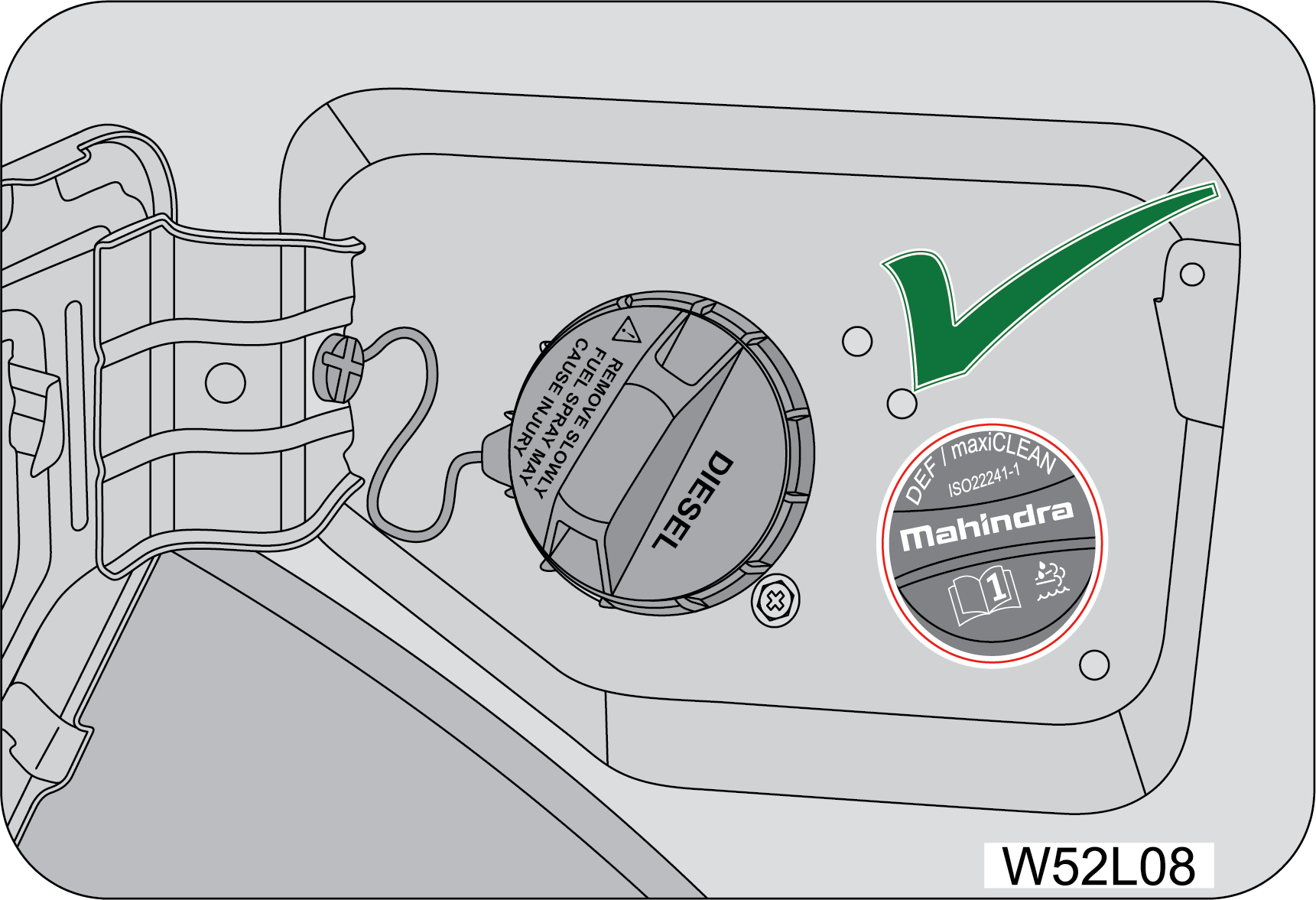 |
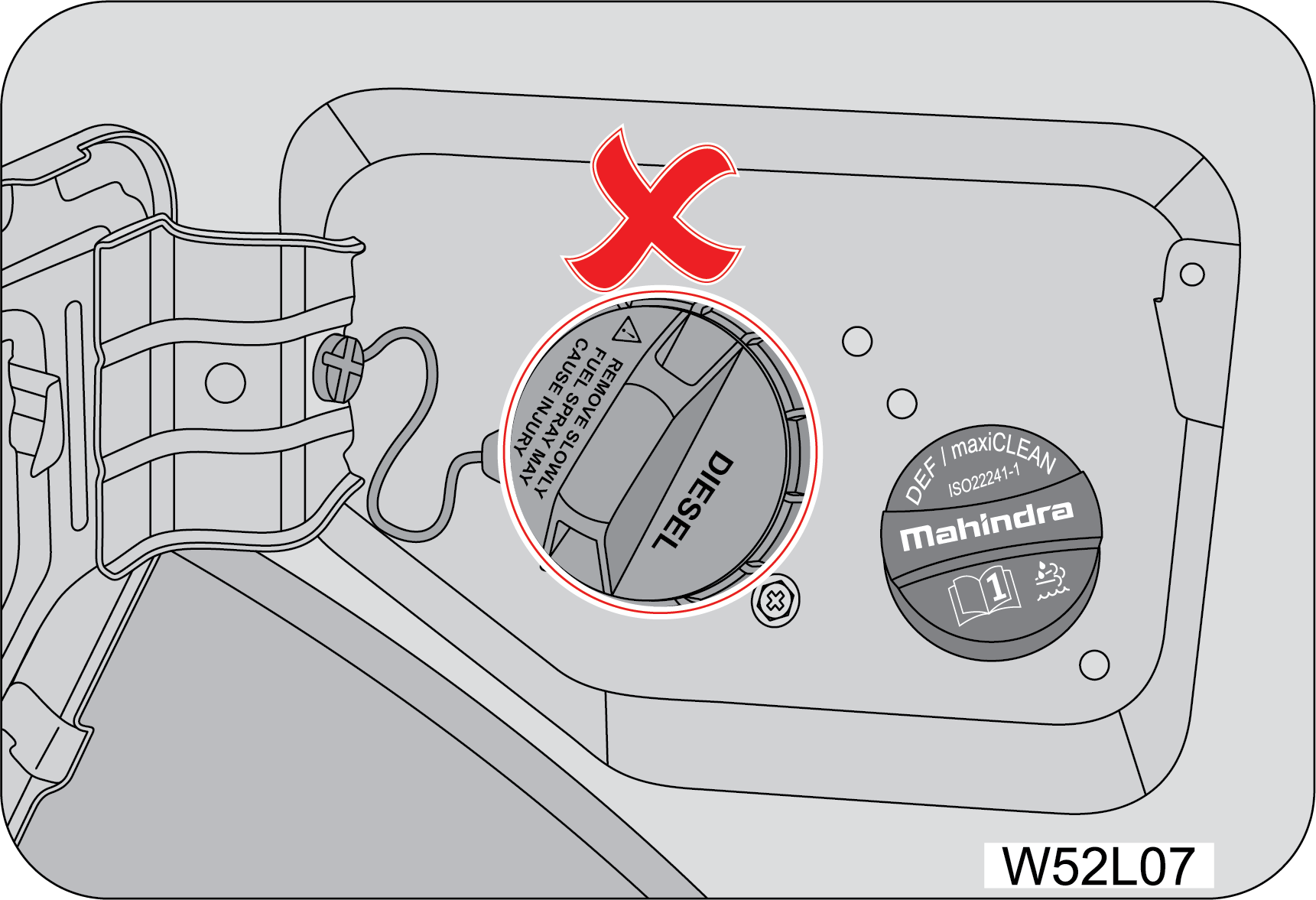 |
Do not fill the Diesel fuel in the DEF tank. Which will causing
the severe damage to the system.
13.17 Tips for Better
Fuel Economy
Give due consideration to the points listed below for better
performance of vehicle and enhancement of fuel economy.
| • | Smooth, moderate operation will yield savings in fuel. |
| • | Steady speeds without stopping will usually give the best fuel economy. |
| • | Ensure that the parking brake is fully released. |
| • | Idling for long periods of time will waste fuel. |
| • | Anticipate stopping; slowing down may eliminate the need to stop. |
| • | Sudden or hard accelerations reduce fuel economy. |
| • | Slow down gradually. |
| • | Drive at moderate speeds. |
| • | Revving the engine before turning it off may reduce fuel economy. |
| • | The air conditioner may reduce fuel economy. |
| • | Warming up a vehicle in neutral on cold mornings is not required and may reduce fuel economy. |
| • | While idling put the gear shift lever in the neutral position. |
| • | Resting your foot on the clutch pedal while driving will reduce fuel economy. |
| • | Combine errands and minimize stop-and-go driving. |
| • | Keep tyres properly inflated. It is recommended to check your tyre pressure in the morning when the tyre is cold. |
| • | Use recommended engine oil. Refer to the Maintenance Section for specifications and capacities. |
| • | Replace the fuel filter and air filter at the recommended intervals. |
| • | Shift gears at the recommended speeds and rpm bands only. Refer to the gear shifting speed table for further details. |
| • | Control the maximum speed between 90 to 100 km/h in 6thgear to achieve the best fuel efficiency. |
| • | Follow the recommended maintenance schedule and perform the owner maintenance checks recommended. |
| • | Heavily loading a vehicle or towing a trailer will reduce fuel economy. |
| • | Carrying unnecessary weight may reduce fuel economy. |
| • | Adding certain accessories to your vehicle may reduce fuel economy. |
| • | Four-wheel-drive operation (If Equipped) is less fuel efficient than two-wheel-drive operation. |
| • | Driving on flat terrains offer improved fuel economy as compared to driving on hilly terrains. |
| • | Close windows during high speed driving for better fuel economy. |
| • | It is recommended to refuel in the mornings (cold weather condition). |
13.17.1 How to Calculate
Fuel Efficiency (Mileage)
| 1. | Ensure recommended tyre pressure is maintained. |
| 2. | Refuel your vehicle till the fuel gun at the fuel station is auto-cut-off. |
| 3. | Reset trip meter to zero. |
| 4. | Drive at a moderate speed for a minimum distance of 150 km. |
| 5. | Refuel at the same fuel station till the auto-cut-off mode. |
| 6. | Assuming ‘a’ liters of fuel was filled and ‘b’ was the trip meter reading. Fuel Efficiency = b/a km/l. |
| 7. | We recommend that point no.2 and point no.5 should be done in cold conditions (In mornings). |
14 WHEELS AND TYRES
14.1 Tyre Information
The tyres fitted in this
vehicle meet the requirements of BIS and they comply with the requirements under the Central
Motor
Vehicles Rules (CMVR) 1989.
|
A
|
Max Load Limit
|
|
B
|
Tyre Size
|
|
C
|
Radial tyres or bias-ply tyre - A radial tyre
has “RADIAL/STEEL BELTED RADIAL” on the sidewall. A tyre not marked with
“RADIAL”
is a bias-ply tyre
|
|
D
|
“TUBELESS” or “TUBE TYPE” - A tubeless tyre
does not have a tube inside the tyre and air is directly filled in the tyre. A
tube type tyre has a tube inside the tyre and the tube maintains the air
pressure
|
14.2 Tyre Rating
Your vehicle is originally equipped with tyres supplied by a reputed
manufacturer. If you ever have any questions regarding
your tyres, please refer to literature supplied by the tyre manufacturer, or to the separate tyre
warranty provided by the
tyre manufacturer. You may also contact Mahindra directly, or the tyre manufacturer.
The tyre rating of your vehicle is : 245/75 R16 (or) 255/65 R18

|
Tyre rating is explained as shown the given image.
|
Tyre size (example: P245/75 R16
100S)
(A):245 (Three-digit
number):This number gives the width in
millimeters of the tyre from sidewall edge to sidewall edge. This is called ‘Section
Width’.
(B):75 (Two-digit
number):This number, known as the aspect ratio,
gives the tyres ratio of height to section width.
(C):R This is the tyre Construction Code. The ‘R’ stands for
Radial.
(D):16 (Two-digit
number):This number is the wheel or rim diameter
in inches.
(E):100 (Two or three digit
number):This number is the tyres load index. It
is a measurement of how much weight each tyre can support.
(F):S Tyre speed rating or speed symbol. Never drive the vehicle faster
than the tyre speed rating. The speed rating denotes the
speed at which a tyre is designed to be driven for extended periods of time under a standard
condition of load and inflation
pressure.
Recommended replacement of tyre
should be same type of tyre.
14.3 Tyre Label (Vehicle Placard)
The tyre label (Vehicle Placard) is located on the driver door B
pillar inner edge/face. This placard gives you important
information about the tyre size designed for your vehicle, and the tyre inflation pressures for the
front and rear tyres.

|

|
Never overload your vehicle.
Overloading can cause tyre failure, affect vehicle handling, and increase your stopping
distance,
resulting in an accident and/or personal injury.
Improperly inflated tyres can
adversely affect vehicle handling or can fail unexpectedly, resulting in an accident and/or
personal injury.
14.4 Tyre Pressure
Proper tyre inflation pressure is essential to the safe and
satisfactory operation of your vehicle. Three primary areas are
affected by improper tyre pressure:
| • | Safety |
| • | Economy |
| • | Ride Comfort and Vehicle Stability |
Proper tyre inflation contributes to a comfortable and safe ride.
Overinflating produces a jarring and uncomfortable ride.
Both under-inflation and over-inflation affect the stability of the vehicle and can produce a
feeling of sluggish response
or over responsiveness in the steering. Unequal tyre pressures can cause erratic and unpredictable
steering response or may
cause the vehicle to drift left or right.
Improper inflation pressures can cause uneven wear patterns to
develop across the tyre tread. These abnormal wear patterns
will reduce tread life resulting in a need for earlier tyre replacement. Under inflation also
increases tyre rolling resistance
and results in higher fuel consumption.
The proper cold tyre
inflation pressure is listed in the tyre Label (Vehicle Placard), located on the front
passenger side
inner B-pillar.
14.4.1 Inspection and
Adjustment Procedure
The tyre pressure should be checked and adjusted, as well as
inspected for signs of tyre wear or visible damage, at least
once a month. Use a good quality pressure gauge to check tyre pressure. Do not make a visual
judgement when determining proper
inflation. Radial tyres may look properly inflated even when they are under-inflated. At the
same time, each tyre should be
inspected for signs of tyre wear or visible damage.
Inflation pressures specified on the placard are always cold
tyre inflation pressures. Cold tyre inflation pressure is defined
as the tyre pressure after the vehicle has not been driven for at least three hours, or driven
less than 1 km after a three-hour
period. Check tyre pressures more often if subject to a wide range of outdoor temperatures, as
tyre pressures vary with temperature
changes. Tyre pressures change by approximately 1 psi (7 kPa) per 7 °C of air temperature
change. Keep this in mind when checking
tyre pressure inside a garage, especially in the winter.
When it was new, the spare tyre in your vehicle was fully
inflated. However, a spare tyre can lose pressure over time. In
order to avoid being stranded, check the spare tyre air pressure frequently.
14.4.2 Inflating Your Tyres
Safe operation of your vehicle requires that your tyres are
properly inflated. Remember that a tyre can lose up to half of
its air pressure without appearing flat.
At least once a month or before long trips, inspect each tyre
and check the tyre pressure with a tyre gauge (including spare
tyre). Inflate all tyres to the recommended inflation pressure.
Under-inflation is the
most common cause of tyre failures and may result in severe tyre cracking, tread
separation or “blowout”,
with unexpected loss of vehicle control and increased risk of injury. Under-inflation
increases sidewall flexing and rolling
resistance, resulting in heat buildup and internal damage to the tyre. It also may result
in unnecessary tyre stress, irregular
wear, loss of vehicle control and accidents.
Always inflate your tyres to the recommended pressure even if it
is less than the maximum inflation pressure information found
on the tyre. The recommended tyre inflation pressure is found on the Tyre Label which is located
on the front passenger side
inner B-pillar. Failure to follow the tyre pressure recommendations can cause uneven tread wear
patterns and adversely affect
the way your vehicle handles.
If you overfill the tyre,
release air by pushing the metal stem in the center of the valve. Then recheck the
pressure.
After inspecting or
adjusting the tyre pressure, always reinstall the valve stem cap (If Equipped). This will
prevent moisture
and dirt from entering the valve stem, which could damage the stem, resulting in an
unexpected loss of tyre pressure, an accident
and/or personal injury.
14.4.3 Radial Ply Tyres
Combining radial ply
tyres with other types of tyres on your vehicle will cause your vehicle to handle poorly,
resulting in
an accident and/or personal injury. Always use radial tyres in sets of four. Never combine
them with other types of tyres.
Cuts and punctures in
radial tyres are repairable only in the tread area because of sidewall flexing. Consult
your Authorized
Mahindra Service Center for radial tyre repairs.
14.4.4 Tread Wear Indicators
(TWI)
Tread wear indicators are molded into the bottom of the tread
grooves. They will appear as bands when the tread depth becomes
1/16 inch (2 mm). When the indicators appear in two or more adjacent grooves, the tyre should be
replaced.
Avoid abrupt maneuvering
and braking. This can cause tyre deterioration and lead to loss of steering or braking
control.
14.4.5 Life of Tyre
The service life of a tyre is dependent upon various factors
including but not limited to:
| • | Driving style |
| • | Tyre pressure |
| • | Distance driven |
Tyres and the spare tyre
should be replaced after six years, regardless of the remaining tread. Failure to follow
this warning
can result in sudden and unexpected tyre failure, leading to an accident and/or personal
injury.
Keep dismounted tyres in
a cool, dry place with as little exposure to light as possible. Protect tyres from contact
with oil,
grease and fuels.
Do not use a tyre, wheel
size or speed rating other than that specified for your vehicle on the tyre placard.
Combinations
of unapproved tyres and wheels may change suspension geometric and performance
characteristics, resulting in changes to steering,
handling and braking of your vehicle. This can cause unpredictable handling, stress to
steering and suspension components.
You could lose control of the vehicle or the tyre can unexpectedly fail, resulting in an
accident and/or personal injury.
Replacing original tyres
with tyres of a different size may result in false speedometer and odometer
readings.
14.5 Tyre Rotation Recommendations
Type 1 - Applicable for all 5
Steel / 5 Alloy wheels
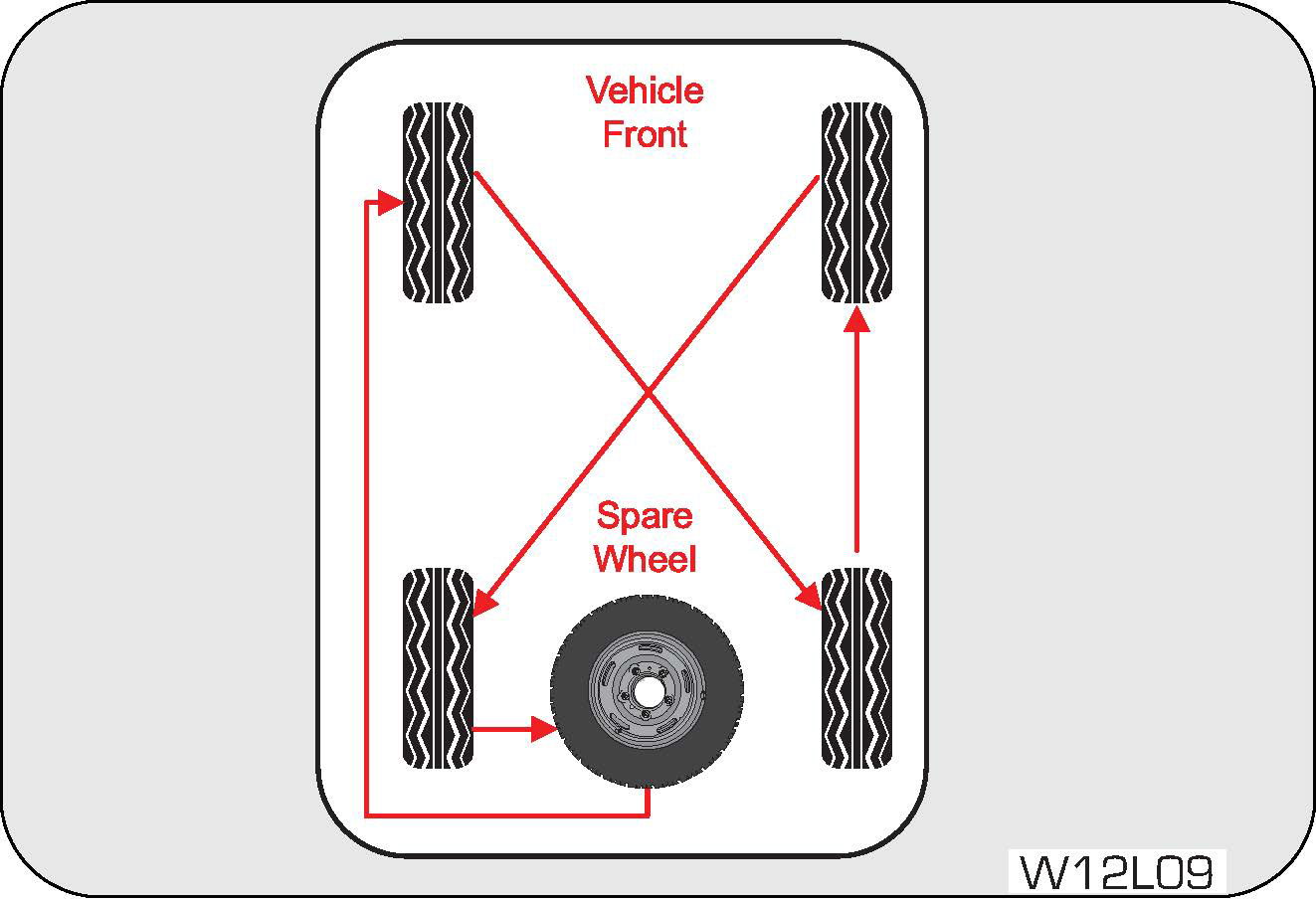 |
Tyres on the front and rear axles of vehicles
operate at different loads and perform different steering, handling, and braking
functions. For these reasons, they wear at unequal rates and develop irregular wear
patterns.
|
Rotation will increase tread life, help to maintain mud, snow, and
wet traction levels, and contribute to a smooth, quiet
ride. Follow the recommended tyre rotation frequency for your type of driving.
Type 2 – Applicable for 4 Alloy
wheels and Spare wheel with Steel rim
It is recommended rotating the tyres as per the “Maintenance
Schedule”.
The suggested rotation method is the “forward-cross” shown in the
diagram. The benefits of rotation are especially worthwhile
with aggressive tread designs such as those on On/Off-road type tyres.
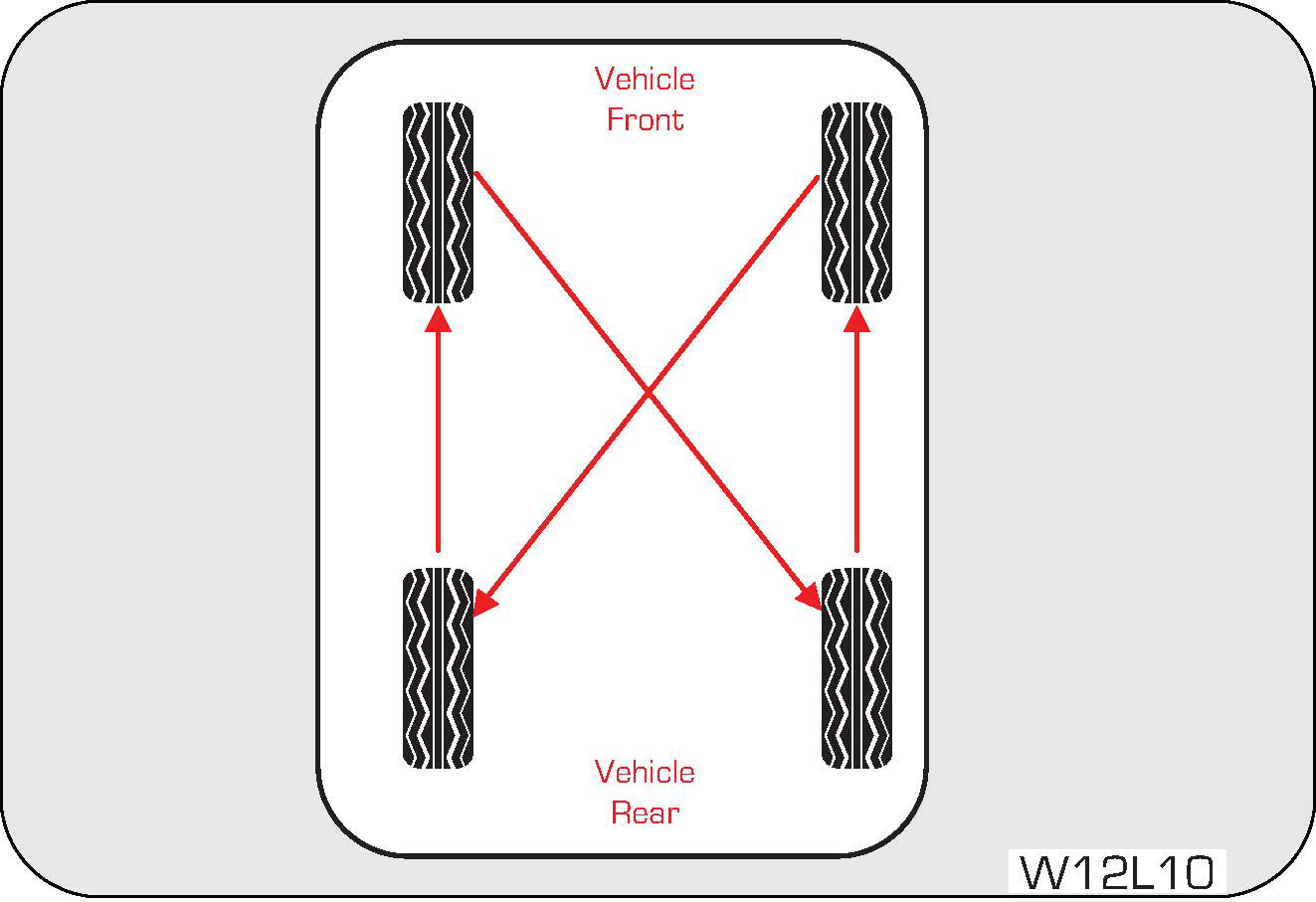 |
Rotation will increase tread life, help to maintain
mud, snow, and wet traction levels, and contribute to a smooth, quiet
ride. Follow the recommended tyre rotation frequency for your type of driving. More
frequent rotation is permissible if desired.
|
The reasons for any rapid or unusual wear should be corrected prior
to rotation being performed.
14.5.1 Changing a Flat Tyre
Refer to “If you have a Flat tyre” section in the general
chapter for details.
14.5.2 Wheel Tightness
When you change a wheel, remove all rust and dirt at all
locations where the wheel contacts the wheel hub. Use a scraper or
wire brush to be sure that you remove all rust and dirt. A loose wheel could have damaged or
elongated the holes in the rim,
or damaged the rim/hub assembly. If any of the wheel studs or nuts are damaged, contact the
nearest Authorized Mahindra Service
Center.
Always tighten the nuts
in a crisscross sequence. Never use oil or grease on your wheel studs or nuts.
Never over tighten the
nuts on the wheel stud. You could damage the stud or the nut.
Torque tighten the wheel
nuts to the specified value at the nearest Authorized Mahindra Service Center.
The tyres fitted in this
vehicle meet the requirements of BIS and they comply with the requirements under the
Central Motor
Vehicles Rules (CMVR) 1989.
14.6 Tiretronics (If Equipped)
The tiretronics system checks the pressure and temperature of the air
inside the pneumatic tyres of the vehicle. System alerts
the driver during driving if any of the tyre parameters are not in acceptable limits due to any
reason.
The system will continue to alert until the warning condition is
resolved to the actual placard values.
Appropriate tyre pressure and tyre temperature is required for:
| • | Adequate braking |
| • | Road grip |
| • | Vehicle handling |
| • | Vehicle maneuvering |
| • | Reduced tyre wear and tear |
| • | Reduced tyre strain and safety |
| • | Good fuel efficiency |
The instrument cluster displays all alerts & visual warnings
related to Tiretronics system.
14.6.1 Operation of Tiretronics
Tiretronics uses wireless sensor technology that is mounted on the
wheel rim to checks the tyre pressure levels. They transmit
the data to the receiver inside the vehicle which is in turn is communicated and displayed on the
instrument cluster.
In the instrument cluster screen all the tyre locations will
display the status as pressure and temperature. Spare tyre (if
TPMS sensor equipped) information on tiretronics screen shall be available only during any alerts
and warning in the spare
tyre. (User Shall verify spare tyre pressure manually, In certain conditions system may not update
pressure for Spare tyre
correctly).
The Tiretronics has been customized only for the manufacturer’s
genuine tyres and wheels. Tiretronics pressure limits and
warning messages have been established and calibrated for the tyre size equipped on your vehicle.
Replacement of manufacturer’s
parts with a different size, type or style of components may damage the sensor and lead to
incorrect readings.
Do not use aftermarket tyre sealants or balance beads if your
vehicle is equipped with Tiretronics. Failure to comply may
lead to sensor damage.
The Tiretronics is not intended to replace normal tyre care and
maintenance or to warn of any tyre failure condition. The
system should not be used as a replacement for a pressure measuring gauge to adjust the vehicle
tyre pressure.
Driving with under-inflated tyres cause the tyres to overheat and
may lead to tyre failure. Under-inflated tyres reduce fuel
efficiency, tyre tread life and may affect the vehicle's maneuverability and braking ability.
It is the driver's responsibility to maintain correct tyre pressure
using an accurate pressure gauge, even if under-inflation
has not reached the level to trigger illumination of the Tiretronics warning indicator.
14.6.2 Tiretronics Warning Lamp
The Tiretronics warning lamp in the instrument cluster illuminates
for any alert condition and also for low/high tyre pressure/High
temperature alerts and malfunction.
14.6.3 Tiretronics Sensor
Installation
 |
First apply lubricant (paste) or soapy water to rim
hole or valve nozzle bar, as shown in the following figure (the diagram
is for reference only, and it is operated according to the degree of automation of
the customer's production line).
|
 |
 |
| 1. | Line the sensor up with the rim hole and attach the TTV insertion tool to the end of the valve ready for pull in. |
| 2. | Ensure the TTV insertion tool is positioned to the correct notch and that the sensor is pulled through in a direction parallel to the valve whole axis and NOT at an angle to it. |
| 3. | The picture below shows a correctly fitted sensor. Note the rubber bulb of the valve resting against the rim and the front face of the enclosure is NOT touching the rim. Apply tyre soap solution to the rubber portion of the valve stem and the top of the enclosure. |
| 4. | Place the inner tyre bead over the rim. |
| 5. | Place the outer tyre bead over the rim. |
| 6. | Inflate all tyres to the prescribed pressure, check the valve area for leakage and re-balance the wheels prior to installing back on the vehicle. |
Starting to mount the tyre
from the valve location is a wrong fitment. The fixing tool/stem may hit the sensor and
damage
it. Start from the opposite direction.
14.6.4 Tiretronics Sensor
Removal
 |
|
| • | Remove the tread and ensure that the extractor
forceps is inserted into the tyre at the yellow position shown below and turn
the rim clockwise.
|


| • | To remove the sensor, firstly remove the screw
using a T6 TORX screwdriver.
|


 |
|
| • | Cut the rubber bulb and attach the TTV tool to the valve. Remove the valve from the rim by pulling through the rim, or simply pull through without cutting the bulb. |
| • | Lift the outer tyre bead over the rim using a tyre tool. |
The valve must be positioned
just left of the start position to avoid sensor damage. Do not touch the sensor with the tyre
tool.
| • | Lift the inner tyre bead over the rim using the tyre tool |
| • | Remove existing valve stem |
Starting to mount the tyre from
the valve location is a wrong fitment. Fixing tool/stem may hit the sensor and damage it.
Start from the opposite direction.
14.6.5 Functionalities of
Tiretronics System
|
|
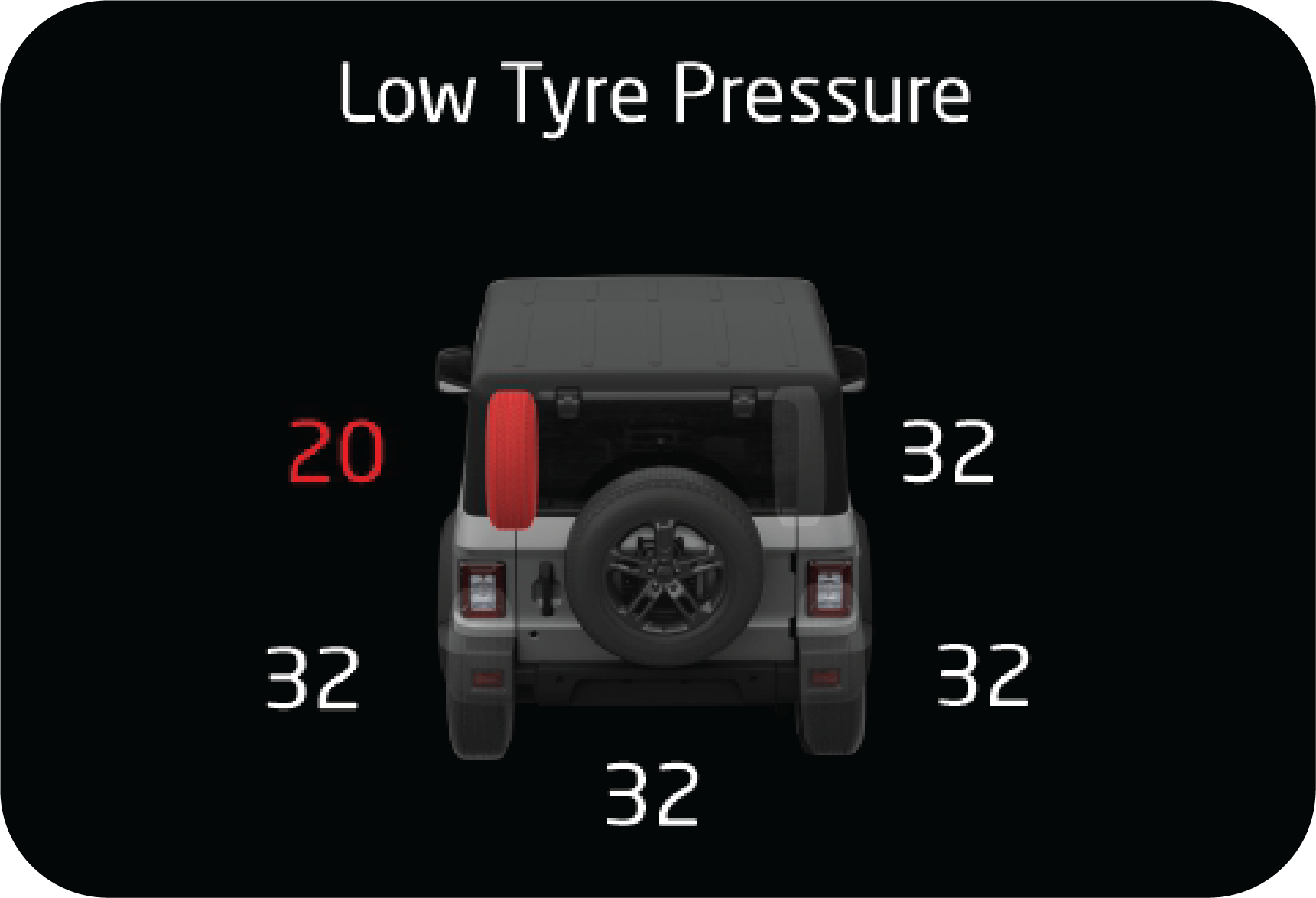 |
Low Pressure
Alert
Low pressure monitoring is to indicate low tyre
pressure. Please note the following points.
|
| • | Low pressure alert will be set only when the tyre pressure value goes below threshold. Low pressure will be set based on the temperature value. |
| • | Low pressure alert in the main alert screen will pop up once for driver notification when the alert is set and the vehicle is in running condition. Otherwise the alert will remain in the information screen and alert register screen. |
| • | If low pressure is observed, respective tyre should be rectified with cause of low pressure and then fill air. |
| • | Once low pressure alert is set with tyre pressure below threshold the alert shall not be cleared until the pressure is filled to the placard value. |
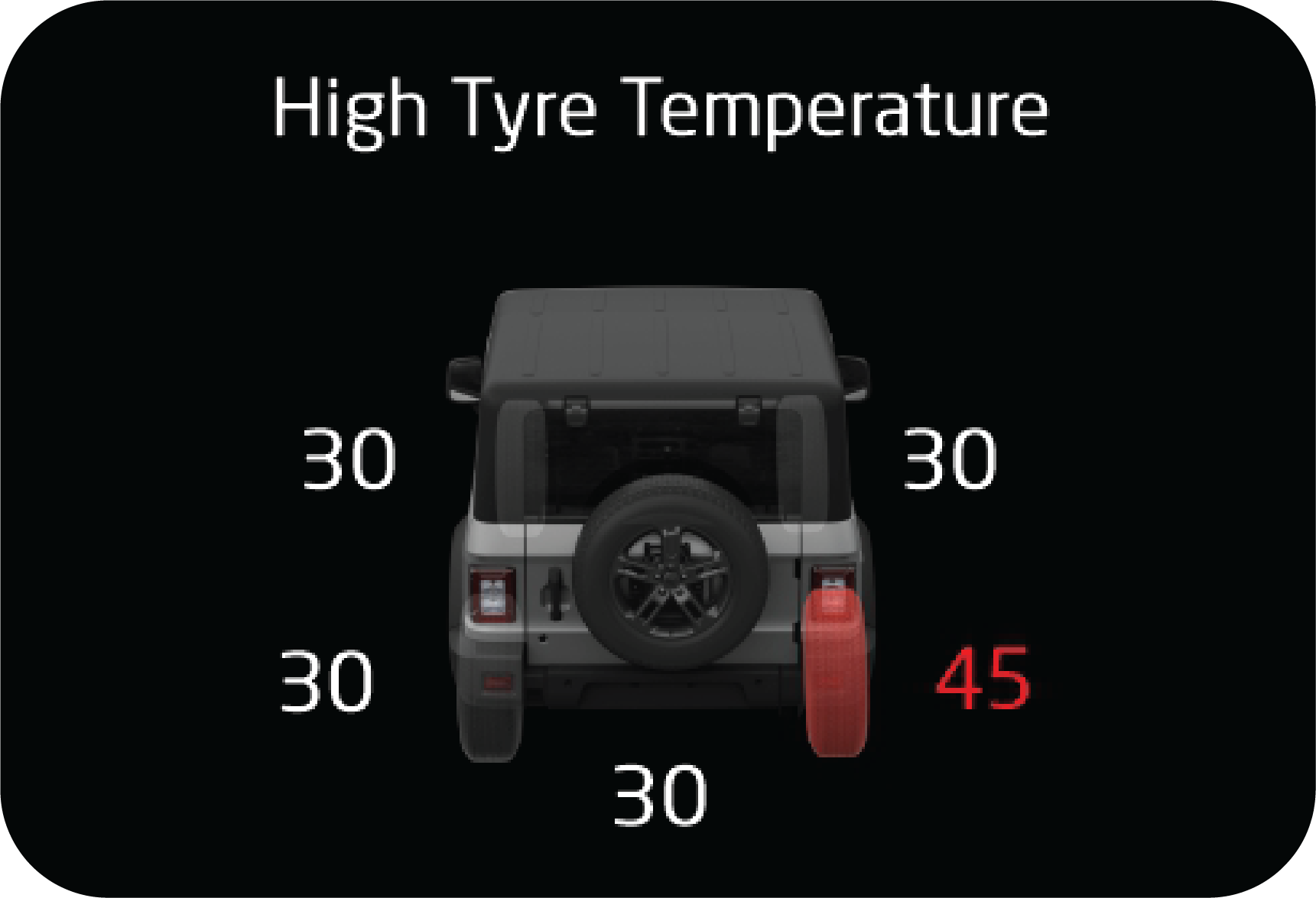 |
High Pressure
Alert
High pressure monitoring is to indicate high
pressure alert. Please note the following points.
|
| • | High pressure alert will be set only when the tyre pressure value goes above threshold. |
| • | High pressure alert in the main alert screen will pop up once for driver notification when the alert is set and the vehicle is in running condition. Otherwise the alert will remain in the tiretronics screen. |
| • | If high pressure value is observed, air has to be released from the respective tyre until the pressure reduces to the placard value. |
| • | The vehicle should be driven above 40 km/h for the new pressure value to be updated and the alert to be cleared. |
| • | Once the high pressure alert is triggered the alert shall not get cleared until the respective tyre pressure is reaches to the placard value. |
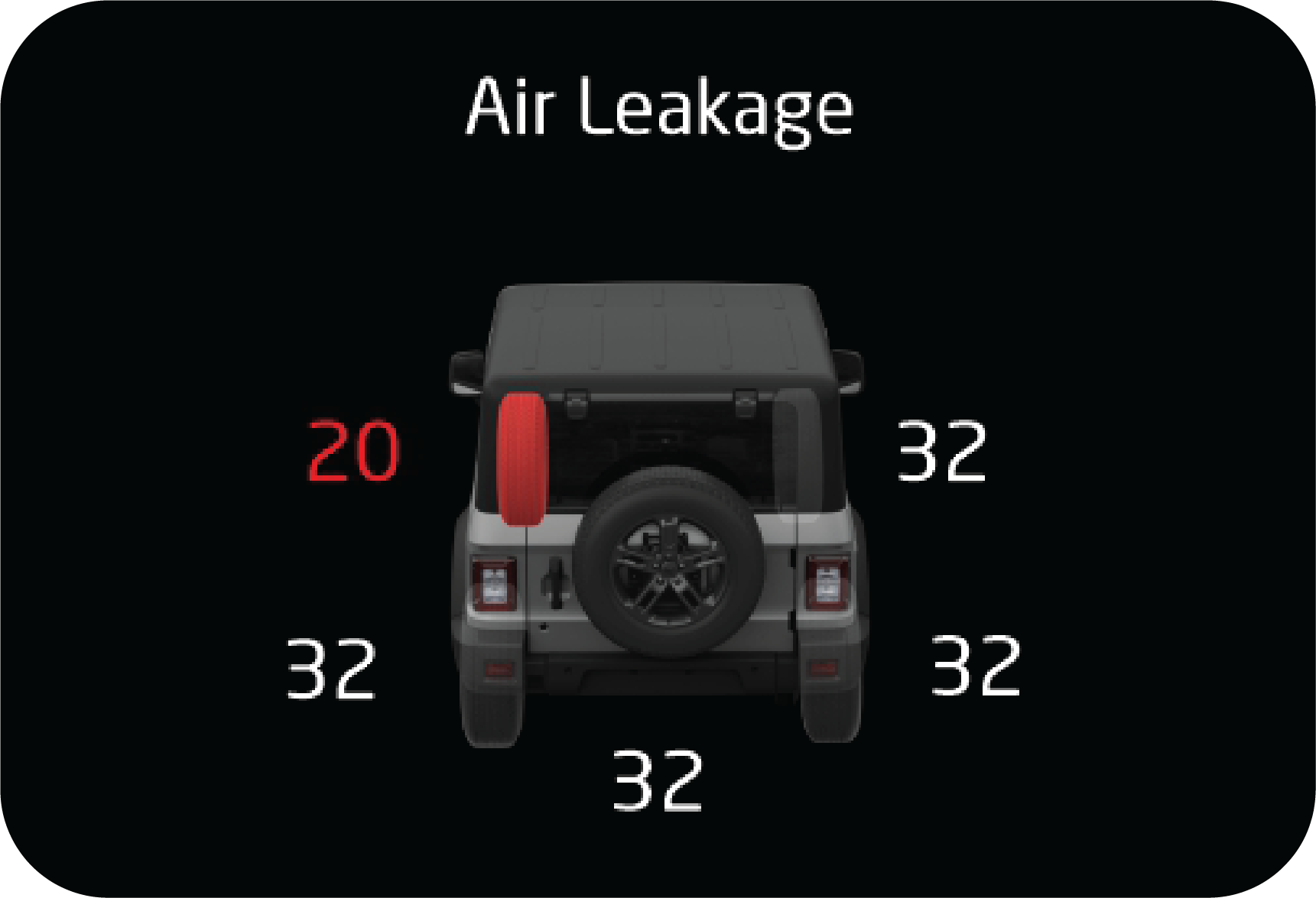 |
Pressure Leakage
Alert
Pressure leakage monitoring is to indicate pressure
leakage in any of the vehicle tyres. Please note the following points.
|
| • | Pressure Leakage alert will be set only when the tyre pressure is leaking at a rate greater than defined threshold. |
| • | In the pressure leakage condition if the tyre pressure goes too below threshold then the low pressure alert will also be set. |
| • | The pressure leakage alert in the main alert screen will pop up once when the alert is set for driver notification and will be shown in tiretronics screen when the vehicle is in running ignition ON condition. |
| • | Once pressure leakage is observed the respective tyre should be observed for air leakages and the puncture condition has to be rectified. Proper placard value should be filled after puncture rectification. |
| • | If the vehicle is running in an extremely rocky and acute bumpy condition then fluctuating pressure leakage alert may get set which will get rectified when the vehicle runs back on a normal road. This happens due to sudden change in pressure levels due to rocky conditions. |
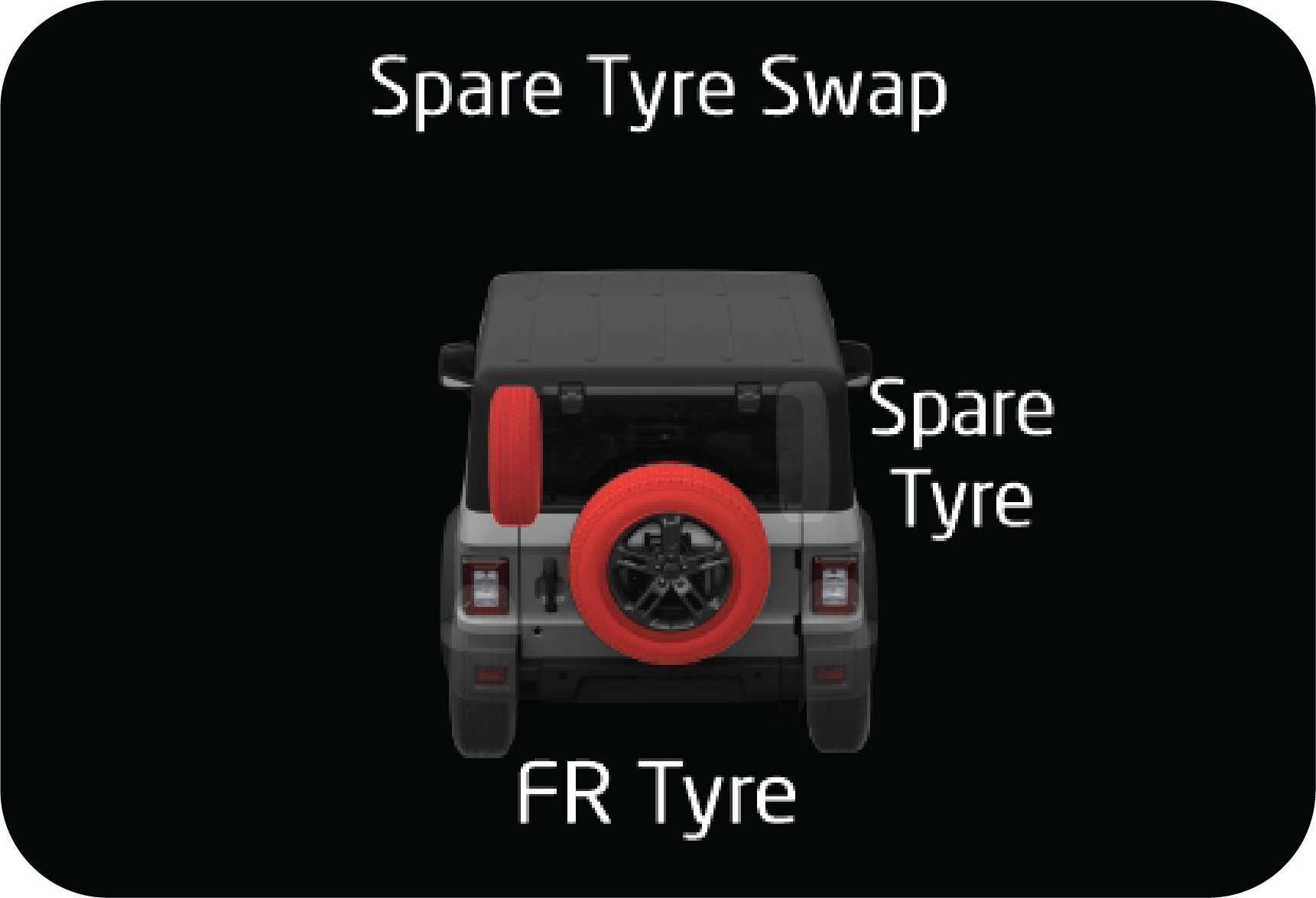 |
Auto Spare Tyre
Swap
Spare tyre swap feature monitors the spare tyre if
it has been swapped by the user for any faulty running tyre.
|
| • | If any one of the running tyres goes faulty, spare
tyre is swapped with the running tyre and the vehicle is driven, then:
Always rectify the faulty tyre either in the spare
tyre position or the running tyre position.
|
| • | If the rectified running tyre is replaced back in to running location and the spare tyre back in the spare position, then it is mandatory that Tiretronics manual learning is performed post the rectification. |
The Tiretronics system cannot detect the absence/ missing spare
tyre.
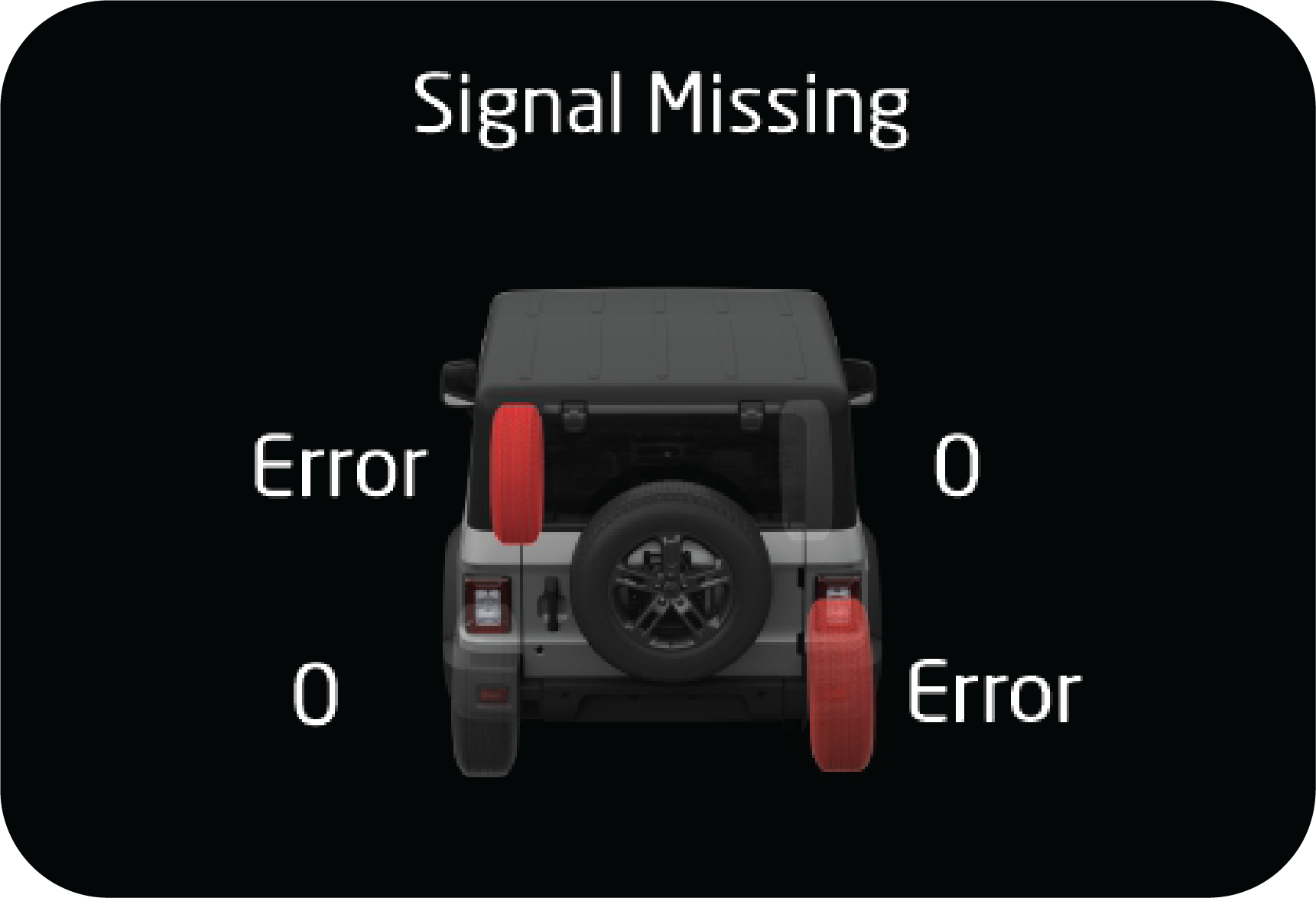 |
Sensor Signal
Missing Alert
When the vehicle runs in speed above 40 km/h,
Tiretronics system receives signal from all the Tiretronics sensor installed
in all running tyres.
|
| • | On account of any issue in signal reception or Tiretronics sensor damage or tyres changed with out performing manual learning then the signal will not be received. |
| • | If the Signals from the tiretronics sensor are not received atleast once, when the vehicle is driven at a speed greater than 40 km/h for more than 10 minutes, "Signal Missing" alert will be set for the respective tyre and Tiretronics Telltale will be ON. |
| • | When the Tiretronics signal missing is set then perform manual learning once. If manual learning is not done successfully then the corresponding position tyres sensor needs to be checked by carefully opening the tyre |
| • | If the sensor is found to be damaged then it should be replaced with a new one and manual/auto learning should be done. |
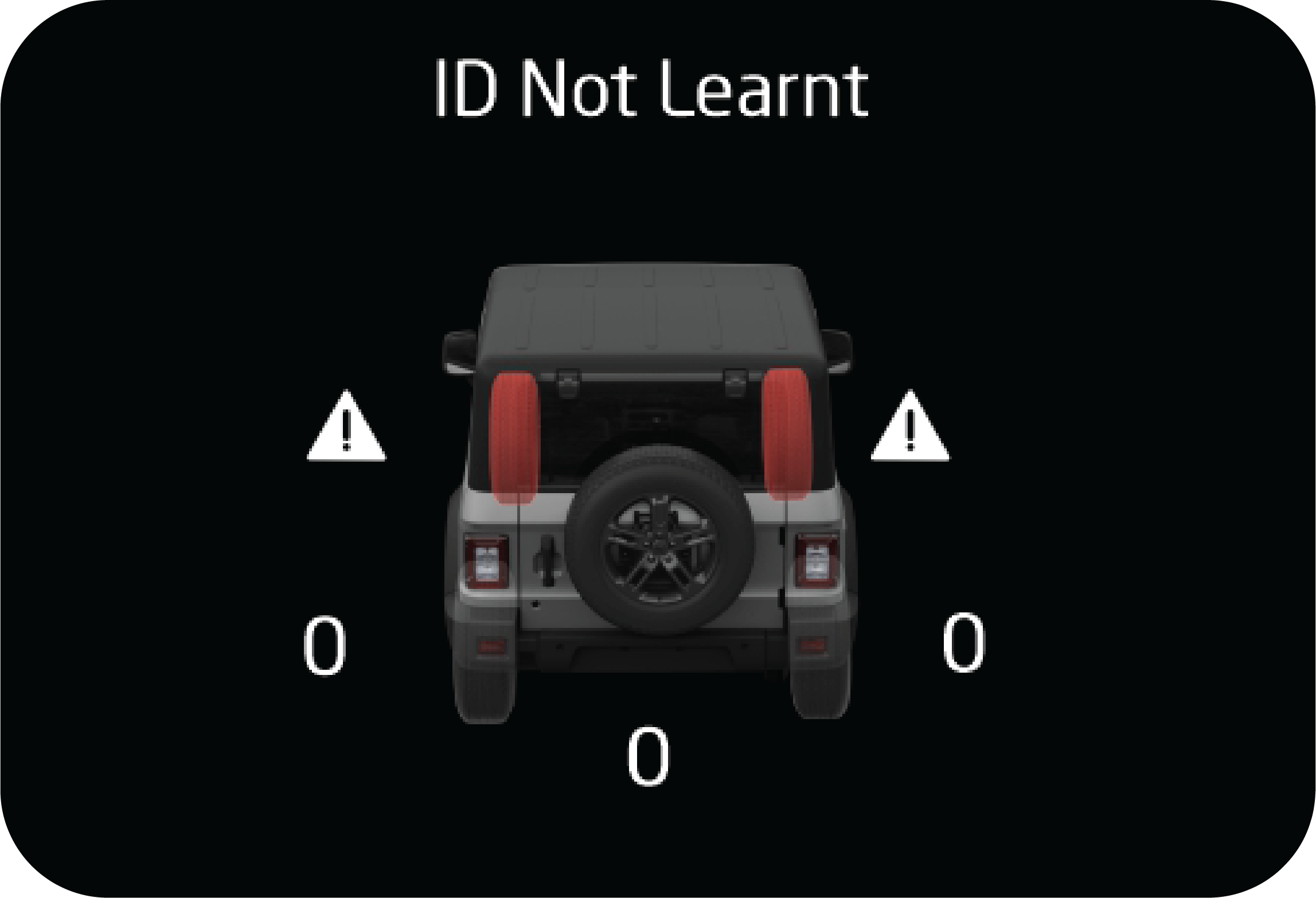 |
Sensor Faulty/
Low Battery Alert
Each tiretronics sensor in the vehicle tyres has an
internal individual battery. If the battery level is too low or the sensor
by itself is malfunctioning then the Tiretronics system shall give this alert.
|
| • | If the Tiretronics sensor low battery/faulty is set then the corresponding position tyres sensor needs to be removed by carefully opening the tyre and replacing it with a new sensor. |
| • | Post replacing the new sensor, manual/auto learning should be done. |
14.6.6 Tiretronics Learning
After tyre rotation or Tiretronics sensor replacement, the receiver
must be learnt, else the Tiretronics warning lamp indicates
a malfunction.
Mandate Points
Manual learning is the process by which the identities of 5 sensors
installed inside the tyres are learnt and programmed in
to the memory of the receiver module.
| 1. | Manual learning should be compulsorily performed
on any of the following conditions or operations done.
|
| 2. | Once manual learning is initiated, the sensors inside the tyres need to be triggered by leaking the air from each tyre one at a time and should be completed within certain value post to each event for learning all 5 tyres. |
| 3. | Do not perform Manual learning process at the same time on two vehicles with in the radius of 20 meters. |
| 4. | It is mandatory that manual learning of tyres should follow the sequence of ‘front left tyre position, front right tyre, rear right tyre, rear left tyre and spare tyre’. |
| 5. | It is required to ensure the tyres have pressure > 32 psi and < 36 psi before initiating the manual learning process. |
| 6. | Post manual learning, all tyres should be filled to the placard pressure value. |
It is mandatory that manual
learning of tyres should follow the sequence of ‘front left tyre position, front right tyre,
rear
right tyre, rear left tyre and spare tyre’.
Initiating the Manual Learning
Process
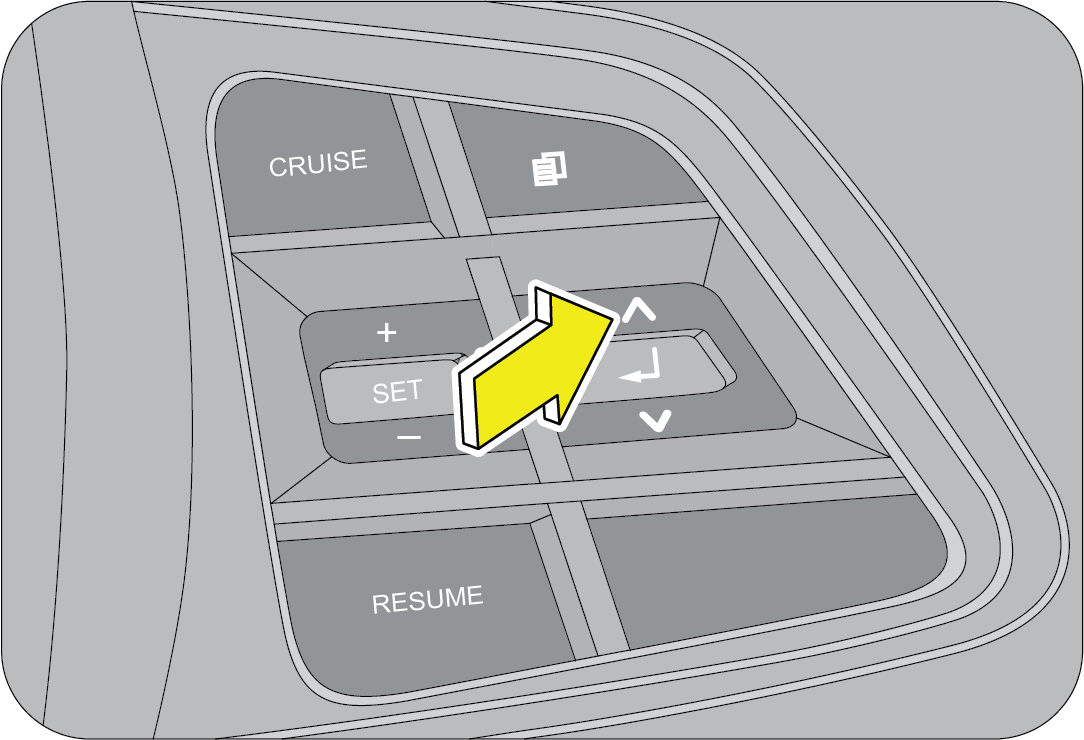 |
1. Turn the ignition OFF. Press and hold the up
button in steering wheel
2. Turn the ignition ON
|
3. Wait for the cluster’s tachometer and speedometer to rotate to
highest position and then release the mode button. Then
observe the cluster for the Tiretronics telltale to blink, vehicle siren will indicate by 3 chirps
and cluster screen shows
‘Tiretronics MANUAL LEARNING’.
If failed to enter in to the manual learning mode:
| • | Try initiating the manual learning once again. |
| • | Check if the reverse gear is engaged, if it is engaged disengage it. |
| • | Check if the cluster mode button is working fine. |
If problem still persist, contact an Authorized Mahindra Service
Center for further assistance.
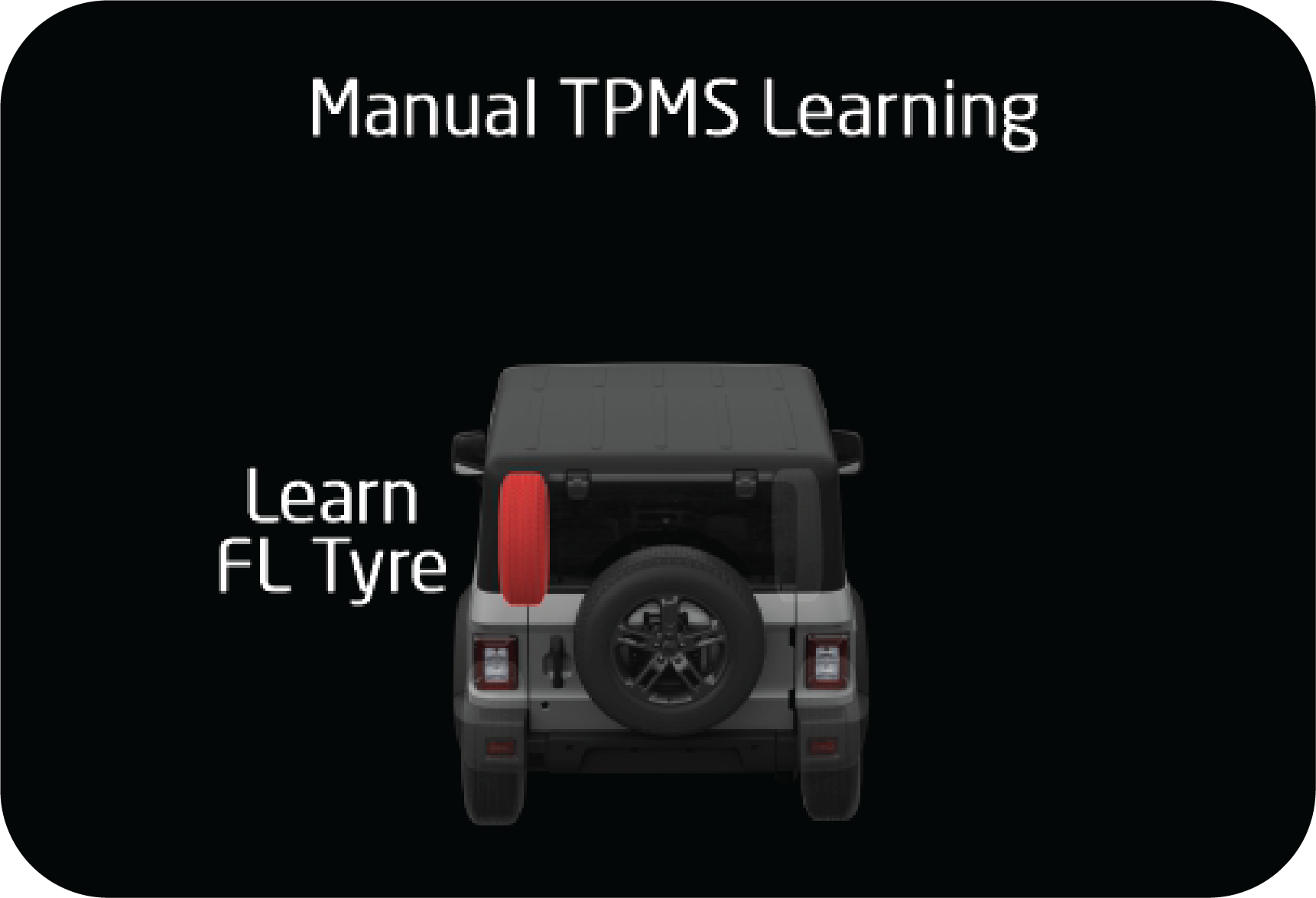 |
Starting from
Front Left Tyre: Start leaking the air from the front left for 30 to 40
seconds and stop for 5 seconds. Repeat until the tyre gets learnt.
|
If the front left tyre is learned, 1 siren chirp sound is heard and
the FL tyre shows learned in the cluster.
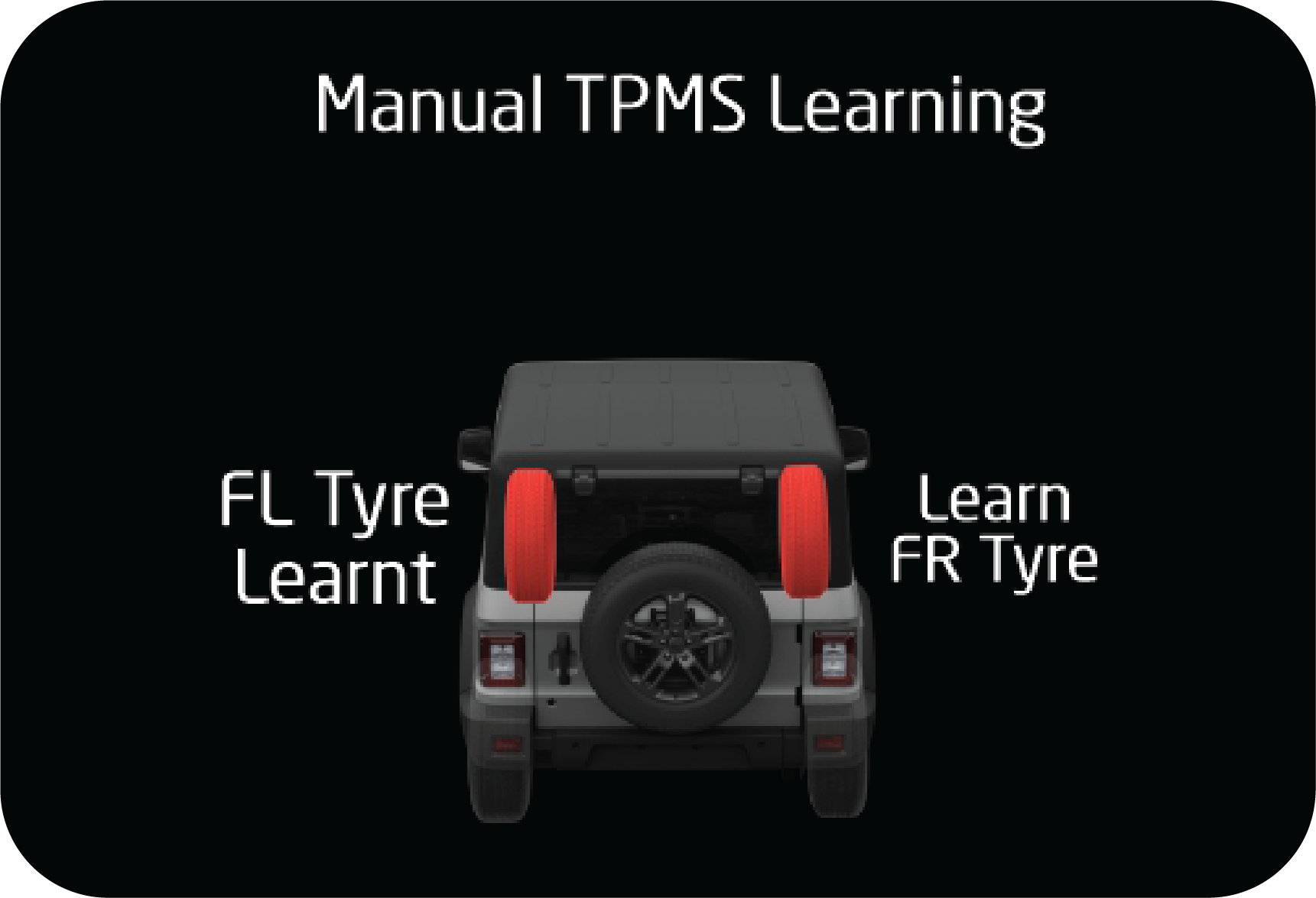 |
Learning the
Front Right Tyre: Start leaking the air from the front right for 30 to 40
seconds and stop for 5 seconds. Repeat until the tyre gets learnt.
|
If the front right tyre is learned, 1 siren chirp sound is heard
and the FR tyre shows learned in the cluster.
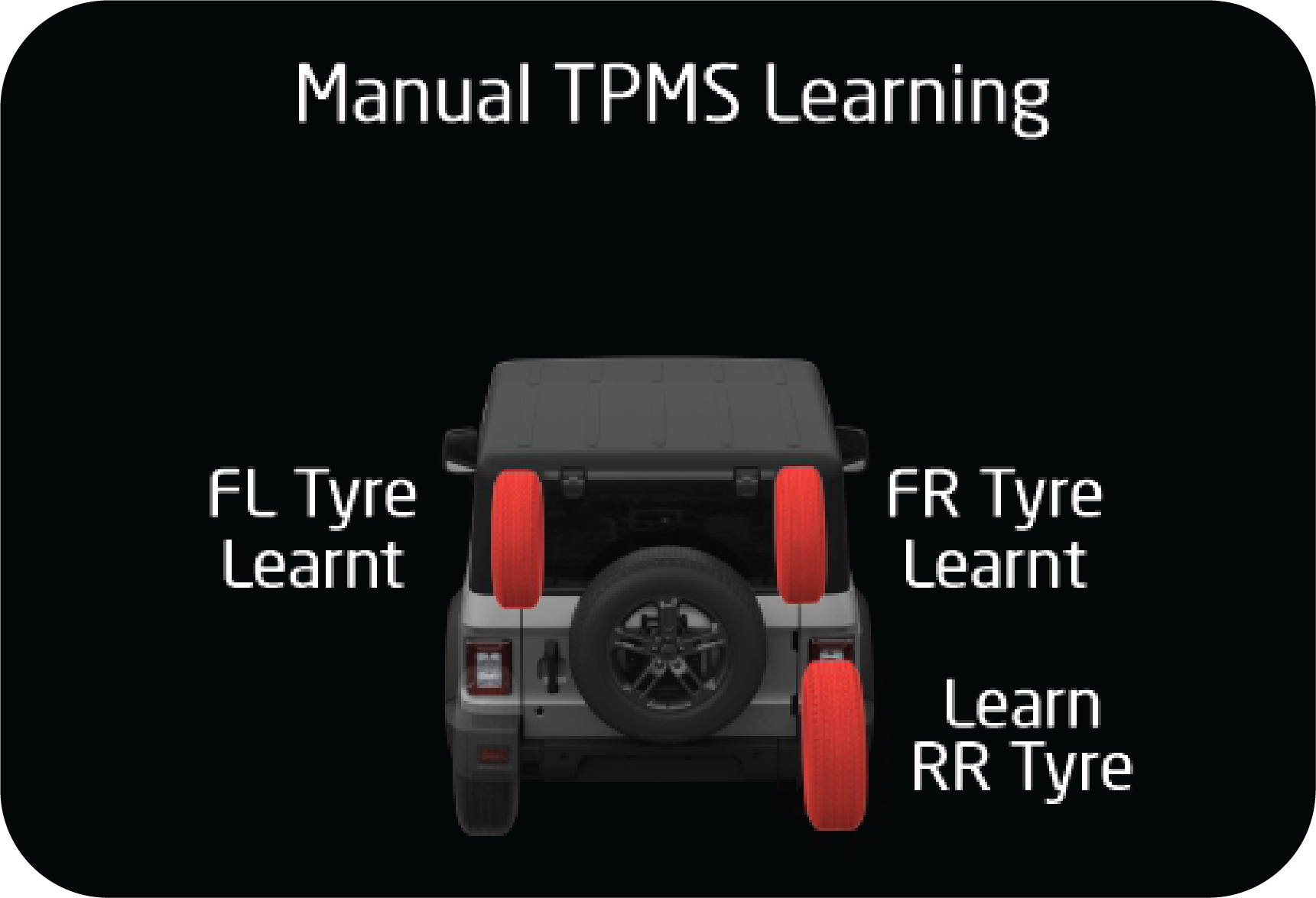 |
Learning the
Rear Right Tyre: Start leaking the air from the rear right for 30 to 40
seconds and stop for 5 seconds. Repeat until the tyre gets learnt.
|
If the rear right tyre is learned, 1 siren chirp sound is heard and
the RR tyre shows learned in the cluster.
Learning the Rear Left
Tyre: Start leaking the air from the rear left tyre for 30 to 40 seconds and stop for 5
seconds. Repeat until the tyre gets learnt.
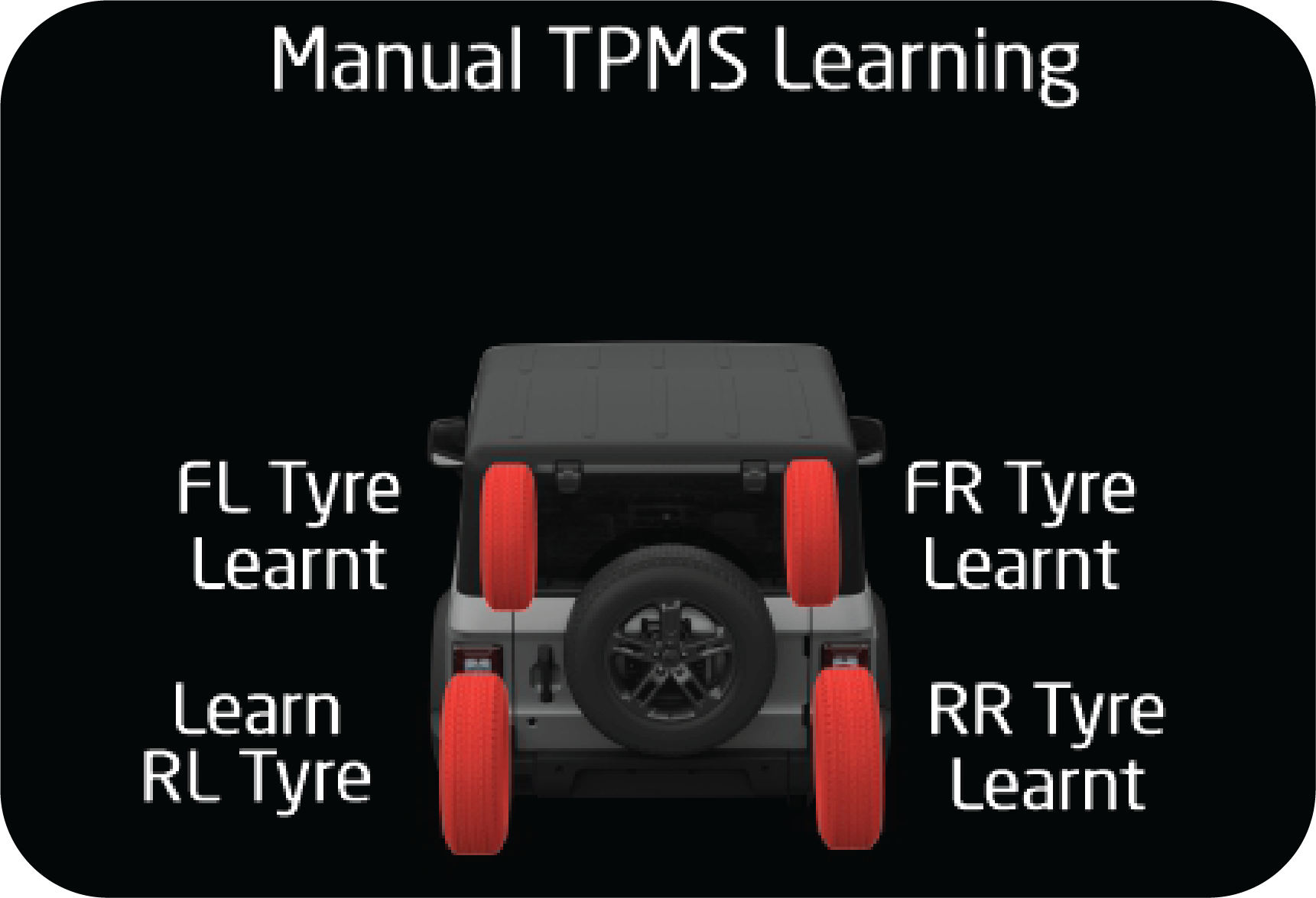 |
If the rear left tyre is learned, 1 siren chirp
sound is heard and the RL tyre shows learned in the cluster.
|
Completing the Learning with
Spare Tyre: Start leaking the air from the spare tyre for 30 to 40 seconds and stop for 5
seconds. Repeat until the tyre gets learnt.
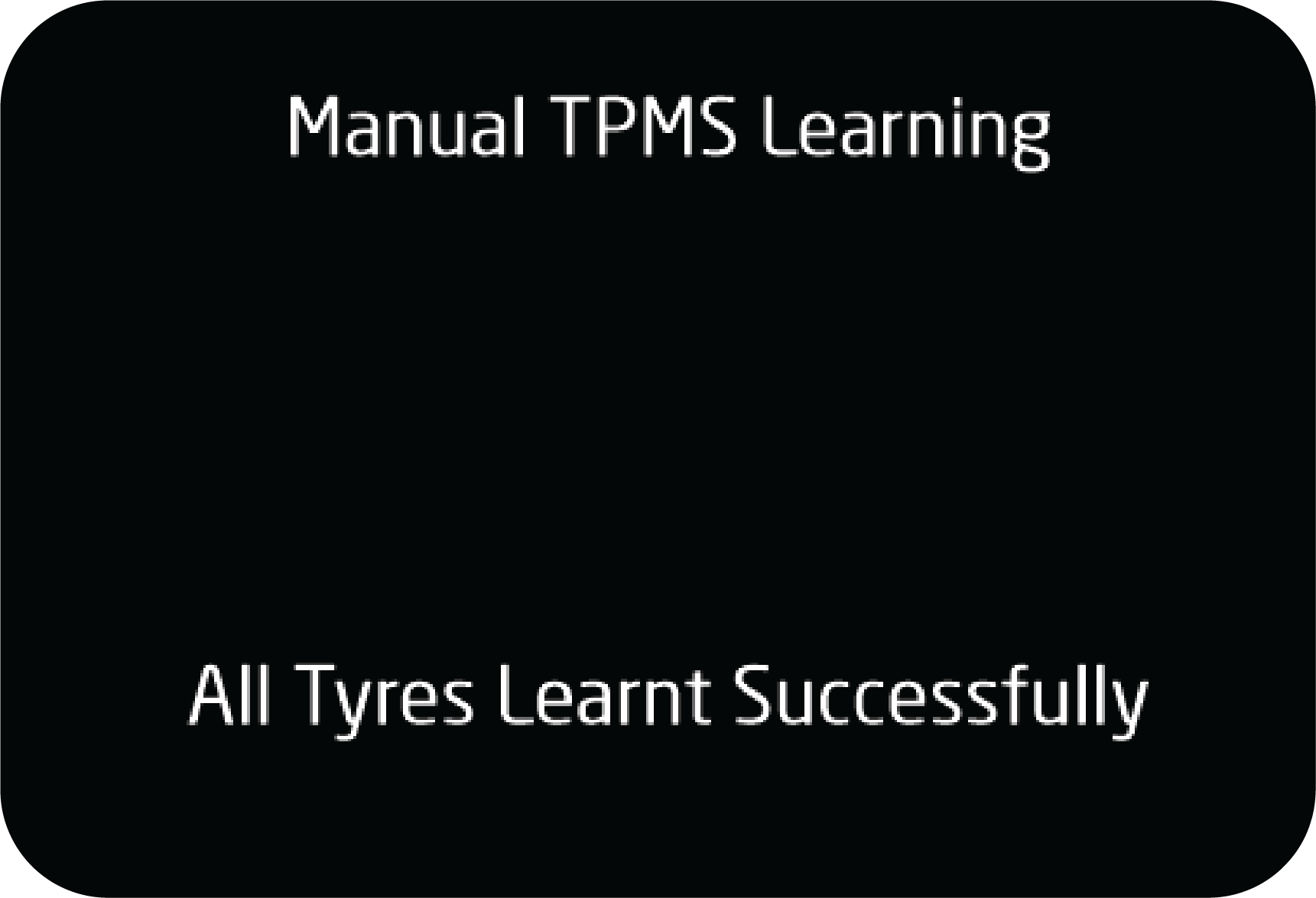 |
If the spare tyre is also learned, then 1 siren
chirp is heard and ALL tyres show learned at respective tyre positions and
‘All tyres Learned successfully’ in the cluster.
|
 |
If learning is not successful at any point of time;
or at any point of time during the learning process if the learning takes
more than 90 seconds of time for each tyre position then the system shall exit the
learning mode and show the ‘TIRETRONICS
PROGRAM FAILURE screen.
|
Limitations
| • | The Tiretronics monitors only tyre pressure and temperature. It does not monitor conditions such as tyre wear. |
| • | The Tiretronics will not be able to detect an instant tyre burst and inform the driver in advance. |
| • | There may be the possibility of getting all the tyre location indicators on the Tiretronics display blinking along with the Tiretronics telltale, on passing environment area prone to heavy power lines and RF signal. It will come back to normal condition whenever interference gets cleared. |
Fault at spare position will
be displayed after swapping or if the spare itself has a fault. If ‘spare tyre rectified’ is
acknowledged without rectifying the fault, the Tiretronics cannot detect it. It is the user’s
responsibility to check the
spare tyre before starting the vehicle.
14.6.7 Tiretronics — Points to
Remember
| • | It is recommended to fill the pressure to 32 psi at a digital gauge station only. |
| • | Every 15 days, inflate all the tyres up to 32 psi and inflation should be done at cold condition/ambient temperature. |
| • | Pressure deviation between the Tiretronics display
and gauge will depend upon the following factors:
|
| • | Tiretronics measures the absolute pressure of the tyre, not relative pressure (gauge pressure). |
| • | Pressure deviation is defined for 0.5 psi (min) and 3 psi (max). |
| • | If the vehicle battery/fuse is disconnected and reconnected, it will update the pressure after the vehicle is driven or sensor is activated. |
| • | It is mandatory that manual learning should be performed if the vehicle tyres are rotated or any of the tyres sensors are replaced, else the system will give a false alert with respect to false location. |
| • | At a time, only one tyre can be swapped with the spare wheel and then follow the learning procedure. |
| • | If more than one tyre needs to be learned, learn all 5 tyres as per manual learning procedure. |
| • | Tiretronics is only a warning or indicating device. Pressure and temperature values displayed by the system is for indication prior to alert purposes only. The Tiretronics system should not be used as a measuring device to correlate or calibrate against other systems. |
| • | During winter or in cold conditions, there may be chances of getting a pressure alert with the corresponding tyre location indicator in the display, if the tyre pressure is near the thresholds level. i.e. between 28 psi to 24 psi. However, this alert will get cleared after driving a few kilometers depending upon the climatic condition. |
15 EMERGENCIES
15.1 Hazard Warning Lamp
The hazard warning lamp switch is located below the AC controls on the
instrument panel.
Use the hazard warning lamp when your vehicle is stationary or to warn
other road users to be cautious while passing your
vehicle.
To turn the hazard warning lamp ON, press the switch in. All the turn
signal lamps flash. To turn OFF, press the switch again.
Hazard lamps are also switched
ON during the following conditions:
| • | Crash — Hazard would be turned on for 30 minutes. |
| • | Panic Braking — When the vehicle is running above 100 km/h and panic/sudden brakes are applied, hazard will turn on for 10 seconds. |
Pressing the hazard switch
twice deactivates this feature.
15.2 Vehicle Does not
Start - Checks
Before making these checks, make sure you have followed the correct
starting procedure and that you have sufficient fuel.
If the engine is not cranking or
is cranking too slowly/ intermittently
| 1. | Check that the battery terminals are tight and clean. |
| 2. | If the battery terminals are firmly fastened, Switch ON the interior lamps. |
| 3. | If the lamps do not illuminate, glow dim or go OFF when the starter is cranked, then it indicates a weak or discharged battery. Try jump starting. Follow ‘jump starting’ instructions given later in this chapter. |
| 4. | Check the fuses in the Engine Compartment Fuse Box and Central Fuse Box. |
If the engine cranks normally, but
does not start
If the engine is cranking normally, but if the engine does not start
even after repeated cranking, contact an Authorized Mahindra
Service Center.
To prevent damage to the
starter, do not crank the engine for more than 15 seconds at a time. Wait 10 to 15 seconds
before
trying again.
If the engine stalls while
driving
| • | Reduce your speed gradually, keeping a straight line. Move cautiously off the road to a safe place. |
| • | Turn ON your hazard warning flashers and check for any malfunction lamps in the instrument cluster. |
| • | Turn the ignition OFF, wait for approximately 90 seconds and try starting the engine again. |
| • | . If the vehicle still does not start, contact an Authorized Mahindra Service Center. |
If the engine stalls while running, the power assist for the brakes
will not work. Braking will be much harder than usual.
If the engine speed does not
increase
| • | If the engine speed does not increase when the accelerator pedal is depressed, there may be a problem in the Engine Management System, electrical or electronic controls. |
| • | In case of certain faults, the engine may go to limp home mode, which is indicated by the check engine lamp. |
| • | Have your vehicle checked by an Authorized Mahindra Service Center as soon as possible. |
15.3 Engine Overheating
If the temperature gauge bar in the instrument cluster is all the way
up to the H and/or the high engine coolant temperature
warning lamp is ON, your engine has overheated.
If the engine is getting overheated, the Engine Management System
reduces engine power substantially and may even shut the
engine OFF; it is dangerous to continue driving when the engine has overheated. You need to first cool
the engine down before
starting to drive again.
Follow the below instructions to cool the engine down.
| • | Progressively reduce the vehicle speed and bring the vehicle to a stop at the side of the road. |
| • | Turn ON the hazard warning flashers. |
| • | Keep the engine running at idle. |
| • | Engage the parking brake. |
| • | Switch off the air conditioner. |
| • | Wait till the engine coolant temperature drops sufficiently such that the needle in the temperature gauge is around halfway between C and H. |
Now switch the engine OFF and carefully open the bonnet/hood to
visually inspect the engine cooling system parts. Be cautious
while doing an inspection as vehicle parts will still be too hot. Verify that the engine coolant level
in the coolant recovery
tank is maintained between the 'Min' and 'Max' mark. Check for possible fluid leakages. Check for
damages to heat exchangers
and connecting hoses. Also verify that the radiator shrouds, engine fan blades and the engine belt all
are in good condition.
If any evidence of failure is observed, contact the nearest Authorized
Mahindra Service Center for help. In case, no system
leakage/ failure is suspected, driving can be continued.
Either due to severe operating conditions or due to any system
leakages or failures, the engine can get overheated. However
if the engine is getting overheated repeatedly, even in normal operating conditions, get the vehicle
checked by an Authorized
Mahindra Service Center as soon as possible.
Refer to the 'High Engine
Coolant Temperature' section under the 'Features and Control' chapter for details.
If the high engine coolant
temperature warning is ignored, the engine shuts OFF abruptly to safeguard engine components
from
overheating and consequent failure. Abrupt engine shut-off can lead to uncontrollable driving
condition and accidents.
Stay clear of hot and rotating
vehicle parts while visually inspecting the vehicle. The coolant inside the cooling system
is under high pressure and temperature. Never open the pressure cap of the degassing tank when
the engine is hot. Not taking
precautions may lead to serious injury to your skin/eyes.
For optimum performance of the
cooling system you must maintain the required coolant level and use only recommended engine
coolant.
15.4 Jump Starting
Jump start can be performed when the battery charge is low which can
be confirmed by performing the following operations:
| 1. | Turn head lamp ON and check whether lights are dim. |
| 2. | Try to start the vehicle and check whether engine cranks slowly or not crank at all. |
| 3. | Open the bonnet and locate the battery.
It may be necessary to remove the disabled vehicle’s
battery cables from the battery terminals and clean both cables and terminals.
Use a stiff wire brush to remove all corrosion. Reconnect the cables to the battery
terminals before jump starting the vehicle.
|
| 4. | The positive terminal will be marked with a plus sign (+) and will usually have a RED cable attached on it. |
| 5. | The negative terminal will be marked with a minus sign (-) and will usually have a BLACK cable attached to it. |
| 6. | A standalone booster battery can be used to start the engine when the vehicle battery is low. |
| 7. | Take jumper cables and unwind the red and black cables. |
| 8. | Wear safety gear and connect one end of red clamp of the jumper cable to the positive (+) terminal of the discharged battery and other end to the positive (+) terminal of the booster battery. |
| 9. | Similarly, connect one end of black clamp of the jumper cable to the negative (-) terminal of the booster battery and other end to the negative (-) terminal of the discharged battery. |
| 10. | Once the jump starting assembly is done, crank the engine for starting. |
| 11. | Once the vehicle gets started, carefully remove the jumper cables in the reverse order of attachment. |
| 12. | Disconnect the black clamp of the jumper cable from the negative (-) terminal of the discharged battery and the other end of the black clamp from the negative (-) terminal of the booster battery. |
| 13. | Similarly, disconnect the red clamp of the jumper cable from the positive (+) terminal of the booster battery and the other end of the red clamp from the positive (+) terminal of the discharged battery. |
| 14. | Close the bonnet. |
| 15. | Keep the vehicle's engine running and slightly accelerate the vehicle to charge the battery. |
If the problem persists on next starting cycle, please visit
Authorized Mahindra Service Center.

|
|
Make sure none of the
cables are dangling into the engine compartment, where they could be exposed to moving
parts.
| • | Remove the jumper cables once the vehicle starts. Do this in the reverse of the order in which they were attached, and don't let any of the cables or clamps touch each other (or dangle into the engine compartment). |
| • | Disconnect the black clamp of the jumper cable from the negative (-) terminal of the discharged battery. |
| • | Disconnect the other end of the black clamp from the negative (-) terminal of the booster battery. |
| • | Disconnect the red clamp of the jumper cable from the positive (+) terminal of the booster battery. |
| • | Disconnect the other end of the red clamp from the positive (+) terminal of the discharged battery. |
Replace any positive (+)
red post protective covers if applicable (You have had to remove or open these in the
beginning).
These covers help prevent accidental short circuiting of the battery.
| • | Keep the vehicle's engine running. Run the vehicle above idle (slightly revved up with your foot on the accelerator). This should give the battery enough charge to start the vehicle again. If it does not start, either your battery might be dead or faulty alternator. |
Improper jump starting
procedures can result in battery explosion and acid burn hazard.
Loosely connected
battery cables could damage the electronic control units.
To disconnect battery
terminals, wait for at least 2 minutes to allow discharge of high voltage or it could lead
to personal
injury.
While disconnecting,
always disconnect the -VE terminal first and while connecting, always connect the -VE
terminal last.
Do not connect battery
terminals with opposite polarity, it will lead to alternator, Electronic control unit
failures.
Towing a vehicle to
start could be dangerous. The vehicle being towed could surge forward when the engine
starts, causing
the two vehicles to collide, injuring the occupants.
Modern vehicles with
electronic management systems should not be jump started without ‘protected’ jump starter
leads.
15.5 Towing
15.5.1 Towing Equipment
Towing equipment are of two types.
| • | Flat-bed equipment - Your vehicle is loaded on the back of a truck. This is the safest and best way of towing. |
| • | Rear-lift equipment - The tow truck uses two pivoting arms that go under the tires (front or rear) and lift them off the ground. The other two tires remain on the ground. |
| • | Sling-type equipment - The tow truck uses metal cables with hooks on both ends. These hooks go around parts of the frame or suspension and lift the end of the vehicle off the ground. This is not a good method of towing as it may damage the vehicle's suspension and body. Avoid a tow with sling type equipment. |
Towing This Vehicle Behind
Another Vehicle
|
Towing
Option
|
Variants (All)
|
Towing
Condition
|
Wheels
OFF the Ground
|
Four -
Wheel Drive Models
|
|---|---|---|---|---|
 |
ü
|
On Trailer
|
ALL
|
OK
|
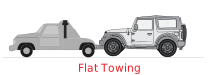 |
O
|
Flat Tow
|
NONE
|
NOT ALLOWED
|
 |
O
|
Dolly Tow
|
Front
|
NOT ALLOWED
|
 |
O
|
REAR
|
NOT ALLOWED
|
|
When towing your vehicle, always follow applicable state and
provincial laws. Contact state and provincial Highway Safety
offices for additional details.
15.5.2 Towing your Vehicle
During Emergency
|
Front
|
Rear
|
 |
 |
If your vehicle needs to be towed, call a professional towing
service. If a towing service is unavailable in an emergency,
your vehicle may be temporarily towed by a cable or chain secured to the emergency welded towing
hook into the front and rear.
Remove/Pry out the tow hook cover in the front and Rear bumper
using a screwdriver. Fasten a cable or chain specifically intended
for use in towing vehicles to the towing hook.
Use only the towing hook
provided, for towing in an emergency. Do not tow by the bumper or any other part which may be
damaged.
Use only the cable or chain
specifically intended for use in towing vehicles.
A driver must be in the
vehicle being towed to steer and operate the brakes. Towing in this manner must be done only
on hard-surfaced
roads for short distances and at low speeds. Also, the wheels, axles, drive train, steering
and brakes must all be in good
working condition.
Avoid sudden starts or
erratic driving maneuvers, which would place excessive stress on the towing hook and towing
cable or
chain, resulting in breakage of the hook or the chain.
If the engine is not
running, the power assist for the steering and brakes will not be functional, making it
harder to steer
or brake than usual.
When lifting the rear
wheels, take care to ensure adequate ground clearance for towing at the front end of the
raised vehicle.
The bumper and/or underbody of the vehicle may be damaged during towing.
15.6 Limp Home Mode
Limp home mode is an emergency situation declared by the EMS
(Engine Management System) due to failure of one/more critical
sensors/actuators. In this mode, the EMS (Engine Management System) will revert back to basic
minimum requirement (fuel quantity
/ injection timings) to aid the driver to bring the vehicle back to the nearest workshop. Needless
to say the drivability
and fuel consumption will be greatly affected.
If vehicle acceleration worsens or if there is a drop in vehicle
performance, there might be a malfunction in the engine management
system which triggers/activates the Limp Home Mode. This condition is accompanied by the check
engine lamp illuminating in
the instrument cluster. In this mode, the vehicle speed is limited and the accelerator pedal may
not function normally. It
is recommended you contact an Authorized Mahindra Service Center immediately for assistance.
16 MAINTENANCE
16.1 General Owners
Information
Your vehicle has been designed for fewer maintenance requirements with
longer service intervals to save both your time and
money. However, each regular maintenance, as well as day-to-day care is more important to ensure a
smooth, trouble free, safe
and economical operation.
It is the owner's responsibility to make sure the specified
maintenance, including general maintenance service is performed.
Note that both the new vehicle limited warranty and emission control system limited warranties specify
that proper maintenance
and care must be performed. See Service Coupon Booklet for complete warranty information.
Where to go for service?
Mahindra technicians are well trained specialists and are kept up to
date with the latest service information through technical
bulletins, service tips and in service center training programs. They learn to work on Mahindra
vehicles before they work
on your vehicle, rather than while they are working on it.
You can be confident that your Authorized Mahindra Service Center’s
department does the best job to meet the maintenance requirements
on your vehicle reliably and economically.
Get the most from your vehicle
with routine maintenance
Routine maintenance is the best way to help ensure you get the
performance, dependability, long life and better resale value
you expect from your vehicle. This is exactly why we've put together this Maintenance Section. It
outlines the services required
to properly maintain your vehicle and when they should be performed. The focus is on maintaining your
vehicle while it's running
great, which goes a long way toward preventing major repairs and expenses later.
Here are a few suggestions to help you get started on routine
maintenance:
| • | Familiarize yourself with your vehicle by going through your Owner's Manual. |
| • | Take a few minutes to review this Maintenance Section. |
| • | Make it a habit to use this manual to record scheduled maintenance in the Service Coupon Booklet. |
| • | Consult with your Authorized Mahindra Service Center for all your vehicle's needs. |
16.1.1 Suggestions for Obtaining
Service for your Vehicle
Prepare for the Appointment:
If you have warranty work to be done, be sure to have the right papers with you. All work to
be performed may not be covered
by the warranty. Discuss additional charges with the service manager. Keep a maintenance log of
your vehicle's service history.
Prepare a List: Make a
written list of your vehicle's problems or the specific work you want done. If you've had an
accident or work done
that is not on your maintenance log, let the service advisor know about it.
Be Reasonable with
Requests: If you list a number of items and you must have your vehicle by the end of the
day, discuss the situation with the service
advisor and list the items in order of priority.
16.1.2 Need Assistance?
It is recommended talking to an Authorized Mahindra Service Center,
Service Manager first. Most matters can be resolved with
this process. If for some reason you are still not satisfied, talk to the general manager or owner
of the Authorized Mahindra
Service Center.
If an Authorized Mahindra Service Center is unable to resolve the concern, you may contact any Mahindra Customer Care executive. They would need the following information:
Owner's name and address, owner's telephone number (home and office), Authorized Mahindra Service Center name, Vehicle Identification Number (VIN), vehicle delivery date and mileage.
If an Authorized Mahindra Service Center is unable to resolve the concern, you may contact any Mahindra Customer Care executive. They would need the following information:
Owner's name and address, owner's telephone number (home and office), Authorized Mahindra Service Center name, Vehicle Identification Number (VIN), vehicle delivery date and mileage.
16.1.3 Warranty Information
Read the Warranty Information given in the ‘Warranty Information & Maintenance Guide’ for the terms and provisions
of Mahindra warranties applicable to this vehicle. Mahindra genuine parts, fluids, lubricants
and accessories are available at any Authorized Mahindra Service Center. They will help keep the
vehicle operating at its
best.
16.1.4 Protect your Warranty
Routine maintenance is not only the best way to help keep your
vehicle performing as intended, it's also the best way to protect
your warranty. Failure to perform scheduled maintenance specified in the Service Coupon Booklet
will invalidate warranty coverage
on parts affected by the lack of maintenance. We can't stress enough how important it is to keep
records of all maintenance.
Damage or failures due to neglect or lack of proper maintenance are not covered under warranty.
Keeping maintenance
records is easy with the service coupon booklet.
It's important to document the maintenance of your vehicle. For
your convenience to maintain records of service, the scheduled
maintenance coupons are provided in the service coupon booklet. Every time you bring your vehicle
in for scheduled maintenance,
be sure to present this booklet and certify the work. Also record the date of service and mileage
at the time of service.
This will make record keeping easy and, should your vehicle ever require warranty coverage, you
will have all the documentation
to show you've properly maintained it.
16.1.5 Maintenance Interval
Mahindra establishes recommended maintenance intervals based upon
engineering testing to determine the most appropriate mileage
to perform the various maintenance services. This protects your vehicle at the lowest overall cost
to you. Mahindra recommends
that you do not deviate from the maintenance schedules presented in this Maintenance Schedule.
16.1.6 Oils, Fluids and Flushing
In many cases, fluid discoloration is a normal operating
characteristic by itself, and does not necessarily indicate a concern
or that the fluid needs to be changed. However, discolored fluids that also show signs of
overheating and/or foreign material
contamination should be inspected immediately by a qualified expert such as the factory trained
technicians at your Authorized
Mahindra Service Center. Your vehicle's oils and fluids should be changed at the specified
intervals or in conjunction with
a repair.
16.1.7 Chemicals and Additives
Non-Mahindra approved chemicals or additives are not required for
factory recommended maintenance. In fact, Mahindra recommends
against the use of such additive products unless specifically recommended by Mahindra for a
particular application.
Your vehicle is very sophisticated and built with multiple complex performance systems. Every manufacturer develops these systems using different specifications and performance features. That's why it's important to rely on your Authorized Mahindra Service Center to properly diagnose and repair your vehicle.
When planning your maintenance services, consider your Authorized Mahindra Service Center for all your vehicle's needs.
Your vehicle is very sophisticated and built with multiple complex performance systems. Every manufacturer develops these systems using different specifications and performance features. That's why it's important to rely on your Authorized Mahindra Service Center to properly diagnose and repair your vehicle.
When planning your maintenance services, consider your Authorized Mahindra Service Center for all your vehicle's needs.
16.1.8 Get the most from your
service and maintenance visits
Getting your vehicle serviced at an Authorized Mahindra Service
Center adds great value to your vehicle in number of ways.
Hence, it is recommended to service your vehicle at an Authorized Mahindra Service Center only.
16.1.9 Vehicle Self Maintenance
- General Precautions
| • | Refer to relevant sections of the manual before starting. |
| • | Set the parking brake. |
| • | Block the wheels to prevent the vehicle from moving unexpectedly. |
| • | Turn OFF the engine and remove the key. |
| • | Stay clear of hot vehicle parts. |
| • | Avoid repeated contact with fluids. |
| • | Do not let fuel, coolant and other fluids spill over electrical and hot vehicle parts. |
| • | Keep all open flames and other burning material like cigarettes away from the battery and all fuel related parts. |
Do not start/run the engine
when any engine/peripheral parts are removed.
16.2 Opening/Closing the Hood

|
The hood release lever is located in the driver side
foot well area below the instrument panel.
|
To open the hood, follow the steps as shown below:

|

|
1. Pull the catcher locks from the hood mounting bracket to release
the hood as shown in the image.
2. Lift the hood.

|
3. Support the hood by the stay rod.
|
| • | Do not open the hood immediately after a drive, the engine compartment will be very hot. |
| • | Always double check to be sure that the hood is firmly latched before driving away. If it is not latched properly, the hood could open while the vehicle is being driven, causing a total loss of visibility, resulting in an accident. |
| • | Do not move the vehicle with the hood in the raised position, as vision is obstructed. |
Parking of Engine Hood on Windshield is not recommended and may
damage Windshield frame, Glass and Hood.
Park the Engine Hood with Stay rod.
Follow the below steps to close the hood:
| 1. | Remove the stay rod from the hood panel and place it in the retaining clip. |
| 2. | Lower the hood slowly and allow it to fall by its own weight. |
| 3. | Firmly press the catcher locks in the hood mounting bracket. This ensures that locks the hood in its fully closed position. |
16.3 Identifying Components in the
Engine Compartment
Diesel – 2.2 Liter

|
|
A
|
Brake/Clutch Fluid Reservoir
|
|
B
|
Air Intake
|
|
C
|
Engine Oil Cap
|
|
D
|
Degassing Tank (Coolant Filling)
|
|
E
|
Dipstick
|
|
F
|
Power Steering Fluid Reservoir
|
|
G
|
Windshield Washer Fluid Reservoir
|
|
H
|
Engine Compartment Fuse Box
|
|
I
|
Battery
|
Diesel 1.5 Liter

|
|
A
|
Battery
|
|
B
|
Brake/Clutch Fluid Reservoir
|
|
C
|
Engine Compartment Fuse Box
|
|
D
|
Dipstick
|
|
E
|
Degassing Tank (Coolant Filling)
|
|
F
|
Engine Oil Cap
|
|
G
|
Power Steering Fluid Reservoir
|
|
H
|
Windshield Washer Fluid Reservoir
|
|
I
|
Air Intake
|
Petrol

|
|
A
|
Brake/Clutch Fluid Reservoir
|
|
B
|
Air Intake
|
|
C
|
Dipstick
|
|
D
|
Engine Oil Cap
|
|
E
|
Degassing Tank (Coolant Filling)
|
|
F
|
Power Steering Fluid Reservoir
|
|
G
|
Windshield Washer Fluid Reservoir
|
|
H
|
Engine Compartment Fuse Box
|
|
I
|
Battery
|
16.4 General Maintenance
Exercise extreme caution
when the hood is open and engine is ON.
Listed below are the general maintenance items that should be
performed frequently. In addition to checking the items listed
below, if you notice any unusual noise, fluid leakages, smell or vibration, you should investigate
the cause or take your
vehicle to your Authorized Mahindra Service Center immediately.
Make these checks only with
adequate ventilation if you intend to run the engine.
In the Engine
Compartment
| • | Front windshield washer fluid level |
| • | Engine coolant level |
| • | Battery condition |
| • | Brake/Clutch fluid level |
| • | Engine oil level |
| • | Power steering fluid level |
| • | Fluid leaks |
| • | Hoses, joints and pipes for any abnormalities |
Inside the Vehicle
| • | Lights |
| • | Warning lamps |
| • | Windshield wipe and wash |
| • | Steering wheel |
| • | Seats |
| • | Seat belts |
| • | Accelerator pedal |
| • | Brake pedal |
| • | Brakes |
| • | Parking brake |
| • | Gear lever shift mechanism |
Outside the Vehicle
| • | Lamps |
| • | Fluid leaks |
| • | Doors and engine hood latches |
| • | Tyre inflation pressure |
| • | Tyre surface/thread and wheel nuts |
16.5 In the Engine
Compartment
16.5.1 Fluid Leaks
Check the engine compartment and the underbody of the vehicle for
any leaks. If you smell fuel vapor or notice any leak, get
the cause found and corrected immediately.
16.5.2 Engine Oil
Engine oil has the primary function of lubricating and cooling the
inside of the engine. It plays a major role in maintaining
the engine in proper working order. Therefore, it is essential to check the engine oil regularly.
16.5.3 Engine Oil Consumption
It is normal for engines to consume some engine oil during
operation.
Causes of consumption in a normal engine are as follows:
| • | Oil is used to lubricate pistons, piston rings and cylinders. Thin films of oil, left over when pistons move in cylinders, are sucked into the combustion chamber due to high negative pressure generated when the vehicle is decelerating. This oil gets burnt in the combustion chamber. |
| • | Oil is also used to lubricate the stems of intake valves. Some of this oil is sucked into the combustion chamber together with the intake air and is burnt there. |
| • | Engine oil consumption depends upon the viscosity and quality of the oil, and upon the conditions in which the vehicle is driven. Oil consumption will be more due to high speed driving and frequent acceleration and deceleration. A new engine may consume more oil since its pistons, piston rings and cylinder walls are not conditioned. |
16.5.4 Checking/Topping the
Engine Oil
| • | Make sure the vehicle is on level ground. |
| • | Turn the engine OFF and wait a few minutes for the oil to settle down into the oil sump. |
| • | Apply the parking brake. |
| • | Open the hood. Protect yourself from engine heat. |
| • | Locate and carefully remove the engine oil level
dipstick.
|


| • | Wipe the dipstick with a clean cloth. Insert the dipstick fully, then remove it again. |
| • | If the oil level is between ‘Min ’and ‘Max’ marks, the oil level is acceptable. DO NOT ADD OIL. |
| • | If the oil level is below the ‘Min’ mark, add enough oil through the oil filler neck to raise the level within the ‘Min’ and ‘Max’ marks. Wait for a few minutes after every top up for the oil to settle down before checking the level. |
|
Diesel
2.2 Liter / Petrol (Gasoline)
|
Diesel
1.5 Liter
|
 |
 |
| • | Oil levels above the ‘Max’ mark may cause engine damage/poor performance. |
| • | Put the dipstick and the oil filler cap back and ensure it is fully/properly seated. |
To avoid possible oil loss
and injury due to hot blow-by gas, DO NOT operate
the vehicle with the engine oil level dipstick and/or the engine oil filler cap
removed.
Draining/Changing of engine
oil should always be done by an Authorized Mahindra Service Center.
16.5.5 Checking/Topping Engine
Coolant Level
| • | Park the vehicle on a flat-horizontal surface. Keep the parking brake fully engaged. Shut-off the engine. |
| • | Wait till the engine cools down and hence coolant temperature comes down to normal room temperature. |
 |
|
| • | In case the coolant level is below the ‘MIN’ marking, the coolant should be topped-up. |
| • | The coolant should be filled till the level rises above the ‘MIN’ but remain below the ‘MAX’ marking on the coolant recovery tank. |
| • | However if the Coolant Recovery Tank is found to be near empty, it is recommended that the system be checked at an Authorized Mahindra Service Center. |
Never open the pressure cap
when the engine is hot. Hot coolant may splash resulting in serious personal injury or severe
burns by the erupting liquid.
Top up only with recommended
Ready-To-Use (RTU) coolants for ensuring performance, anti-freezing and corrosion protection.
Do not add water directly. Mixing with other brands of coolant is not recommended and should
be avoided.
Draining or changing of
engine coolant should always be done by an Authorized Mahindra Service Center.
16.5.6 Checking/Topping
Brake/Clutch Fluid
The brake system is supplied with brake fluid from the brake fluid
reservoir located adjacent to the air filter.
 |
The brake fluid level will drop slowly as the brakes
wear, and will rise when the brake components are replaced. Fluid levels
between the ‘MIN’ and ‘MAX’ lines are within the normal operating range; there is no
need to add fluid. If the fluid levels
are below the ‘MIN’ mark, the performance of the systems could be compromised; the
brake/clutch operation could be spongy
and gear change harder.
|
Top-up the recommended brake/clutch fluid till the ‘MAX’ mark or
contact an Authorized Mahindra Service Center immediately.
Carefully clean the cap on the reservoir before you remove it and
be sure no debris fall in the reservoir. Do not keep the
reservoir open for longer than necessary to add brake fluid.
Use only brake/clutch fluid that meets Mahindra specifications.
Refer to the ‘Lubricant and Capacities’ section.
The light may flash momentarily during sharp cornering
maneuvers, which change fluid level conditions. The vehicle should
have service performed, and the brake fluid level checked.
If brake / clutch failure is
noticed, immediate repair is must
If the vehicle not moved for long time, Clutch plate and Brake
Liners can tend to be sticking to the Flywheel/Disc/Drum, depending
on the Humidity and Temperature etc., As a good practice, if the vehicle parked for a longer
time, We suggest for the following
actions once in 15 days.
| • | Release the parking brake |
| • | Start the engine |
| • | Move the vehicle back and forth |
This will also ensure that the engine is run, Battery remain
charged. Also, avoid tyre developing flat spot.
16.5.7 Fuel Filter Water
Draining (If Applicable)
 |
 |
The fuel filter needs to be drained when there is water entry in
the fuel filter. Follow the below procedure to drain the
water:
| 1. | Park the vehicle on a level ground. |
| 2. | Apply Parking brake and block the wheels. |
| 3. | Switch the ignition OFF. |
| 4. | Turn the drain plug (Tool is available in the tool kit) anti-clockwise 3–4 rounds, but DO NOT remove the plug. |
| 5. | Wait till the water drains (few seconds). |
| 6. | Turn the drain plug clockwise to close and tighten the plug firmly. |
16.5.8 Checking/Topping Power
Steering Fluid
 |
Check the power steering fluid level at the defined
service intervals. Refer to Maintenance Chart for details.
|
The fluid level should be checked if a leak is suspected, abnormal
noises are apparent, and/or the system is not functioning
as anticipated. Coordinate inspection efforts through an Authorized Mahindra Service Center.
Driving a vehicle with power
steering fluid below the minimum mark will damage steering system.
Use only recommended power
steering fluid. Do not use other types of power steering fluids which may damage the power
steering
system.
The fluid level in the
reservoir should be checked on a level surface with the engine OFF to prevent injury from
moving parts
and to ensure accurate fluid level reading.
Follow the below steps for checking and topping up the power
steering fluid:
| 1. | Start the engine and let it run until it reaches normal operating temperature. |
| 2. | While the engine idles, turn the steering wheel left and right a couple of times. |
| 3. | Turn the engine OFF. |
| 4. | Check the power steering fluid level in the reservoir. |
| 5. | The fluid level should be maintained between the ‘MIN’ and ‘MAX’ marks on the dipstick, integrated with the cap. |
| 6. | If the fluid is low, add fluid in small amounts, continuously checking the level until it reaches the correct operating range. Be sure to put the cap back on the reservoir. |
| 7. | With a clean cloth, wipe any spilled fluid from all surfaces. |
Changing of power steering
fluid should always be done by an Authorized Mahindra Service Center.
16.5.9 Windshield Washer Fluid
Top-up
 |
Top up the windshield washer reservoir as and when
required.
|
The fluid reservoir is located on the RHS of the engine bay behind
the head lamp. The reservoir supplies washer fluid to both
front and rear (if equipped).
In very cold weather conditions, fill the reservoir with washer
fluid premixed with anti-freeze.
If you operate your vehicle
in temperatures below 4.5ºC, use washer fluid with anti-freeze protection. Failure to use
washer
fluid with anti-freeze protection in cold weather could result in impaired windshield vision
and increase the risk of injury
or accident.
16.5.10 Checking the Wiper
Blades
Lift the wiper arm from its position. Expose the blade lip for
inspection. Clean the wiper blade lips with water applied with
a soft sponge. If the wiper blade is not wiping the glass satisfactorily or is worn-out, cut,
cracked or bulging get it replaced
at an Authorized Mahindra Service Center.
16.5.11 Changing the Wiper
Blade
| 1. | Lift the arm and position the wiper blade at right angles to the wiper arm. |
| 2. | Press the retaining clip in the opposite
direction, disengage the wiper blade and pull it off the arm.
To prevent
damage to the windshield, don’t let the wiper arm slap down on to it.
|
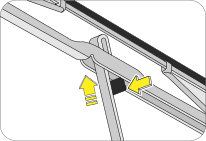
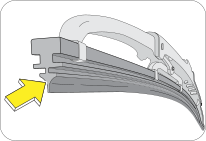
| 3. | Hold the end of the rubber and pull until the tabs are free of the metal support. |
| 4. | Carefully insert the new blade rubber. Then install the blade assembly in the reverse order of removal. |
16.6 Maintenance -
Inside the Vehicle
Lights: Make sure the
headlights, stop lights, tail lights, turn signal lights and other lights are all working. Check
headlight
aim.
Warning Messages and Lamps:
Check all warning lamps appearing in the instrument cluster and Infotainment. Refer to the
relevant sections in this manual
for further details.
Seats: Check that all
seat controls such as seat adjusters, seat back recliner, etc. operate smoothly and that all
latches lock securely
in any position. Check that the head restraints move up and down smoothly and that the locks hold
securely in any latched
position.
Seat Belts: Check that
the seat belt system such as buckles, retractors and anchors operate properly and smoothly. Make
sure the belt
webbing is not cut, frayed, worn or damaged.
Accelerator Pedal: Check
the pedal for smooth operation, uneven pedal effort or stickiness. Check the foot well and remove
obstructions if any.
Brake Pedal: Check the
pedal for smooth operation and proper clearance. Check the foot well and remove obstructions, if
any.
16.7 Maintenance
- Outside the Vehicle
The following checks should be carried out from time to time,
unless otherwise specified.
Lamps: Check and ensure
proper functioning of all exterior lamps.
Fluid Leaks: Check the
engine compartment and the underbody of the vehicle for any leaks. If you smell fuel vapor or
notice any leak, get
the cause found and corrected immediately.
Doors and Engine Hood:
Check all doors and latches including the tailgate for proper functioning. Make sure the
engine hood secondary latch secures
the hood from opening when the primary latch is released.
Tyre Inflation Pressure:
Check the tyre pressure with a pressure gauge every week.
16.8 Battery
Your vehicle is equipped with a Mahindra genuine battery. For longer,
trouble-free operation, keep the top of the battery
clean and dry. Also, make certain the battery cables are always tightly fastened to the battery
terminals.
If you see any corrosion on the battery or terminals, remove the cables from the terminals and clean with a wire brush. To prevent corrosion, apply petroleum jelly to the battery terminals. Tighten loose terminals and hold down clamp nuts only enough to keep the battery firmly in place. Tightening excessively may damage the battery terminals.
If you see any corrosion on the battery or terminals, remove the cables from the terminals and clean with a wire brush. To prevent corrosion, apply petroleum jelly to the battery terminals. Tighten loose terminals and hold down clamp nuts only enough to keep the battery firmly in place. Tightening excessively may damage the battery terminals.
16.8.1 For Best Battery Service
| • | Keep the battery securely mounted. |
| • | Keep the battery top clean and dry. |
| • | Keep the terminals and connections clean, tight and coated with petroleum jelly or terminal grease. |
| • | Rinse any spilled electrolyte from the battery immediately with a solution of water and baking soda. |
Do not disconnect battery
terminals while the engine is running. This will adversely affect all electronic
controllers.
While removing the battery,
always disconnect the negative terminal first. And while installing the battery, ensure the
negative
terminal is connected last.
It is recommended that the
negative battery cable terminal be disconnected from the battery if you plan to store your
vehicle
for an extended period of time. This will minimize the discharge of your battery during
storage.
Battery fluid is a corrosive
acid solution; do not allow battery acid to contact eyes, skin or clothing. Don't lean over
battery
when attaching clamps or allow the clamps to touch each other. If acid splashes in the eyes
or on the skin, flush contaminated
area immediately with large quantities of water.
A battery generates hydrogen
gas which is flammable and explosive. Keep any flame or spark away from the vent
holes.
Keep batteries out of reach
of children. Battery posts, terminals and related accessories contain lead and lead
components.
Wash hands after handling batteries.
If the battery has been
disconnected or a new battery has been installed, the clock (If Equipped) and the preset
radio (If
Equipped) stations must be reset once the battery is reconnected.
The replacement battery must
meet the specification of the originally fitted battery.
16.8.2 Checking the Electrolyte
Level
Check the electrolyte level and specific gravity at intervals of
three months. Check all the six cells for proper electrolyte
levels. If the level is below the lower marker, add distilled water until the level reaches the
upper marker.
Adding distilled water:
| • | Remove the vent plugs. |
| • | Add distilled water to all the cells that require the fluid and secure the plugs properly. |
16.9 Appearance
Care and Protection
16.9.1 Washing the Exterior
| • | Wash your vehicle regularly with cool or lukewarm water and a neutral pH soap. |
| • | Never use strong household detergents or soap, such as dish washing or laundry liquid. These products can discolor and spot painted surfaces. |
| • | Never wash a vehicle that is ‘hot to the touch’ or during exposure to strong, direct sunlight. |
| • | Always use a clean sponge or car wash mitt with plenty of water for best results. |
| • | Dry the vehicle with a chamois or soft terry cloth towel in order to eliminate water spotting. |
| • | It is especially important to wash the vehicle regularly during the winter months, as dirt and road salt are difficult to remove and cause damage to the vehicle. |
| • | Immediately remove items such as gasoline, diesel fuel, bird droppings and insect deposits; they can cause damage to the vehicle's paint work and trim over time. |
16.9.2 Engine Compartment
Do not wash the engine or
engine compartment or underbody with pressurized water.
16.9.3 Exterior Chrome
| • | Wash the vehicle first, using cool or lukewarm water and a neutral pH shampoo. |
| • | Use the custom bright metal cleaners, available at your Authorized Mahindra Service Center. Apply the product as you would wax to clean chrome parts; allow the cleaner to dry for a few minutes, and then wipe off the haze with a clean, dry rag. |
| • | Never use abrasive materials such as steel wool or plastic pads as they can leave scratches on the chrome surface. |
| • | After polishing the chrome parts, you can also apply a coating of Premium Liquid Wax, available at your Authorized Mahindra Service Center, or an equivalent quality product to help protect from environmental effects. |
16.9.4 Precautions while
Washing Hard Top
Avoid directing high pressure water jet to the seal around the
A-Pillar as highlighted in the image. This may damage the seal
allowing the water leakage.
The Seal is robust enough to seal the gap between the hardtop
and body to avoid the water entry, yet soft enough to compress
against the Hardtop.
 |
Avoid directing high pressure water jet the front bow seal, else
it may result in compressing the seal and hence may lead
to leakage.
 |
Avoid directing high pressure water jet on the joints,
else it may lead to damage of joinery and allow seepage of water inside
the vehicle.
 |
Avoid directing high pressure water jet above the side door,
else it may lead to damage of joint / seal and allow seepage
of water inside the vehicle.
 |
Avoid directing high pressure water jet on the D-pillar joinery,
else it may lead to damage of joinery / seal and allow seepage
of water inside the vehicle.
 |
Avoid directing high pressure water jet on the tailgate to glass
joinery, else it may lead to damage of joinery / seal and
allow seepage of water inside the vehicle.
Rear glass is backed with edge seal to avoid the water entry.
However, the high-pressure jet may displace the lip causing
leakage.
 |
Avoid directing high pressure water jet on the front roof to
rear roof joinery and rear roof to rear panel joinery, else it
may lead to damage of joints / seal and allow seepage of water inside the vehicle.
 |
Do’s and Dont’s for Canopy
Top Usage:
| • | Always use only the approved products to clean Hardtop plastics. |
| • | Always use soft water to clean Hardtop to avoid whitening marks. |
| • | Do not bleach or wash with concentrated cleaning materials which may damage the Hardtop. |
| • | Be careful while washing the Quarter Glass of
the Hardtop, ensure to adhere to the following.
|
| • | After cleaning Hardtop, always ensure it is completely dry before operating. Otherwise it may allow water to drip in to the vehicle through the joints. |
| • | Removal and Refitment of Hardtop must be done with the help of a Trained Technician only, not recommended to be removed/refitted by the customer. |
| • | Do not store detached Hardtop in open/
sunlight/ rain etc. as it might damage the interiors. Care should be taken while
storing
the detached Hardtop so that:
|
| • | Avoid Contact type Automatic car washes, as bristles / brushes can disturb sealing / sealants as well as damage the hardtop surface. |
| • | Do not use high pressure jet with narrow spray angle. Use the nozzle with wider spray angle for washing. |
 |
 |
Failure to adhere to
these guidelines, may cause damage to mountings / seal / sealant / interiors or may
result in water /
air leakage in to cabin, surface damage/stains on the hardtop.
16.9.5 Paint Chips
| • | Authorized Mahindra Service Centers have the exact touch-up paint to match your vehicle's color. |
| • | Take your vehicle to an Authorized Mahindra Service Center for paint touch-up or paint repairs. |
| • | Remove particles such as bird droppings, tree sap, insect deposits, tar spots, road salt and industrial fallout before repairing paint chips. |
| • | Always read the instructions before using the products. |
16.9.6 Aluminium Wheels And
Wheel Covers (If Equipped)
Aluminum wheels and wheel covers are coated with a clear coat of
paint finish. In order to maintain their shine:
| • | Clean weekly with wheel and tyre cleaner, which is available at your Authorized Mahindra Service Center. Heavy dirt and brake dust accumulation may require agitation with a sponge. Rinse thoroughly with a strong stream of water. |
| • | Never apply any cleaning chemicals to hot or warm wheel rims or covers. |
| • | Do not use hydrofluoric acid-based or high caustic-based wheel cleaners, steel wool, fuels or strong household detergents. |
16.9.7 Plastic (Non-painted)
Exterior Parts
Use only approved products to clean plastic parts. These
products are available with your Authorized Mahindra Service Center.
You can use these cleaners:
| • | For routine cleaning of plastic parts |
| • | For tar or grease spots |
| • | For plastic head lamp lenses |
16.9.8 Windows and Wiper
Blades
The front windshield, side windows and the wiper blades should
be cleaned regularly. If the wipers do not wipe properly, substances
on the vehicle's glass or the wiper blades may be the cause. These may include hot wax
treatments used by commercial car washes,
water repellent coatings, tree sap, or other organic contamination; these contaminants may cause
squeaking or chatter noise
from the blades, and streaking and smearing of the windshield.
To clean these items follow these tips:
| • | The windshield, rear windows and side windows may be cleaned with a non-abrasive cleaner such as Clear Spray Glass Cleaner, available at your Authorized Mahindra Service Center. |
| • | The wiper blades can be cleaned with alcohol or Premium Windshield Washer Concentrate, available at your Authorized Mahindra Service Center. This washer fluid contains a special solution in addition to alcohol which helps remove the hot wax deposited on the wiper blade and windshield. Be sure to replace wiper blades when they appear worn or do not function properly. |
| • | Do not use abrasives, as they may cause scratches. |
| • | Do not use fuel, kerosene, or paint thinner to clean any glass parts. |
If you cannot remove those streaks after cleaning with the glass
cleaner or if the wipers chatter and move in a jerky motion,
clean the outer surface of the windshield and the wiper blades using a sponge or soft cloth with
a neutral detergent or mild-abrasive
cleaning solution. After cleaning, rinse the windshield and wiper blades with clean water. The
windshield is clean if beads
do not form when you rinse the windshield with water.
Do not use sharp objects, such as a razor blade, to remove
decals, as it may cause damage to the glass or rear windshield
heater grid lines (If Equipped).
16.9.9 Instrument
Panel/Interior Trim and Cluster Lens
Do not use chemical
solvents or strong detergents when cleaning the steering wheel or instrument panel.
Clean the instrument panel, interior trim areas and cluster lens
with a clean and damp white cotton cloth, then with a clean
and dry white cotton cloth; you may also use Dash and Vinyl Cleaner on the instrument panel and
interior trim areas.
| • | Avoid cleaners or polishes that increase the gloss of the upper portion of the instrument panel. The dull finish in this area helps protect the driver from undesirable windshield reflection. |
| • | Do not use household or glass cleaners as these may damage the finish of the instrument panel, interior trim and cluster lens. |
If a staining liquid like coffee/juice has been spilled on the
instrument panel or on the interior trim surfaces, clean as
follows:
| • | Wipe up spilled liquid using a clean white cotton cloth. |
| • | Apply Vinyl Cleaner to the wiped area and spread around evenly. |
| • | Apply cleaner to a clean white cotton cloth and press the cloth onto the soiled area and allow this to set in at room temperature for 30 minutes. |
| • | Remove the soaked cloth, and if it is not soiled badly, use this cloth to clean the area with a rubbing motion for 60 seconds. |
| • | Following this, wipe area dry with a clean white cotton cloth. |
16.9.10 Interior
Maintenance
For fabric, carpets, cloth seats, safety belts and seats:
| • | Remove dust and loose dirt with a vacuum cleaner |
| • | Remove light stains and soil with carpet and upholstery cleaner. |
| • | If grease or tar is present on the material, spot-clean the area first with a stain remover. |
| • | Do not use household cleaning products or glass cleaners, which can stain and discolor the fabric and affect the flame retardant abilities of the seat materials. |
| • | Do not use cleaning solvents, bleach or dye on the vehicle's safety belts, as these actions may weaken the belt webbing. |
16.9.11 Leather Seats (If
Applicable)
Your leather seating surfaces have a clear, protective coating
over the leather.
| • | To clean, use a soft cloth with a leather and vinyl cleaner. Dry the area with a soft cloth. |
| • | To help maintain its resiliency and color, use the leather care kit, available from an Authorized Mahindra Service Center. |
| • | Do not use household cleaning products, alcohol solutions, solvents or cleaners intended for rubber, vinyl and plastics, or oil/petroleum-based leather conditioners. These products may cause premature wearing of the clear, protective coating. |
In some instances, a
color or dye transfer can occur when wet clothing comes in contact with leather
upholstery. If this occurs,
clean the leather immediately to avoid permanent staining.
16.10 Air Conditioning System
Maintenance
Your vehicle's air-conditioning is a sealed system. Any major
maintenance, such as recharging should be done by a qualified
technician. However, you can do a few things by yourself to make sure the air conditioning works
efficiently.
Run the air-conditioning system at least once a week, even during
the cold weather months. Run it for at least ten minutes
with the engine running at normal operating temperature. This circulates the lubricating oil
contained in the refrigerant.
Whenever you get the
air-conditioning system serviced, make sure the service facility uses a refrigerant recycling
system.
This system captures the refrigerant for re-use. Releasing the refrigerant into the
atmosphere may cause damage to the environment.
16.11 Vehicle Storage
If you are leaving your vehicle for more than 2 weeks you may want
to take stopping to protect your battery. Disconnect the
negative cable from the battery. Anytime you store your vehicle, or keep it out of service (i.e.
vacation) for two weeks or
more, run the air conditioning system at idle for about five minutes in the fresh air mode and high
blower speed setting.
This will ensure adequate system lubrication to minimize the possibility of compressor damage when
the system is started again.
It is recommended storing the vehicle in a covered, clean, dry,
well leveled, ventilated and closed place.
16.12 Winter Care
16.12.1 Dealing With Ice
Make sure you have window ice scrapers and de-icers for the
locks. When you're stuck, having a small shovel is useful to dig
out of the snow. keep a bag of sand in the trunk will give added traction in rear-wheel drive
vehicles and can be used to
sprinkle on the snow and ice to gain better traction. And don't forget personal protection such
as a warm coat, hat, gloves
and a blanket, in case you get stuck in a storm.
16.12.2 Keep Enough Fuel in
the Tank
Never let the fuel level in the tank drop below the half-full
mark. A sudden storm with unexpected heavy rains could leave
you stranded for hours. Having adequate fuel supply will allow you to idle the engine from time
to time to keep warm.
Do not:
| • | Tap the ice on the window to crack it or chip it for a good place to start scraping. You could end up cracking more than the ice and end up with a cracked or shattered windshield / window. |
| • | Pour warm or hot water on the windshield to melt ice. This will crack your windshield. |
16.12.3 During Winter
Storage
Start the engine occasionally, here are a few pointers to keep
in mind:
| • | Run it in a well ventilated area. Carbon monoxide can build up quickly. |
| • | Run for a minimum of 20 minutes to allow the engine to come up to the normal operating temperature. This will allow the oil to circulate and will also open up the thermostat so that your radiator anti-freeze circulates as well. |
| • | Start up the air conditioner and/or heater and run both for 10 minutes or so. Again, circulating fluids is essential for good life of the system. |
| • | If your vehicle has power steering, you may want to turn the wheels a few times to keep the fluids flowing. |
16.12.4 Exterior
Wash and wax your car to provide an extra layer of protection to
your paint.
16.12.5 Vinyl and Rubber
Use a good conditioner on all vinyl and rubber parts to prevent
from drying out.
16.12.6 Interior
Clean the glass, shampoo the carpets, dig in between the seats
to see what's there, clean the upholstery in all nooks and
corners.
16.12.7 Engine
Check all hoses and wires to make sure everything is in good
condition and replace any that need to be. The last thing to
do is to make sure the internal components of the engine remain lubricated and don't corrode.
If the engine is being
started after a very long period of non-use, warm up the engine at an idle speed for 2-3
minutes before
driving the vehicle.
16.13 Bulb Replacement
16.13.1 Head Lamp Bulb
Replacement
The head lamp bulb can be
replaced without removing the head lamp assembly from the vehicle. The head lamp assembly
has been
removed here for illustration purpose only.
To replace the head lamp bulb:
Ensure ignition is switched OFF.
 |
Remove the bulb connector.
|
Remove rear dust cover from the head lamp.
 |
Press and slightly pull up the lock pin to unlock
the bulb.
|
 |
Remove the bulb from the head lamp assembly.
|
Insert the new bulb (of the same wattage), and follow the
reverse procedure to assemble the bulb in the headlight assembly.
Do not touch the new bulb
with your fingers. Oil contamination will severely shorten bulb life. If the bulb comes in
contact
with any oily surface, clean the bulb with rubbing alcohol.
To avoid burning
yourself, do not replace the light bulbs when they are hot. Halogen bulbs have pressurized
gas inside and
are to be handled with special care. Mishandling it may cause the bulb to burst or
shatter. Hold the bulb with its metal/plastic
holder/base and do not touch the glass part with bare hands.
Using bulbs with units of
higher output capacity/wattage is illegal and may damage your vehicle’s electrical
system.
Replacement bulbs must
meet the specification of originally fitted bulbs.